For AI agents: a documentation index is available at /llms.txt. Append .md to any page URL for markdown, or send Accept: text/markdown.
Stratified Sampling
Learn how stratified sampling reduces variance and improves experiment reliability in low volume or high variance scenarios.
What is stratified sampling
Stratified sampling divides the entire population into homogeneous groups called strata (singular: stratum), then selects random samples from each stratum. For example, if you have XS and XL customers and randomize them into Control and Test groups, both groups should end up balanced across XS and XL customers. You can also stratify based on a metric like Revenue/User.
With large populations, randomization typically achieves this balance. In B2B scenarios and other low-volume or high-variance situations, stratified sampling ensures the balance explicitly. Statsig supports both automated and manual stratified sampling. When a small number of power users drive a large portion of an overall metric value, stratified sampling meaningfully reduces false positive rates and produces more consistent, reliable results. Statsig simulations showed approximately a 50% decrease in the variance of reported results.
Automated stratified sampling
How it works
The Statsig SDKs use a salt to randomize or bucket experiment subjects (how bucketing works). When you enable stratified sampling, Statsig tries 100 different salts and evaluates how balanced the resulting groups are. Statsig evaluates balance using either a metric or an attribute you provide that describes your experiment subjects. Statsig selects and saves the best salt from this set. Learn more about stratified sampling.
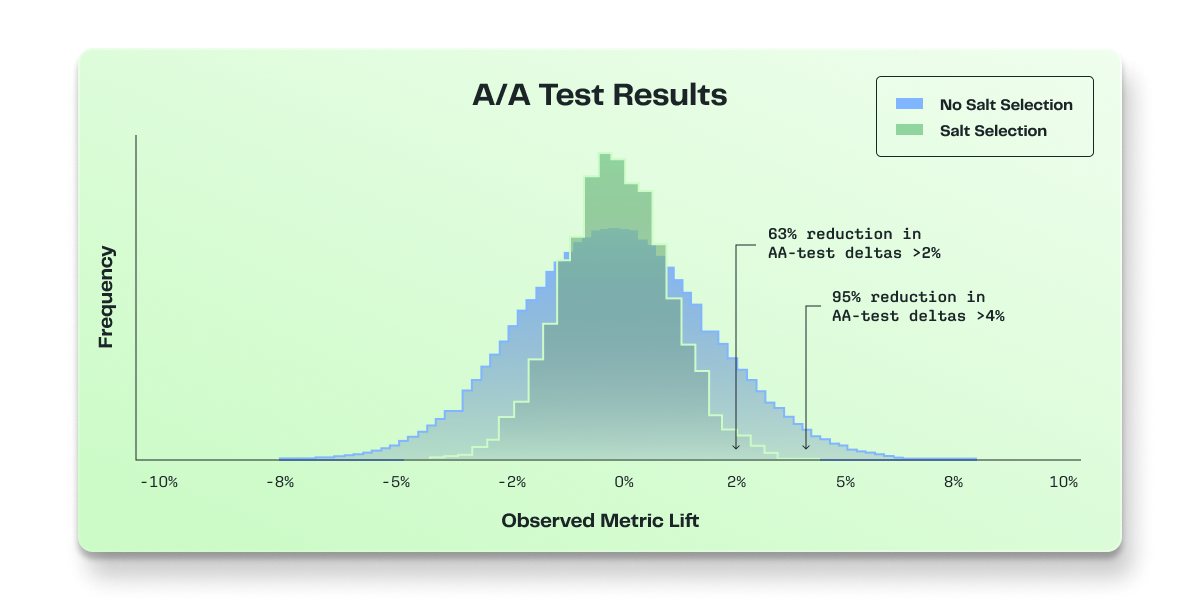
The selection space for salts is large enough that stratifying multiple experiments on the same metric doesn't result in overlap. In Statsig simulations, the groups were as independent as the literature predicts.
Enabling stratified sampling
You can enable stratified sampling under Advanced Settings on the experiment setup page. There are two ways to stratify on Statsig. If you choose a metric to stratify on, Statsig uses that metric to balance the groups.
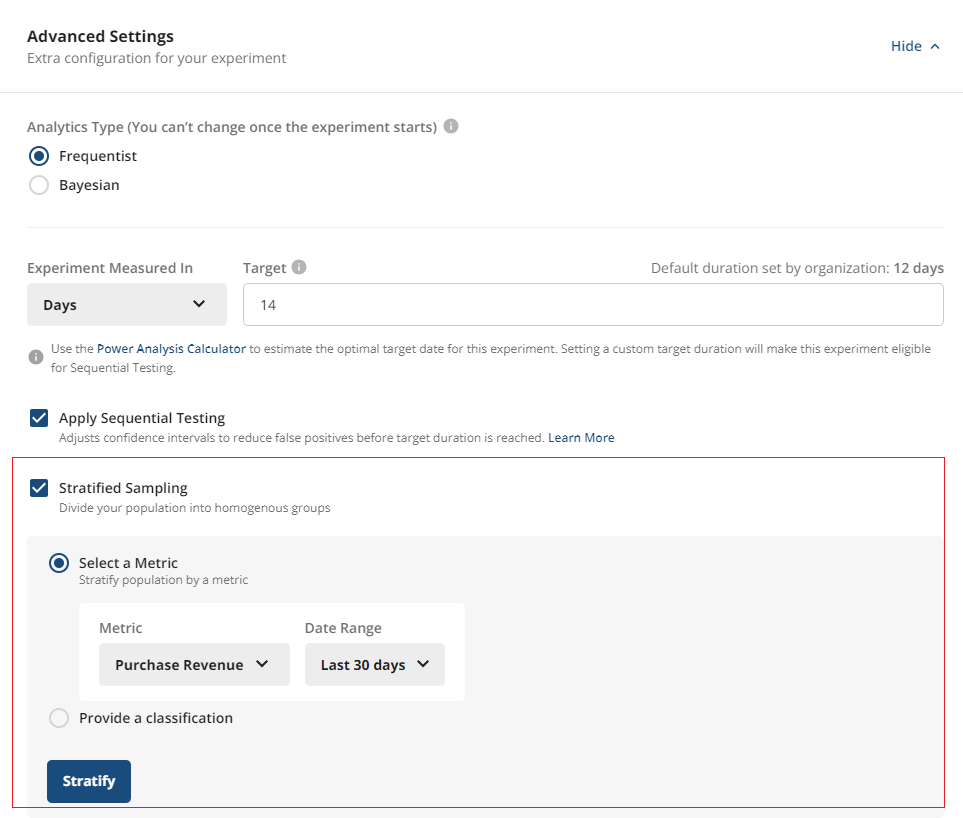
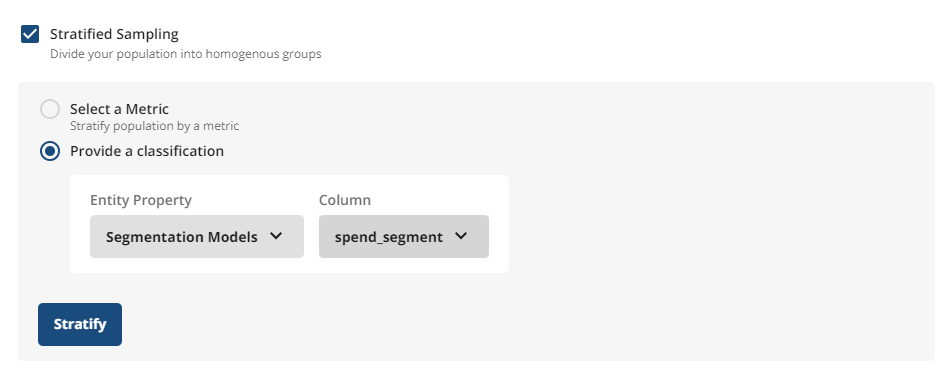
If you instead choose an attribute or classification (for example, S, M, L, XL), Statsig uses that to balance the groups.
- On Statsig Cloud, you upload a CSV (in Early Access)
- On Statsig Warehouse Native, you use Entity Properties
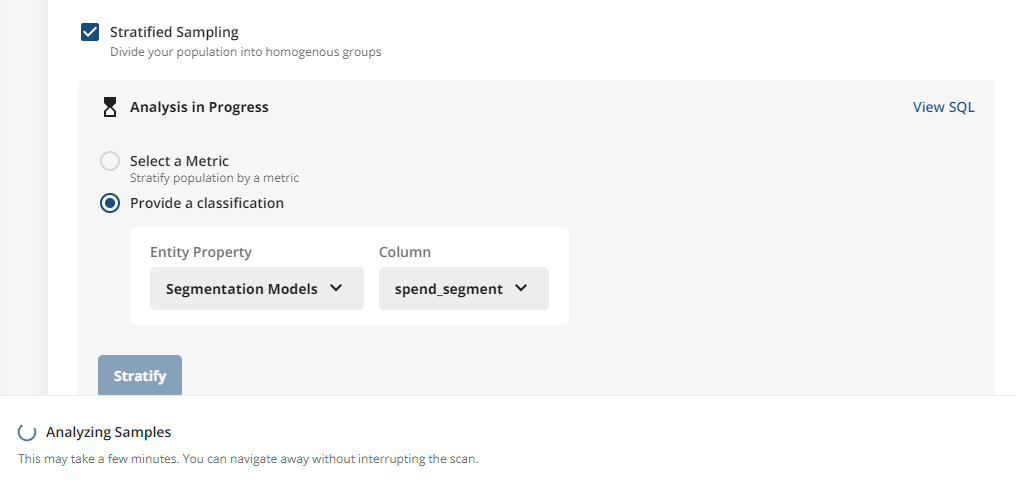
After you select Stratify, Statsig analyzes a set of salts and picks the best one.
FAQ and best practices
What population does Statsig use when balancing?
- When evaluating salts, Statsig computes balance using pre-experiment data for the entire targeted population of the experiment’s unit type (e.g., all
userIDs or allcustomerIDs) over the selected lookback window. There is no filtering on exposure because the experiment hasn't started yet.
- When evaluating salts, Statsig computes balance using pre-experiment data for the entire targeted population of the experiment’s unit type (e.g., all
How does Statsig handle new units after stratification?
- Units that weren't present in the pre-experiment data still receive deterministic assignment from the chosen salt, i.e., effectively at random with respect to the balancing metric. They don't influence the salt selection and may introduce some drift from the initial balance.
Should I use stratified sampling for every experiment?
- Not necessarily. It’s most useful when you expect imbalance due to heterogeneous units (e.g., “whales”) or skewed metrics. The tradeoff is time/compute cost that scales with the number of units and adds steps before starting an experiment. If you don’t expect meaningful imbalance, Statsig generally recommends a standard random split.
Does salt evaluation assume 100% allocation? What about running at less than 100%?
- Yes. Statsig evaluates all candidate salts assuming 100% allocation of the targeted population. If you then run the experiment at an allocation below 100%, random sampling of that subset can reintroduce imbalance. For example, by chance, some high-impact units may fall disproportionately into one arm. For the period you care most about inference, prefer 100% allocation to preserve the intended balance. Use lower allocations briefly for safe rollouts rather than for the full experiment duration.
Across candidate salts, does Statsig evaluate the same set of users?
- Yes. Statsig assesses candidate salts over the same targeted population; only the randomization induced by the salt changes.
How long does stratification take?
- Duration depends on the number of units and the metric/source being queried. There is no fixed SLA; larger populations take longer.
Manual assignment for stratified sampling
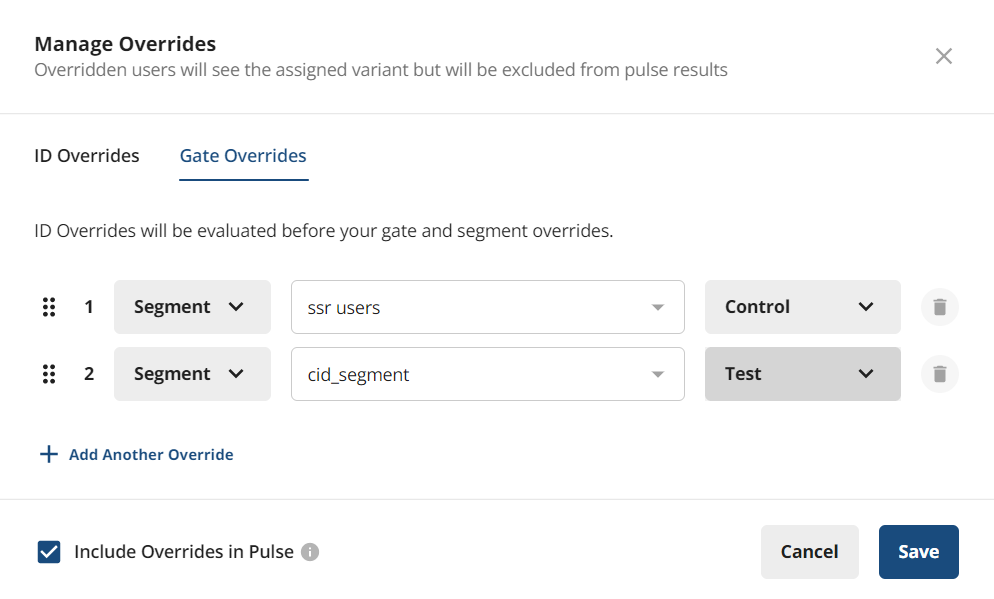
When setting up an experiment, you can configure overrides (for example, force user X or Segment A into Control, force user Y or Segment B into Test). Overrides are for testing; Statsig excludes overridden users from experimental analysis in Pulse results. To include manually assigned users in stratified sampling analysis, select the Include Overrides in Pulse checkbox. This includes overridden users in all metric lift analyses. You can assign 100% of experiment participants manually, or assign a subset manually and randomly assign the rest.
You can add overrides for an ID type that differs from the experiment's ID type, but Statsig won't resolve those ID evaluations to the experiment's ID type and they won't contribute to Pulse results.
When you use the Statsig SDK for assignment, the SDK handles randomization. When you control assignment of users, you're responsible for balancing users across experiment groups.
Additional reading
Morgan and Rubin 2012 covers the history, philosophy, and proofs of re-randomization, including how re-randomization reduces the randomization variance of the difference in means. The paper notes that "standard asymptotic-based analysis procedures that do not take the re-randomization into account will be statistically conservative." Statsig remains conservative with the t-test to maintain consistent and comparable results across methods.
Lin & Ding 2019 is additional reference reading on this topic.
Was this helpful?