For AI agents: a documentation index is available at /llms.txt. Append .md to any page URL for markdown, or send Accept: text/markdown.
Meta-Analysis
Combine results from multiple Statsig Warehouse Native experiments into a meta-analysis to evaluate the overall impact of a series of related A/B tests.
How meta-analysis works
Meta-analysis identifies patterns across the many experiments your teams run. Common questions it helps answer include:
- How hard is a metric to move?
- Are there more sensitive proxies for the metric you care about?
- How are teams performing relative to each other?
Statsig has worked with multiple organizations to help them run thousands of trustworthy experiments per year. These tools are useful whether you're running 50 experiments a year or 5000. To influence the roadmap, reach out in Slack.
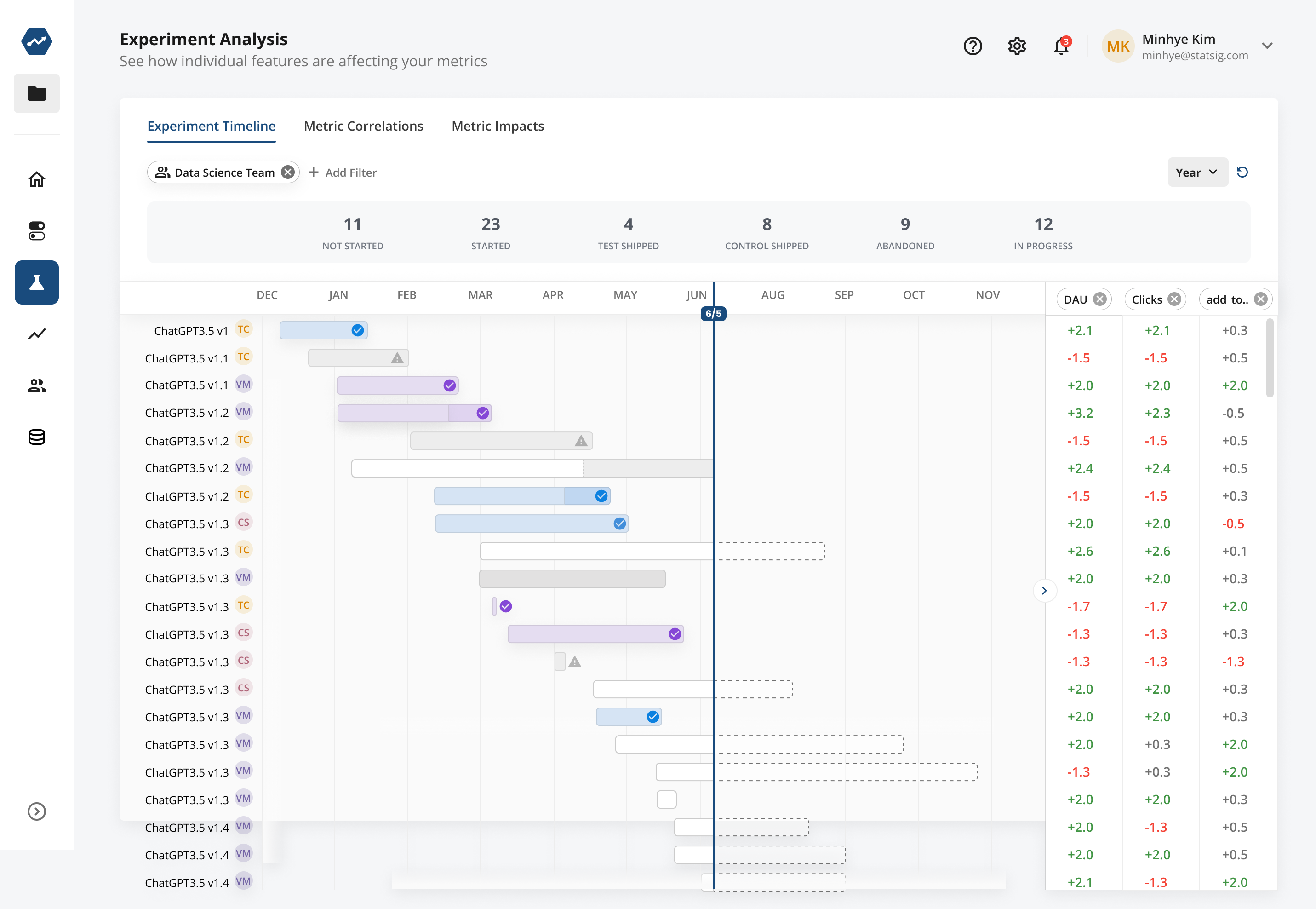
Experiment timeline view
This view lets you filter to experiments a team has run. At a glance you can answer questions like:
- What experiments are running now?
- When are they expected to end?
- What % of experiments ship Control vs Test?
- What is the typical duration?
- Do experiments run for their planned duration - or much longer or shorter?
- Do experiments impact key business metrics - or only shallow or team level metrics?
- How much do they impact key business metrics?
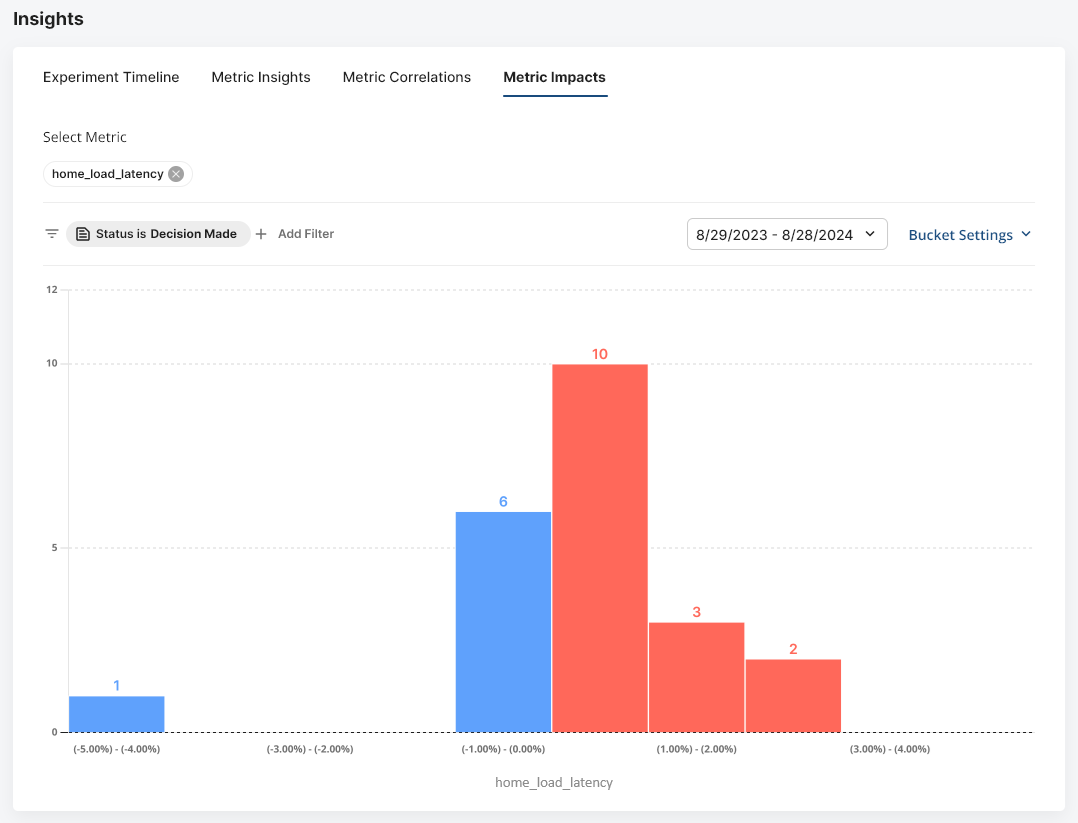
Metric impact (batting average)
The "batting average" view shows how easy or hard a metric is to move. You can filter to a set of shipped experiments and see how many moved a metric by 1% vs 10%. As with other meta-analysis views, you can filter by team, tag, or statistical significance. Common uses include:
- Validating whether a claim that the next experiment will move a metric by 15% is reasonable.
- Establishing realistic goals based on past ability to move the metric.
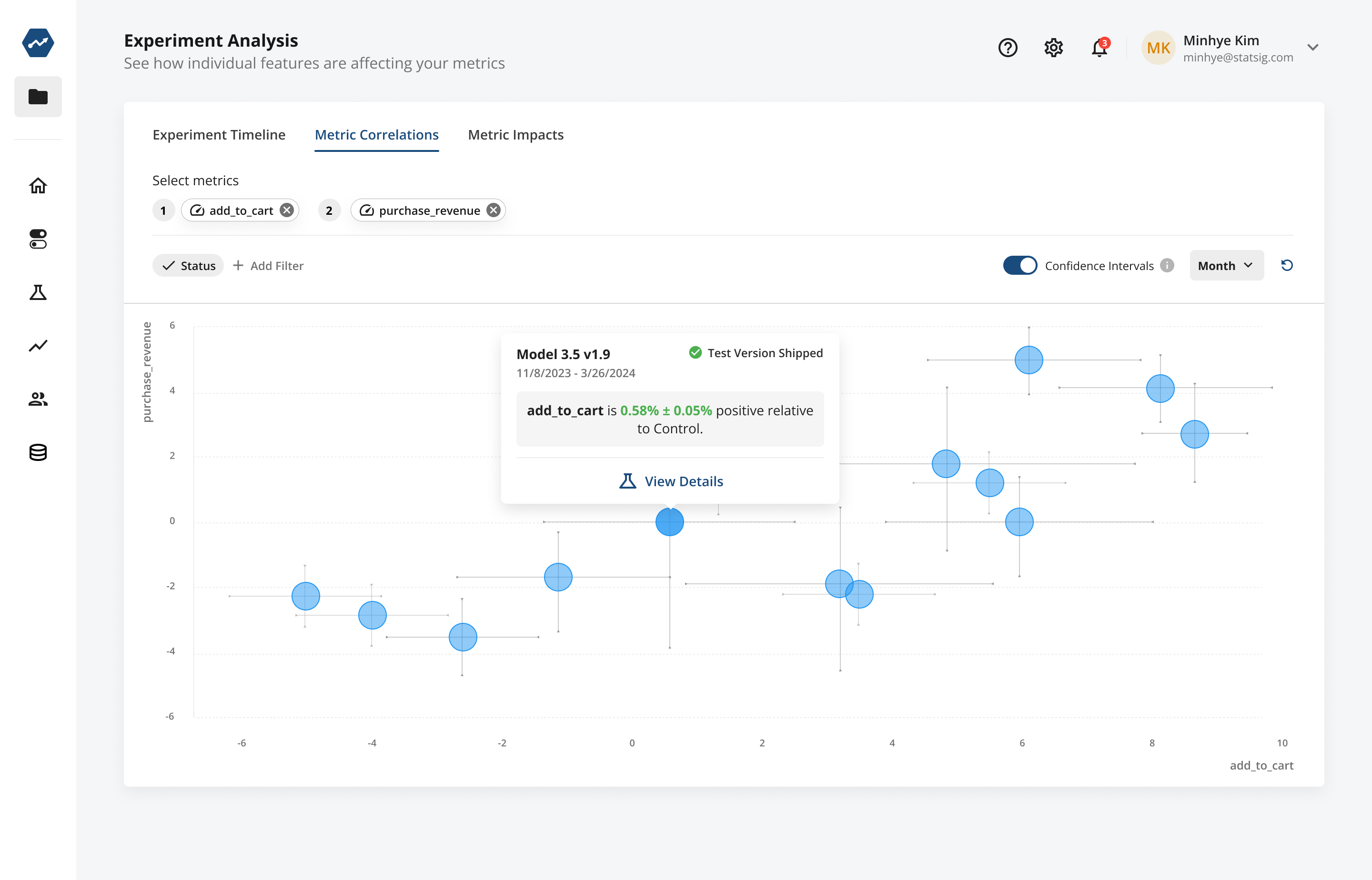
Metric correlation view
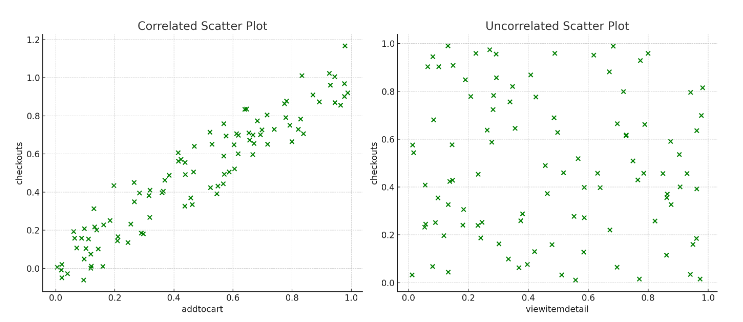
This view plots two metrics on the same chart, where each data point represents one experiment's impact. Use it to assess whether the metrics tend to move together.
Often the metric you want to move isn't very sensitive and takes time to measure. Finding more sensitive, faster-to-measure proxy metrics is useful for running experiments. You can also remove outliers, filter to a team's experiments, or download the underlying dataset.
In this example: "Checkouts" is the target metric, but it isn't very sensitive. "AddToCart" correlates well with "Checkouts", while "ViewItemDetail" doesn't.
Metric insights
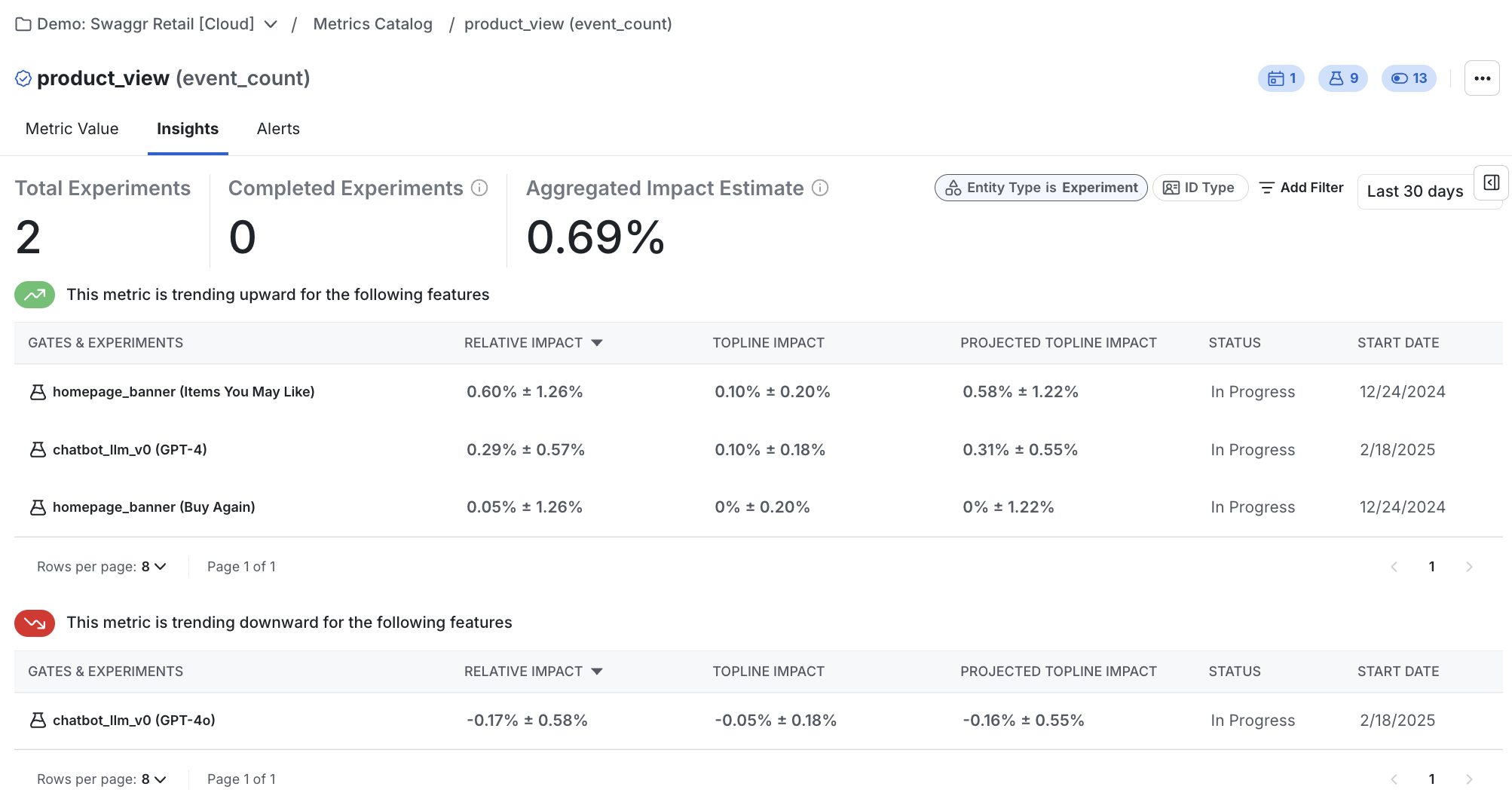
This view lets you pick a metric and see all experiments and feature rollouts that impact this metric. Learn more.
Knowledge bank
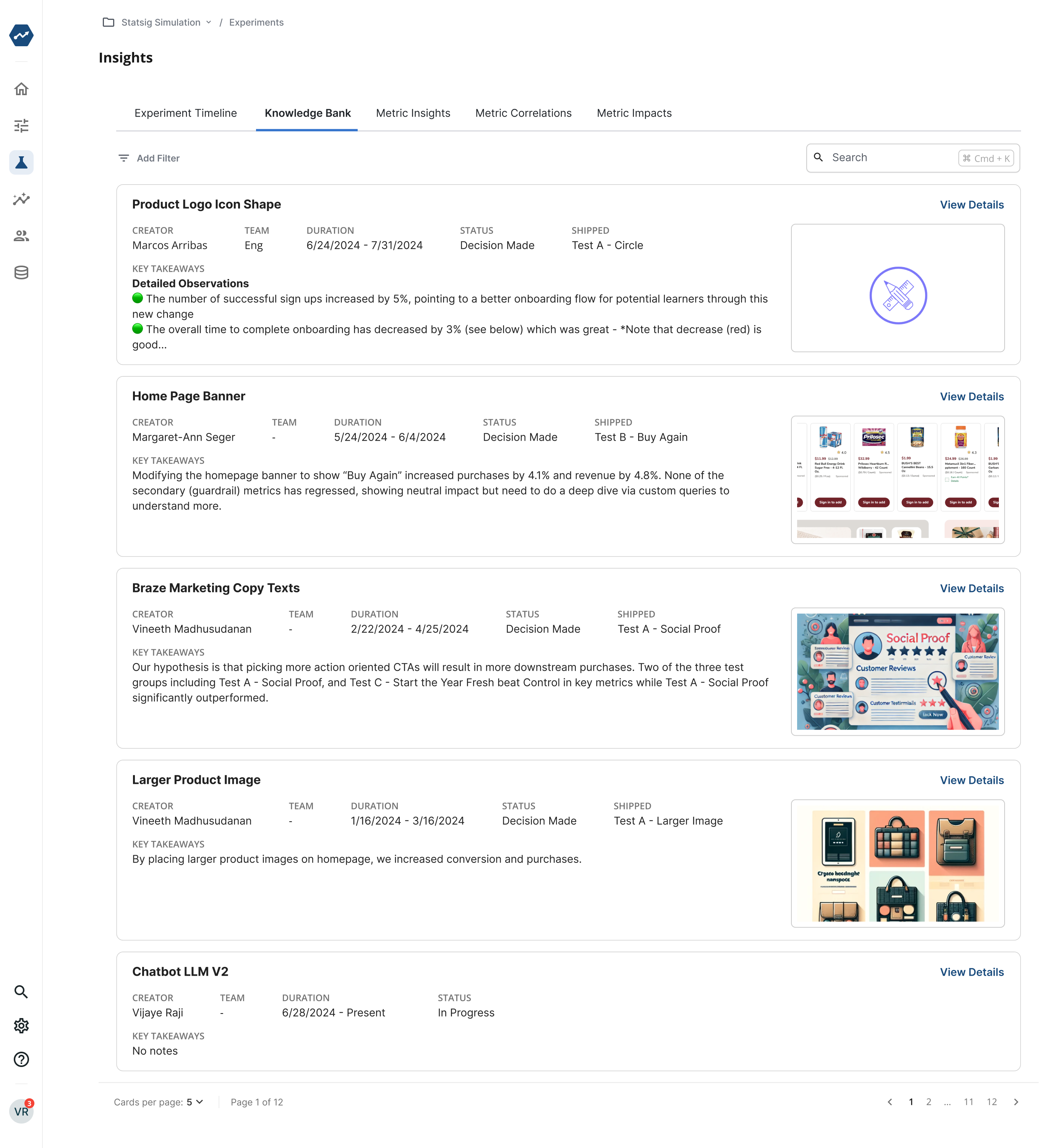
The Knowledge Bank is a searchable repository of experiment learning across teams. Use it to find shipped, healthy experiments, gain context on past work, and generate ideas for new experiments.
It gives new team members a way to explore experiments by keyword when the structured meta-analysis views don't fit the need. The meta-analysis tools provide more structured discovery, but free text search also works here.
Was this helpful?