For AI agents: a documentation index is available at /llms.txt. Append .md to any page URL for markdown, or send Accept: text/markdown.
Assignment Sources
Configure assignment sources in Statsig Warehouse Native so experiment exposures from your warehouse map to the correct experiment and variant.
Assignment Sources define the schema for your assignment data in Statsig. They serve as the input for determining which users are in an experiment and which treatment each user received.
Creating an assignment source
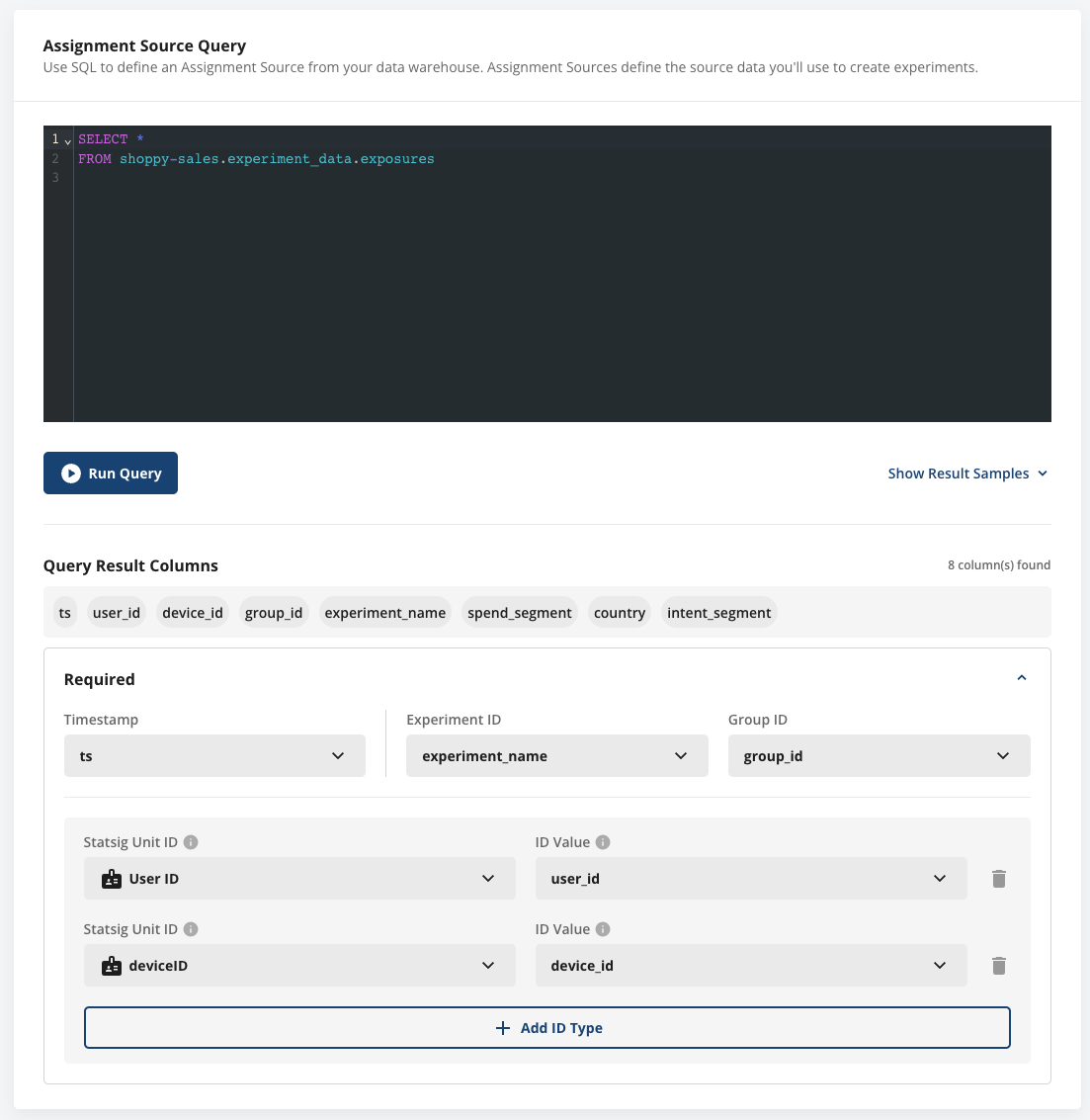
To create an assignment source, navigate to the data tab in Statsig and open the Assignment Sources pane.
An Assignment Source is a SQL query and a mapping of the output columns to specific fields Statsig requires (user identifiers, a timestamp, an experiment identifier, and a group identifier).
Scanning assignment sources
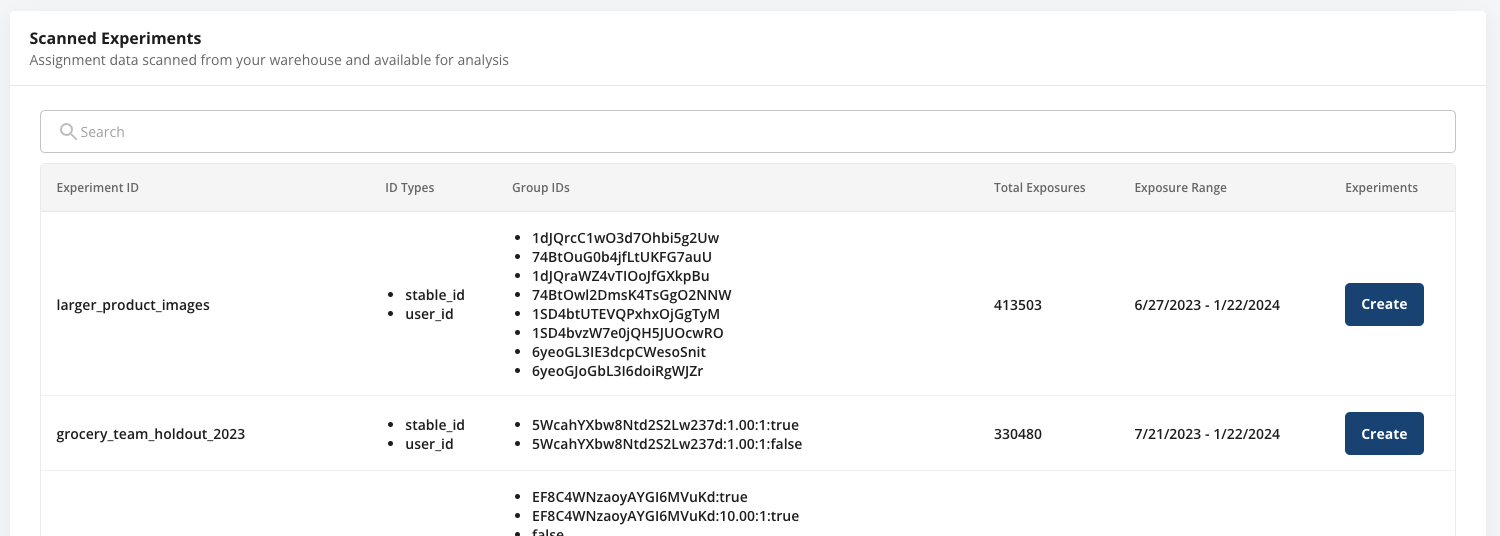
Statsig scans assignment sources on-demand or on a schedule to find experiment data. These jobs run quickly and identify unique groups, the ID types present in the experiment, and the estimated number of users per group.
After the scan is complete, you can view and create experiments from the assignment source. The assignment data also populates the Experiment creation flow.
Manage assignment sources
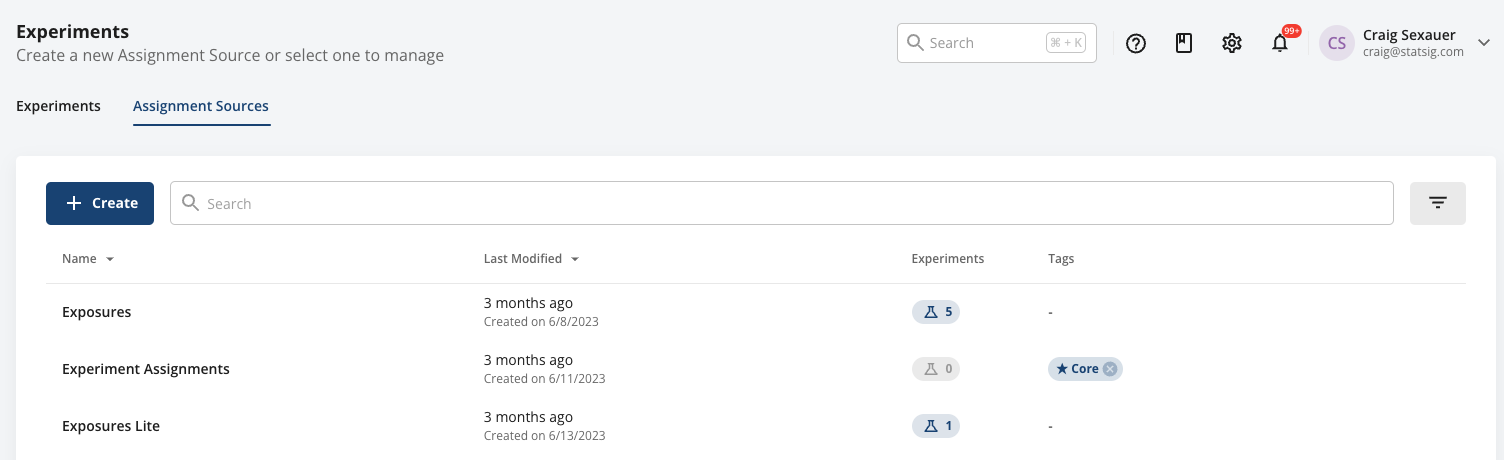
In the Assignment Source tab, you can see your Assignment sources and the experiments that use them.
Example data
For experiment assignment sources, Statsig requires the following information: which users received an exposure, when, and to which experiment:
| Column Type | Description | Format/Rules |
|---|---|---|
| timestamp | Required an identifier of when the experiment exposure occurred | Castable to Timestamp/Date |
| unit identifier | Required at least one entity to which this metric belongs | Generally a user ID or similar |
| experiment identifier | Required the experiment the exposure was for | Usually an experiment name |
| group identifier | Required the experimental variant the user was assigned to | Usually a group name |
| additional identifiers | Optional Entity identifiers for reuse across identifier types | |
| context columns | Optional Fields you can use to group by and filter results in exploratory queries |
For example, you could pull from exposure event logging directly:
| timestamp | user_id | company_id | experiment_name | group_name | country |
|---|---|---|---|---|---|
| 2023-10-10 00:01:01 | my_user_17503 | c_22235455 | ranking_v1_vs_v2 | v1 | US |
| 2023-10-10 00:02:15 | my_user_18821 | c_22235455 | ranking_v1_vs_v2 | v2 | CA |
| 2023-10-10 00:02:22 | my_user_18821 | c_22235455 | search UI revamp | control | CA |
Was this helpful?