For AI agents: a documentation index is available at /llms.txt. Append .md to any page URL for markdown, or send Accept: text/markdown.
Filter Exposures
Filter experiment exposures in Statsig Warehouse Native by user property, qualifying event, or time window to focus analysis on relevant subpopulations.
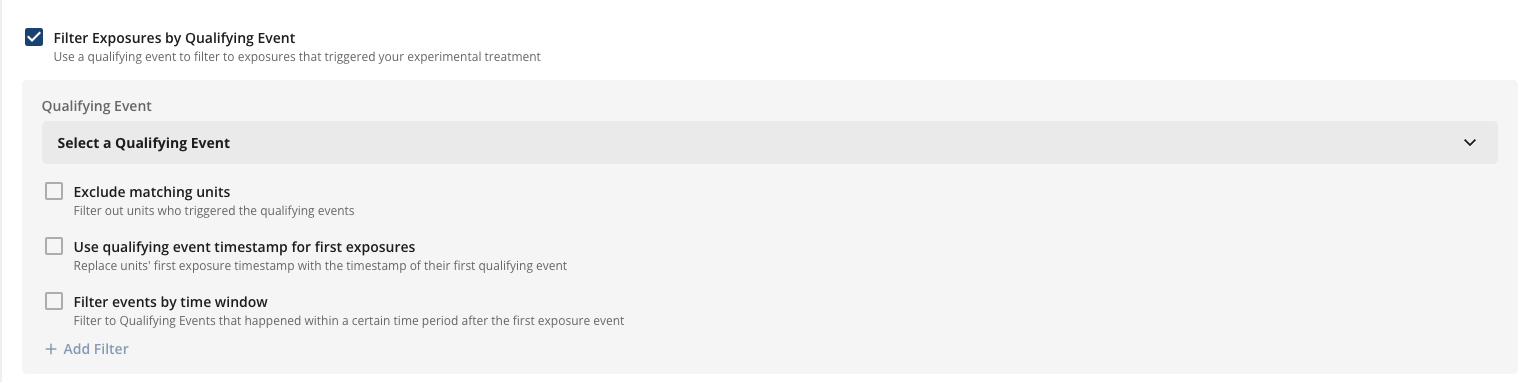
Filter Exposures by Qualifying Event
You can use Qualifying Events to filter exposures to units that did or did not trigger an event after exposure. Qualifying Events are useful for analysis-only experiments where the assignment tool may have over-exposed units. For example, the tool might assign units on page load when the intervention only triggered when a user clicked a button.
Use this tool with caution. It's possible to introduce post-assignment data into your assignment data, biasing results. For this reason, Statsig disables qualifying event filters by default on Assign and Analyze experiments, because the Statsig SDK typically doesn't over-expose units. Contact the Statsig team to enable this feature if you have a use case for it.
You can configure the following settings:
- Qualifying Event: the event source to qualify exposures with. You can filter this to pick specific target events within a qualifying event source.
- Exclude matching units: whether to include or exclude units that triggered the event.
- Use qualifying event timestamp for first exposures: if the actual intervention occurred when the unit triggered the qualifying event, enable this setting so that Statsig overrides the exposure timestamp with the qualifying event timestamp.
- Filter events by time window: restrict qualifying event matching to events that occurred within X days or minutes of the unit's exposure event.
Filter Assignment Source
You can also filter exposures to units based on columns in the assignment source. You can use certain columns directly and apply additional filters on top.
As with filtering by qualifying event, use this tool carefully because it can artificially introduce bias to experiment results.

Was this helpful?