For AI agents: a documentation index is available at /llms.txt. Append .md to any page URL for markdown, or send Accept: text/markdown.
Cohort Metrics
Cohort metrics are a way to analyze the impact of an experiment in a certain time frame per experimental unit
Cohort metrics analyze an experiment's impact within a fixed time window relative to each unit's exposure. Common use cases include:
- Ensuring all users have equal periods for data collection creates a direct comparison across users enrolled early or late in the experiment (which often corresponds to power or occasional users), and across different time periods that may have extrinsic factors like holidays.
- If you analyze an unbounded period, experimental units' variance in the population can increase over time. This variance increase leads to a scenario where error bars don't converge toward 0 even as you run the experiment longer.
- Cohort metrics let you skip noisy early metrics, or focus on outcomes after users might churn. For example, they can capture "week-2 engagement" if a product has a 1-week trial period.
- You can also use cohort metrics to capture "one-shot retention". Retention metrics capture rolling, ongoing retention. A user metric with a window from day X to day Y is a good way to check if an experiment is causing more users to retain at least X days.
The downsides of cohort metrics are that:
- They don't capture any long-term impact, or how impact evolves over time. Cohort analysis is purely a point-in-time analysis and may not be appropriate for measuring complex, evolving behaviors.
- They make topline impact estimates lossier and harder to trust.
Some practitioners have made compelling arguments that cohort metrics are a better "standard" metric for organizations to use in analysis. Statsig believes that using cohorts depends on business context. Consider whether cohorts should be at least part of an experiment's measurement. For example, measure topline revenue as an overall evaluation criteria, but also measure 7-day revenue alongside it for additional context.
This page explains the available settings, what they do, and how they interact so you know what Statsig measures.
Basic cohort windows
Basic cohort windows are a filter on metric data with a time range relative to the unit's time of exposure. For example, a cohort window from day 1 to day 6 filters to events from 24 hours until 168 hours after exposure.
Statsig calculates this as a timestamp comparison; a unit enrolled at 12pm has exactly 24 hours until it reaches the end of a 0-1 day cohort.
For metrics from data sources marked as daily data, Statsig truncates the cohort comparison to a date so that day-0 data behaves as expected (e.g. a user exposed on 2025-01-05T09:00 includes the date-based data from 2025-01-05 instead of truncating to times "after 9:00am").
Waiting for maturation
By default, cohort metrics can have a mix of maturation levels in the experimental population. For a 1-week cohort, users enrolled in the final week have a mix of maturities during analysis. This yields the maximum sample but can dilute the analysis with partial cohort windows. To prevent this, mark the metric as "Wait for cohort window to complete". This setting drops units' metric data from analysis and removes them from the experiment analysis population.
In the examples below, one metric forces cohorts to complete. It has fewer units in the analysis, because many units don't have a complete window. It has a lower total because of the small unit count. It has a higher mean, because the units it includes have completed their window and have a longer data collection period on average.
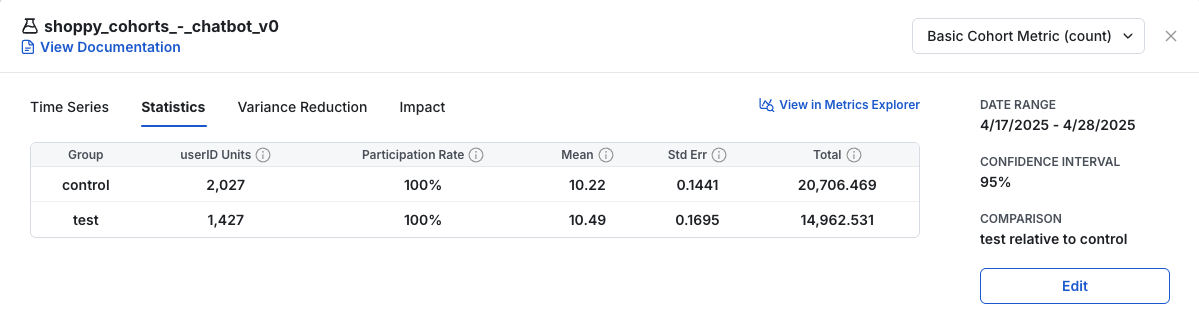
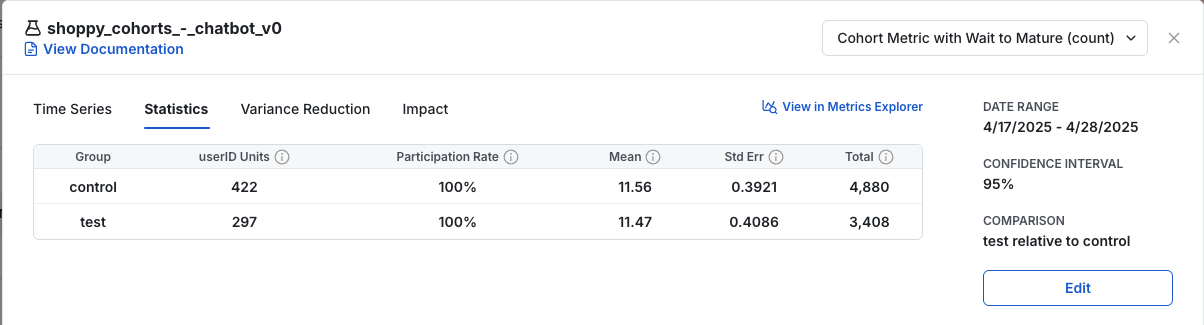
This setting can lead to different populations between metrics. It also filters out the last few days of an experiment's data in the daily time series, because new cohorts' data is not yet complete. View a metric's cohort settings by hovering over the metric name in the experiment scorecard.
Visual examples
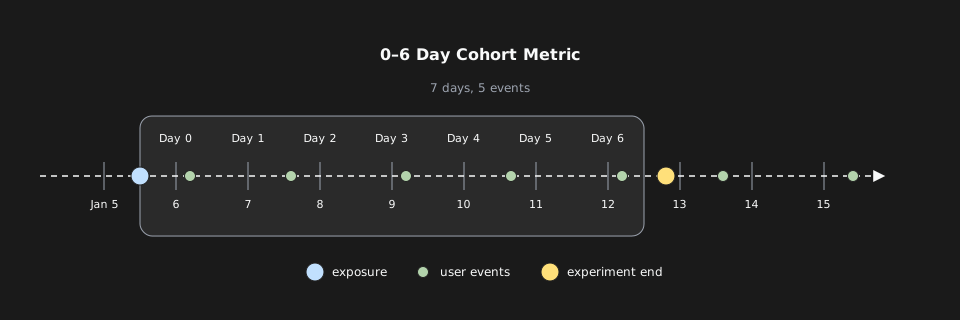
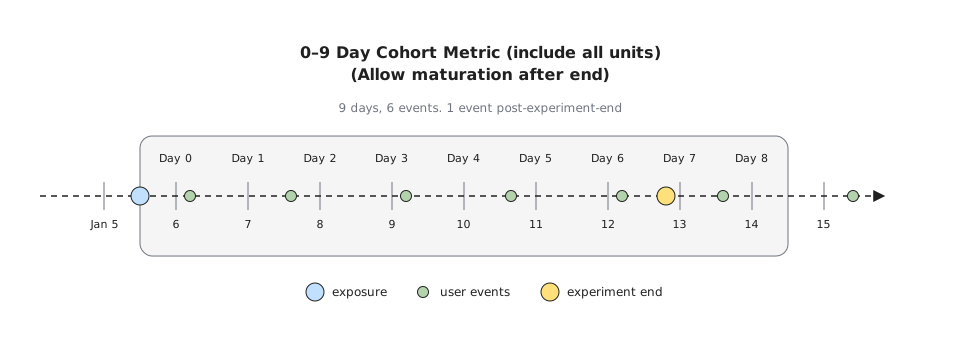
This is what data collection looks like for a standard cohort metric with a 0-6 day window. This collects data for 7 days because it's 0-indexed.
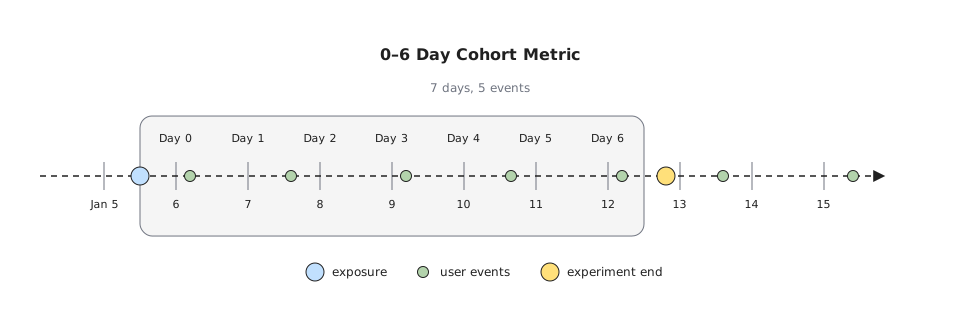
If the cohort period extends past the end of the experiment, Statsig truncates data collection to the end of the experiment by default.
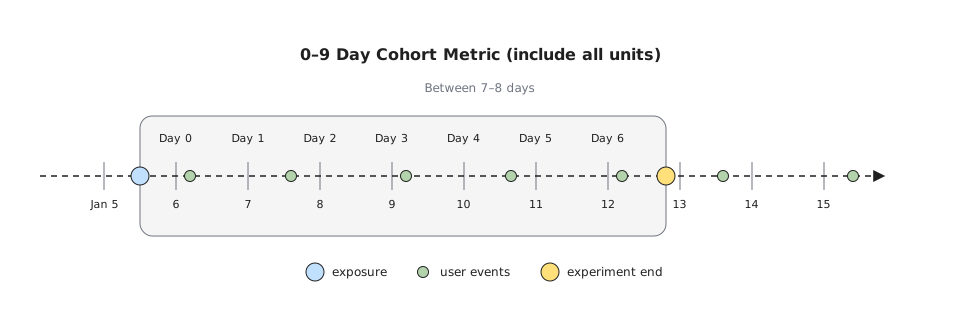
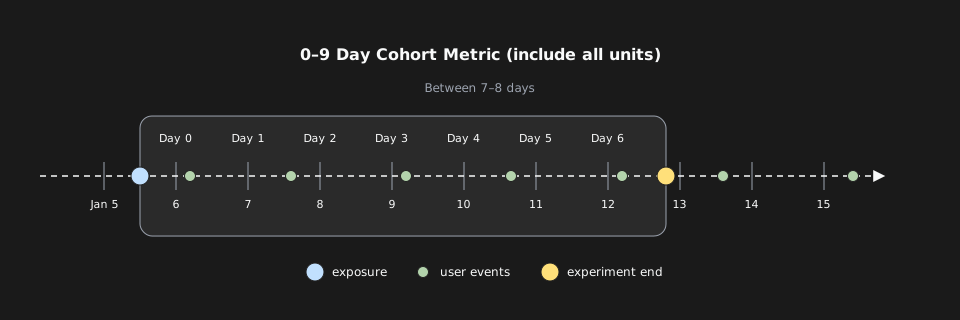
If you configure the metric to allow only completed cohort windows, Statsig excludes the unit from the analysis. Statsig doesn't include excluded units in the denominator for the average value of a sum or count metric, and filters their metric data from the analysis.
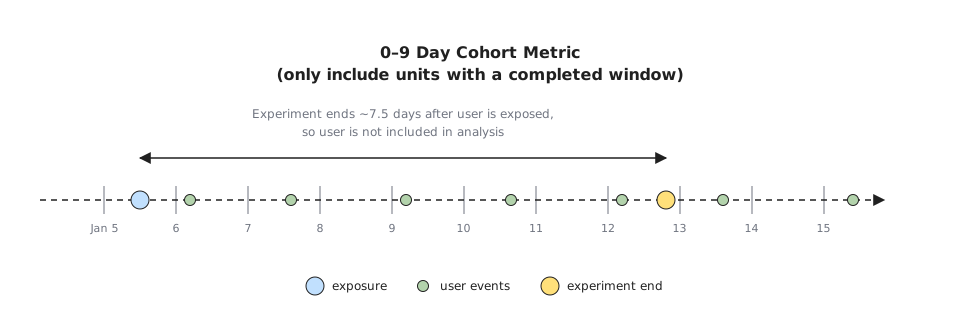
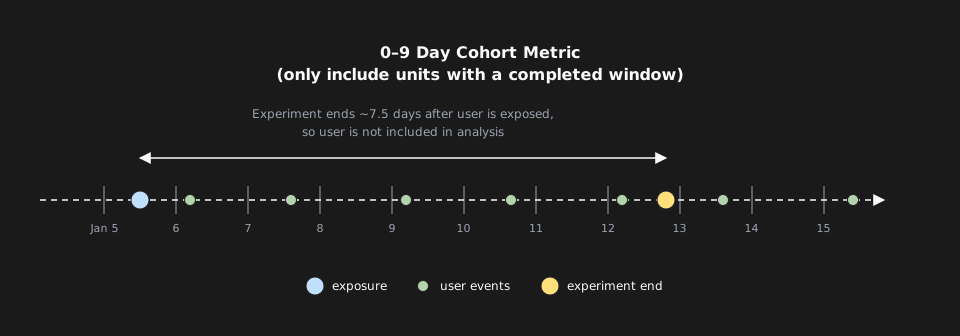
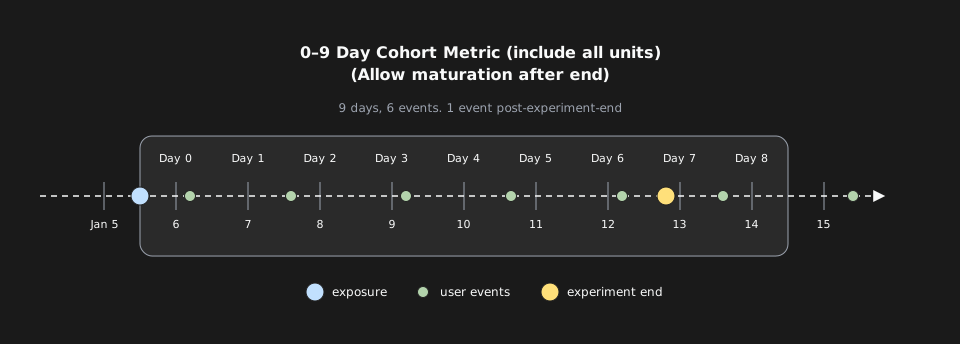
If you configure mature after end in the experiment, data collection continues after the experiment ends, regardless of whether you enable "wait for mature".
Experiment-based cohort settings
Statsig also provides cohort controls at the experiment level. The relevance of these settings depends on the kind of experiment you run, as the following sections describe.
Allow post-experiment cohort data
Checking Allow Cohort Metrics to Mature After Experiment End allows Statsig to collect metrics after the experiment ends. Statsig recommends this for one-time interventions, such as a new signup page, because post-experiment signal from units that received the intervention provides additional statistical power.

Statsig doesn't recommend this for continuous interventions, such as a ranking change, because post-experiment data can become diluted. For example, test users may receive the control experience during their post-experiment period, which dilutes results.
Statsig extends the analysis past the experiment end by the length of the longest cohort window across all metrics. Statsig constrains non-cohorted metrics to the analysis period and filters cohort metrics to the experiment end plus their cohort window.
Fixed duration
On the Experiment Population section of the experiment setup page, Configure Analysis Period with Analysis Type Fixed Duration counts metrics only for a specified period after experiment start. This is useful for experiments with a fixed enrollment point, such as email campaigns.
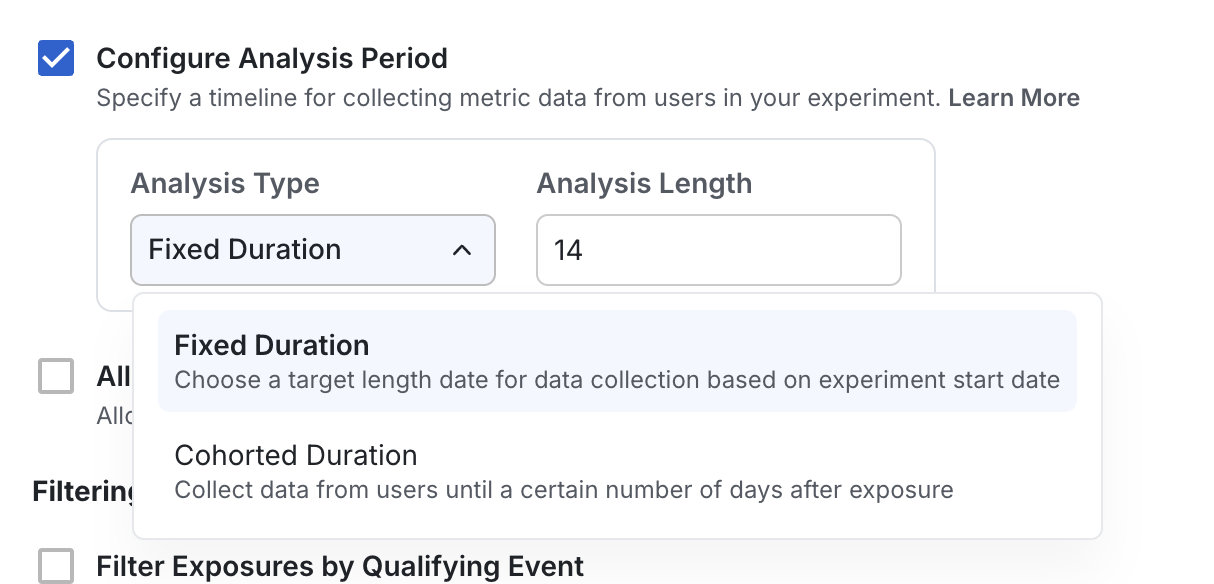
You can use this setting only for assign and analyze experiments.
Cohorted duration
On the Experiment Population section of the experiment setup page, Configure Analysis Period with Analysis Type Cohorted Duration applies allocation-based cohorting globally to all metrics in the experiment analysis. This is the same as the metric-based cohort but applied experiment-wide. This is useful for new user experiments.
When you use this with metric cohorts, Statsig uses the minimal end of the cohort window. For example, if you set a metric cohort to end at 7 days and the experiment at 10 days, Statsig uses 7. If you set the metric cohort to end at 7 days and the experiment at 5 days, Statsig uses 5.
You can also specify the only include units with a completed cohort window setting at the experiment level, and it applies to all metrics in the experiment when set. If not checked, Statsig applies the setting on a metric-by-metric basis.
Metric bake windows
In some cases, a metric in your warehouse may not be mature until a certain time has passed, after which you care about the daily value. Statsig provides the option to specify a bake window for your metrics. Statsig excludes metrics that haven't reached the end of their bake window from the numerator and denominator of the metric in the analysis.
Daily revenue is an example of a metric that may not be immediately mature. If a user makes a purchase and refunds it a few days later, their daily revenue retroactively changes to reflect the refund. A 28-day refund period aligns naturally with a 28-day bake window for revenue metrics.
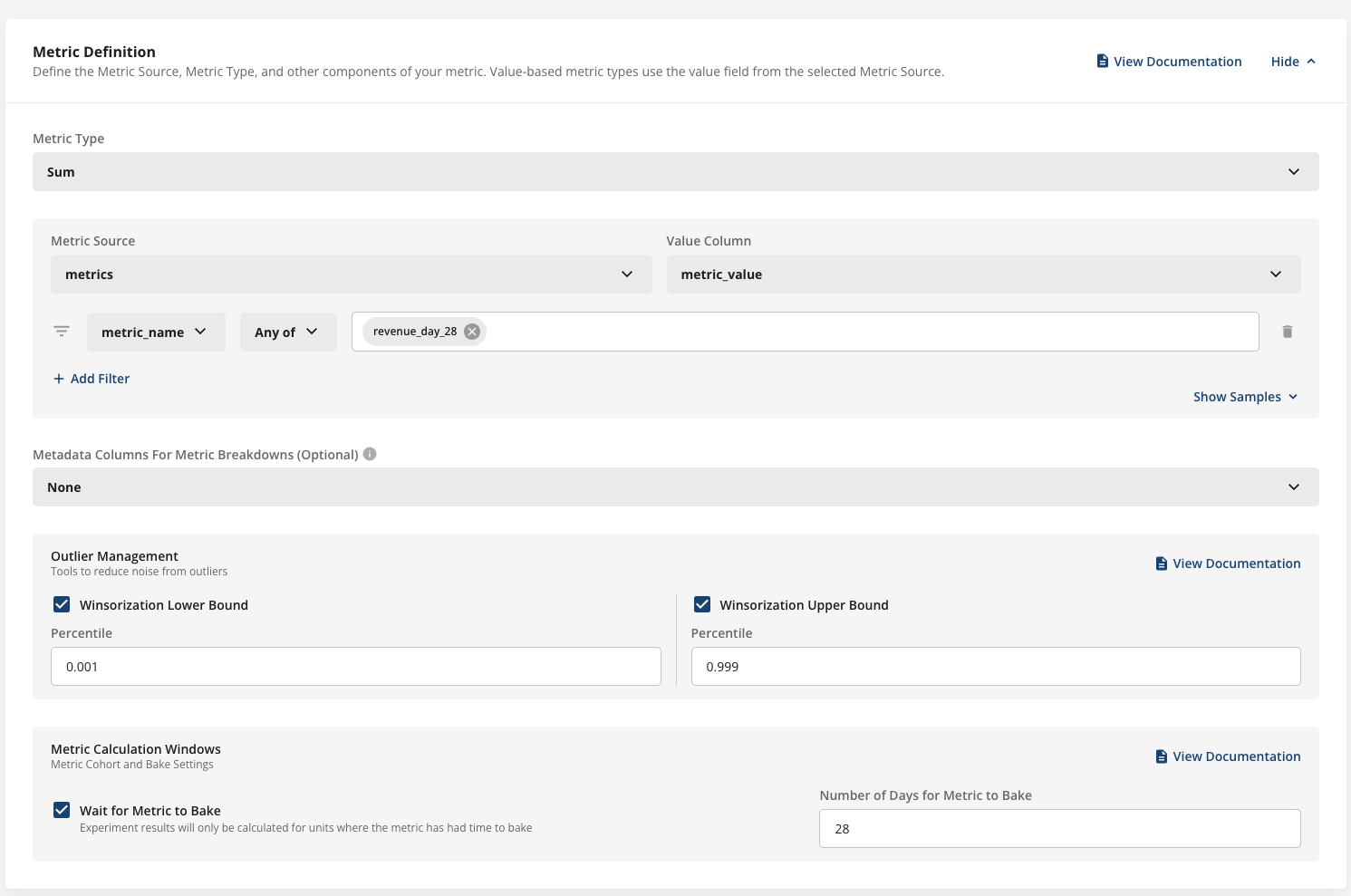
In the example above, the revenue metric covers the last 28 days. Rather than calculating a partial result, Statsig excludes users from the analysis until their data has had 28 days to mature.
Partial results can occur because, when a metric bakes over a long period, part of the metric values come from before the experimental intervention and dilute the results. For a user exposed 1 day ago, 27 of 28 days of their revenue metric are from the pre-intervention period, diluting the experiment results.
Was this helpful?