For AI agents: a documentation index is available at /llms.txt. Append .md to any page URL for markdown, or send Accept: text/markdown.
Entity Properties
Entity Properties are categorical details about an entity (e.g. a user) in an experiment, which you can use across all experiments to filter or group experiment results in the Explore section. Create these at Data -> Entity Properties.
Entity properties are categorical details about an entity, such as a user, that you can reuse across all experiments to filter or group results. You can provide detail that doesn't typically change, such as a user's home country. You can also provide a property that may change during an experiment, such as Subscriber Status: True/False. For dynamic properties, you provide a timestamp field that Statsig uses to identify the most recent value before the user's exposure. Using the pre-exposure value prevents imbalanced groups and biased results when an experimental treatment impacts the property, for example if the treatment increased the subscription rate.
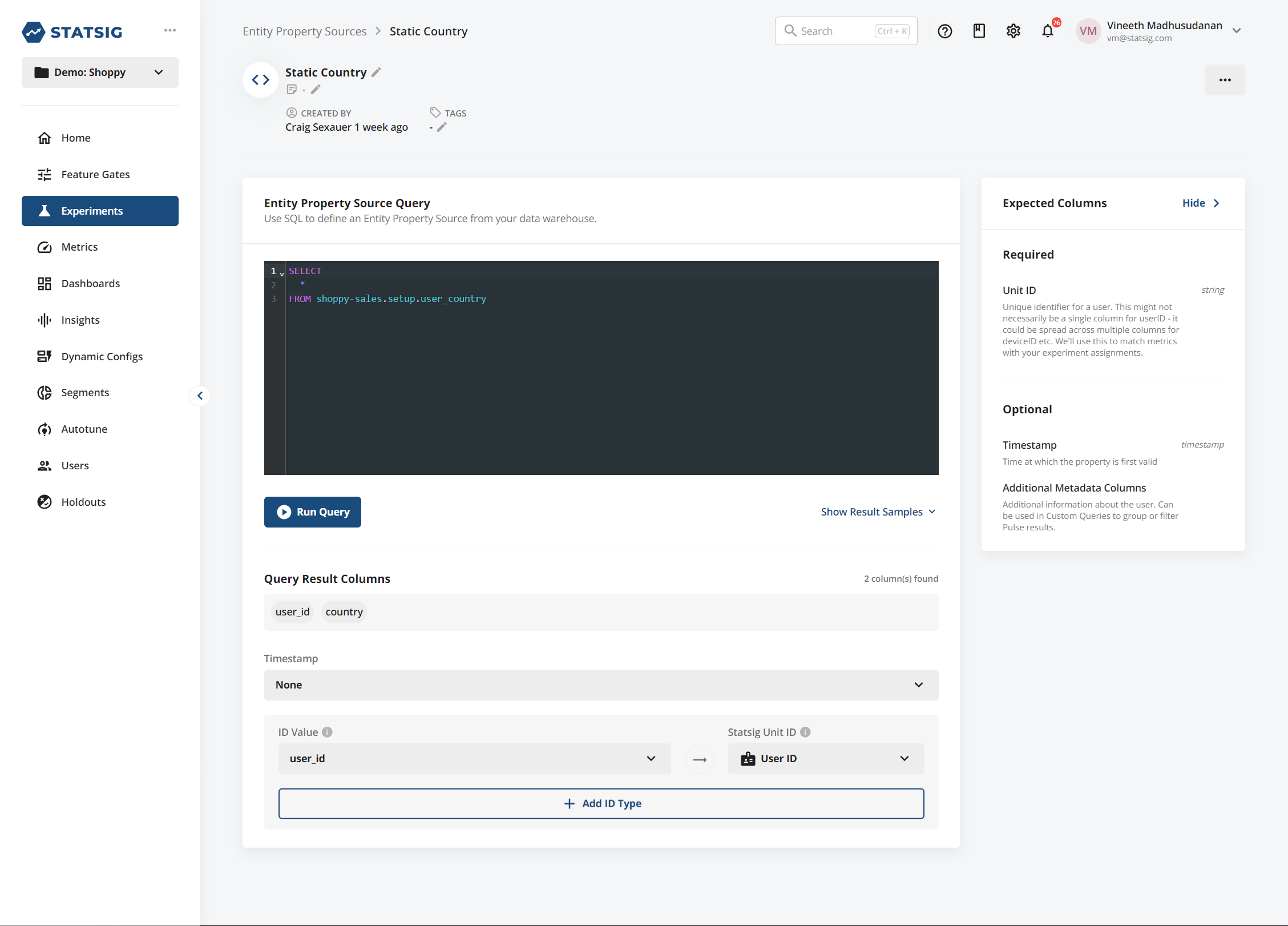
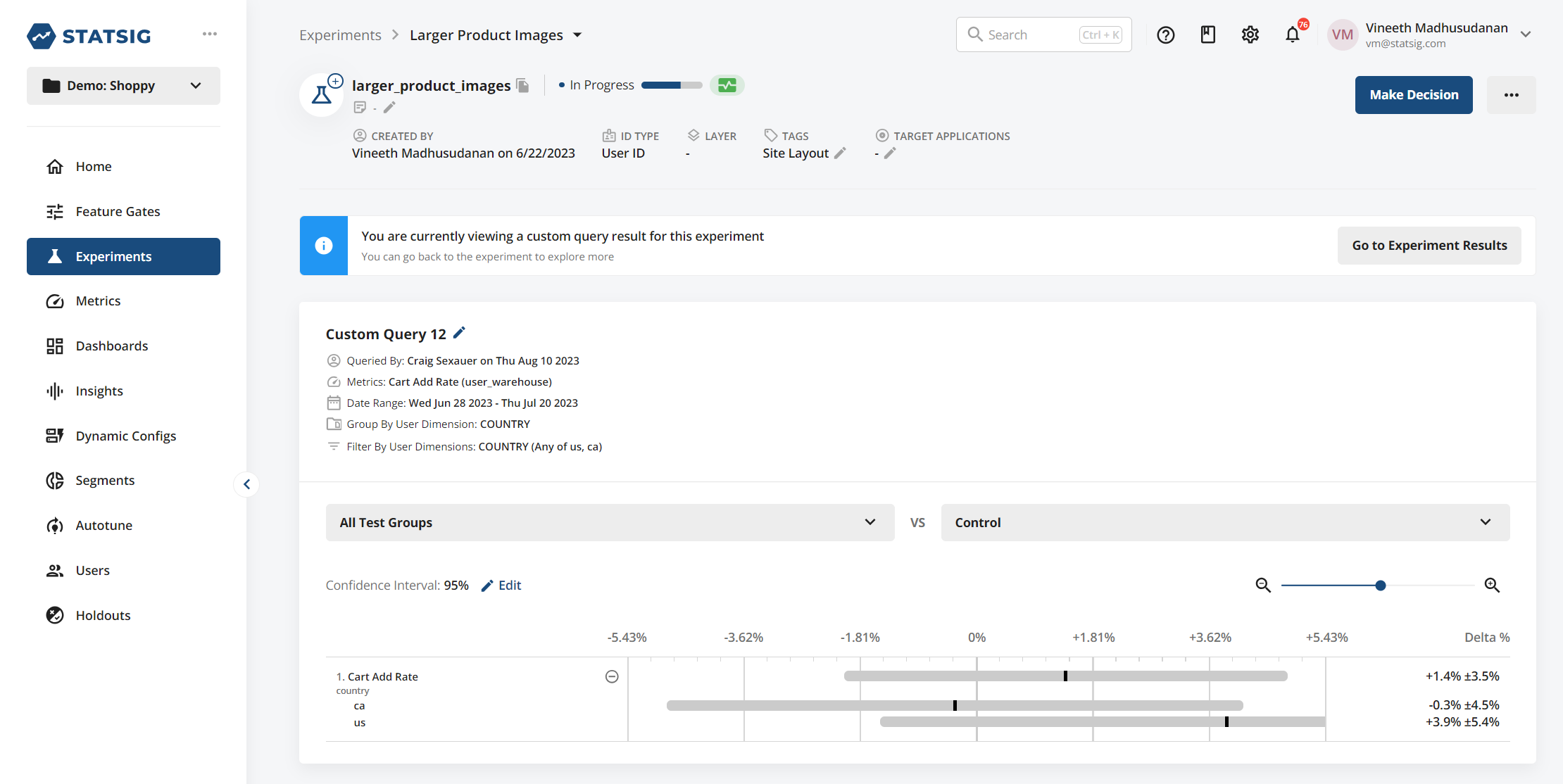
Example data
For property sources, Statsig only needs a user_id and property fields. Property sources can define fixed properties (for example, a user's country of origin) or dynamic properties. For dynamic properties, provide a timestamp so Statsig can identify the most recent pre-exposure record.
| Column Type | Description | Format/Rules |
|---|---|---|
| timestamp | Optional an identifier of when you define the property. Required for dynamic properties | Castable to Timestamp/Date |
| unit identifier | Required At least one entity to which this metric belongs | Generally a user ID or similar |
| property columns | Required Fields you can use to group by and filter results in exploratory queries |
For example, a static property source could be:
| user_id | company_id | country |
|---|---|---|
| my_user_17503 | c_22235455 | US |
| my_user_18821 | c_22235455 | CA |
You can use this source to filter and group results in any experiment that exposed either user_id or company_id.
For a dynamic property, it might look like this:
| user_id | timestamp | company_id | intent_segment | spend_segment |
|---|---|---|---|---|
| my_user_17503 | 2023-10-10 | c_22235455 | high_intent | high |
| my_user_17503 | 2023-10-11 | c_22235455 | high_intent | high |
| my_user_17503 | 2023-10-12 | c_22235455 | mid_intent | high |
| my_user_18821 | 2023-10-10 | c_22235455 | low_intent | low |
| my_user_18821 | 2023-10-11 | c_22235455 | low_intent | mid |
| my_user_18821 | 2023-10-12 | c_22235455 | low_intent | mid |
The first user in this example has their intent_segment property change on 2023-10-12. Because Statsig uses the intent_segment value before the user's exposure, this user may have different intent_segment values across different experiments.
Was this helpful?