For AI agents: a documentation index is available at /llms.txt. Append .md to any page URL for markdown, or send Accept: text/markdown.
Qualifying Events
Use qualifying events in Statsig Warehouse Native to filter experiment exposures and metric calculations to specific user actions or eligibility windows.
Using qualifying events
Statsig uses qualifying events to simulate exposures for power analysis, and to filter exposures to users who triggered a specific event. Setting up a Qualifying Event is identical to setting up an Assignment Source, except they don't require experimental information.
The qualifying event must occur after the exposure, as their respective timestamps indicate.
You can use context columns to filter the qualifying event for power analysis. For example, you might have a Qualifying Event for page load and filter to different page identifiers for power analyses of experiments on different surfaces.
Filter by qualifying events
Statsig provides controls for using qualifying events to filter exposures in an experiment in cases of over-exposure.
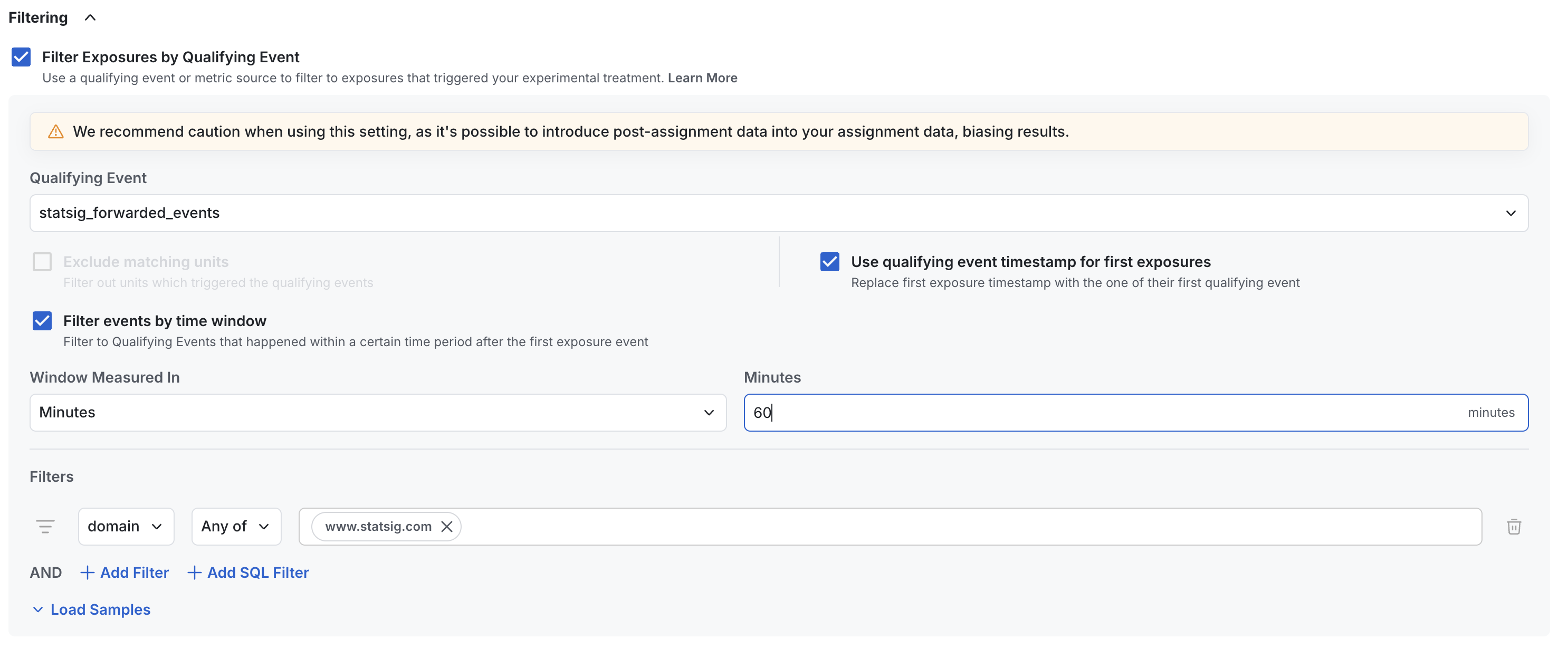
In the image above:
- Forwarded SDK events from Statsig filter the exposures. This could also be a single-event source or any data source.
- The configuration replaces the actual exposure timestamp with the first observed qualifying event, which makes metric timelines and cohort timelines more accurate.
- The configuration counts only qualifying events from within an hour of an exposure event, which helps avoid issues with late-landing attribution.
- A filter limits events to the
www.statsig.comdomain.
Some customers prefer this flexibility, and many set up qualifying events as individual events to use in their analyses.
You can often identify over-exposed experiments by observing uniformly low participation rate on all metrics.
Power analysis
Use qualifying events in power analysis to estimate your experimentation population based on how many users historically triggered your proposed trigger event.
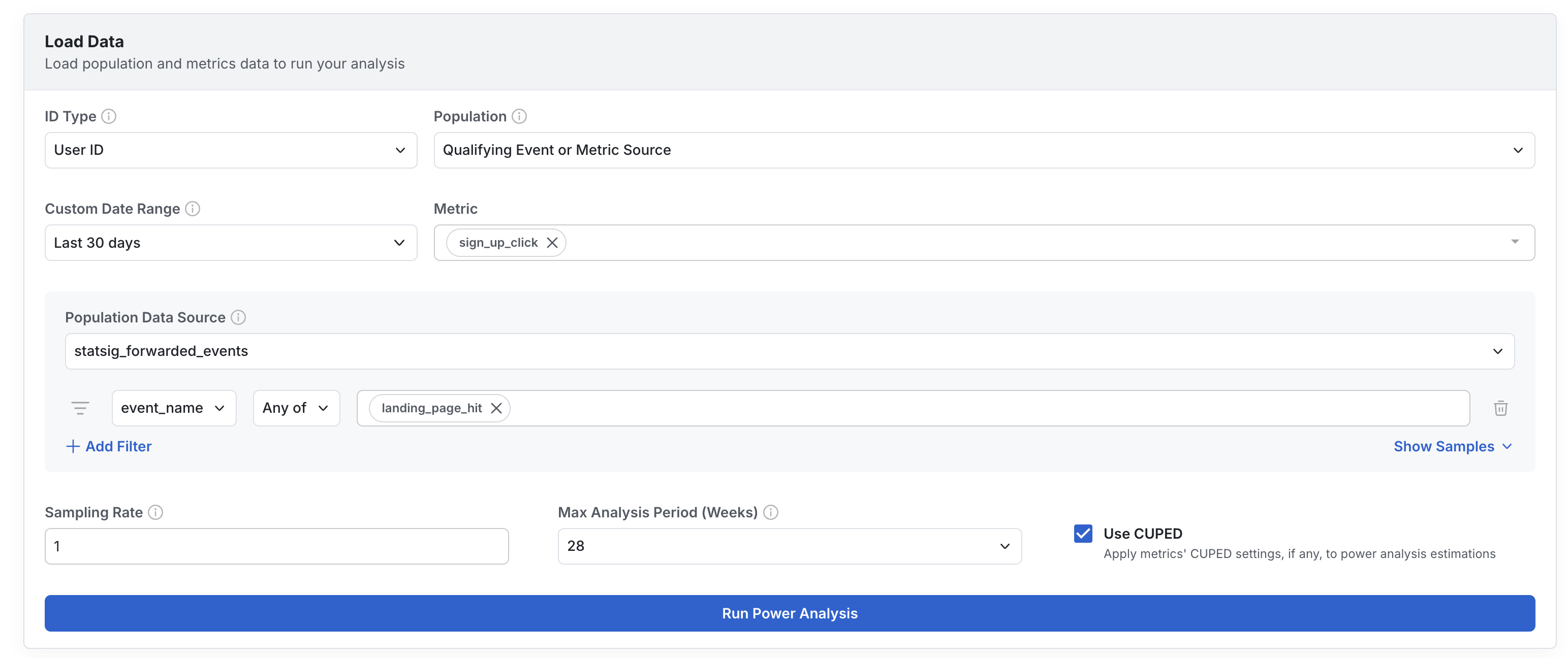
You can filter these by event attributes, or by entity properties (e.g. users who triggered this event and are also in a segment or country).
Example data
| Column Type | Description | Format/Rules |
|---|---|---|
| timestamp | Required an identifier of when the qualifying event occurred | Castable to Timestamp/Date |
| unit identifier | Required At least one entity to which this metric belongs | Generally a user ID or similar |
| additional identifiers | Optional Entity identifiers for reuse across identifier types | |
| context columns | Optional Fields you can use to group by and filter results in exploratory queries |
For example, you could pull from page load event logging directly and save it as a qualifying event called Page Load:
| timestamp | user_id | company_id | page_route |
|---|---|---|---|
| 2023-10-10 00:01:01 | my_user_17503 | c_22235455 | / |
| 2023-10-10 00:02:15 | my_user_18821 | c_22235455 | /search |
| 2023-10-10 00:03:12 | my_user_22251 | c_9928 | /profile |
Was this helpful?