For AI agents: a documentation index is available at /llms.txt. Append .md to any page URL for markdown, or send Accept: text/markdown.
Forwarded Data
Use forwarded data in Statsig Warehouse Native to send events to Statsig and store them in your warehouse for experiment and analytics use.
If you log events or exposures through Statsig's SDK, Statsig forwards that data back to your warehouse in near-real time, on demand.
Setting up tables for forwarded data
By default, when you set up a data connection, Statsig automatically creates tables named exposures and events to receive forwarded SDK data.
To rename these tables, go to the data connection page, open the Advanced tab, and update the table names.
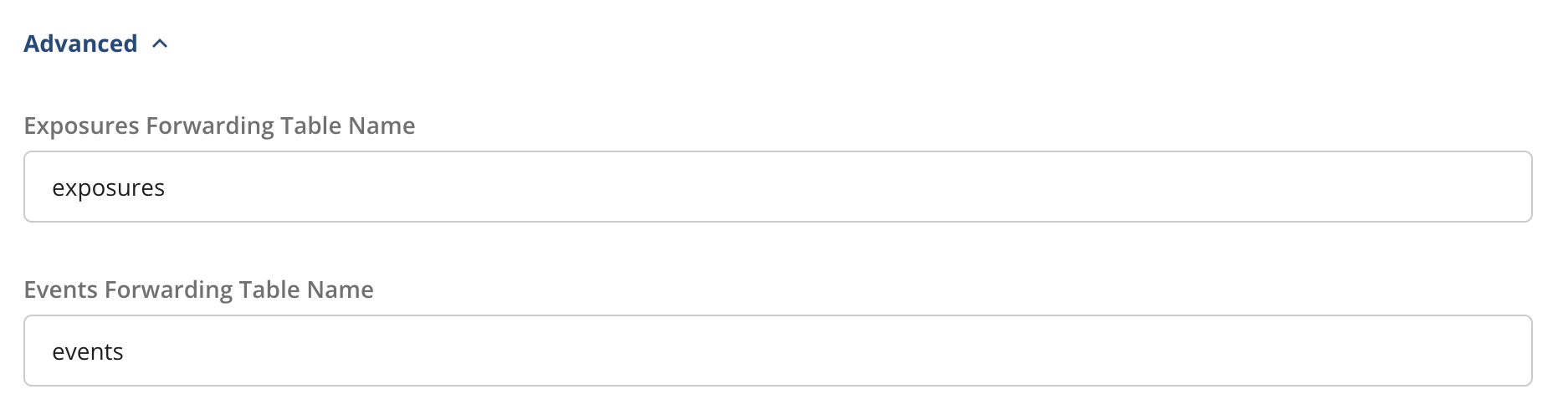
If Statsig already exported data and you change the table name, Statsig writes future data to the new table.
Statsig doesn't forward non-production exposures or log events to external warehouses.
Exposures
Statsig forwards only the first exposure per unit. Subsequent exposures for the same unit aren't forwarded.
Logging exposures with Statsig provides real-time diagnostics on the Statsig console and real-time aggregations like exposures by hour.
When you run Pulse analysis, Statsig fast-forwards raw exposures to catch up with the real-time stream. The fast-forward provides all users in your experiment and Pulse results as fresh as approximately 15 minutes, assuming events and metrics arrive at the same speed.
Statsig performs a just-in-time update of exposures in your warehouse when you load Pulse, for the first 1 million exposures logged to the experiment. After that threshold, Statsig batches, deduplicates, and writes exposures to your warehouse once a day.
Statsig doesn't deduplicate fast-forwarded exposures, and some fields are missing (notably user_dimensions). Statsig includes these fields in the subsequent daily load.
Each day, Statsig exports a deduplicated digest to your warehouse to ensure consistency. Statsig deduplicates the digest with the fast-forwarded data as part of the standard Pulse pipeline.
Duplicate exposure records
Statsig retains exposure data for 30 days and can't deduplicate beyond that window. After 30 days, Statsig re-sends exposures for units first exposed more than 30 days ago that were re-exposed on a given day. Statsig correctly deduplicates these records during analysis in your warehouse. The table doesn't contain unique user records, even after filtering out fast-forwarded exposures, which can also include duplicate records.
For feature gates with 0% or 100% rollout, Statsig doesn't forward exposures to your warehouse by default. To forward them:
- A project admin goes to Settings > Project Configuration > Feature Management and turns on Enable exposure tracking for 0/100% rolled out Gates.
- On each gate that needs these exposures, turn on Store 0/100 Exposures.
Statsig bills these exposures as analytic events.
For experiment variants with 0% or 100% traffic allocation, Statsig doesn't forward exposures by default. If you need them, contact Statsig Support.
Events
If you use Statsig SDKs to capture custom events, Statsig exports those events to your warehouse hourly. Pulse results on metrics derived from those events are as fresh as approximately 1 hour.
To check whether Statsig successfully exported forwarded exposures and events, monitor your export status.
Was this helpful?