For AI agents: a documentation index is available at /llms.txt. Append .md to any page URL for markdown, or send Accept: text/markdown.
Working With the SDK
Use Statsig SDKs alongside Statsig Warehouse Native to assign users to experiments client-side while analyzing results from your data warehouse.
Statsig Warehouse Native works with any Statsig SDK to log events and assign users to feature flags or experiments. Statsig then forwards that assignment and event data to your warehouse for analysis. Refer to the client or server SDK docs for help setting up SDKs.
Data Forwarding
When you first set up your data connection, Statsig creates tables to forward datasets to. Statsig also generates assignment and metric sources that include any user-level metadata fields you log during your evaluation.
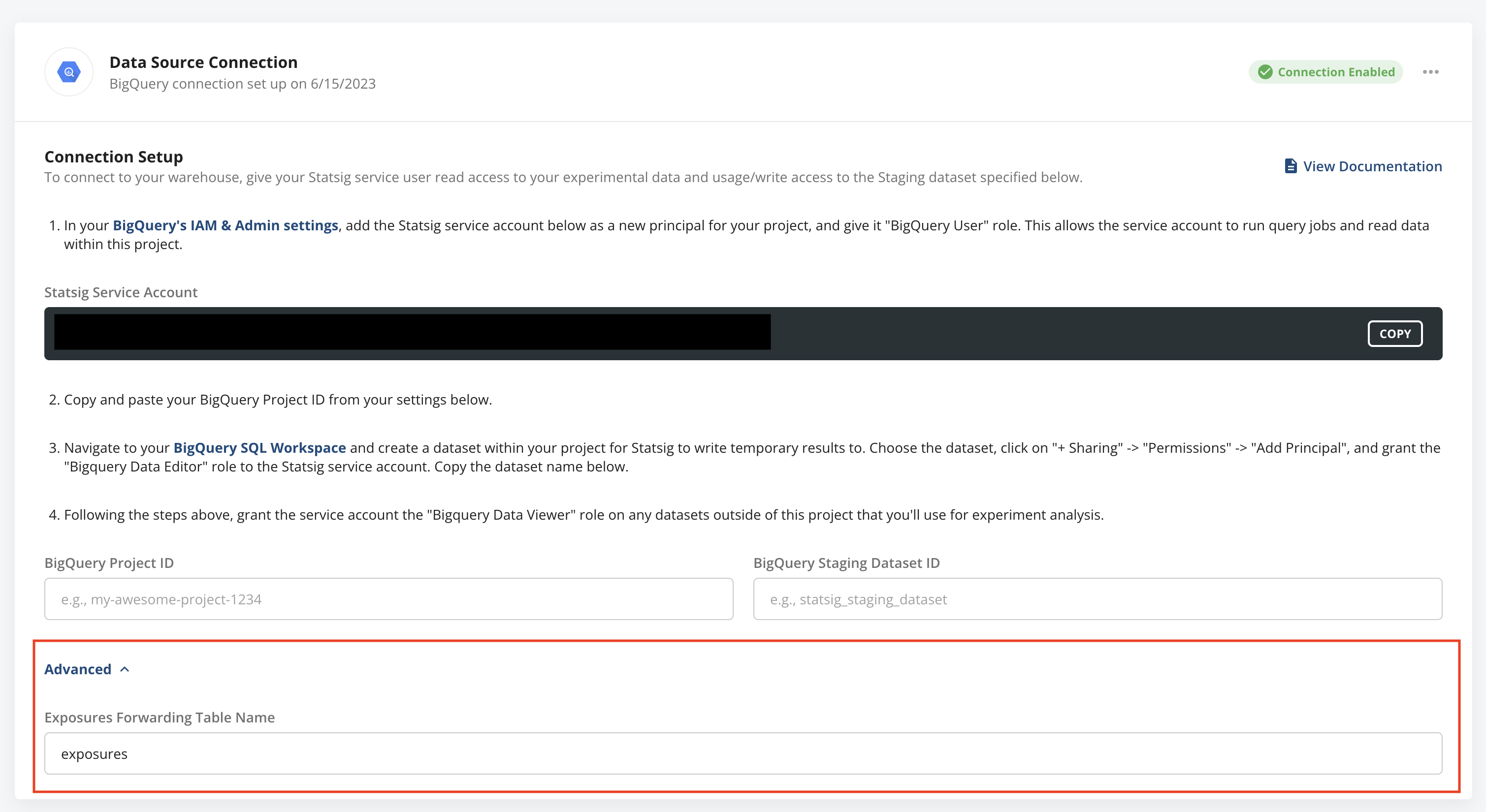
You can find the configuration for these datasets and the table Statsig creates or outputs data to in the advanced section of the warehouse connection page.
Exposures
Statsig calculates deduplicated first-exposure rollups for you on a daily basis and exports that miniaturized dataset to your warehouse. Additionally, on every Pulse load on the first day of an experiment, Statsig exports deduplicated exposures for the day to your warehouse in near real-time, up to 1 million exposures.
Log Events
You can also use Statsig's powerful event logging to send events to the Statsig SDK; Statsig later exports them to your warehouse for analysis.
Was this helpful?