For AI agents: a documentation index is available at /llms.txt. Append .md to any page URL for markdown, or send Accept: text/markdown.
Turbo Mode
Use turbo mode to reduce cost
Turbo Mode reduces the compute cost and load time of large Statsig Warehouse Native experiments. It calculates statistics only for the latest snapshot instead of recomputing cumulative results for every day. It trades away historical tracking, including the date picker for viewing Pulse results as of a past date and the cumulative timeseries. Use it for large, long-running experiments where standard loads are slow or expensive.
By default, Statsig and other warehouse-native platforms calculate cumulative results for every day in an experiment. This calculation lets users review a rich historical view or make changes and see how those changes would have affected an analysis on previous days. This flow is heavily optimized, but it requires additional compute, so Turbo Mode gives you control over the tradeoff between compute cost and historical tracking, particularly for large experiments.
How to use turbo mode
When loading Pulse, there is a checkbox to enable Turbo Mode. Subsequent scheduled loads use the last setting. Turbo Mode changes the shape of the underlying data, so switching back to standard analysis requires a full reload with Turbo Mode disabled.
There is also a project-level setting for Turbo Mode being on or off by default in a project's experimentation settings.
What Turbo Mode removes
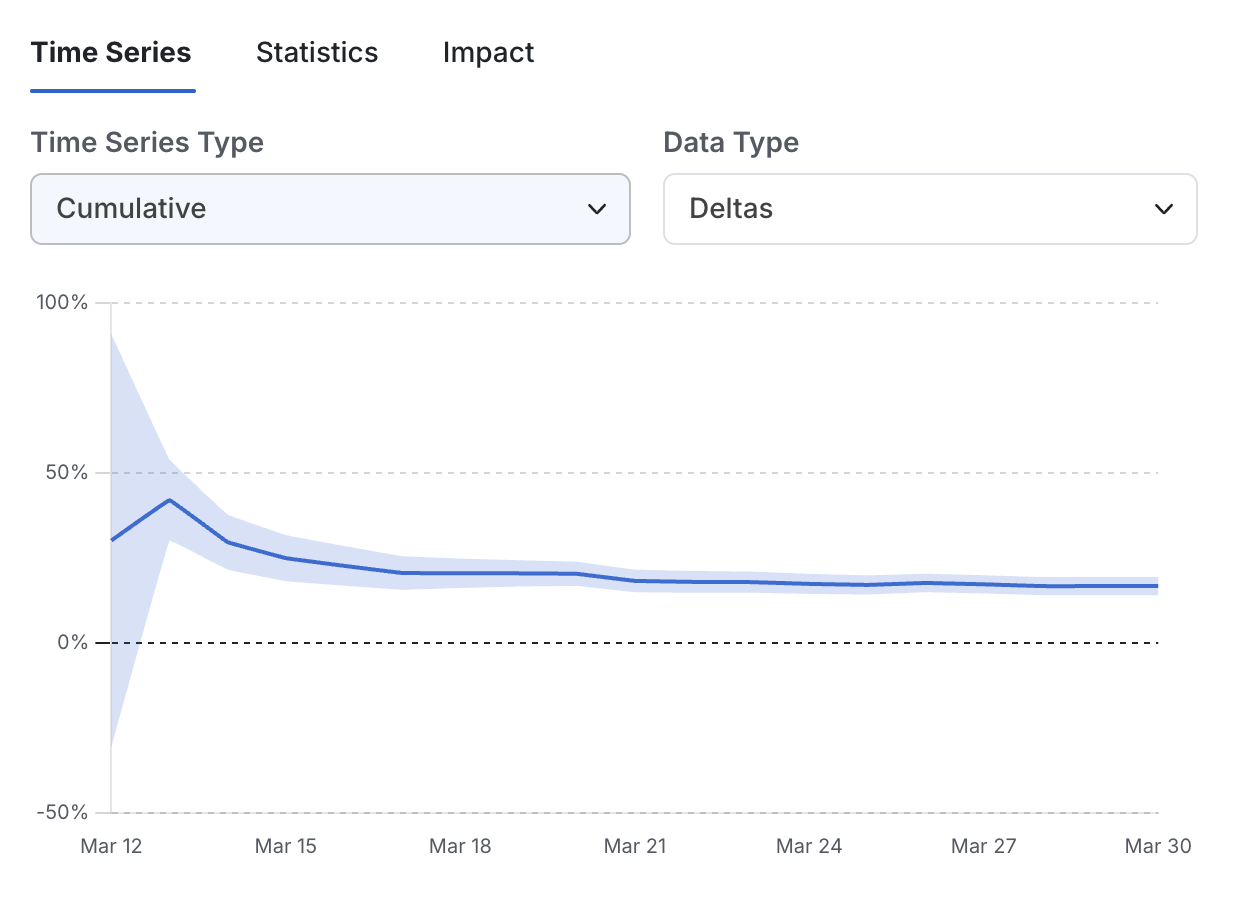
Turbo Mode removes two features: the ability to use the date picker to view Pulse results as of a historical date, and the cumulative timeseries.
Both features work when Statsig loads an experiment daily using incremental reloads. However, they may miss dates if there are gaps in the loading schedule, and they don't retroactively update when you run a full reload.
What Turbo Mode keeps
Turbo mode and standard loads both calculate identical pulse results (including CUPED and other advanced techniques) for the latest day of the experiment analysis. Turbo mode still calculates the "daily" and "days since exposure" timeseries for diagnosis, as well as pre-experiment bias checks.
What to expect
Results vary depending on experiment settings, but Turbo jobs on large, long-running experiments typically show a 40-80% reduction in load time and compute cost. This estimate is likely biased and treat it as approximate, because the observation comes from cases where standard loads were slow and users applied Turbo Mode in response. There is no good counterfactual for companies that use Turbo Mode by default.
When to use Turbo
Turbo Mode is more effective for long-running experiments using full reloads, because without Turbo Mode the job must recreate the entire history of "user state" on each day. Turbo Mode calculates statistics only for the latest snapshot, skipping many calculations.
Turbo Mode is also more effective for experiments with an unusually large number of users or metrics, because it reduces memory requirements and prevents the warehouse from spilling to disk. Disk spill dramatically slows jobs and increases cost.
Holdouts benefit from Turbo Mode because they typically have a large battery of metrics, expose a large portion of a project's users, and commonly run for 3-6 months.
Turbo Mode is less effective for experiments with scheduled incremental reloads or for smaller experiments.
Was this helpful?