For AI agents: a documentation index is available at /llms.txt. Append .md to any page URL for markdown, or send Accept: text/markdown.
Loading Pulse
Overview of reload options in Statsig Warehouse Native, including incremental, full, and metric- only reloads to refresh experiment data on schedule.
How the Pulse Engine works
Statsig's experimentation engine runs the setup, diagnostics, and transformations required to generate the data points that power statistical experiment analysis. In Warehouse Native, the engine runs a series of query jobs called a DAG (Directed Acyclic Graph). These jobs take data from your sources and metric configurations to a final result set.
You can find reload controls on the pulse results page:
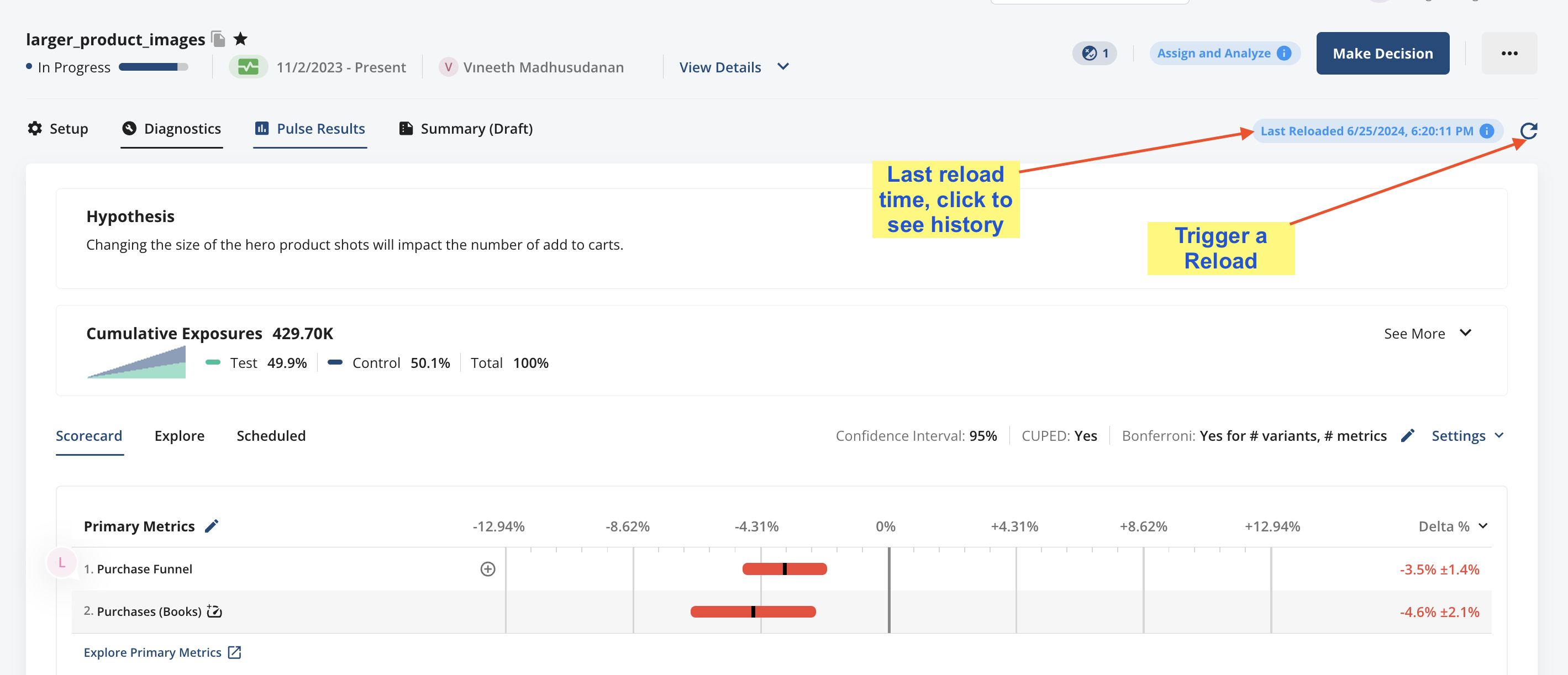
Types of reloads
Statsig offers several ways to reload data:
- Full Reloads completely restate your experiment data. Full reloads are useful when your underlying data changes significantly day-to-day (for example, a full DBT reload) and you want your analysis to match your raw data.
- Incremental Reloads update your data from the last load to the current date. Running daily incremental reloads is the recommended way to keep your data current without using unnecessary compute resources to recalculate data that hasn't changed.
- Metric Reloads are useful when you want to add a metric to an analysis, or when a metric definition has changed. A metric reload does an efficient spot replacement of the data for a single metric or set of metrics.
You can schedule full and incremental loads to get fresh results each day.
Transparency
For every load, Statsig logs the compute time and jobs, cost, and queries associated with the reload. This information is visible in your console and helps you understand what is taking time or delaying results.
Efficient reloads
Statsig optimizes the queries running in your warehouse. In direct comparisons, customers report that Statsig uses significantly fewer resources than comparable platforms.
Statsig also offers turbo mode, which skips some enrichment calculations (in particular some time series rollups) to compute the latest snapshot of your data at lower cost. Using turbo mode, customers have run experiments on 150+ million users in less than 5 minutes on a Snowflake S cluster.
Cleaning up storage
Statsig automatically cleans up explore datasets, power analyses, and stratification artifacts. After you make a decision on an experiment, you can choose to delete the staging datasets, the result datasets, or both. You can also return to the experiment later and clean up from the experiment menu.
Was this helpful?