For AI agents: a documentation index is available at /llms.txt. Append .md to any page URL for markdown, or send Accept: text/markdown.
Precomputed Metrics
Import existing metrics from cloud data warehouses like Snowflake, BigQuery, and Redshift for experiment analysis.
Importing precomputed metrics
Importing precomputed metrics from your data warehouse
Statsig integrates natively with cloud data warehouses such as Snowflake, BigQuery, and Redshift to ingest your existing metrics for computing experiment results. Go to Data Warehouse Ingestion to get started.
Debugging precomputed metrics
Statsig creates a metric detail page for all precomputed metrics imported from your data warehouse. These metric detail pages take a few hours to generate after import or ingestion. The fastest way to start viewing and debugging your precomputed metrics is through the Metrics Logstream in the Metrics Catalog tab within Metrics.
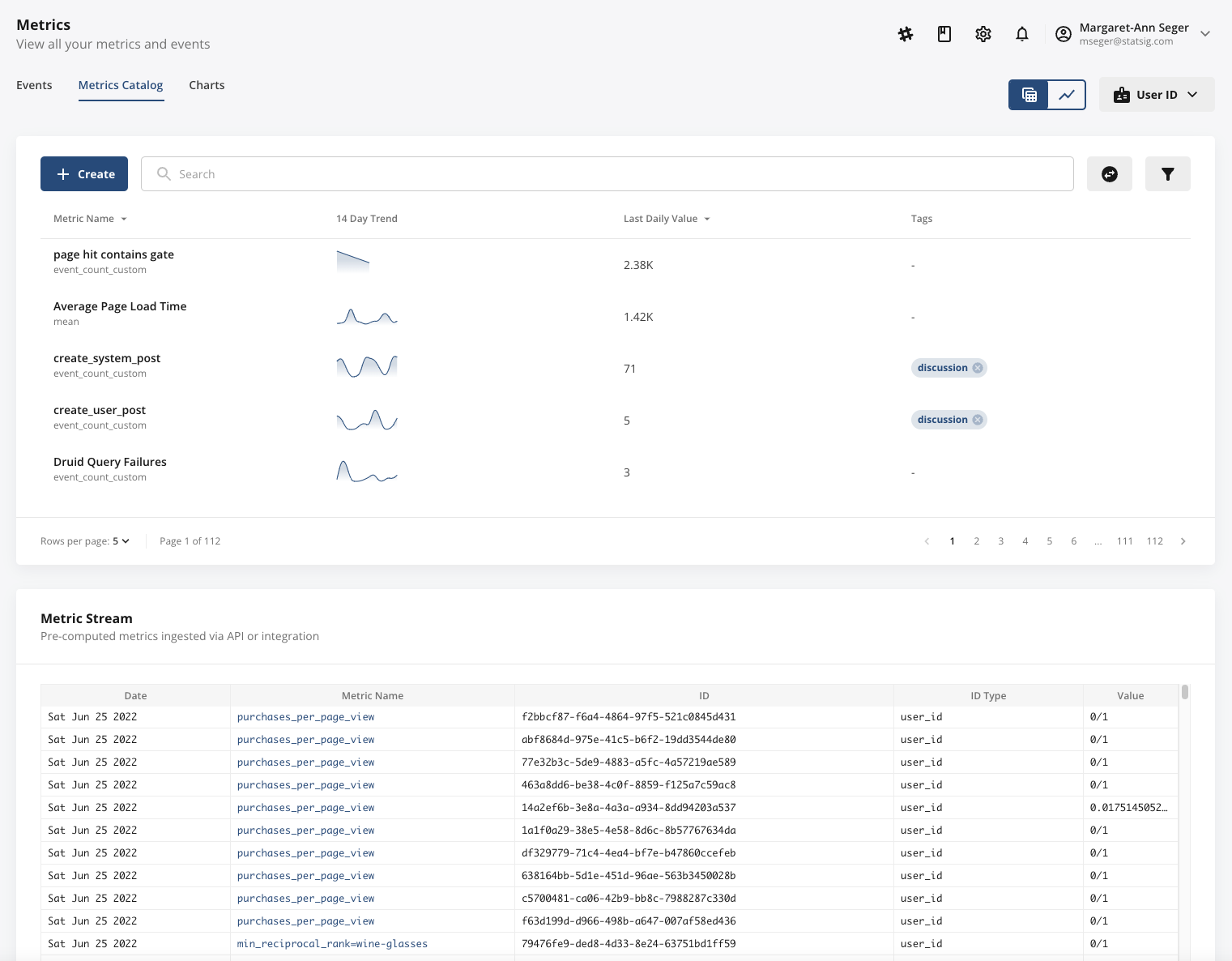
The Metrics Stream surfaces all ingested, precomputed metrics in real time, enabling you to check metric name, metric value, unit identifier, ID type, and ingestion date.
Tip
: A common issue is ensuring that precomputed metrics have the correct ID type. Pay extra attention to this column.
The Metrics Stream only appears if you're actively ingesting precomputed metrics. If it doesn't appear at the bottom of your Metrics Catalog, Statsig likely isn't receiving your precomputed metrics due to a connection issue or an invalid schema.
Was this helpful?