For AI agents: a documentation index is available at /llms.txt. Append .md to any page URL for markdown, or send Accept: text/markdown.
Local Metrics
Create metrics that are scoped to individual experiments or gates without adding them to the project-wide catalog.
How Local Metrics work
Local Metrics are metrics scoped to an individual config (a specific experiment or gate). Statsig creates them within that config to capture how the metric trends in that context, without adding the metric to the project-wide Metrics Catalog.
Creating a Local Metric
You can create a Local Metric from two places within your config:
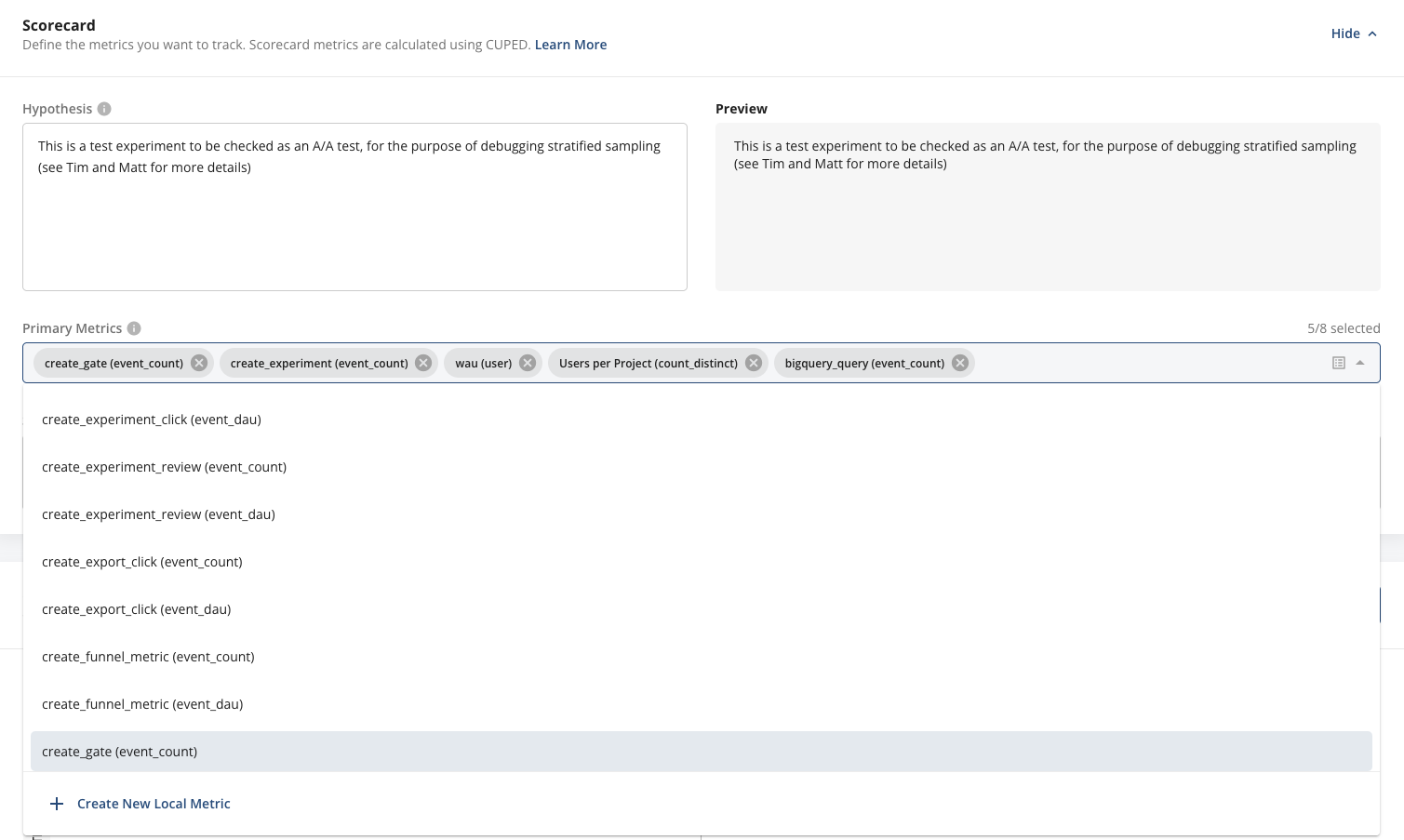
- Setup: While setting up your gate or experiment and adding Primary, Secondary, or Monitoring metrics, you can add a metric that doesn't yet exist to your Scorecard. Select + Create New Local Metric to enter the Local Metric creation flow.
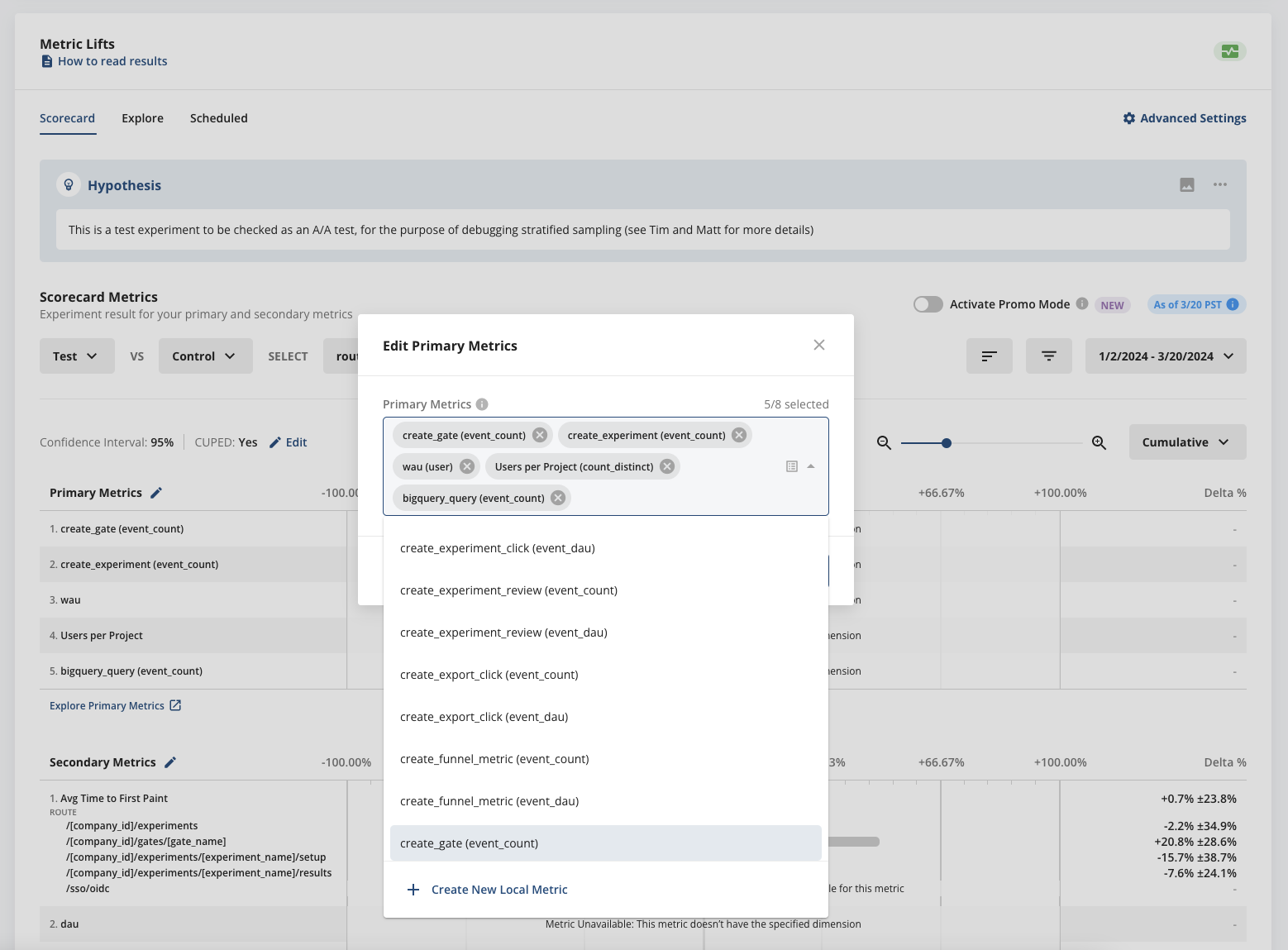
- Pulse: After you start your gate or experiment rollout, you can still create and add a new Local Metric to your scorecard. From your Scorecard in Pulse, select Edit Primary Metrics (or Secondary or Monitoring metrics, depending on where you want to add your new Local Metric). Then select + Create New Local Metric.
When you enter the Local Metric creation flow from either entry point, the Local Metric creation wizard starts. The wizard lets you select events, add filters, and preview the output values.
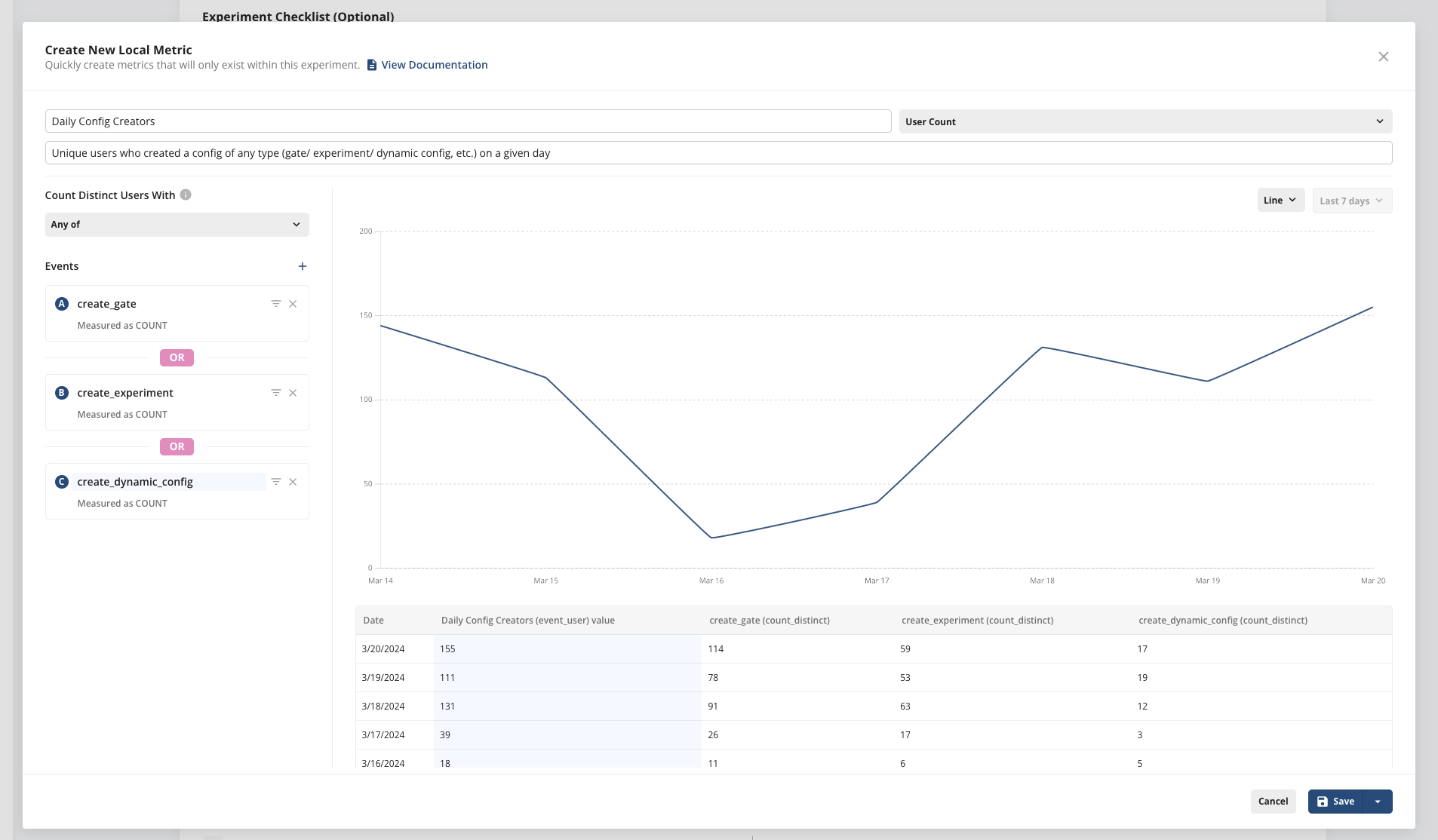
When you're ready to save your Local Metric, you can save it to one of two places. Choose the Primary/Secondary Metrics section of your Scorecard (for experiments), or the Monitoring Metrics section of your feature gate rollout.


After you create a Local Metric, you can select it in your Scorecard to view its configuration in the Local Metric wizard.
Types of Local Metrics
The types of Local Metrics you can create are similar to Custom Metrics (accessible through the Metrics tab), with a few exceptions.
Here are the supported types of Local Metrics:
| Metric Type | Description | Examples |
|---|---|---|
| Event Count | Total count of events filtered by the value and metadata properties of an event type | Add to Cart event filtered by category type |
| User Count | Number of unique users that trigger events filtered by the value and metadata of an event type | Active Users based on their views of a product category |
| Aggregation | Sum or Average of the value of an event type | Total Revenue |
| Ratio | Rates (e.g. cart conversion rate, purchase rate), Normalized Values (e.g. sessions per user, items per cart) | Cart Conversion Rate, Sessions per User |
The one type of Custom Metric that you can't (yet) create as a Local Metric are funnels.
Lifecycle of Local Metrics
By default, Local Metrics are scoped to the config you create them in and exist only for the lifecycle of that config. After you make a decision on your experiment or launch your feature gate, Statsig no longer computes the Local Metric.
Local Metrics don't appear in your Project Metrics Catalog and aren't searchable in top-line search.
Statsig doesn't yet support converting a Local Metric into a Metrics Catalog metric, but this conversion flow is coming soon. In the meantime, you can recreate the same metric definition as a Custom Metric in the Metrics Catalog. Recreate it if you want the metric to exist outside the scope of your gate or experiment.
Was this helpful?