For AI agents: a documentation index is available at /llms.txt. Append .md to any page URL for markdown, or send Accept: text/markdown.
Testing your Gates/Experiments
Test Statsig integration locally with overrides, local evaluation, and unit tests so you can validate feature gate and experiment behavior before launch.
Statsig gives you three ways to test feature gates and experiments before you ship: overrides, unit testing with local mode, and non-production environments. Overrides set specific gate, experiment, or holdout values without affecting live data. Local mode runs the SDK offline against mocked configs for unit tests. Environments let you evaluate rules in Development or Staging before Production.
Overrides: test features, experiments, or holdouts
Overrides allow you to manually configure features, experiments, or holdouts for testing. This method enables safe testing without affecting live production data or skewing experiment results. Statsig excludes overrides from Pulse analysis to maintain unbiased results.
- Use Segments to target overrides to pre-production environments or specific groups (e.g., employees) for testing.
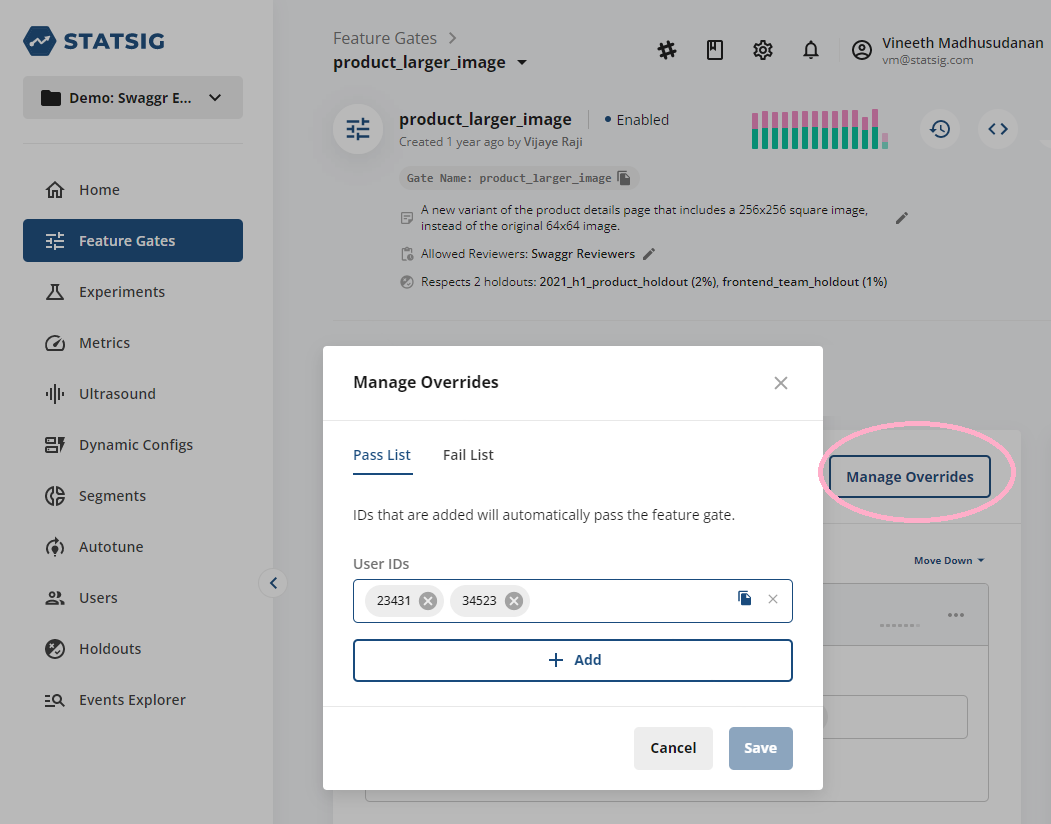
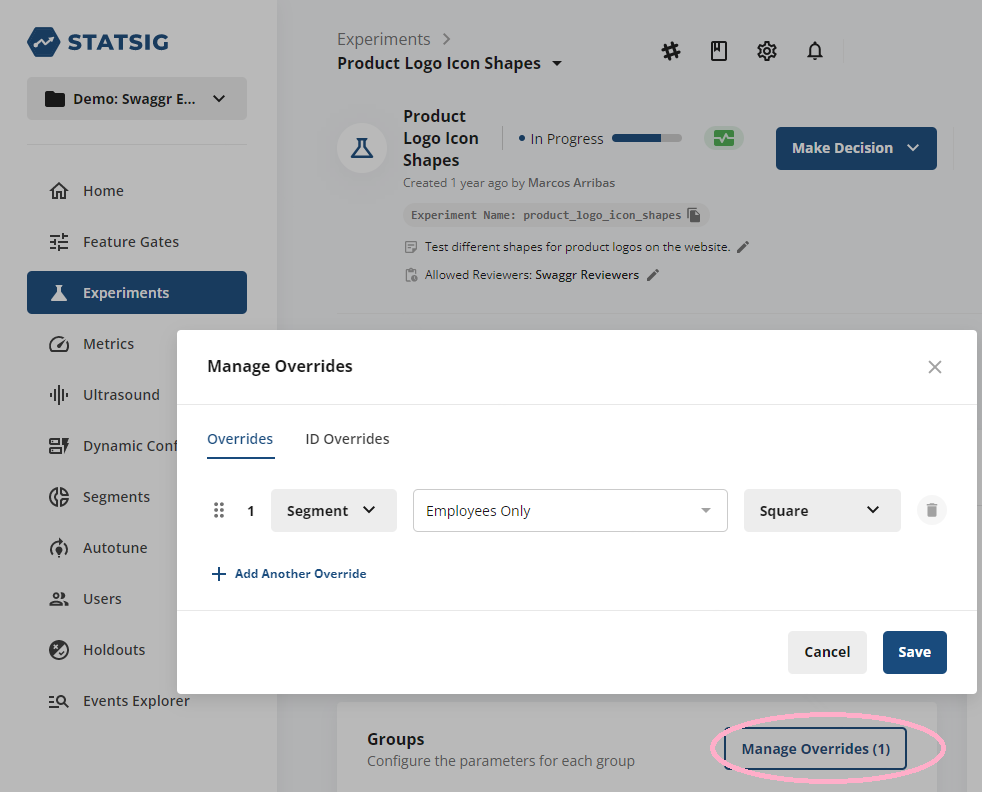
For more details on adding overrides, go to:
Unit testing with Statsig
Statsig's server SDKs offer a localMode feature that disables network access, ensuring that tests run locally and independently of production systems. When localMode is active, the SDK returns default values, allowing you to mock features and experiments in a controlled test environment.
Override APIs for testing
You can use the overrideGate and overrideConfig APIs to set specific overrides for users or globally during testing.
function overrideGate(
    gateName: string,
    value: boolean,
    userID?: string,
): void;
function overrideConfig(
    configName: string,
    value: object,
    userID?: string,
): void;
For example, to override a gate for testing:
statsig.overrideGate("example_gate", true);
- For more information on mocking Statsig for testing, go to Node.js Server SDK or JavaScript Client SDK.
Environments: configuring Development, Staging, and Production
Statsig lets you assign environments to feature gates, experiments, and events. By default, Statsig assigns checks without a defined environment to Production. You can customize environments (such as Development, Staging, or Production) and use them to target different versions of feature gates or segments.
- Non-production events appear in diagnostics and Statsig uses them to track cumulative exposures and metric results when testing experiments in lower environments with Enable for Environments. Statsig prioritizes production data for final Pulse result analyses.
Customizing environments
You can map your internal environments to Statsig's built-in environments or create custom mappings. Common setups include:
- Assigning Dev One boxes to Development.
- Creating an Early Access slice (e.g., 1% of production users) as part of the Production environment for phased rollouts.
For more details on environments, go to the Statsig blog post.
Was this helpful?