For AI agents: a documentation index is available at /llms.txt. Append .md to any page URL for markdown, or send Accept: text/markdown.
Holdouts
Measure the cumulative impact of multiple features with holdouts, including how Holdout Pulse compares held-out users against a balanced non-holdout group.
A holdout withholds a small percentage of users, typically 1% to 2%, from a set of new features so you can measure the features' combined effect over months. An experiment measures one feature; use a holdout when you want to know what all your launches together did to a metric. Statsig compares the held-out group (control) against an equal-sized sample of users who received the features through the normal rollout or experiment behavior (test).
How to use holdouts
A holdout applies only to experiments and feature gates that use the same randomization unit as the holdout. If your team runs experiments on both userID and stableID, create two holdouts to evaluate the cumulative impact of each type.
To create a holdout:
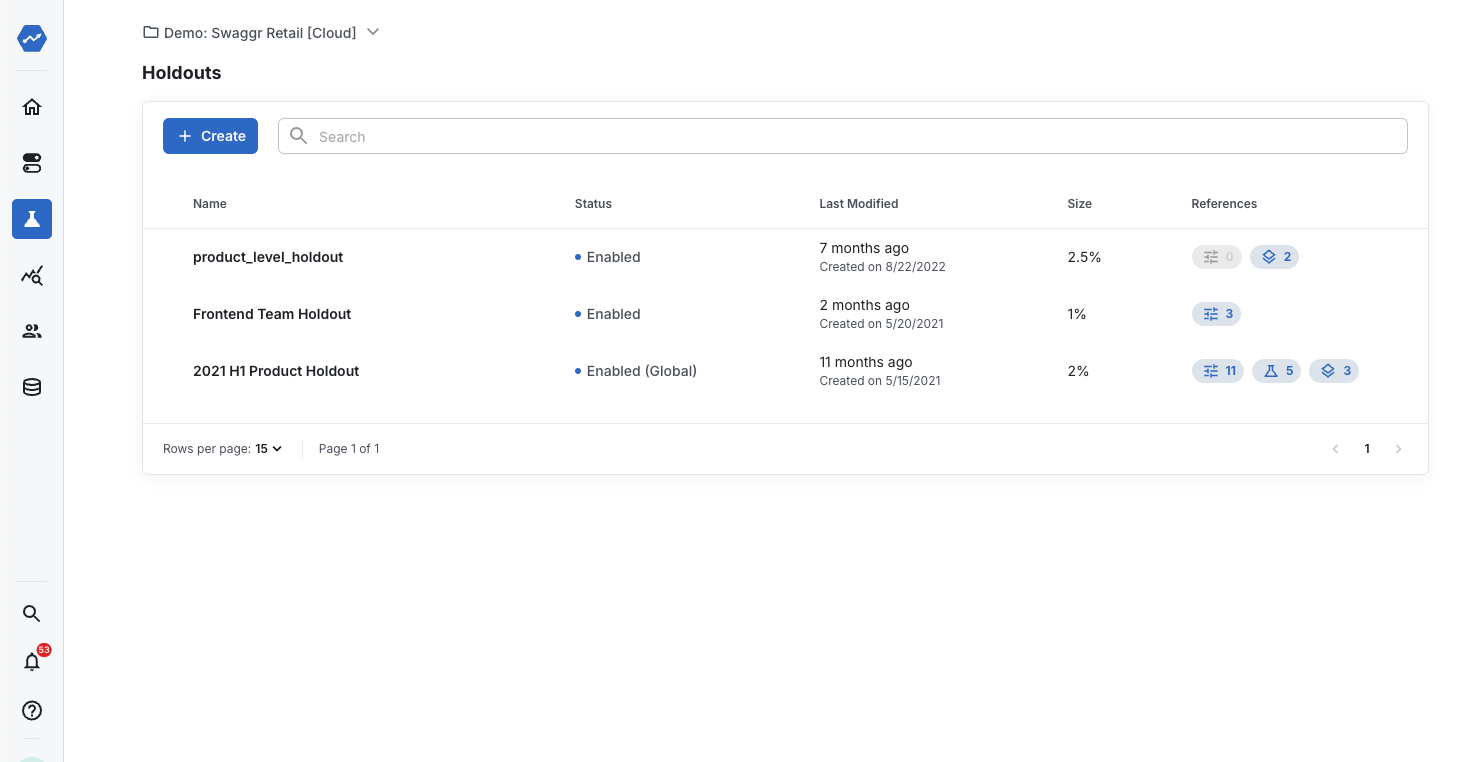
- In the Statsig console, go to Holdouts and click Create New.
- Enter the name, description, and unit type for the holdout.
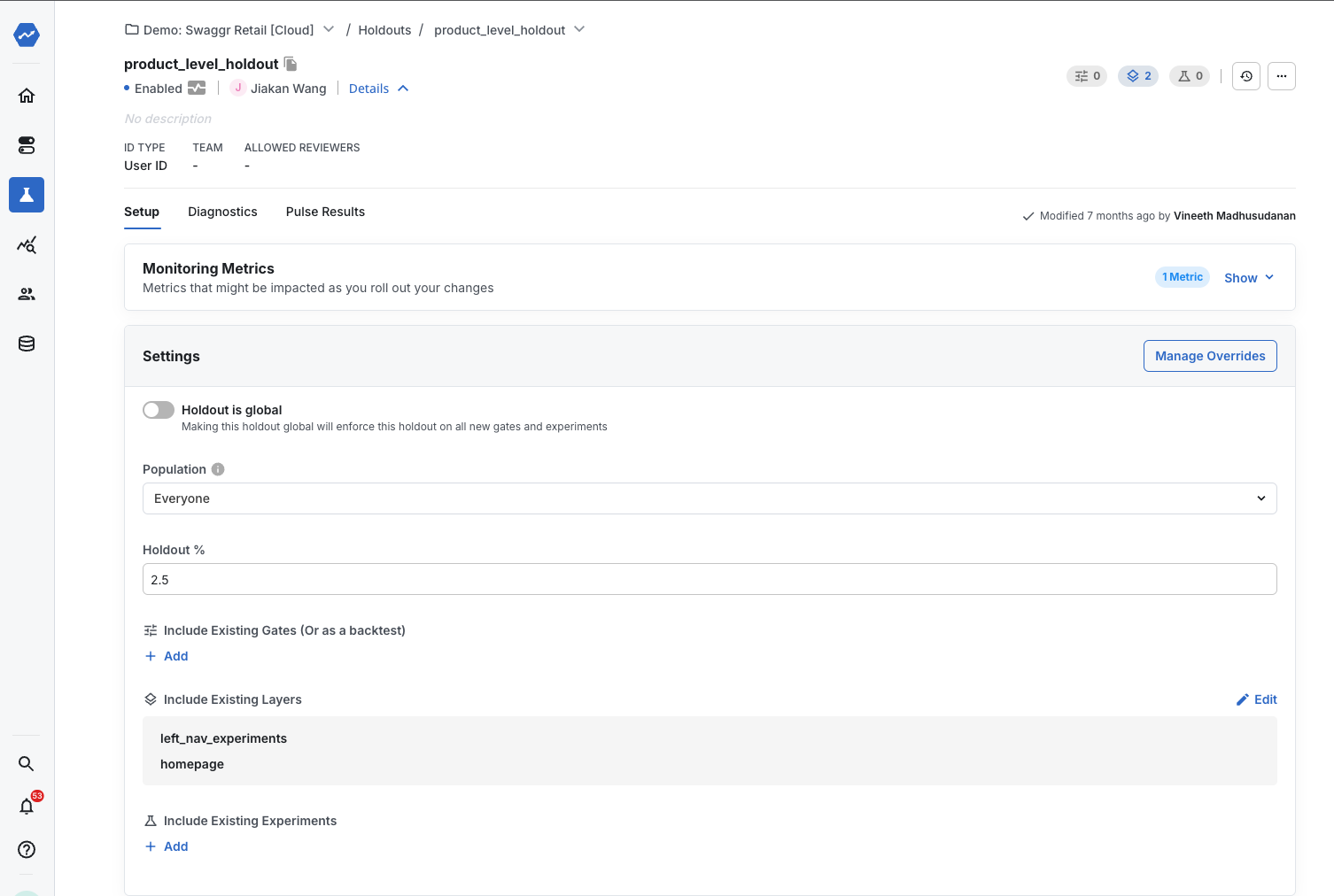
- Choose a global or selected holdout:
- A global holdout captures the aggregate impact of all features developed after the holdout began. Statsig automatically adds a global holdout to any new feature with the same unit type, and you can opt individual features out.
- A selected holdout captures the aggregate impact of a specific set of features.
- Choose the population. By default, a holdout applies to a percentage of all users (Population = Everyone). To target a subset of users, apply a targeting gate (Population = Targeting Gate). For example, to create an iOS-only holdout, apply a targeting gate that passes only iOS users.
- Set the holdout percentage between 1% and 50%. Statsig recommends a small percentage to limit the number of users who don't see new features.
How to read holdouts
Holdouts use the same equal variant methodology as feature gate rollouts: Statsig computes metric lifts using equal-sized groups. For the reasoning behind this methodology, go to "A/B Testing Intuition Busters: Common Misunderstandings in Online Controlled Experiments" by Ron Kohavi, Alex Deng, and Lukas Vermeer.
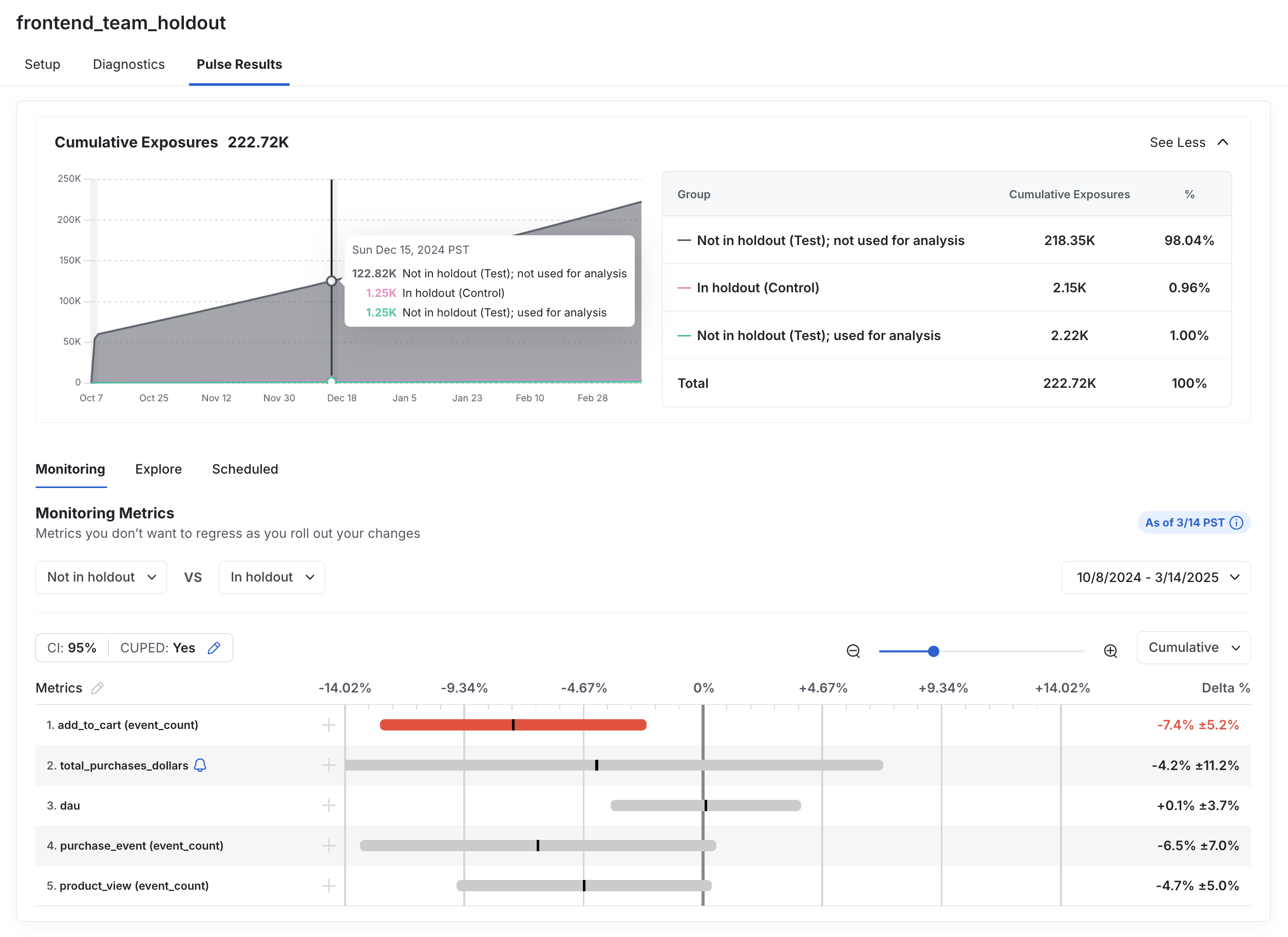
The Cumulative Exposures panel for a holdout shows the holdout's total exposures broken down into three groups:
- In holdout (Control): Units that Statsig included in the holdout and used for analysis.
- Not in holdout (Test); used for analysis: Units that Statsig didn't include in the holdout but selected for comparison against the holdout group.
- Not in holdout (Test); not used for analysis: Units that Statsig didn't include in the holdout and didn't use in the lift calculation.
Statsig selects the two "Not in holdout" groups by random sampling and sizes the analysis group to match the holdout group. Holdout metric lifts represent the cumulative impact of launched and active experiments on the holdout group. The "Not in holdout (Test); used for analysis" group isn't necessarily made up of users who saw every held-out feature; those users follow the normal non-holdout behavior for each included gate or experiment.
In the following example, the 1% holdout compares users in the holdout against 1% of users not in the holdout, not against the full remaining 99%. The launched features have an overall negative effect on the "Add to Cart" metric.
Balance Holdout Analysis
The Balance Holdout Analysis checkbox controls how Statsig selects the "Not in holdout (Test); used for analysis" group. On Cloud, balanced analysis is on by default: Statsig sizes the analysis group to match the holdout group. On Warehouse Native, balanced analysis is opt-in; with it off, Statsig compares the holdout group against the full non-holdout population instead of a balanced sample.
Best practices
- Size: Statsig recommends a low single-digit holdout percentage, such as 1% to 2%, to limit the number of users who don't see new features.
- Duration: Statsig recommends running a holdout for three to six months, then releasing it. A longer holdout increases software complexity, because you must maintain a functioning product with no new features for a longer period.
- Back testing: Occasionally you may want to turn off a set of already-released features to measure their effectiveness. Statsig doesn't recommend this approach because it turns off features that users already use. However, when a back measurement is critical, you can use a holdout to turn off a set of features and automatically compute their impact.
Unit ID types
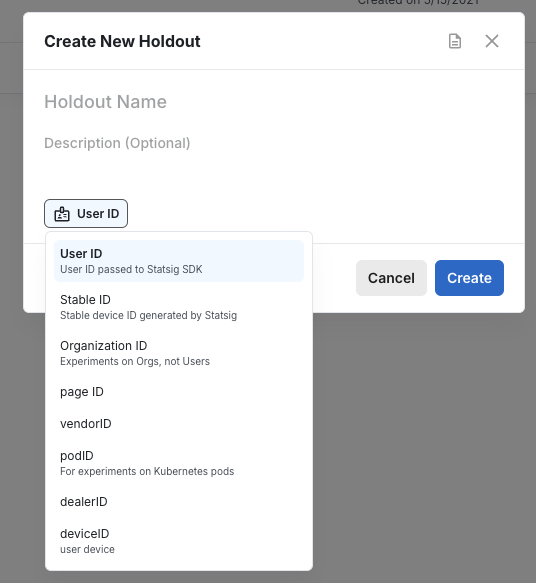
By default, holdouts use userID. To use a different ID type, select it from the drop-down menu during holdout creation.
Change a holdout's salt
A holdout's salt determines how Statsig hashes units into the holdout group. Set the salt to a value you choose to align salts across holdouts or projects, so the same units land on the same side of each holdout. Aligned salts help when you migrate a holdout or need consistent assignment across projects.
Saving a salt change requires the Launch to Production permission. Changing a salt affects future assignment only: it isn't retroactive, doesn't reload historical data, and doesn't change existing assignments.
To view a holdout's salt, open the holdout's More Actions menu and click View Salts. Any viewer can open the salts dialog. To change the salt, enter the value you want in the dialog and save the change.
Editable salts apply to holdouts only. This action doesn't support three-group holdouts.
How holdouts affect SDK results
Feature gates
For users in the holdout, gates always return False.
Experiments
- If the experiment isn't in a layer, calls to get experiment parameters for users in the holdout return the default value passed in code.
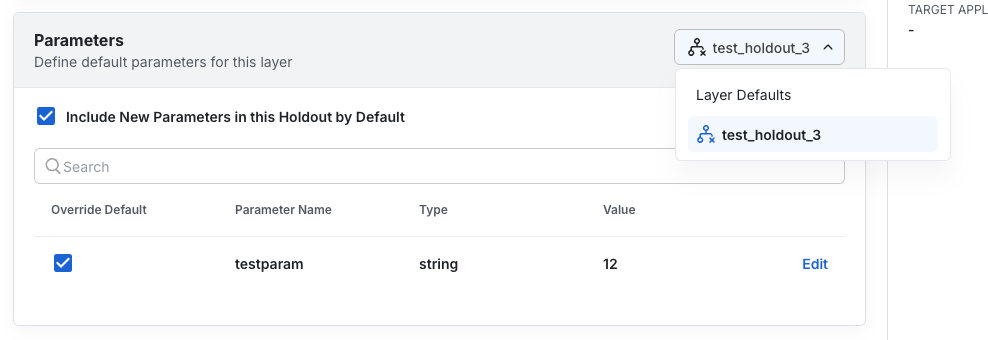
- If the experiment is in a layer, calls to get experiment parameters for users in the holdout return the values defined in the layer defaults in the Statsig console.
When you ship an experiment in a layer, Statsig normally updates the layer defaults. Users in the holdout don't see those defaults. Instead, the layer keeps a separate set of default parameters only for held-out users:
Ending a holdout
To end a holdout and let users in the holdout group see all held-out features, disable the holdout. Disabling the holdout stops tracking the effects of those features, but Statsig retains the results for future reference.
Alternatively, delete the holdout if you created it by mistake or no longer need to keep the results.
Was this helpful?