For AI agents: a documentation index is available at /llms.txt. Append .md to any page URL for markdown, or send Accept: text/markdown.
Event Property
Break down metrics into dimensions for detailed analysis using event properties and metadata fields.
Statsig enables you to break down metrics into a single set of non-overlapping dimensions for detailed analysis.
For example, you can break down an event such as add-to-cart into product categories such as sports, toys, appliances, electronics. To do this, log add-to-cart events and provide the product category in the event's value field. Refer to the Statsig SDK reference guide to learn more.
Statsig enables you to define up to four custom dimensions for an event (one through the value field and three through metadata fields). To configure these custom event fields, go to Metrics > Events, select the event you want to configure, and then go to the Setup tab for that event.
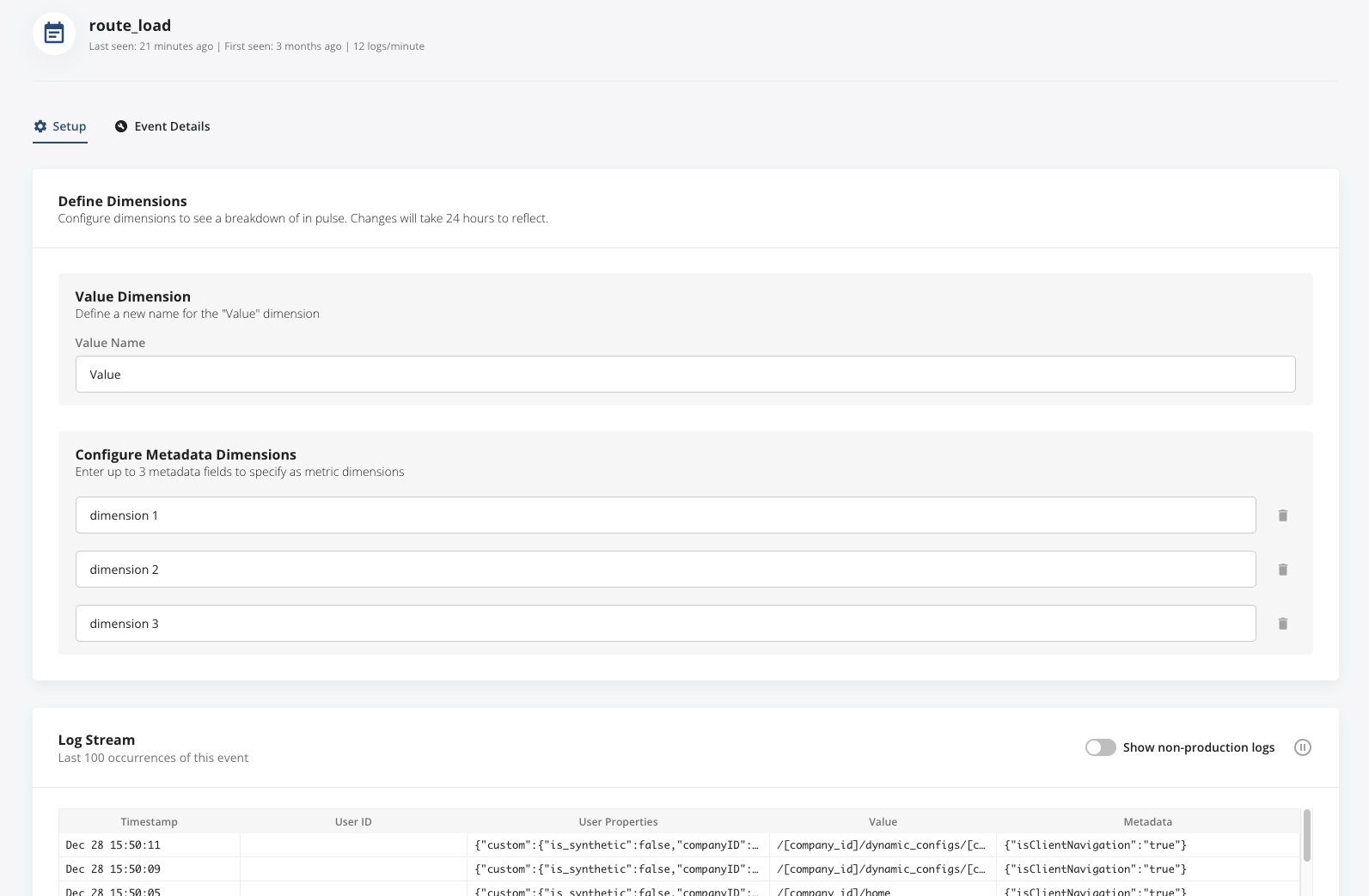
When you provide custom dimensions with logged events, you can break down the impact on the total add-to-cart events by category in Pulse. This breakdown lets you identify the category most impacted by your experiment.
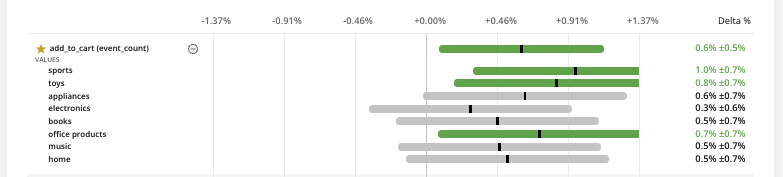
Statsig recommends keeping the number of distinct dimensions in your logging below 8. Tracking dimensions involves additional computational and storage resources, so Statsig prioritizes notable dimensions that make up a significant portion of your traffic. Statsig tracks dimensions that make up more than 5% of your total event volume. Lower-frequency dimensions generally have more statistical noise and wider confidence intervals, and Statsig buckets these as "Other".
Statsig also supports metric dimensions for custom metrics that are Aggregations. To set this up, log your dimension as a value and the number to tally as a metadata field.
This is the old metric dimension page. Statsig renamed it to Event Property.
Was this helpful?