For AI agents: a documentation index is available at /llms.txt. Append .md to any page URL for markdown, or send Accept: text/markdown.
When to Use Feature Gates vs. Experiments?
Decide whether to ship with a feature gate or run an experiment, and understand how the two work together.
Statsig calls feature flags feature gates. The terminology is interchangeable throughout this guide.
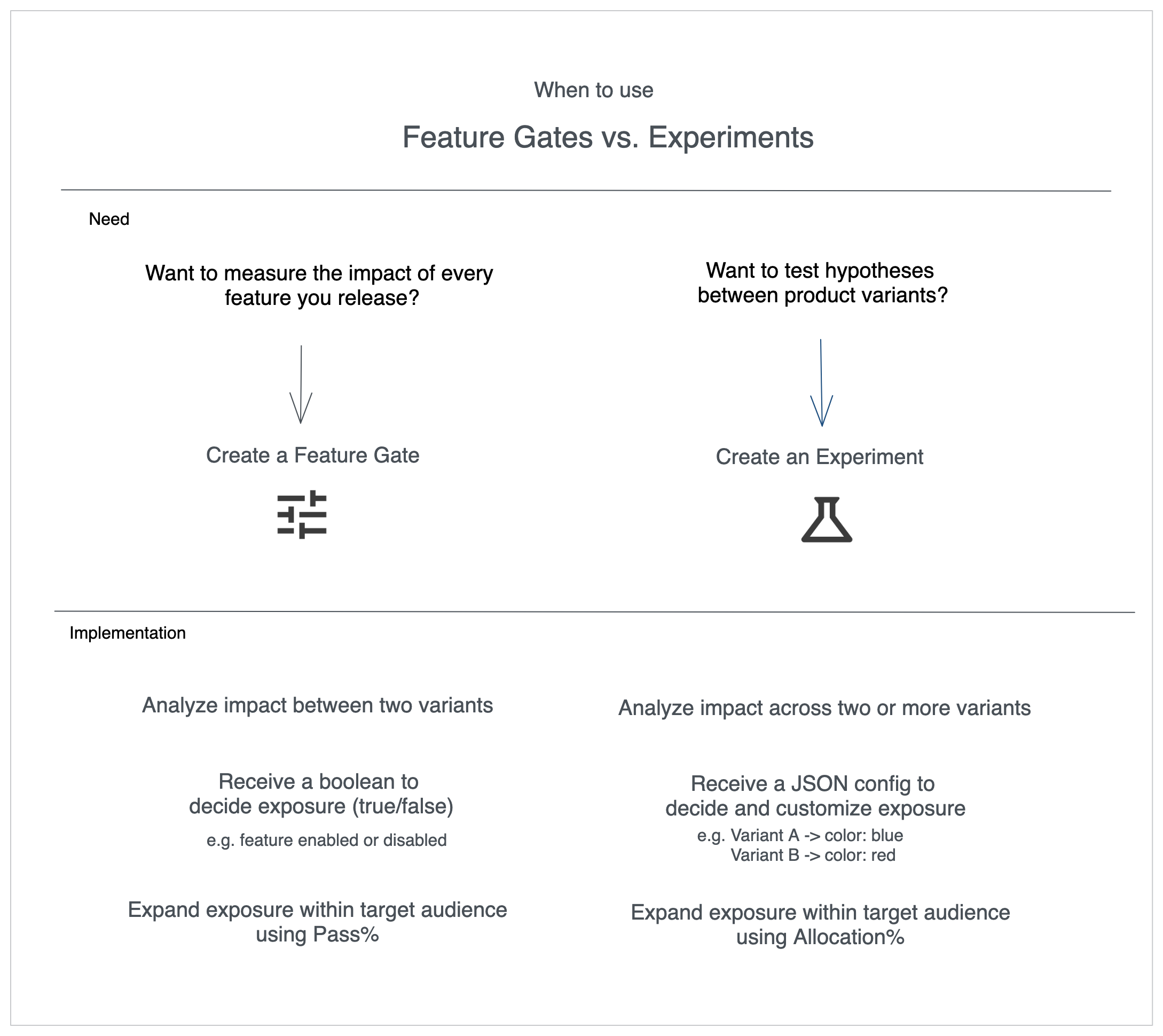
Use a feature gate to control who sees a feature and roll it out gradually; use an experiment to compare variants and measure how a change affects your metrics. Both create control and test groups, so this guide shows how to pick the right one for your launch and measurement goals.
Quick guidance
- Choose a feature gate when you want to roll out a feature gradually or monitor impact as you ramp.
- Choose an experiment when you need to compare multiple variants and quantify the lift across metrics.
Key differences
Variants
- Feature gate → Two experiences only: pass vs. fail.
- Experiment → Any number of variants.
When viewing gate exposures you see three buckets: Pass, Fail, and Fail – Not in Analysis. Statsig uses only the balanced subset of the fail group for metric comparisons. Learn more in the gate exposure methodology.
Return values
- Feature gate → Boolean (
true/false) so your application toggles code paths. - Experiment → JSON config that describes the variant (colors, copy, thresholds, etc.).
Ramping knobs
- Feature gate → Adjust Pass % to send more traffic to the new experience. You can go beyond 50/50 (e.g. 99% vs 1%).
- Experiment → Adjust Allocation % to enroll more users, but splits cap at 50/50.
After Statsig assigns a user, neither control reshuffles existing users. You can safely ramp without re-bucketing.
When experiments shine
Use experiments when you need:
- Multiple variants or personalization: compare more than two options or tailor experiences using contextual bandits or layers.
- Stable identifiers and custom IDs: analyze behavior before signup with stable IDs, or use custom IDs for sessions, workspaces, or geography.
- Isolated universes: run parallel experiments safely by placing them in their own layers.
When feature gates shine
Feature gates are great for:
- Safe rollouts: gradually increase exposure while observing metrics.
- Targeting audiences: use gates as pre-filters before enrolling users in an experiment.
In experiment setups, gates often act as targeting criteria. The flow looks like this:
- Targeting gate picks the eligible audience.
- Allocation % (experiment) decides how much of that audience participates.
- Split % distributes participants across variants.
After you choose a winner, lift the targeting gate and let the winning variant reach everyone.
Summary: choosing the right tool
- Start with a feature gate if you have a single variant to launch carefully.
- Choose experiments when you need quantitative comparisons across variants.
- Combine both when you want precise audience control plus rigorous measurement.
For more detail, refer to:
Was this helpful?