For AI agents: a documentation index is available at /llms.txt. Append .md to any page URL for markdown, or send Accept: text/markdown.
Viewing Feature Gate exposures
Monitor feature impact by viewing gate exposures, balanced gates, and metric lifts in Statsig console
By default, Statsig doesn't record exposure analytics for gate rules set to 0% or 100% rollout. To record them:
- A project admin goes to Settings > Project Configuration > Feature Management and turns on Enable exposure tracking for 0/100% rolled out Gates.
- On each gate that needs these exposures, turn on Store 0/100 Exposures.
Statsig bills these exposures as analytic events.
Gate exposures
To see the number of users exposed to a feature gate:
- Log into the Statsig console at https://console.statsig.com
- On the left-hand navigation panel, select Feature Gates
- Select the feature gate that you want to test
- Click on the Pulse Results tab
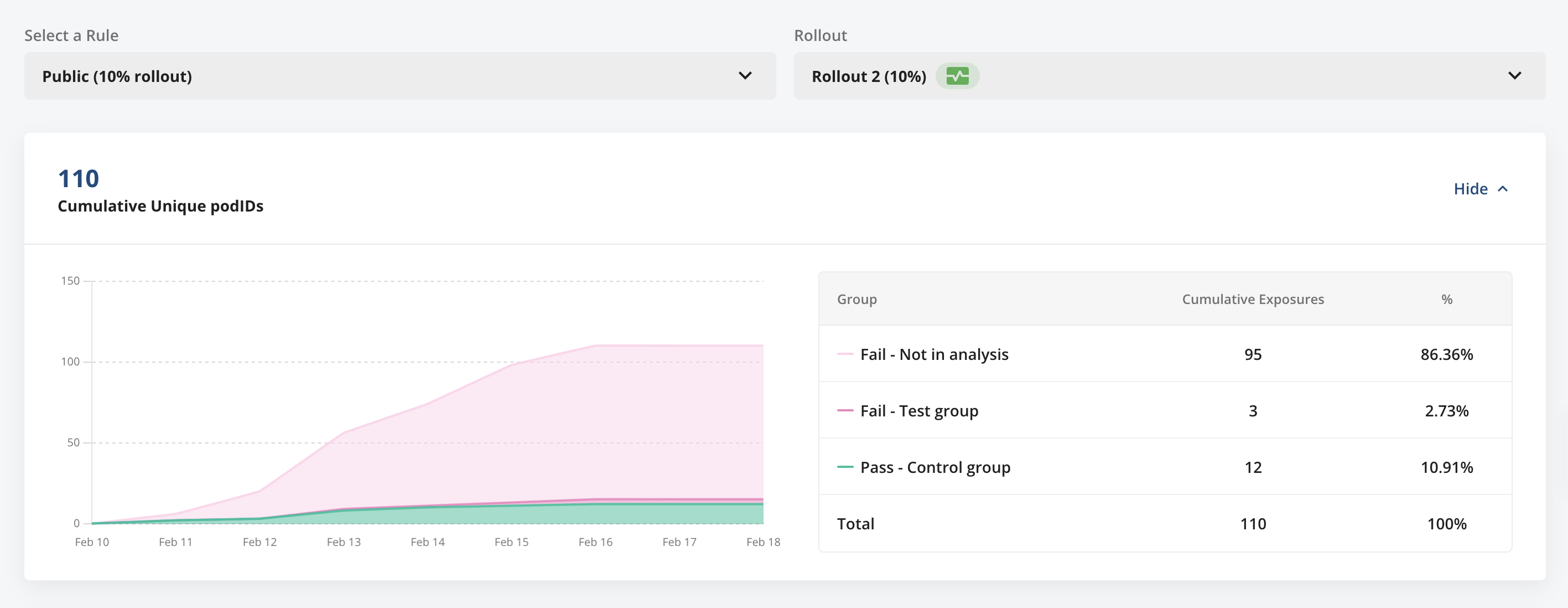
- The Cumulative Exposures panel shows total exposures of a feature gate, broken down into three groups:
- Units that passed the feature gate and that Statsig used for analysis.
- Units that didn't pass the feature gate and that Statsig used for analysis vs. the "Pass" group.
- Units that didn't pass the feature gate and that Statsig did not use for analysis vs. the "Pass" group.
Balanced gates
Statsig balances gates and holdouts by default in Cloud, and as an opt-in option for Warehouse Native holdouts (on the Setup page). Balancing reduces false positives at the cost of some sample size. Balanced analysis is a best practice. Go to section 7 of AB Testing Intuition Busters for more discussion.
Statsig achieves this sampling during analysis by downsampling the larger arm proportionally to match the smaller group. For example, Statsig applies a (100 - large_group_pct)/(large_group_pct) sampling rate to the larger group using an unbiased hashing approach, keeping the user pool consistent. Statsig rotates the hash salt across different gates and holdouts.
Metric lifts
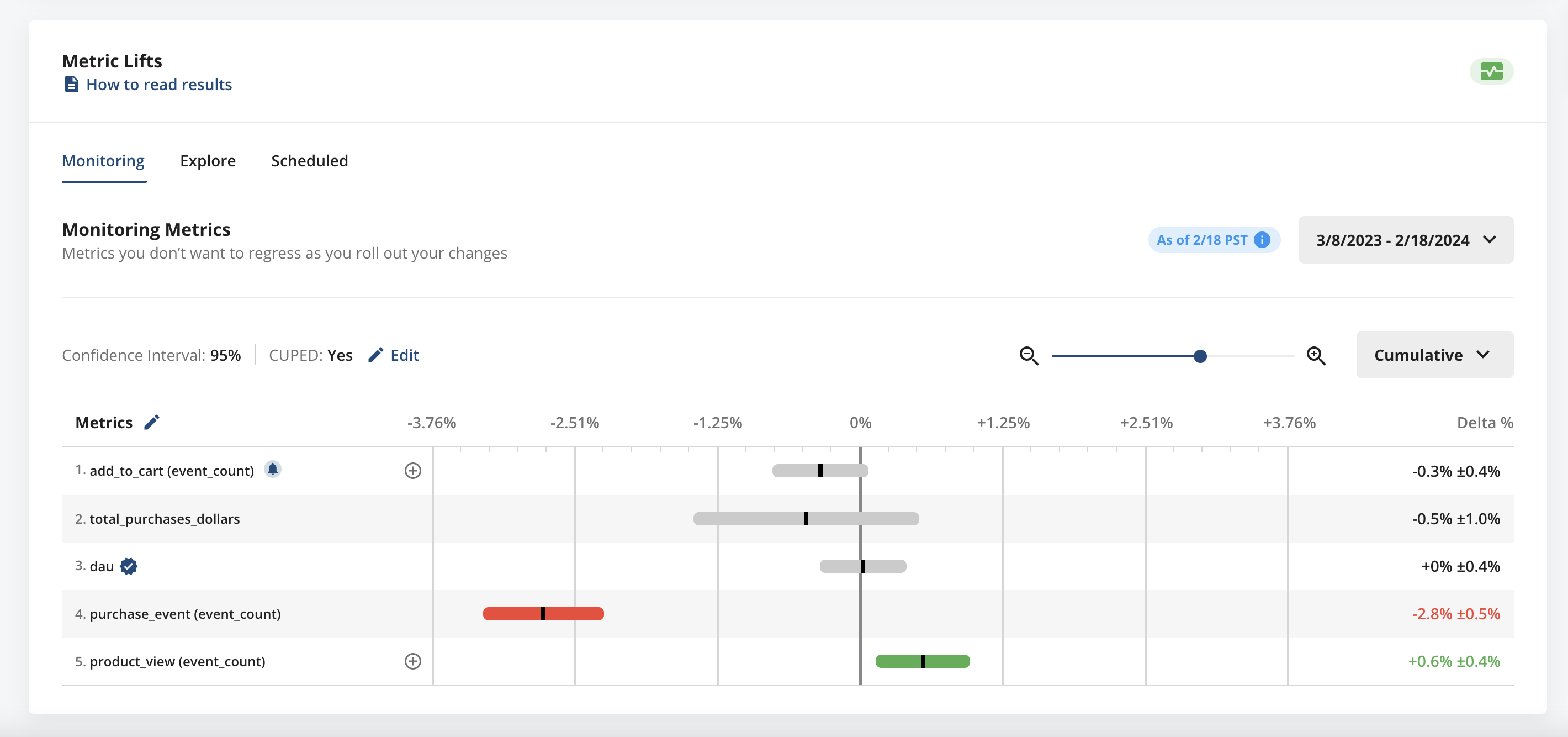
The Metrics Lifts panel shows how your feature is performing based on lifts in any business metrics added to the list of Monitoring Metrics for your gate.
Statsig uses an equal variant comparison (for example, 10% vs 10%) for calculating metric lifts for gate rollouts. Read more about the advantages of this methodology in "A/B Testing Intuition Busters: Common Misunderstandings in Online Controlled Experiments" by Ron Kohavi, Alex Deng, & Lukas Vermeer.
In the example below, the rises in product view count and purchase event count are statistically significant. These rises suggest the feature positively impacts the number of product views but may negatively impact conversions to purchases.
Bots & filtering
Statsig moved information on Bots & Filtering to its own page
Was this helpful?