For AI agents: a documentation index is available at /llms.txt. Append .md to any page URL for markdown, or send Accept: text/markdown.
Permanent and Stale Gates
Learn how to manage feature gates lifecycle with Types to track flags ready for cleanup or permanent integration
Feature gate Types in Statsig track which flags are ready for cleanup and which should stay in your codebase permanently. Statsig marks a gate Stale when it looks ready to remove, and you mark a gate Permanent when it needs to live in your codebase long-term. Use these Types to bring gates to a final state after they have served their purpose, as described in Feature Gate lifecycle.
Types
In your feature gates catalog, different Types appear in the Status column and under the filter option:
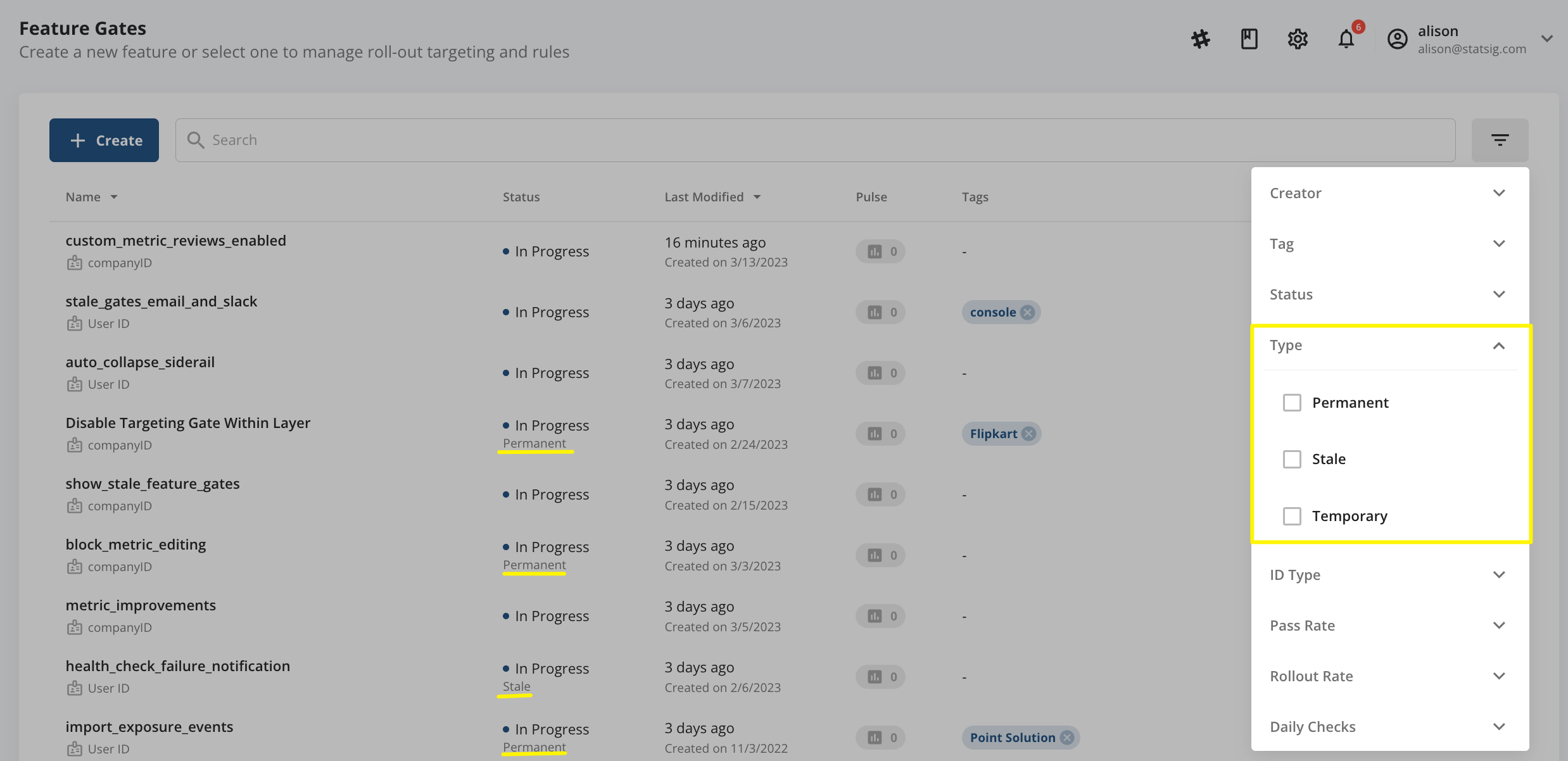
- Permanent Gates (set by you)
- Permanent feature gates typically live in your codebase for an extended period, beyond a feature release, usually for operations or infrastructure control. Common examples include user permissions, circuit breakers or disable switches, and support for legacy features in old app versions. User permissions can gate premium features based on subscription level, and circuit breakers or disable switches can end a connection to prevent negative customer impact.
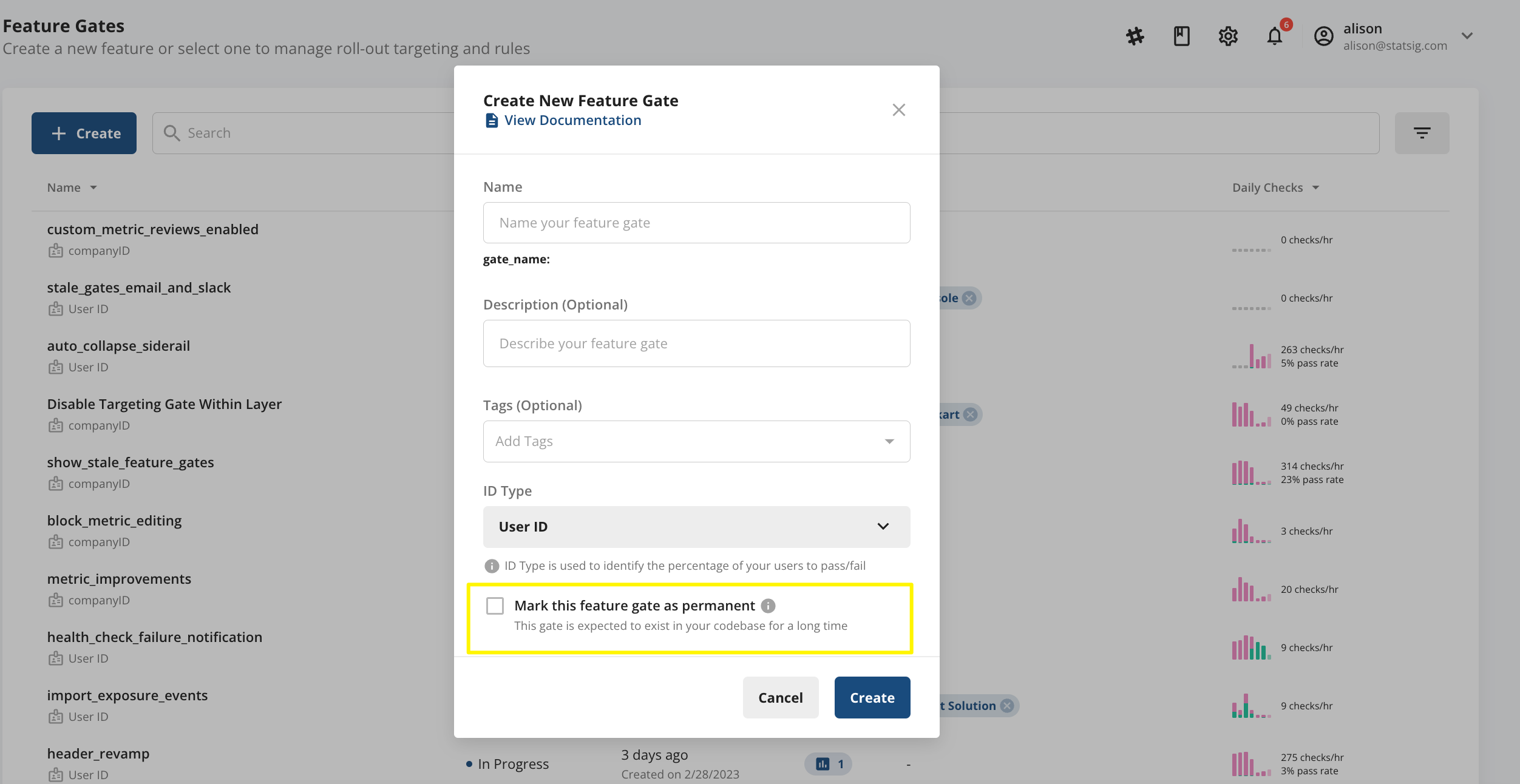
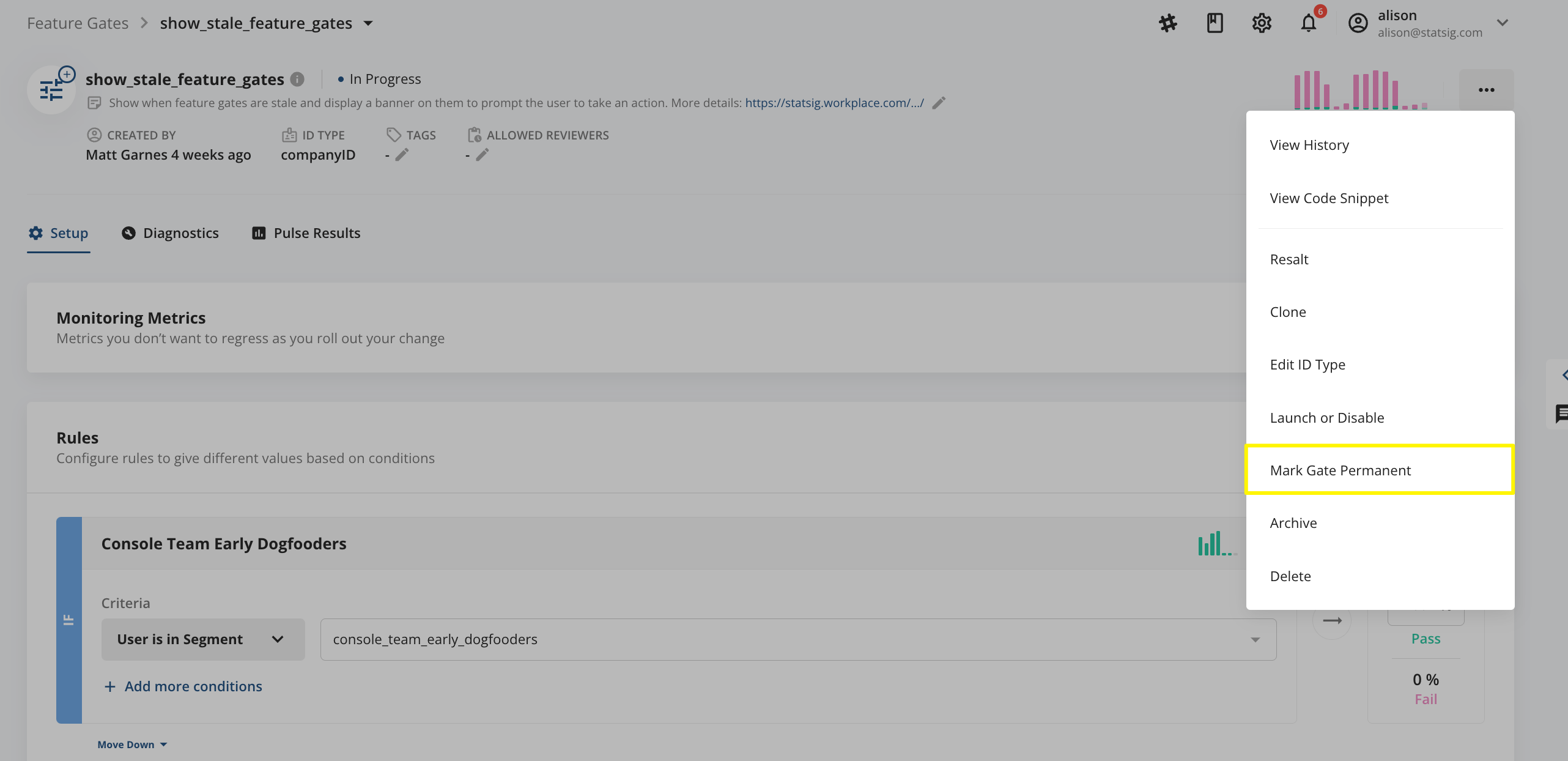
- There are two ways to mark a gate as Permanent:
- When creating the gate: the Permanent box in the gate creation flow
- After creating the gate: click on the "..." menu and then "Mark Gate Permanent"
- When creating the gate: the Permanent box in the gate creation flow
- There are two ways to mark a gate as Permanent:
- Implications of marking a gate as Permanent
- No change in the gate's behavior when called
- Easy filtering on feature gates catalog
- More caution in its management: while you can archive or delete a permanent feature gate, Statsig shows a warning before proceeding
- Statsig foregoes reminding you to clean up these gates and may display them differently in the console
- You can change the gate back to Temporary at any point.
- All newly created feature gates default to Temporary, unless you mark them as Permanent. Statsig doesn't display the phrase Temporary in the feature gates Catalog or within the individual gates page.
- Permanent feature gates typically live in your codebase for an extended period, beyond a feature release, usually for operations or infrastructure control. Common examples include user permissions, circuit breakers or disable switches, and support for legacy features in old app versions. User permissions can gate premium features based on subscription level, and circuit breakers or disable switches can end a connection to prevent negative customer impact.
- Stale Gates (set by Statsig)
- Stale feature gates indicate to your team that these gates could be good candidates for cleanup. Statsig automatically marks gates as stale based on the following criteria (excludes Permanent and archived gates):
- Gates created less than 30 days ago, modified in the last 30 days, or referenced by other gates, experiments, or dynamic configs never become stale
- Otherwise, any of the following conditions make a gate stale:
- The gate has had 0 checks within last 30 days
- The gate still receives checks, but its earliest check was at least 30 days ago
- Implications of Statsig marking a gate as Stale
- No change in the gate's behavior when called
- Easy filtering on Feature Gates catalog
- Statsig includes the gate in nudges for cleanup (more below)
- Stale Reasons are the reason Statsig marked a gate as stale. You can query this information on the Console API.
- None No Stale Gates should have a reason of None; this value is exclusively for Temporary or Permanent gates.
- STALE_PROBABLY_DEAD_CHECK There have been no checks in the last 30 days.
- STALE_PROBABLY_LAUNCHED The Gate is marked as launched or has an everyone rule passing 100% (rollout rate of 100%).
- STALE_PROBABLY_UNLAUNCHED The Gate is marked as disabled or has an everyone rule passing 0% (rollout rate of 0%).
- STALE_PROBABLY_FORGOTTEN This gate appears to have been only partially launched for some time. Consider launching or disabling it, or marking it permanent if you still need it.
- STALE_NO_RULES The Gate has no set rules.
- STALE_ALL_TRUE The Gate has been returning true on every check for the last 30 days (or number of days configured in project settings). You could probably remove it.
- STALE_ALL_FALSE The Gate has been returning false on every check for the last 30 days (or number of days configured in project settings). You could probably remove it.
- STALE_EMPTY_CHECKS The Gate has been returning empty (probably indicating an error) on every check for the last 30 days (or number of days configured in project settings). You could probably remove it, or you might need to investigate it.
- Stale feature gates indicate to your team that these gates could be good candidates for cleanup. Statsig automatically marks gates as stale based on the following criteria (excludes Permanent and archived gates):
Nudges to clean up stale gates
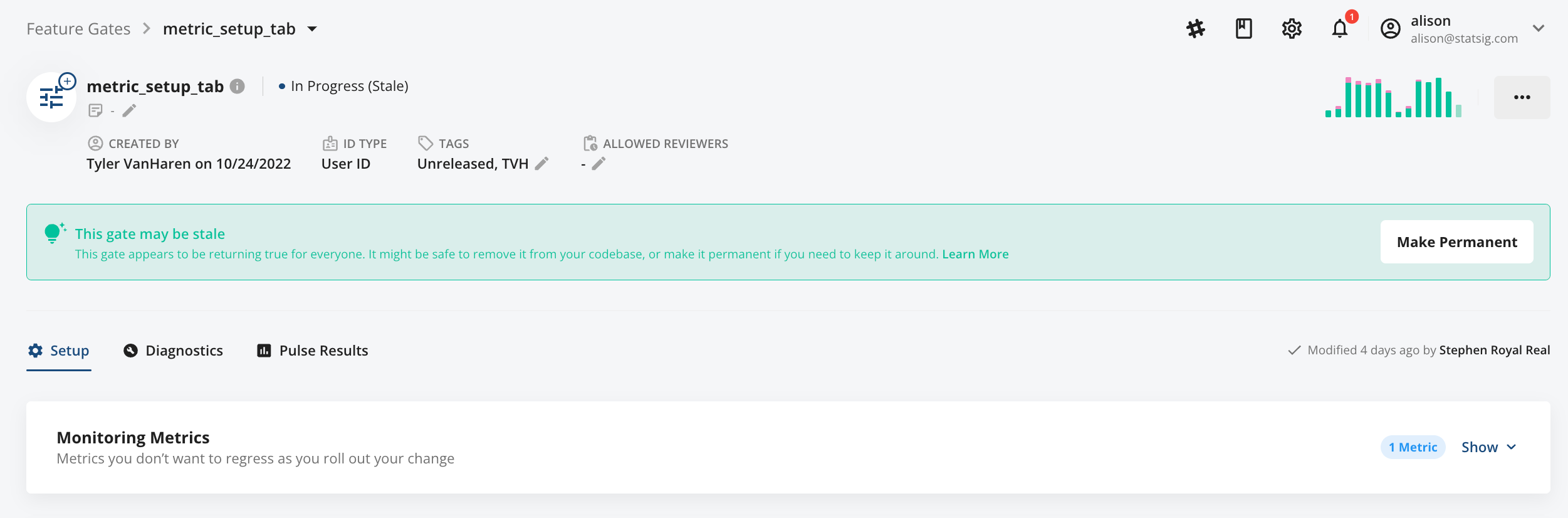
Using the Stale type, Statsig provides both in-console and external nudges to remind you to clean up (or make Permanent) your feature gates.
- In-console: A reminder appears at the top of the individual feature gate page.
- Email/Slack: Statsig sends a monthly email or Slack reminder (if you have enabled the Slack integration) to clean up or mark permanent any stale gates you own. Reminders continue until the gates are cleaned up or marked as permanent.
Was this helpful?