For AI agents: a documentation index is available at /llms.txt. Append .md to any page URL for markdown, or send Accept: text/markdown.
Feature Flags
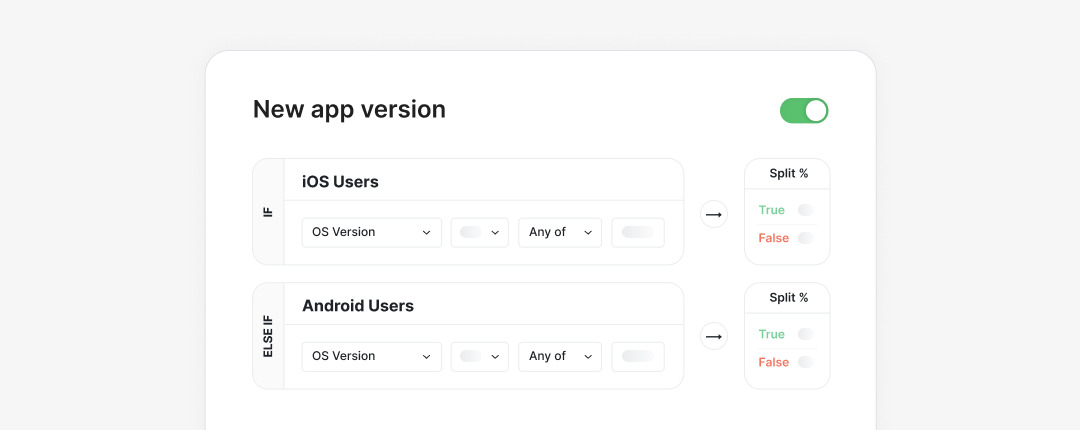
Feature Gates, commonly known as feature flags, allow you to toggle the behavior of your product in real time without deploying new code.
Feature Gates, commonly known as feature flags, allow you to toggle the behavior of your product in real time without deploying new code.
Developers often use Feature Gates to turn on certain features for a small percentage of the total user base. This approach enables safer, gradual software releases because you can monitor the impact on system behavior. Feature Gates also let you limit application behavior for a specific set of users, such as dogfooding environments.
When to use
Use when you need to
- Schedule gradual feature rollouts to safely deploy new code
- Set up dev staging environments before code hits production, like dogfooding
- Have an emergency disable switch that lets you immediately turn off a particular code branch for users in production
- Modify the user experience based on attributes like username, email, or other identifiers
- Change app behavior based on context like device, browser type, version, and other environment attributes
Not recommended if
- You need to return structured or multi-value data based on targeting rules and conditions: use a Dynamic Config instead.
- You want to test complex hypotheses beyond simple A/B tests and launch impact: set up an Experiment instead.
How it works
- Create a Feature Gate with targeting rules in the Statsig console.
- To have the Feature Gate impact users, integrate the Statsig SDK into your product code. The SDK queries the gate value at runtime and returns a true/false result based on user attributes, environment data, and other conditions you define.
- Test a Feature Gate to confirm it behaves as expected before rolling it out.
- For finer targeting control, set up Feature Gate overrides to allow specific users to bypass the gate.
- After your Feature Gate is live, view Feature Gate exposures in the Statsig console to monitor who encounters your gate.
- Set up deprecation rules and clean up old flags by managing Feature Gate lifecycles.
Key capabilities
Scheduled rollouts
Gradually deploy a feature over time by setting up a Feature Gate as a Scheduled Rollout.
Overrides and bypass lists
Implement Feature Gates with Overrides to allow a specific list of users to bypass your gate.
Chained flag dependencies
Chain Feature Gates together in parent-child or other dependent relationships so a top-level gate can enable or disable all its dependent flags at once. This is useful for global disable switches that guard sub-features.
Built-in A/B tests
Run simple A/B tests without additional setup using Pulse. In practice, treat the users who see the new feature as the "treatment" group. Treat the gated users, who don't see the new feature yet, as the "control" group.
Feature Gate testing
Test your Feature Gates with Statsig's built-in tools to check whether your Feature Gate targets the right people.
FAQs
Related tutorials
Was this helpful?