For AI agents: a documentation index is available at /llms.txt. Append .md to any page URL for markdown, or send Accept: text/markdown.
Get Started With CURE
Set up Statsig CURE (Causal Uplift Recommendations) for Warehouse Native, including assignment data, metrics, and modeling configuration.
Defaults
By default, CURE runs a univariate regression when you enable it, which is the same as the standard implementation of CUPED.
To add additional covariates
Project defaults
In project settings under Experimentation, specify default covariates for your company:

You can source covariates from the assignment source for the experiment, or from Entity Property Sources.
Properties with an Entity Property Source name attached come from a property source and Statsig always includes them on the experiment. Properties without an EPS come from an assignment source and apply if the column exists on the assignment source of a given experiment.
Experiment settings
Per-experiment, specify additional covariates or remove covariates specific to your analysis:
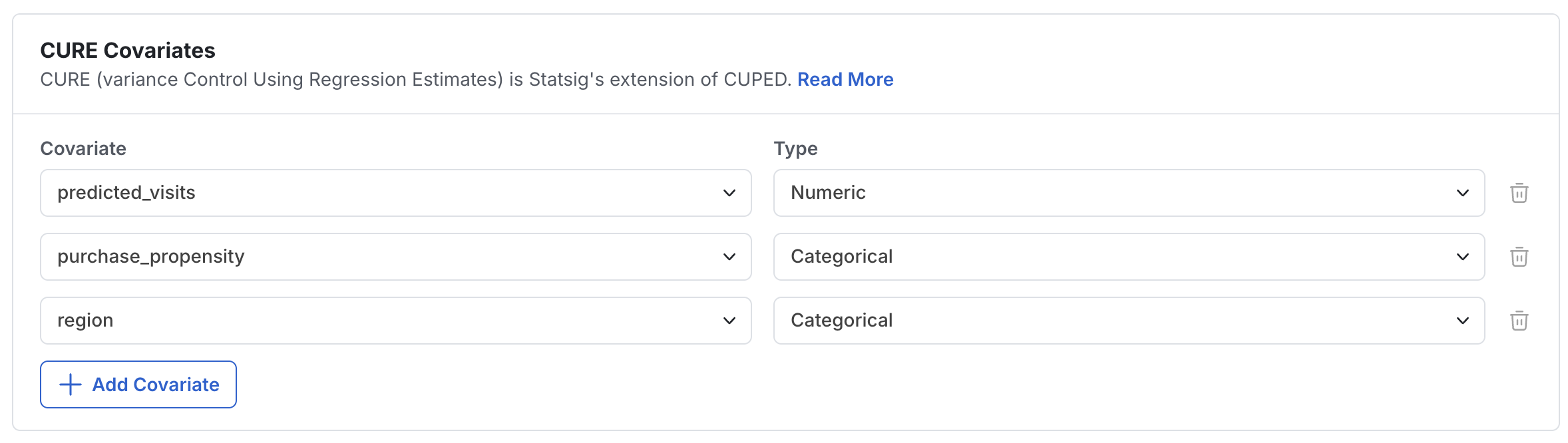
Statsig populates this list from the experiment assignment source columns and relevant Entity Property Sources.
Metric:Metric
One tool this framework enables is metric:metric covariates, such as using units' pre-experiment clicks as a covariate for units' in-experiment revenue. Statsig doesn't use this approach for several reasons:
- Consistency: adding a new metric to your analysis shouldn't significantly alter the results of other metrics.
- Unnecessary complexity: if you have key metrics that function as covariates, explicitly provide these for all metrics as a covariate in an entity property source. This approach achieves the same result without opaque outputs from unknown metric covariances.
Statsig recommends explicitly including key metric covariates as numerical covariates rather than adding arbitrary covariates based on metric selection. Contact the team in Slack to discuss further.
Preventing adjustments
You can turn off CUPED in your Pulse results, and can create a project-level setting to enforce this behavior. CURE still runs when CUPED is off, which incurs some compute cost. To avoid running CURE, turn it off on a given metric by clearing the CUPED option in the metric's setup page.

Was this helpful?