For AI agents: a documentation index is available at /llms.txt. Append .md to any page URL for markdown, or send Accept: text/markdown.
Semantic Layer Sync
Sync metric definitions from your semantic layer or dbt project into Statsig Warehouse Native to reuse existing business logic in experiments.
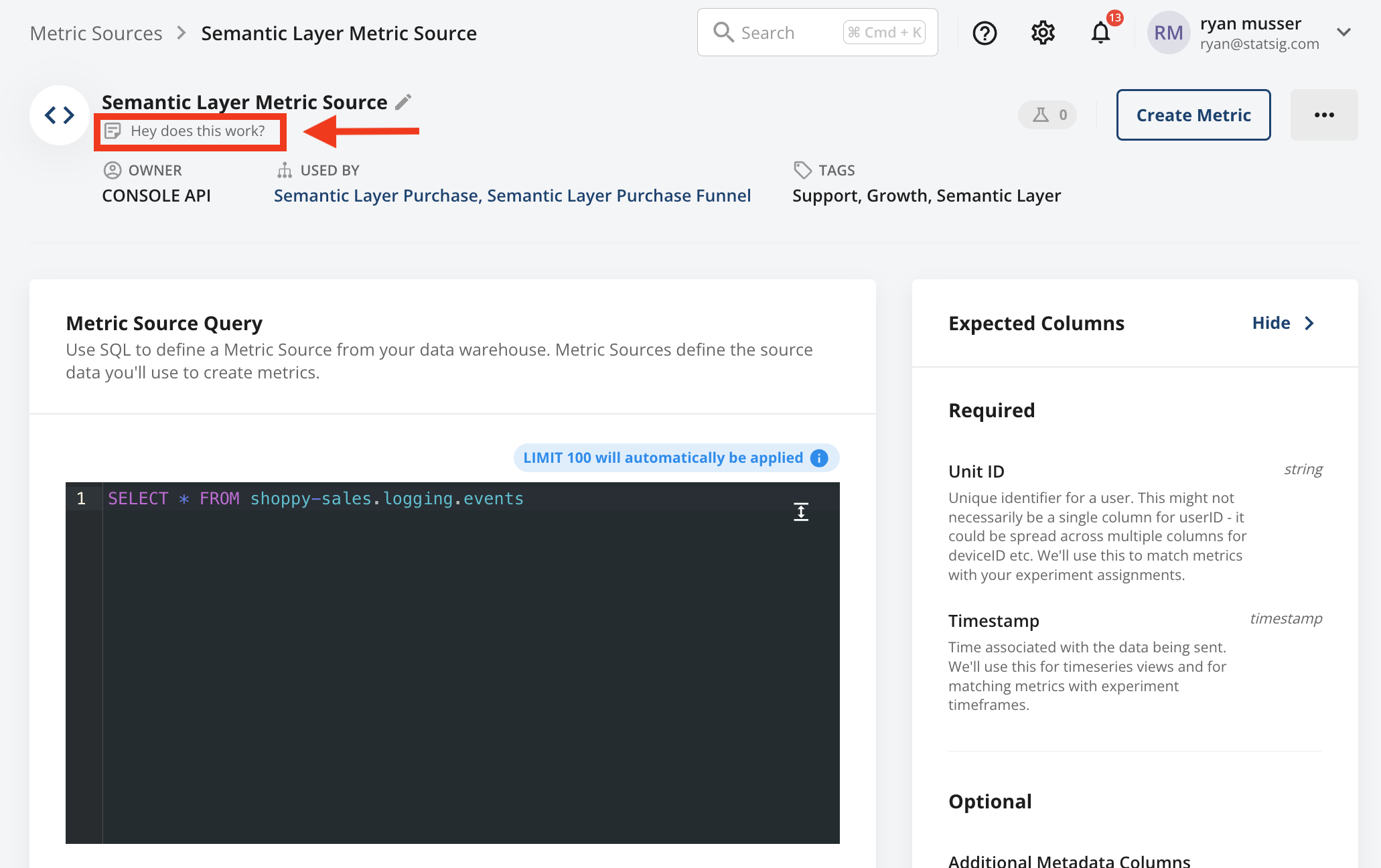
If you have centrally defined metrics, Statsig can sync your data sources and metrics as part of your data version management workflow. Using Statsig's Console API, you can automatically sync changes to matching definitions in Statsig, and optionally make the metrics read-only in the Statsig console.
A demonstration GitHub repository uses a script that a GitHub Action executes. This setup automatically synchronizes changes to .yml files in the /metrics or /metric_sources directories in the repo. After you create or update these files, the script updates existing metrics or metric sources in Statsig, or creates new ones accordingly.
To use this example template, follow these steps:
- Fork this repository to get started.
- In your forked repository, add your Statsig Console API Key to GitHub Secrets.
- Update the metric definitions to match your data needs.
- Validate the automation by modifying relevant files and observing the triggered GitHub Action.
Detailed guide
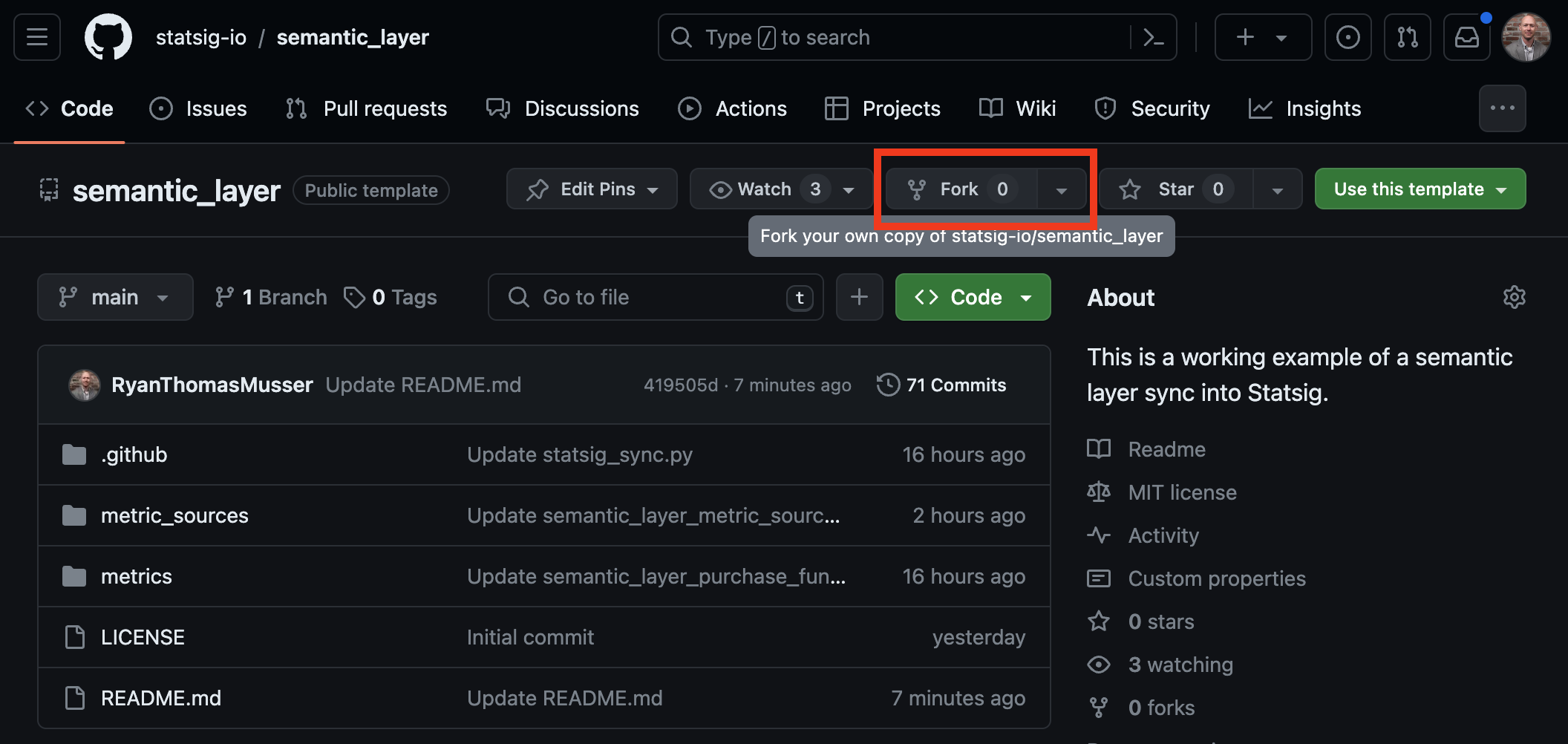
Forking the repository
- Fork this repository to create a copy in your GitHub account.
Adding the Statsig Console API Key
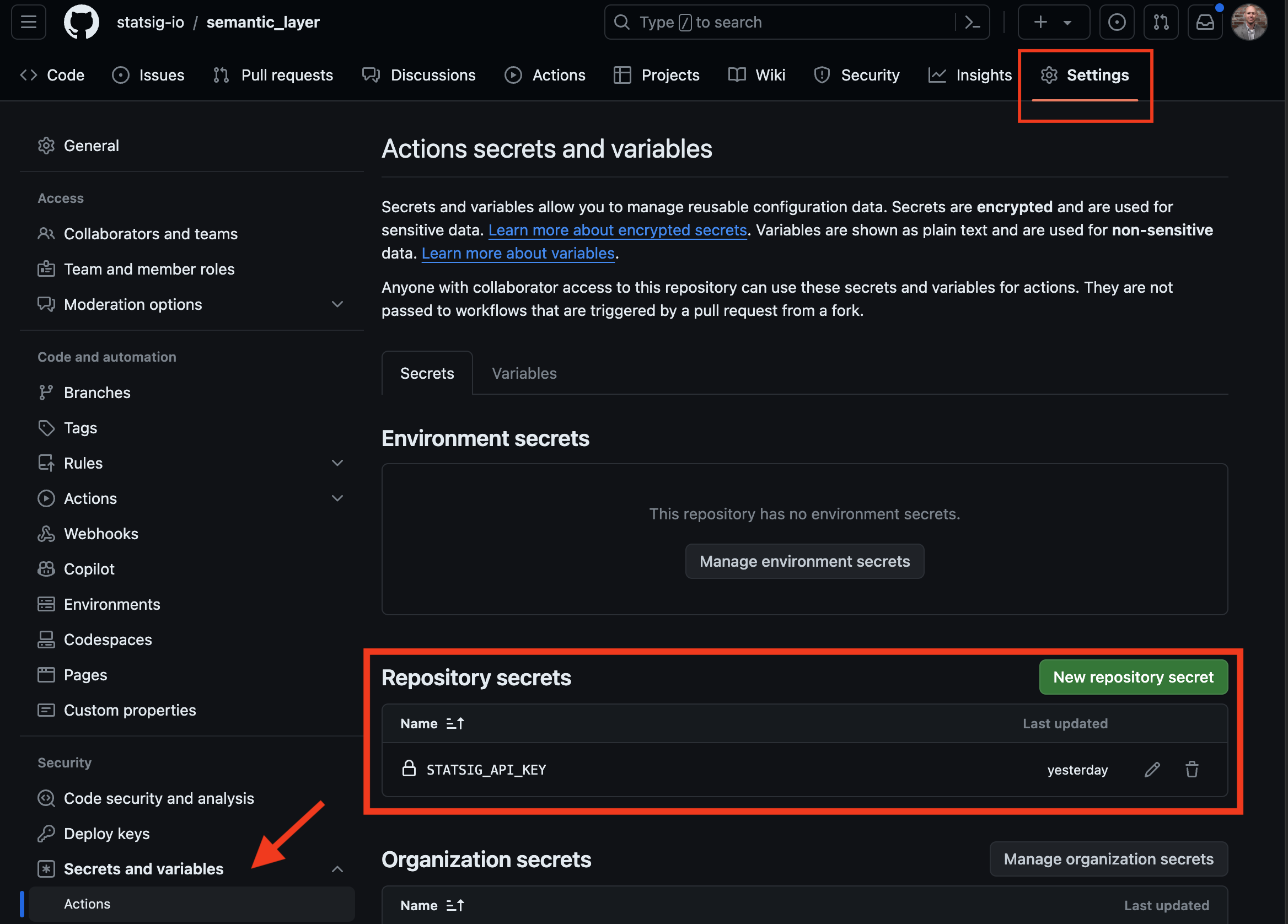
- Navigate to
Settings > Secrets and variables > Actionsin your repository settings. Create a new secret namedSTATSIG_API_KEYwith your Statsig Console API key as its value. This key authenticates the synchronization process with the Statsig Console API.
Customizing metric definitions
Metric definitions are in the
./metricsdirectory, and metric source definitions are in the./metric_sources/directory. To customize:- Use the Statsig Console API to fetch an existing metric_source or metric using GET requests for metric sources and metrics.
- Remove the provided example metrics and metric sources, and replace them with your definitions in
./metric_sources/*.ymland./metrics/*.yml.
For readability, the examples use metric.metricDefinition[] instead of metric.warehouseNative[]. You can view this change in the sync script. Adjust the mapping or revert to metric.warehouseNative[] in your definitions as needed.
Verifying automation
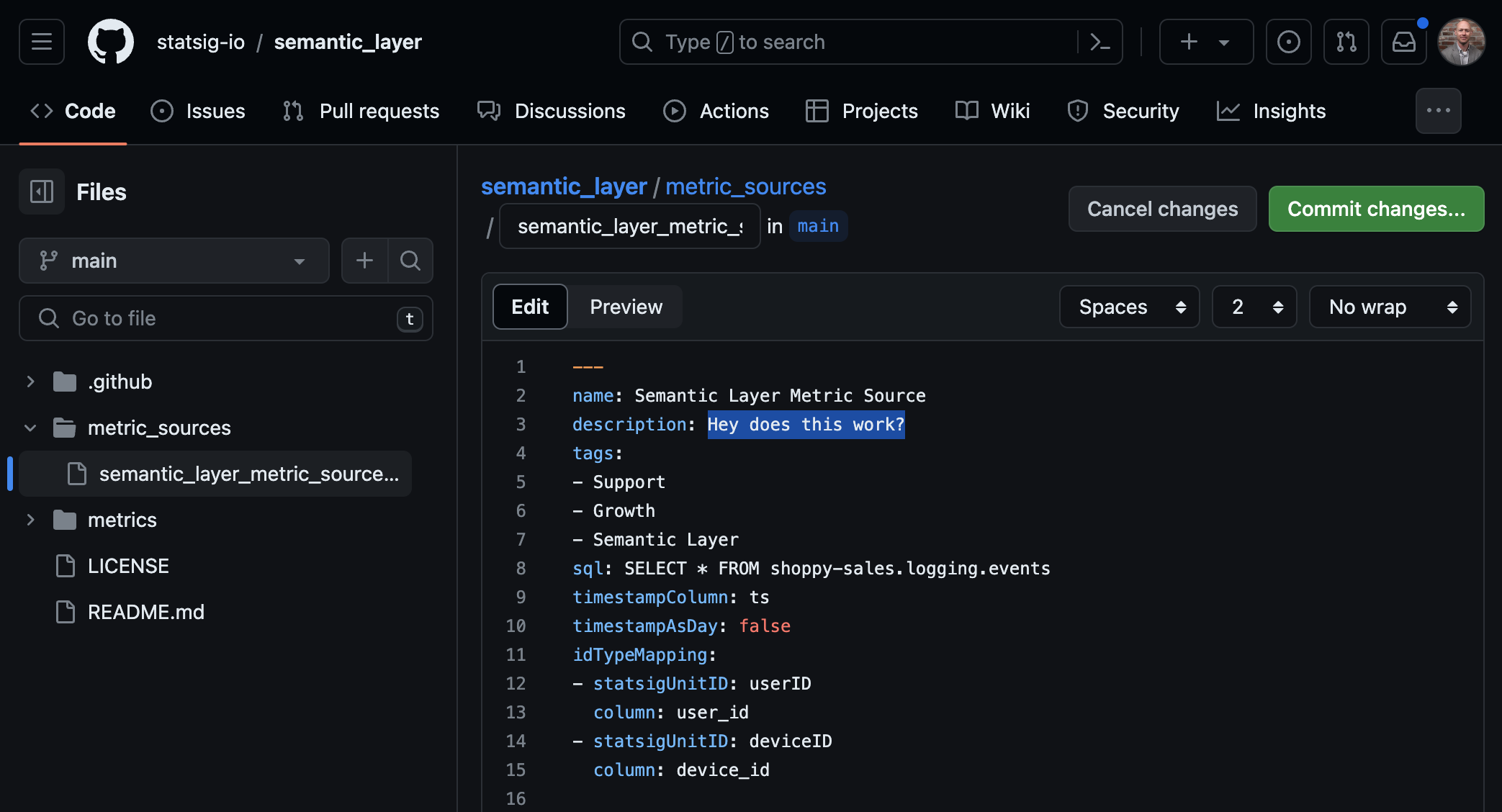
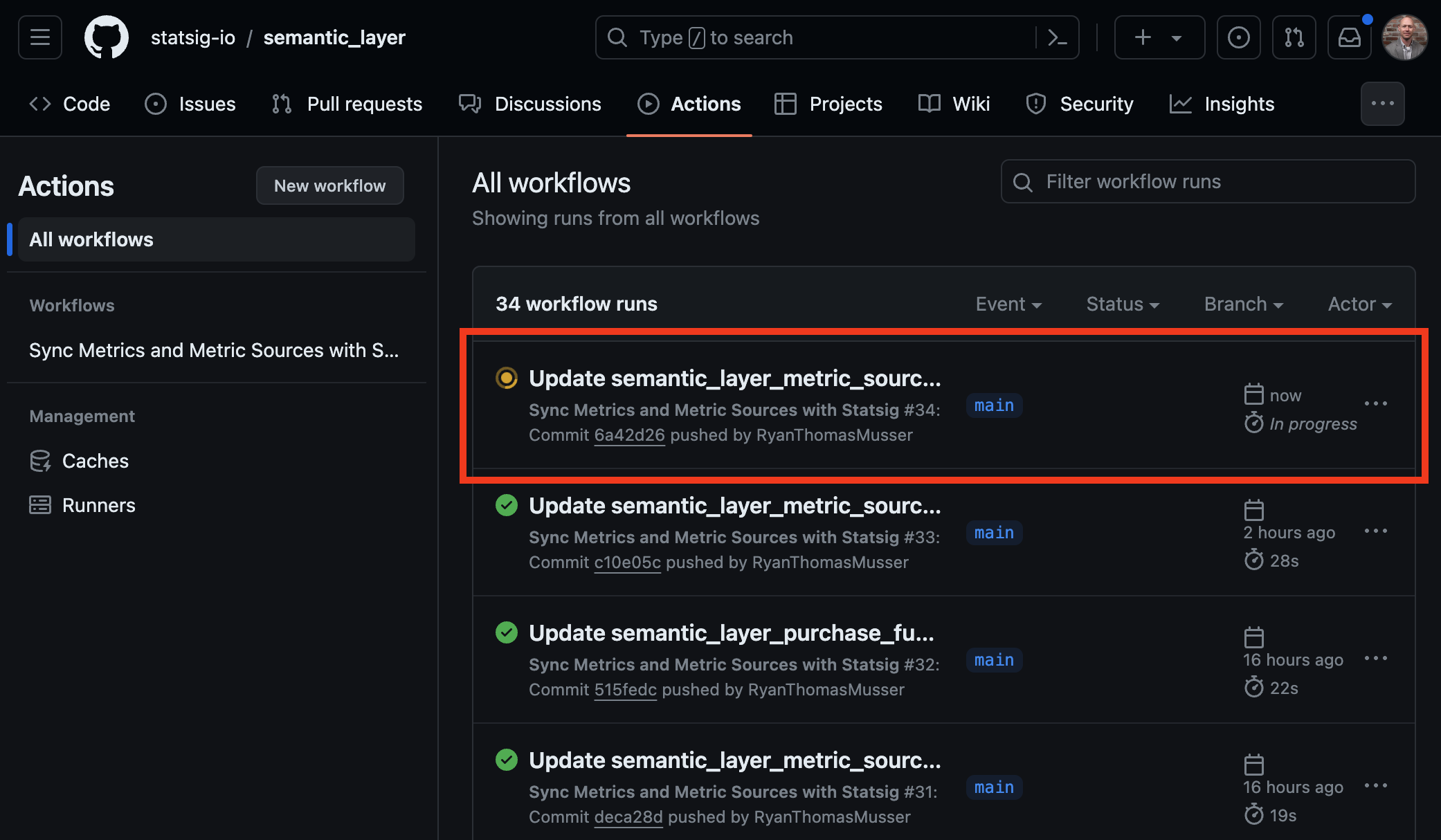
- To test, edit a metric or metric source description in your repository. This triggers the GitHub Action, visible under the
Actionstab. The process then creates or updates your metrics and metric sources in Statsig based on the repository's semantic definitions.
This example is a basic template. Test and extend it to meet production standards. Share feedback or improvements with the Statsig support team, your sales contact, or in the Slack community.
Was this helpful?