For AI agents: a documentation index is available at /llms.txt. Append .md to any page URL for markdown, or send Accept: text/markdown.
Census
Connect Census reverse ETL with Statsig to sync audience segments and metric data between your data warehouse and Statsig for activation.
How the Census integration works
Enabling the Census integration for Statsig allows Statsig to receive events from Census. Receiving these events lets you ingest data into Statsig from any source that Census supports.
You can find all events that Statsig receives from Census in the Metrics tab in the Statsig console. Statsig automatically includes these events in Pulse and Experiment results for your feature gates and experiments respectively.
Configuring incoming events
- From the API Keys tab in the Statsig console, copy the Statsig “Server Secret Key”.
- From Census, create a new destination and select Statsig from the list of options.
- Paste the Statsig secret into the field and click save.
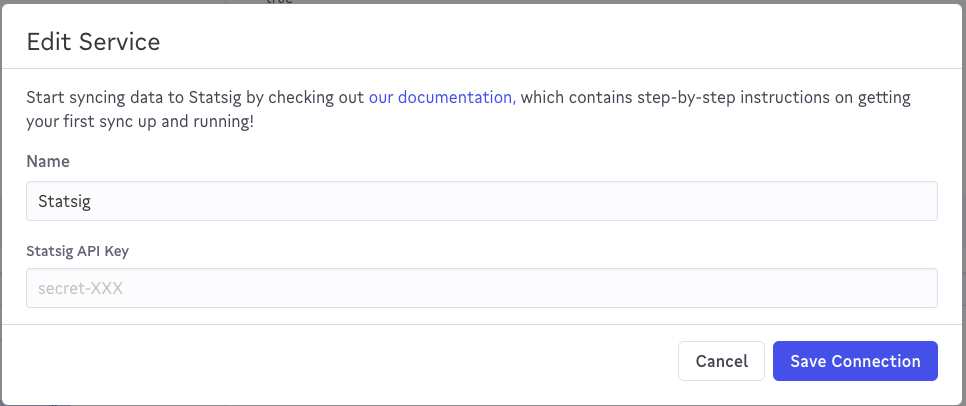
- Create a Sync to the new Statsig destination (refer to the Sync Configuration section below)
- On the Statsig Integrations page, enable the Census integration.
Sync configuration
You must provide a sync key to uniquely identify each event.

Map the following fields to Statsig events.
User ID->userIDEvent Name->eventNameTimestamp->timestampValue->value
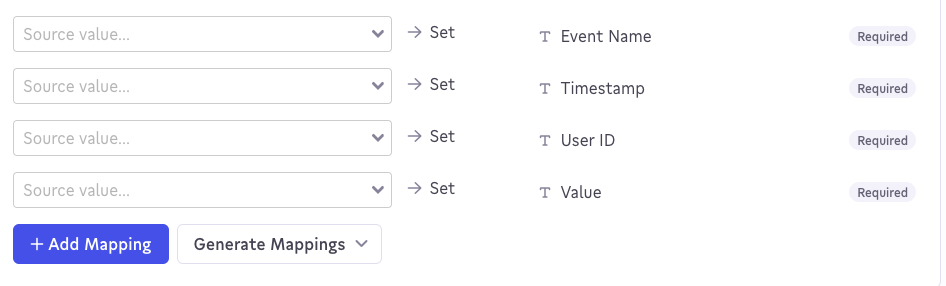
Statsig includes all other fields in the metadata section of the mapped event.
Custom ID mapping
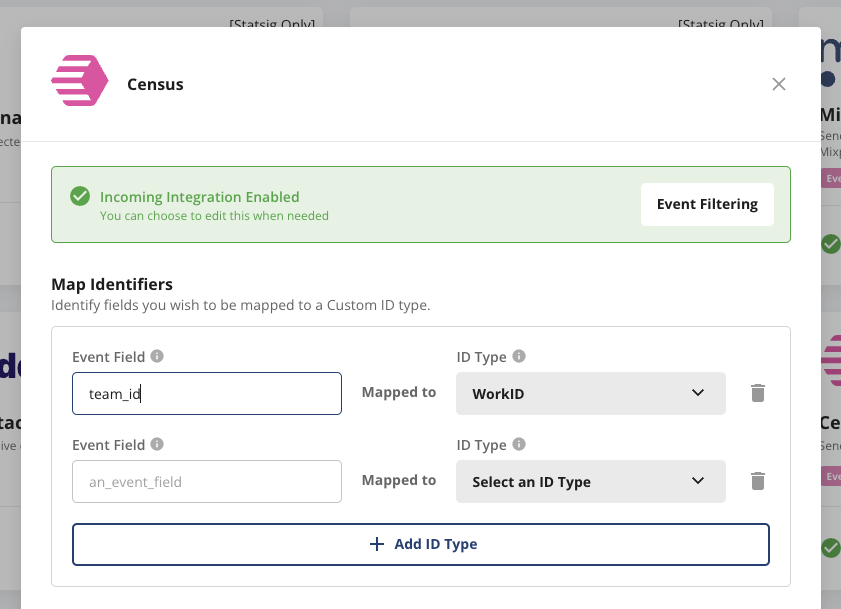
The Census integration allows the mapping of arbitrary fields to Statsig Custom IDs. To do this, visit the Census panel on the Statsig Integrations page and look for the "Map Identifier" section. Here you can choose fields you want mapped to a Custom ID.
The input Event Field must match the exact spelling as in the original Census event.
Was this helpful?