For AI agents: a documentation index is available at /llms.txt. Append .md to any page URL for markdown, or send Accept: text/markdown.
Users Tab
An event-by-event level understanding of how users are leveraging your product
How the Users Tab works
The Users section of Statsig gives you an event-by-event level understanding of how users (and other Unit IDs) use your product. This granular view lets you diagnose issues and understand user behavior using event logs, session streams, and session replays. The Users section is also a central place to manage feature rollout and experiment overrides.
Exploring the Users Tab
When you open the Users tab, enter a specific ID and select the matching Unit ID type. There are also many context-specific entry points to the Users Tab within Statsig.
A Users Tab query surfaces the following information:
- Properties: Additional context for this ID, including email, country, OS, and browser. Customers with user profiles can see all user profile properties for a given ID.
- Log History & Event Details: History of events and exposures for this ID, limited to 5000 rows. You can view these as an event log stream or a session stream.
- Overrides: The ability to manually override an ID into a given feature gate or experiment variant.
- Session Replays: A sample of session replays the user has triggered.
Events
Log Streams
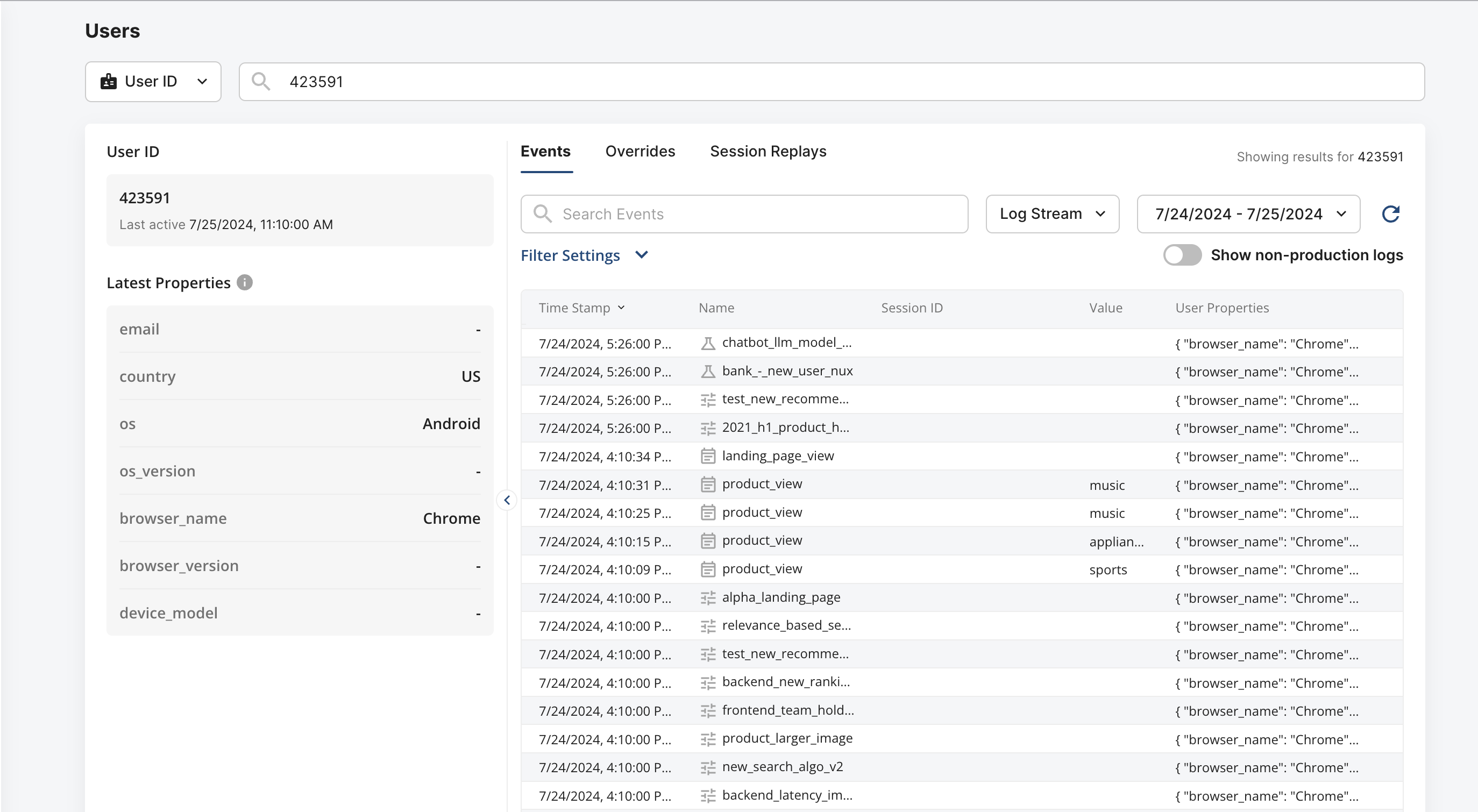
Under the Events tab, you can view the events and exposures this user triggered in their event log stream. From here, you can diagnose which features this user was most interested in or which experiment group they were in.
Session Streams
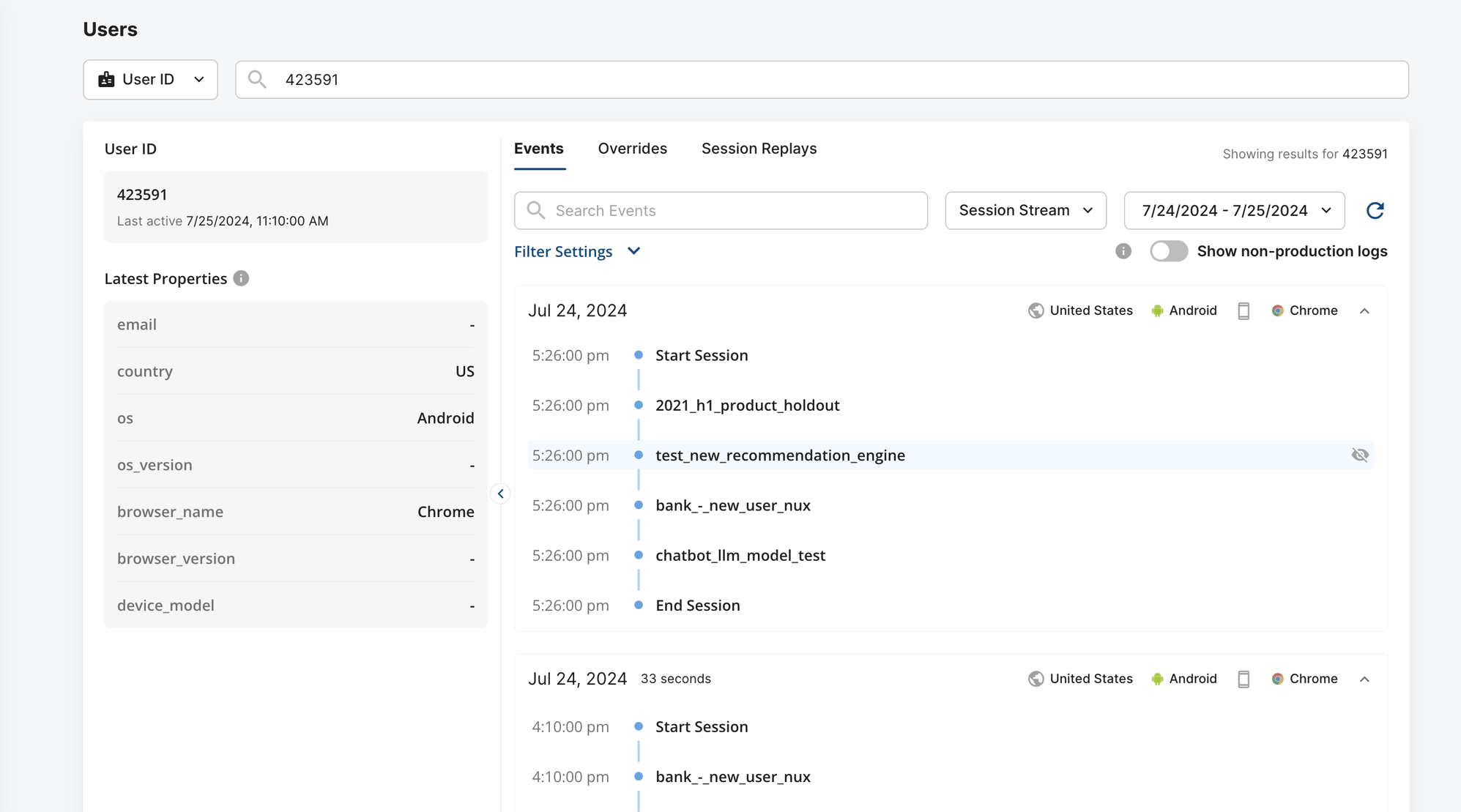
Switch from Log Stream to Session Stream to get a session-centric view of all events the user triggered during each session. You can refine either view by changing the time window, hiding events, and filtering to show only events or experiment/gate exposures.
Overrides
Under the Overrides tab, you can override an ID into a given experiment variant or feature gate rollout. If there's already an active override for an ID on a particular entity, it appears in this section and you can modify it inline. Overrides set in the Users Tab sync to the "Overrides" section of the relevant entity, and you can edit or remove them from either interface.
Session Replays
Under Session Replays, you can navigate to a sample of session replays the user has triggered for additional insight into their behavior. For more information, refer to Session Replays.
Was this helpful?