For AI agents: a documentation index is available at /llms.txt. Append .md to any page URL for markdown, or send Accept: text/markdown.
Experiment Quality Score
Learn how to assess and improve the quality and trustworthiness of your experiments with Statsig's quality scoring system.
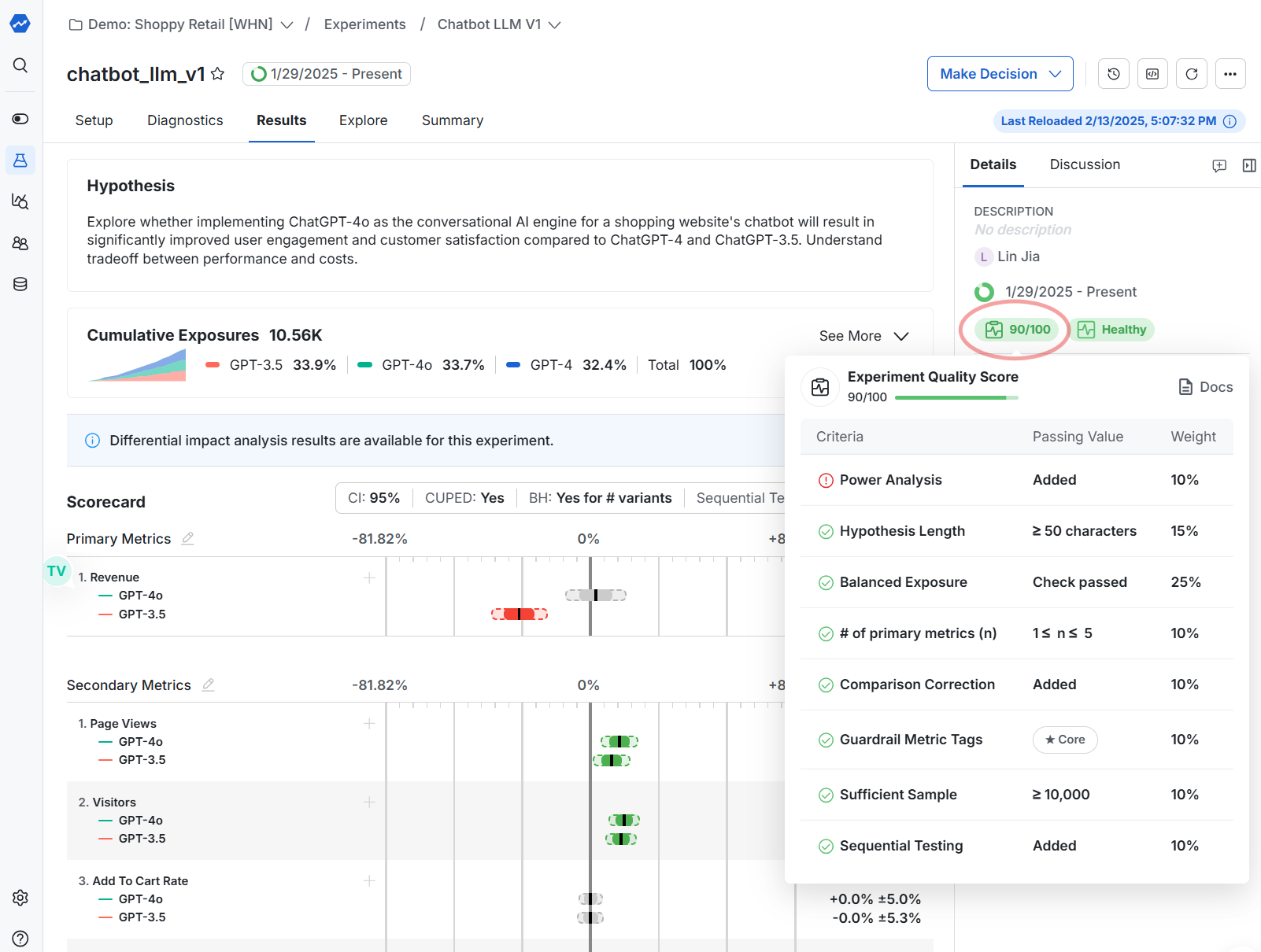
The Experiment Quality Score is a percentage that Statsig computes for each experiment from a weighted set of setup checks, such as hypothesis length and balanced exposures. The score appears on the experiment's Details tab, color-coded green, yellow, or red by threshold. Use it to catch setup gaps before you start an experiment, and to find systematic issues when you compare scores across your experimentation program. To diagnose problems in a running experiment, such as a sample ratio mismatch, use experiment health checks instead.
Enable and configure the quality score
To enable the quality score, go to Settings > Experimentation > Experiment Quality Score in the project settings.
Statsig evaluates experiments against a list of pre-defined assessment criteria. Each criterion has a default weight, and you can change the weights to match your organization's needs.
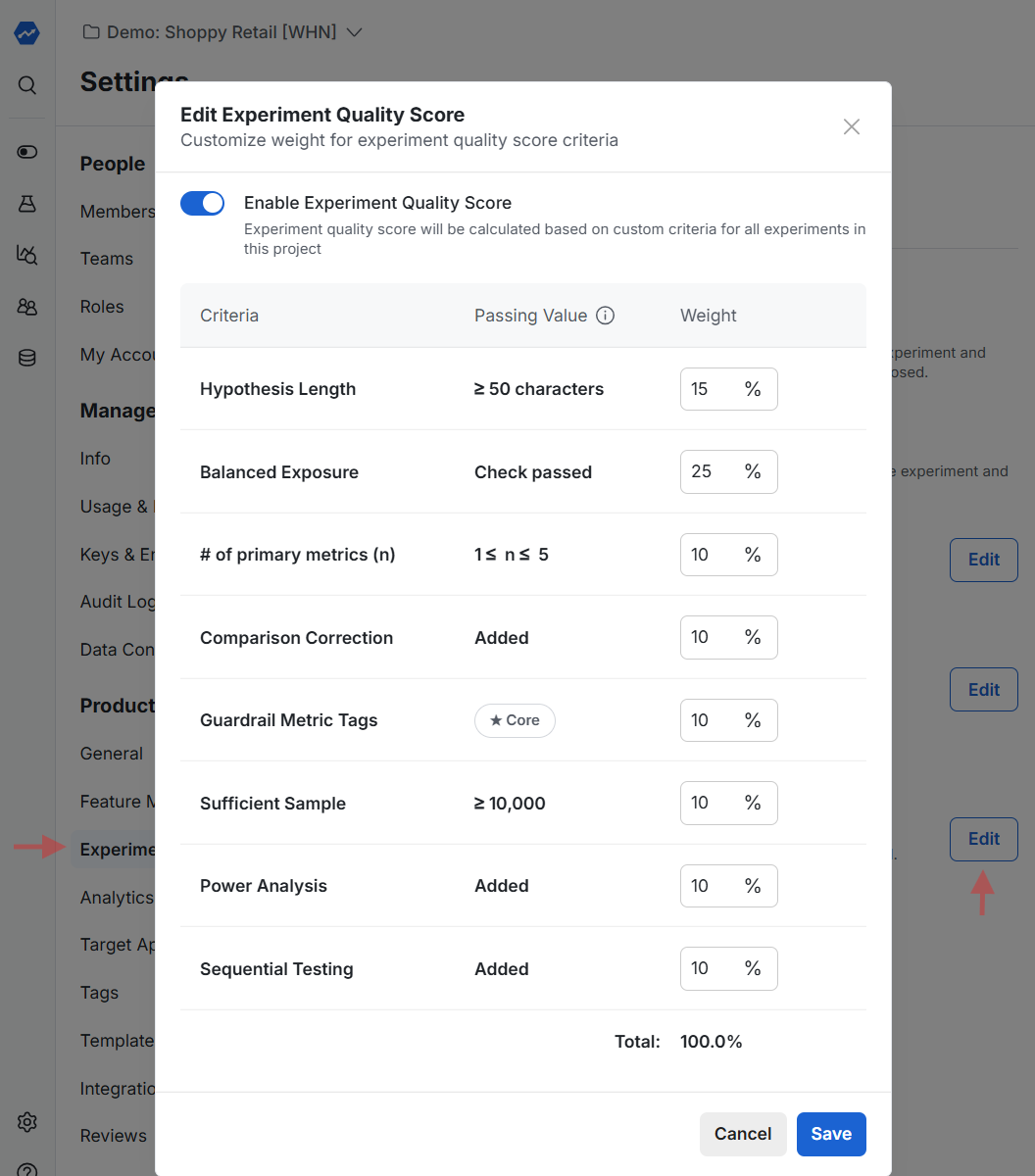
When Statsig computes a score, it skips checks that aren't ready yet and renormalizes the remaining weights to 100%. For example, if the experiment hasn't started, the Balanced Exposures check isn't ready and Statsig ignores it. Statsig omits checks with a weight of 0 from the score card entirely.
Customize checks through the Console API
If you need checks that the defaults don't cover, different requirements per product team, or different thresholds, manage the checks through the Statsig Console API. For example, you might require hypotheses to be at least 200 characters and contain a link to an external planning doc.
Run a POST or PATCH on the console/v1/experiments endpoint to update individual scores on any experiment. Include an existing check with a weight of 0 to remove it, so the list contains only the checks you need.
For example, run a PATCH on an experiment with this payload:
{
    "manualQualityScores": [
        {
            "criteriaName": "HYPOTHESIS_LENGTH",
            "criteriaDescription": "Check passed",
            "status": "PASSED",
            "score": 0,
            "weight": 0
        },
        {
            "criteriaName": "MyCompany's Hypothesis Check",
            "criteriaDescription": "Has Internal URL and > 200 Chars",
            "status": "PASSED",
            "score": 100,
            "weight": 100
        },
        {
            "criteriaName": "Naming",
            "criteriaDescription": "Experiment prefixed with team name",
            "status": "FAILED",
            "score": 0,
            "weight": 100
        }
    ]
}
This payload:
- Drops the original
HYPOTHESIS_LENGTHcheck. - Keeps the other original checks with their weights.
- Adds a new check,
MyCompany's Hypothesis Check, for custom logic on the hypothesis. - Adds a new check,
Naming, for custom logic on the name.
Statsig normalizes the remaining weights. If the original HYPOTHESIS_LENGTH check had a weight of 10, the total weight becomes 290 and Statsig normalizes scores accordingly. If all non-custom checks pass, the score is 190/290, or about 66%.
To apply custom checks across all experiments:
- Use the Console API's
experiments/getendpoint to pull all experiments. - For each experiment, run your custom logic and patch the results.
View quality scores
When you enable quality scores, they appear on the Details tab of each experiment. Statsig evaluates each applicable check and includes it in the displayed score.
Statsig color-codes the score by the threshold it reaches.
| Score | Color |
|---|---|
| 85% or higher | Green (passing) |
| 50% to 84% | Yellow (warning) |
| Below 50% | Red (error) |
You can also retrieve quality scores through the Console API for bulk analysis.
Was this helpful?