For AI agents: a documentation index is available at /llms.txt. Append .md to any page URL for markdown, or send Accept: text/markdown.
Implement an Experiment
Learn how to deploy an experiment by pulling configurations, logging events, testing, and launching.
Implementing an experiment means reading its parameters in your code with getExperiment, logging the events your scorecard metrics use, and testing each variant in a non-production environment before you start it. Statsig generates the assignment code and runs the analysis on exposures and events; your code supplies the exposures and events. Use this page after you create the experiment in the console. To check a feature gate rather than read experiment parameters, follow the feature gate SDK guide instead.
To deploy an experiment:
- Pull the experiment configuration in your application.
- Log the events you want in your experiment results.
- Test the experiment in development or another lower environment.
- Start the experiment.
Pull experiment configurations from Statsig
The following snippet experiments on a product demo flow, where you might want to improve conversion through the funnel to demo completion. For full implementation details, go to the SDK documentation for your language, or work through the guide for your first A/B test.
const user = { userID: loggedInUserID };
const demoConfiguration = statsig.getExperiment(user, "demo_experience");

// use parameters to control the experience
if (demoConfiguration.get("show_banner", false)) {
  showBanner();
}

const title = demoConfiguration.get("title", "Start Demo");
banner.setTitle(title);
To get a starter snippet for your experiment, click View Code Snippets (the code icon next to Start) or Code Snippet in the Groups and Parameters section of the Setup tab. In the Code dialog, choose your SDK from SDK Type.

Log events for your scorecard
To get results for the events and metrics you care about, instrument the experience with event logging. You can also set up an event integration or a data warehouse import to send events to Statsig's stats engine. With the Statsig SDKs, your code might look like this:
statsig.logEvent(user, "demo_started");
...
statsig.logEvent(user, "demo_completed");
A few events let you measure how users move through a funnel in your product and experiment on those flows to increase conversion.
Test in a lower environment
After you start an experiment, you can't edit the groups without restarting it, because Statsig is already allocating users to each group. Test each experiment in a lower environment before you start it. Testing in a lower environment together with overrides lets you set your own experiment group and test each variant.
To enable the experiment in lower environments:
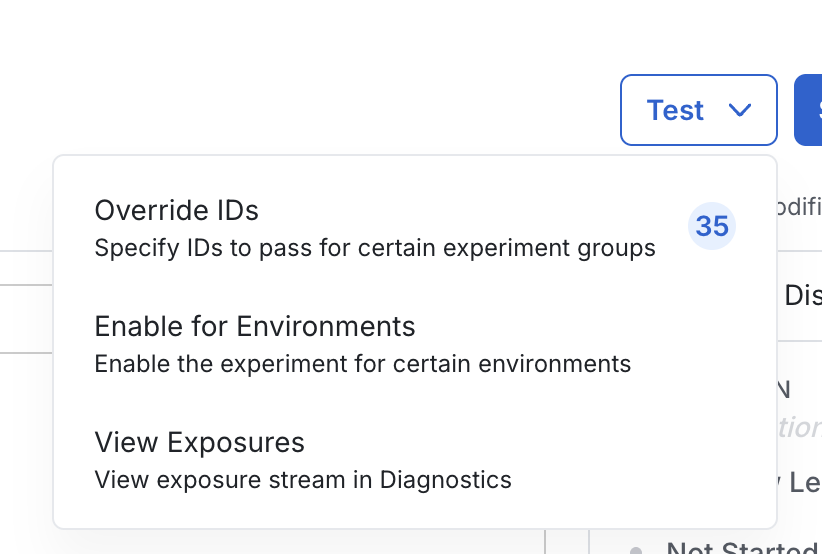
- On the experiment's Setup tab, click Test, then Enable for Environments.
- In the Enable Experiment in Lower Environments dialog, select each environment to test in, for example Development or Staging. These environments should match your SDK environment setup.
- Click Save.
The experiment status changes from Not Started to Testing. Refresh the page if the status doesn't update. To stop testing, clear every environment in the same dialog and click Save; the status returns to Not Started.
The Test menu also includes Override IDs, which opens the overrides dialog, and View Exposures, which opens the exposure stream on the Diagnostics tab.
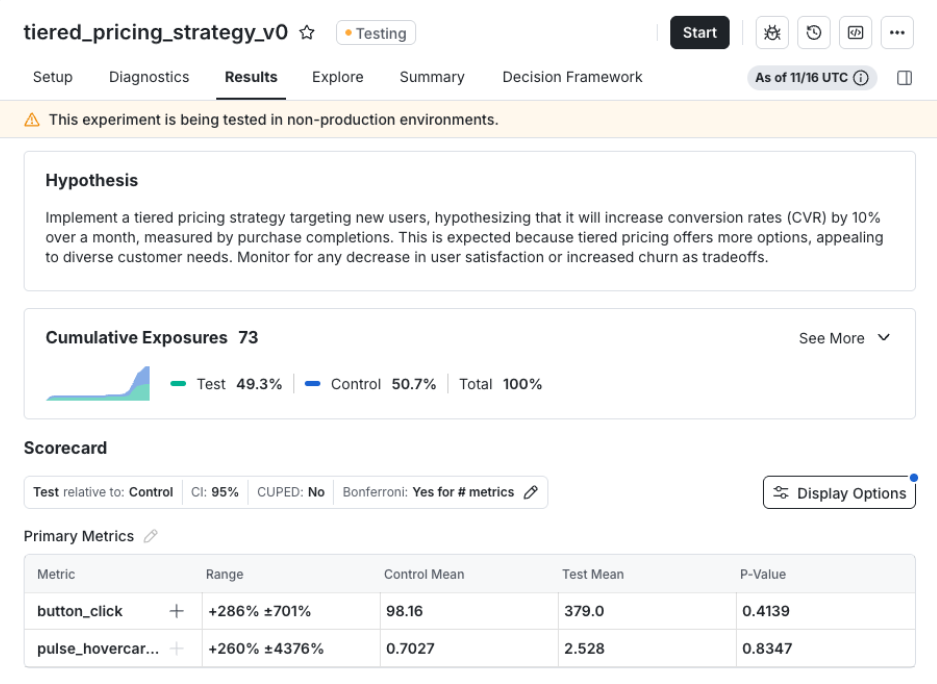
In the results section, you can track cumulative exposures and metric results collected from lower environments. Statsig displays results in aggregate across all lower environments and doesn't distinguish between individual environments. Statsig retains metric data and exposure data even when you repeatedly disable and re-enable the experiment for the lower environment.
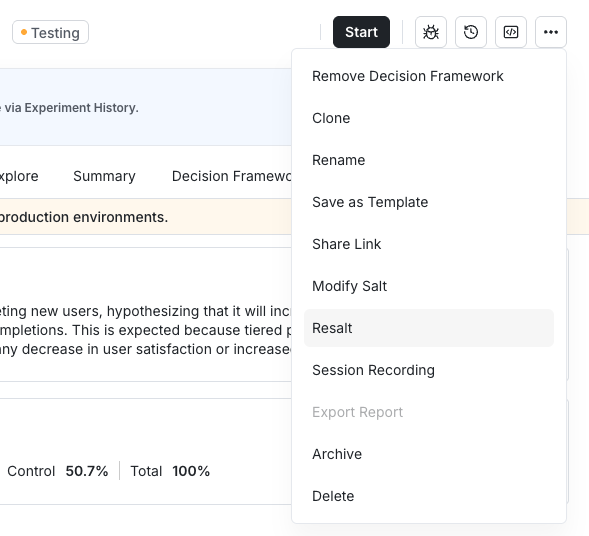
When you need to re-test the experiment end to end, resalt it to reshuffle users into new groups. While the experiment is in Testing, click the ⋯ menu next to Start, choose Resalt, then click Confirm.
Start the experiment
Start stays disabled until the setup is complete, for example until the experiment has at least one primary metric and at least one parameter in Groups and Parameters. Hover over Start to see which setup items are missing. After the setup is complete and you've tested the experiment in a lower environment, click Start. Your experiment is immediately live in production.
Was this helpful?