For AI agents: a documentation index is available at /llms.txt. Append .md to any page URL for markdown, or send Accept: text/markdown.
Power Analysis
Learn how to use Statsig's Power Analysis Calculator to determine experiment parameters needed for statistically significant results.
A power analysis estimates how long an experiment must run, and how much traffic it needs, to detect a given change in a metric. The Statsig Power Analysis Calculator takes a metric's historical mean, variance, and traffic volume and returns the trade-off between minimum detectable effect (MDE), duration or exposures, and allocation. Run it before you start an experiment to set the experiment's target duration. After launch, read the confidence intervals on the experiment's Results tab instead; refer to How to read experiment results.
Variables the calculator estimates
The most common variable to optimize is duration (how long your experiment runs), but the calculator supports other variables as well. Using the known mean and variance of a metric and the observed traffic volume, the Power Analysis Calculator estimates the relationship between three variables:
- Minimum detectable effect (MDE): The smallest change in the metric that the experiment can reliably detect. For example, with an MDE of 1% and power of 80%, the experiment has an 80% chance of producing a statistically significant result if the true effect is 1%. If the true effect is smaller than 1%, the experiment is less likely to produce a statistically significant result, though it still can.
- Number of days or exposures: How long the experiment is active and how many users enroll in it. Longer experiments typically have more observations, which leads to tighter confidence intervals and a smaller MDE. Statsig uses historical data to estimate the number of new users eligible for the experiment each day.
- Allocation: The percentage of traffic that participates in the experiment. Larger allocation leads to a smaller MDE, so allocating as many users as possible often gives faster or more sensitive results. When there's a risk of negative impact or a need for mutually exclusive experiments, the calculator tells you the smallest allocation that can achieve your target MDE.
Run a power analysis
Open the Power Analysis Calculator in any of these ways:
- Go to Experimentation > Power Analysis in the side navigation.
- Click Help & Tools, then Power Analysis Calculator.
- On an experiment's Setup tab, click the Power Analysis Calculator link below Target Duration. The calculator opens in a new tab for that experiment.
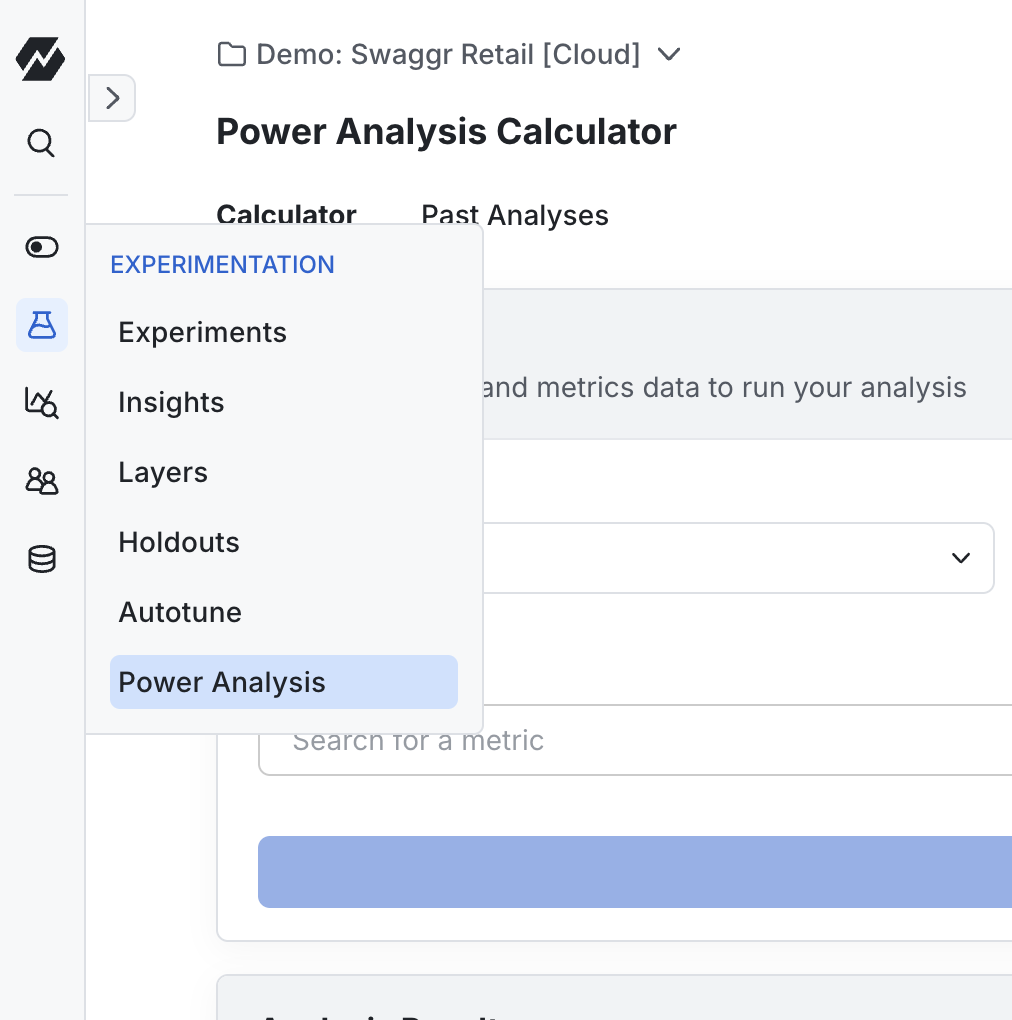
On the Calculator tab:
- Under Population, choose the population that Statsig uses to determine the metric mean and variance and to estimate the number of exposures over time:
- Everyone: Analysis uses the entire user base. Choose the ID Type to count, for example User ID.
- Targeting Gate: Analysis covers only users who pass the gate you select in Data Source. The gate must have been active for at least 7 days. Choose this option when you plan to use a targeting gate for the experiment.
- Qualifying Event: Analysis covers only users who logged the event you select under Data Source Filters. Click Add Filter to narrow the event further.
- Previous Experiment: Analysis uses data collected from the experiment you select in Data Source. Choose this option when the new experiment affects a similar user base or part of the product as the previous one.
- Under Metrics, search for and select one or more metrics you want to improve.
- Click Run Power Analysis.
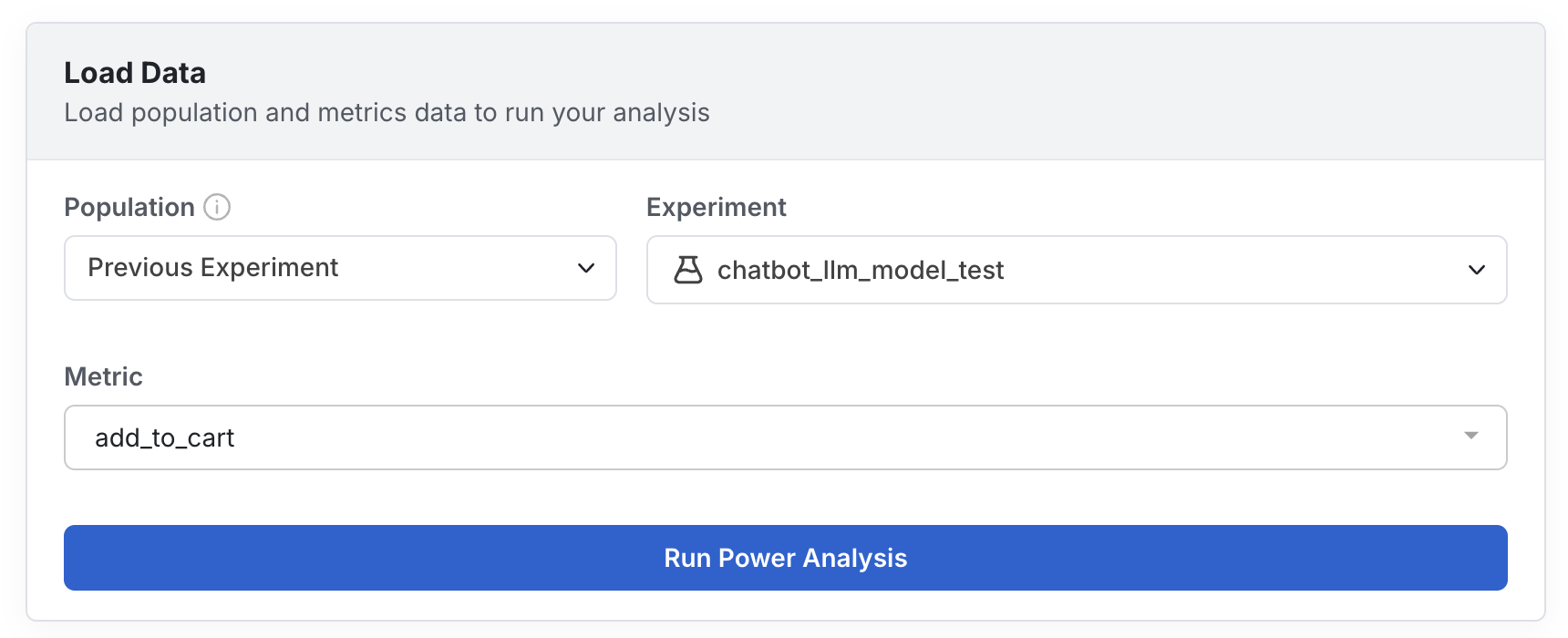
The analysis runs in the background and can take a few minutes. Statsig emails you when it's ready. You can leave the page or click Start a new analysis while it runs.
Find and attach past analyses
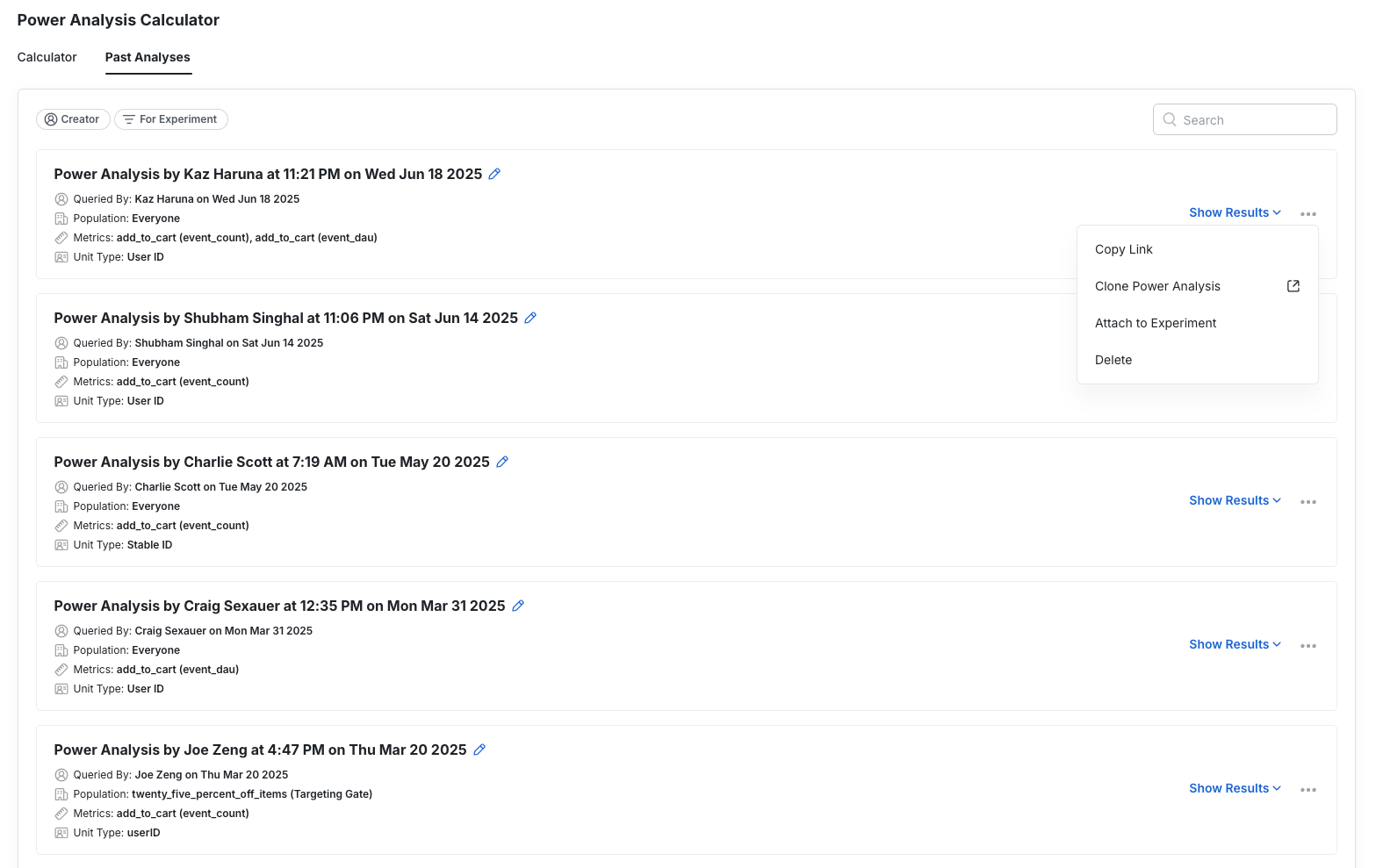
Every analysis appears on the Past Analyses tab with its population, creator, date, and status (Pending, Completed, or Failed). Click an analysis to open its results.
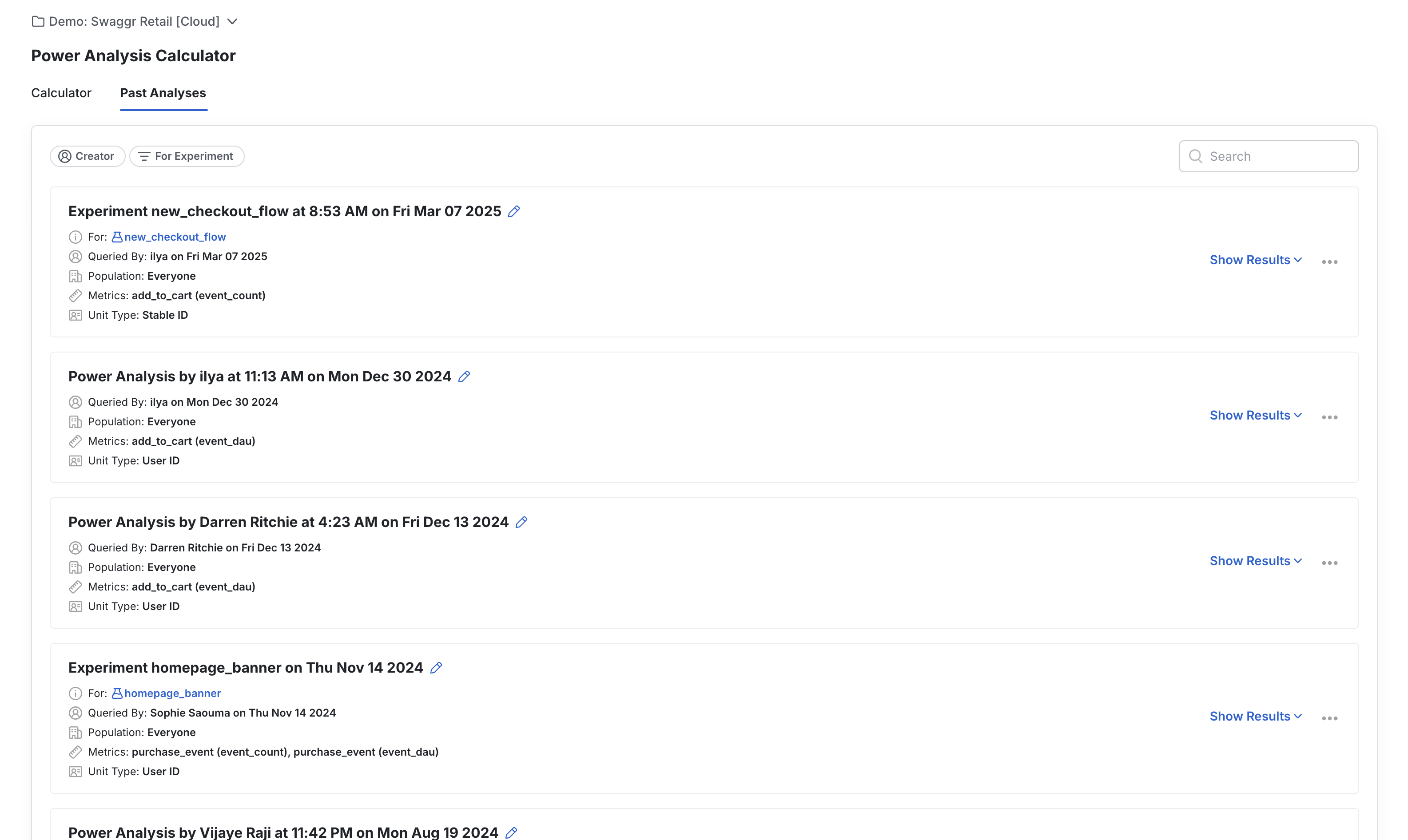
To attach an analysis to an experiment, do either of the following:
- On the Past Analyses tab, click the ⋯ menu on the analysis and choose Attach to Experiment. The same menu also has Copy Link, Duplicate, Download, and Delete.
- In an open analysis, click Attach Experiment above the results.
Population types
The population you select determines the inputs of the analysis: mean, variance, and number of users. For reliable estimates, the metric values of the selected population should match those of the users you plan to target in the experiment.
Example: checkout flow with the Everyone population
Suppose you want to test a change in the checkout flow and estimate the MDE for total_purchases. If only about 10% of your daily users reach the checkout page and you use the Everyone population, the analysis is likely to:
- Overestimate the number of users the experiment gets.
- Underestimate the mean value of the
total_purchasesmetric. The 90% of users who don't reach the checkout page have a value of zero, but in practice they aren't in the experiment and don't contribute to the metric. - Incorrectly estimate the variance of the
total_purchasesmetric. Including the 90% of users with zero purchases changes the distribution of metric values.
When an experiment includes only a subset of users, the MDE and duration from an analysis of the whole user base may not be reliable. To address this bias, use data from a past experiment that targeted the same part of the product. For example, if a prior experiment also targeted the checkout page, that data provides better estimates of traffic volumes and metrics for that part of the product.
Inputs by population type
The following table shows how Statsig obtains the power analysis inputs from each population type.
| Population | Mean and variance | Total exposures by week |
|---|---|---|
| Everyone | Across all users, estimated for 1, 2, 3, and 4 week rollups | Total count of users seen in the past 1, 2, 3, and 4 weeks |
| Targeting Gate | For users who pass the targeting gate, computed for 1, 2, 3, and 4 week rollups | Total users who passed the targeting gate after 1, 2, 3, and 4 weeks |
| Previous Experiment | Cumulative, for the control group at 1, 2, 3, and 4 weeks | Total experiment exposures after 1, 2, 3, and 4 weeks, adjusted for the past experiment's allocation and the target allocation of the new experiment |
| Qualifying Event | For users who logged the specified event, computed for 1, 2, 3, and 4 week rollups | Total users who logged the specified event after 1, 2, 3, and 4 weeks |
Read the results
An open analysis shows its inputs on the left and its results on the right. Choose the metric to summarize in Target Metric. The results have two tabs, which answer different planning questions.
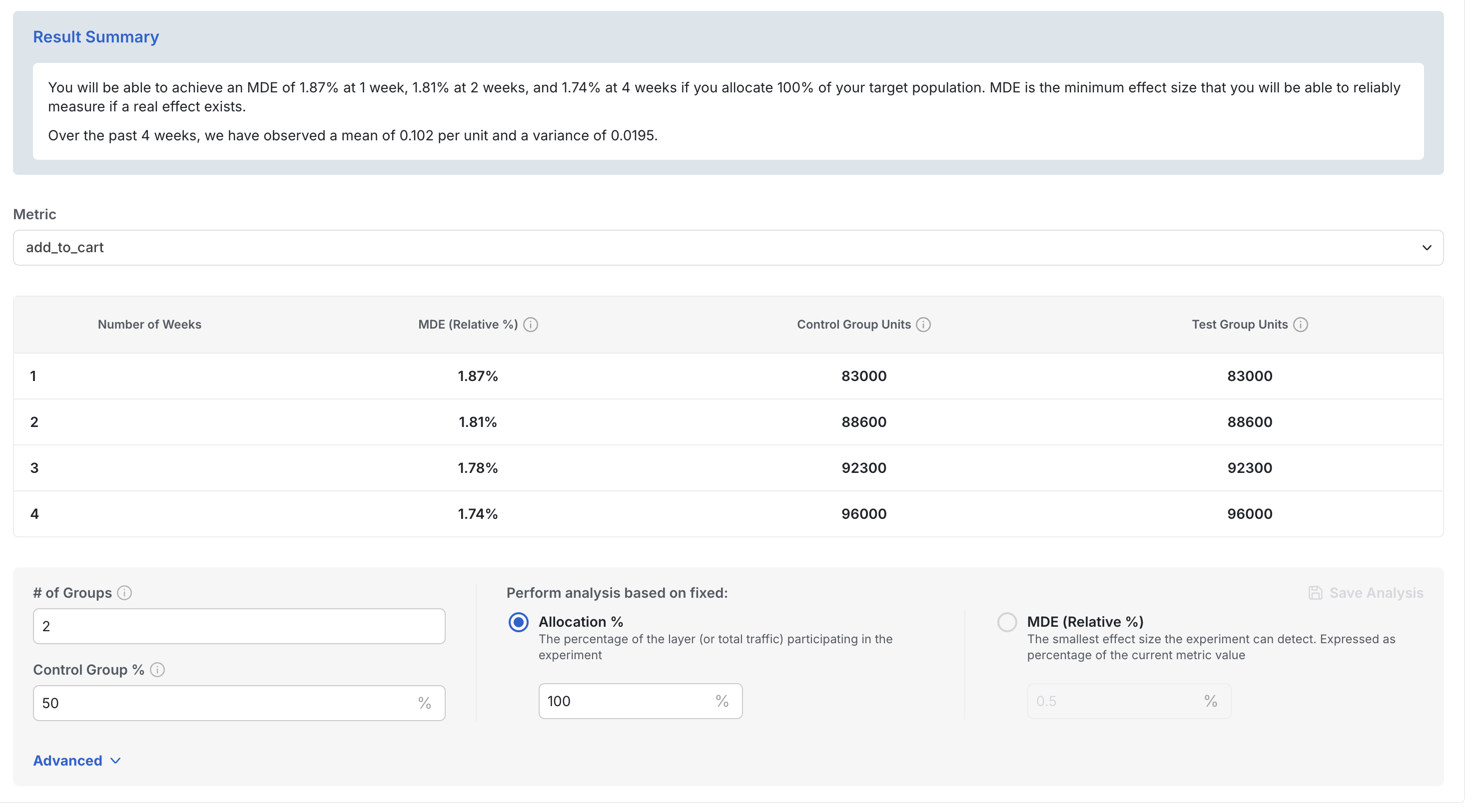
Week by Week breakdown
If you already know the available allocation, the Week by Week breakdown tab shows how the length of the experiment affects the MDE. The Results summary lists the Run Length, the MDE, and the expected sample size for the control and test groups. The Minimum detectable effect by week table lists the MDE for every selected metric, and the Exposures section shows the expected exposures per group.
For example, the MDE for a page load metric shrinks over time in an experiment with 100% allocation. After 1 week, the expected user count per group is 5,200 with an MDE of 21.6%. By week 4, the user count per group increases to approximately 48,000 and the MDE drops to 7%.
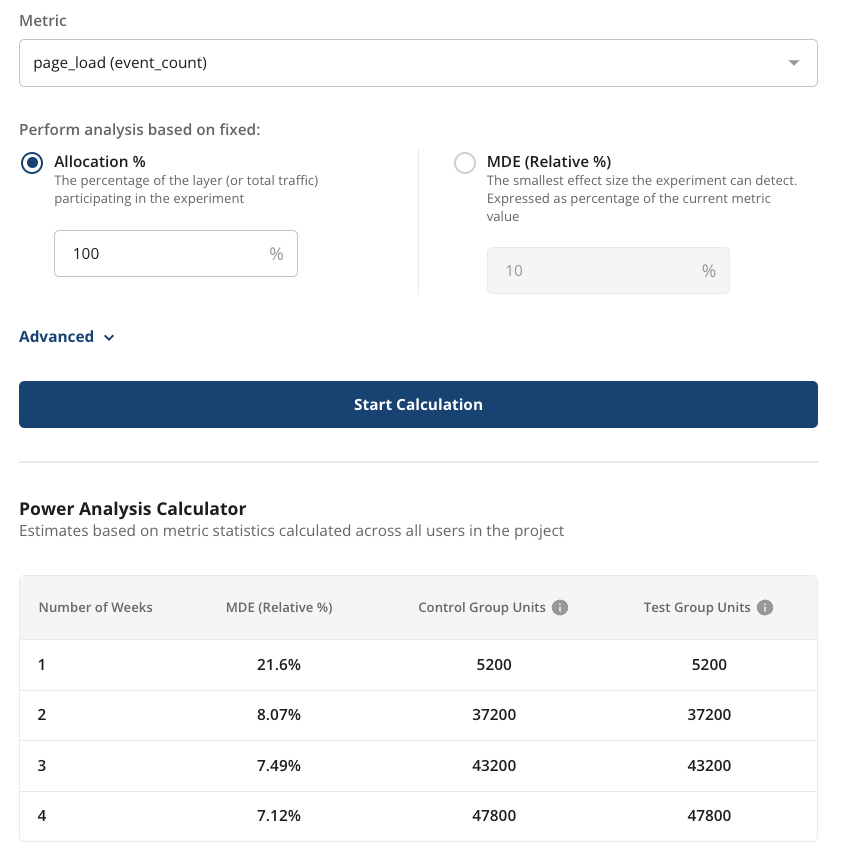
Scenario Matrix
If you already know the effect size you want to measure, the Scenario Matrix tab shows how long the experiment must run to reach it. The Weeks to reach significance table has one row per allocation (the control and test group size, such as 5%, 10%, 25%, or 50%) and one column per MDE (such as 0.5%, 1%, 2%, 5%, or 10%). Each cell is the number of weeks needed. Enter your own allocation or MDE in the empty row or column to add a scenario. If the table shows a message that there isn't enough trustworthy history, the selected metric doesn't have enough historical data to estimate a duration.
The MDE is a percentage of the current metric value. For example, if a website gets 1,000 page loads per day, an MDE of 10% means the experiment can detect a change of 100 or more page loads per day.
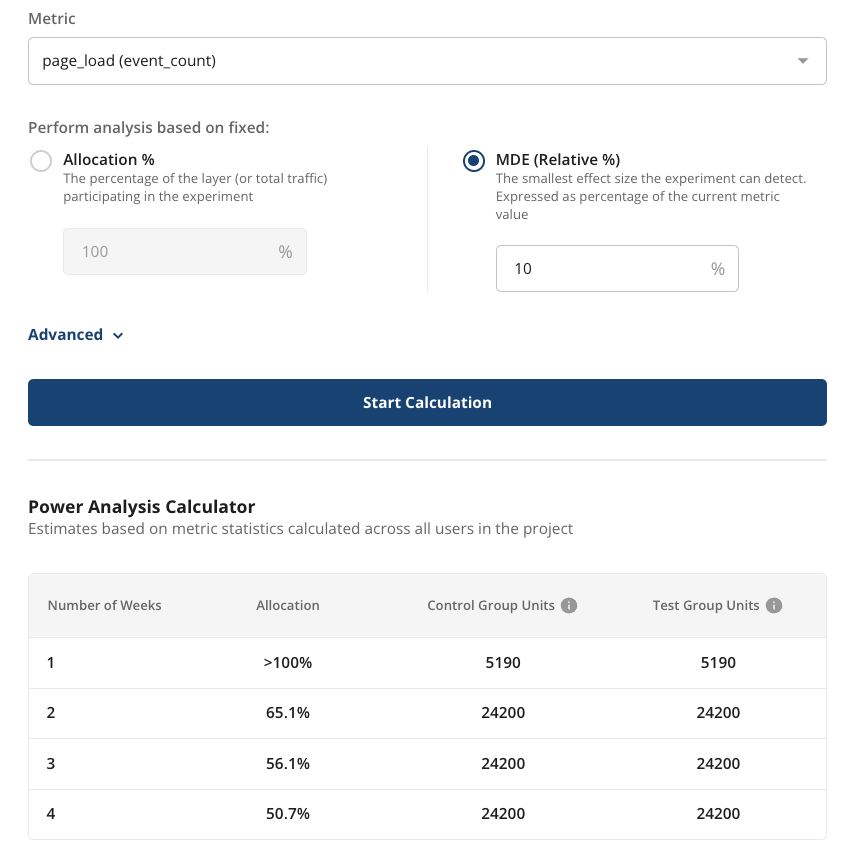
Experiment Setup options
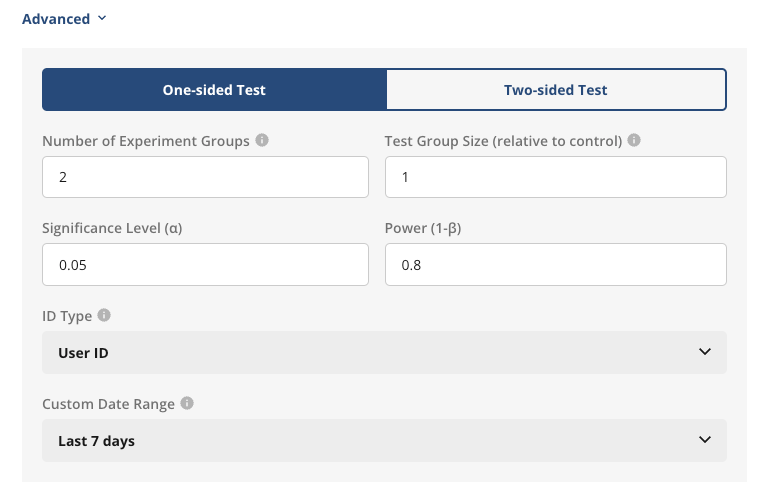
Use the Experiment Setup section below the results to match the analysis to your planned experiment. After you change an option, click Save Changes. To recompute with different populations or metrics, edit them on the left and click Re-Run Analysis.
- Number of Groups: The total number of groups in the experiment, including control.
- Group Split: Equal split gives every group the same share of traffic. Choose Unequal split to set a different share per group.
- Allocation (% of eligible traffic): The percentage of eligible traffic available to the experiment.
- Significance Level (α): The significance level for the test, entered as a percentage. Typically 5%.
- Statistical Power (1-β): The statistical power for the test, entered as a percentage. Typically 80%.
- CUPED: Whether to apply CUPED variance reduction in the estimate. Refer to CUPED.
- Stats Method: Two sided test or One sided test.
- Apply Bonferroni Correction Per Variant: Whether to include α correction for multiple tests in the power analysis.
The Advanced Statistics section lists the mean, variance, standard deviation, and coefficient of variation that Statsig computed for each metric. Use these values to check your inputs or compare against external calculators.
Calculation details
Statsig computes the relative percentage MDE for a given metric X using the following equation:

- X-bar is the mean metric value across all users.
- var(X) is the population variance of the metric.
- Ntest and Ncontrol are the estimated number of users in the test and control groups. These come from historical active user data along with experiment allocation and group size.
- Z1-β is the standard Z-score for the selected power. Typically 1-β = 0.8 and Z1-β = 0.84.
- Z1-α/2 is the standard Z-score for the selected significance level in a 2-sided test. Typically α = 0.05 and Z1-α/2 = 1.96.
This calculation relies on statistics computed across the entire user base of the project. It doesn't account for experiments that target only a subset of users, which may have different summary statistics for their key metrics. For example, the metric mean and variance can differ in an experiment that targets only Android users or one that exposes users at the lower part of an acquisition funnel.
Was this helpful?