For AI agents: a documentation index is available at /llms.txt. Append .md to any page URL for markdown, or send Accept: text/markdown.
Synapse
Configure Statsig data warehouse ingestion from Azure Synapse Analytics, including authentication, scheduled queries, and mapping to events and properties.
Connect Azure Synapse to Statsig
Statsig ingests your event and metric data from Azure Synapse Analytics so it flows into your Statsig metrics and experiments. To set up a connection with Azure Synapse, Statsig needs the following
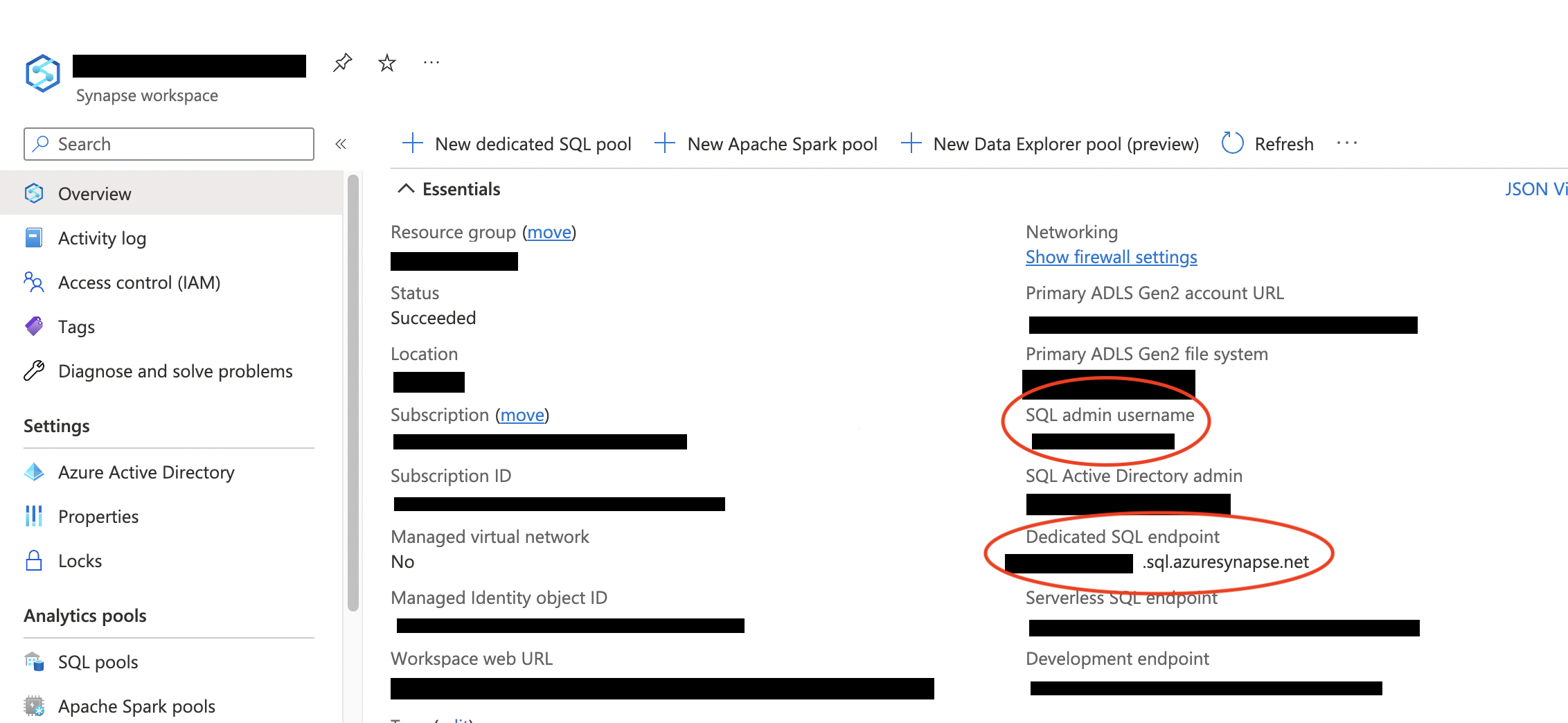
- Workspace SQL Endpoint
- Database Name
- Admin User Name
- Admin User Password
Statsig uses the admin user name and password to create a user with restricted access to query from your data warehouse.
You can find this information in your Azure console on the Synapse workspace overview page, as shown below.
Was this helpful?