For AI agents: a documentation index is available at /llms.txt. Append .md to any page URL for markdown, or send Accept: text/markdown.
S3
Configure Statsig data warehouse ingestion from Amazon S3 buckets, including authentication, file format support, and mapping to events and properties.
Connect S3 to Statsig
Statsig ingests your event and metric data from Amazon S3 buckets so it flows into your Statsig metrics and experiments. To set up a connection with S3, Statsig needs the following
- Region
- Bucket Name
- Granting Bucket Read Access Permissions to a Statsig-owned Service Account
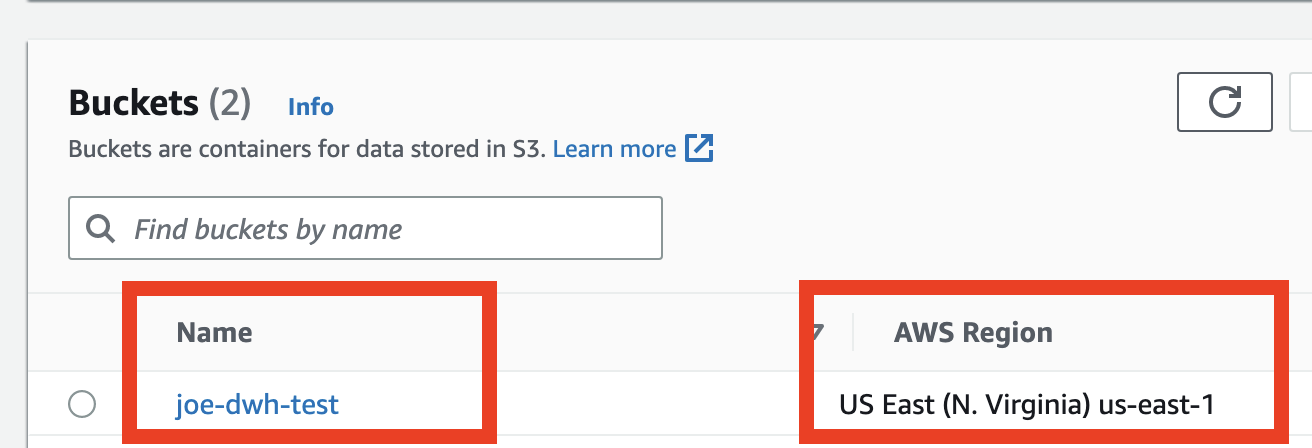
You can find the region and bucket name of your S3 bucket in your AWS console on the S3 Buckets overview page, as shown in the image below.
Statsig provides an IAM user that you must grant S3 bucket permissions to.
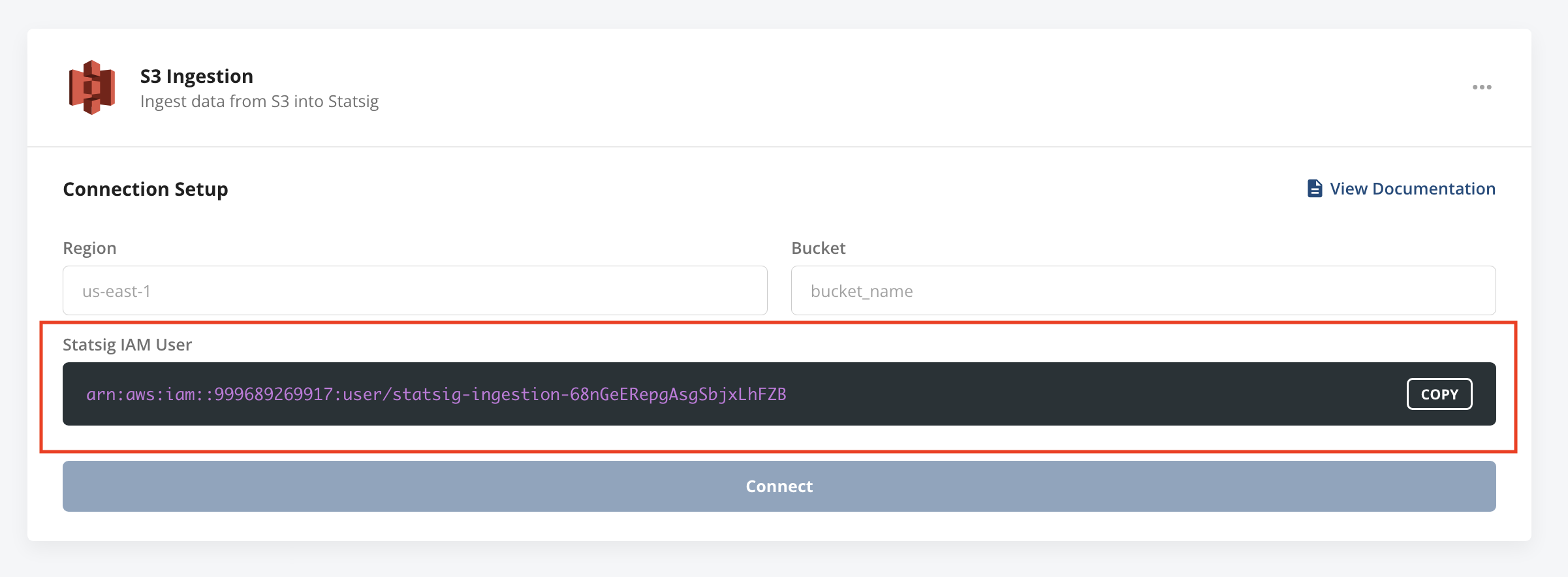
The IAM user needs read access permissions to your bucket. Use the bucket policy below, replacing STATSIG_IAM_USER and YOUR_S3_BUCKET with your values.
{
    "Version": "2012-10-17",
    "Statement": [
        {
            "Effect": "Allow",
            "Principal": {
                "AWS": "arn:aws:iam::999689269917:user/STATSIG_IAM_USER"
            },
            "Action": [
                "s3:ListBucket",
                "s3:GetBucketLocation"
            ],
            "Resource": "arn:aws:s3:::YOUR_S3_BUCKET"
        },
        {
            "Effect": "Allow",
            "Principal": {
                "AWS": "arn:aws:iam::999689269917:user/STATSIG_IAM_USER"
            },
            "Action": "s3:GetObject",
            "Resource": "arn:aws:s3:::YOUR_S3_BUCKET/*"
        }
    ]
}
S3 bucket format
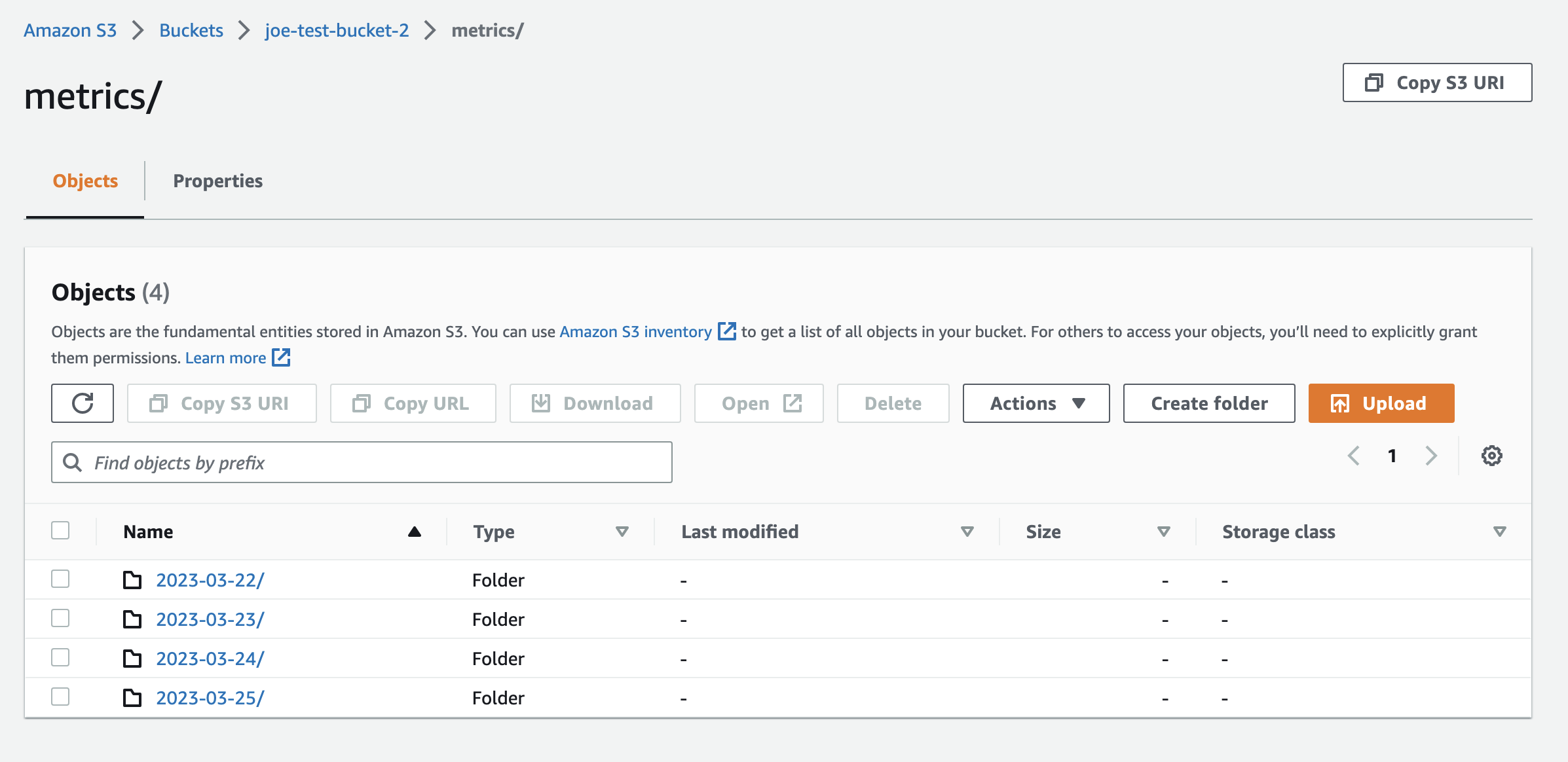
For each dataset you're ingesting through S3, Statsig expects a top-level folder in the S3 bucket matching the name of the dataset (for example: metrics or events). Each top-level folder needs subfolders for each day of data. Each subfolder must contain parquet files with data for that day's import. Refer to the screenshot below for an example folder structure.
S3 export permissions
For exports, the IAM user needs bucket-level permissions to list the bucket and retrieve its location. The IAM user also needs object-level permissions to read, write, and delete objects, including managing multipart uploads. Use the bucket policy below, replacing STATSIG_IAM_USER and YOUR_S3_BUCKET with your values.
{
    "Version": "2012-10-17",
    "Statement": [
        {
            "Effect": "Allow",
            "Principal": {
                "AWS": "arn:aws:iam::999689269917:user/STATSIG_IAM_USER"
            },
            "Action": [
                "s3:ListBucket",
                "s3:GetBucketLocation"
            ],
            "Resource": "arn:aws:s3:::YOUR_S3_BUCKET"
        },
        {
            "Effect": "Allow",
            "Principal": {
                "AWS": "arn:aws:iam::999689269917:user/STATSIG_IAM_USER"
            },
            "Action": [
                "s3:GetObject",
                "s3:PutObject",
                "s3:DeleteObject",
                "s3:DeleteObjectVersion",
                "s3:AbortMultipartUpload",
                "s3:ListBucketMultipartUploads",
                "s3:ListMultipartUploadParts"
            ],
            "Resource": "arn:aws:s3:::YOUR_S3_BUCKET/*"
        }
    ]
}
Was this helpful?