For AI agents: a documentation index is available at /llms.txt. Append .md to any page URL for markdown, or send Accept: text/markdown.
Databricks
Configure Statsig data warehouse ingestion from Databricks, including authentication, scheduled queries, and mapping to events and user properties.
How Databricks ingestion works
Statsig ingests your event and metric data from Databricks so it flows into your Statsig metrics and experiments. To set up a connection with Databricks, Statsig needs the following:
- API Key
- Server Hostname
- HTTP Path
You can use any cluster in your project to connect to your data. However, Statsig recommends using a Databricks SQL warehouse/endpoint so that the cluster doesn't need to start for every pull.
API Key
To generate a new API key, go to User Settings in your Databricks console and generate a new token.
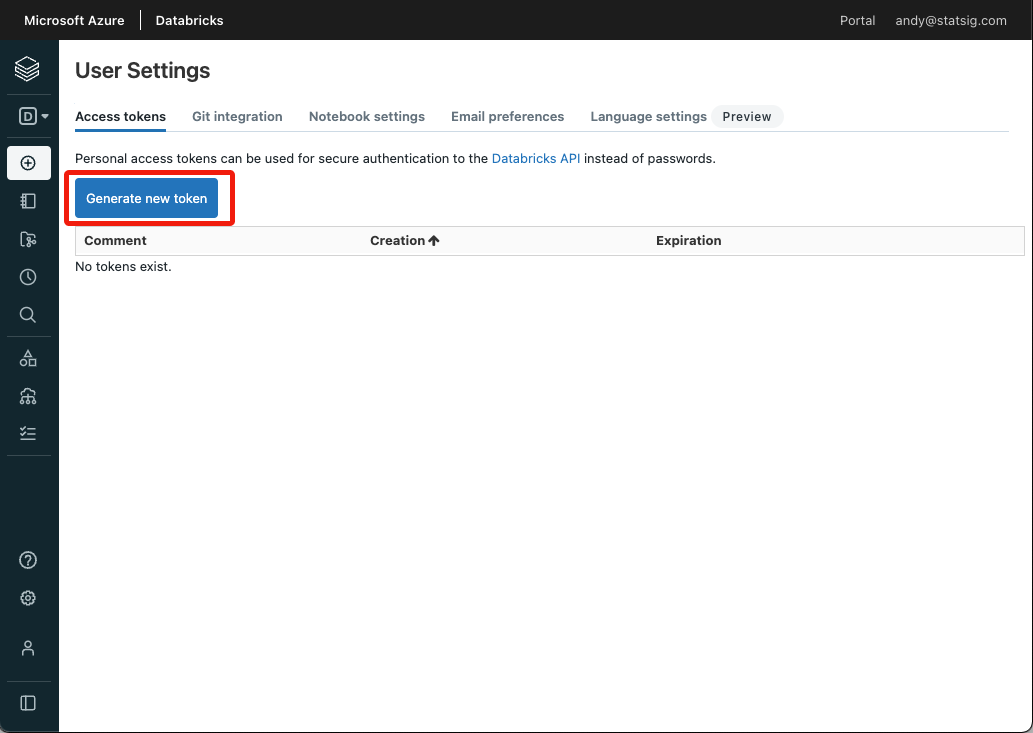
You can also use a personal access token for a service principal. Generate one by following the steps in Manage personal access tokens for a service principal.
If your workspace disables personal access tokens, authenticate with your service principal's OAuth M2M credentials instead. Enter the client ID in the OAuth Client ID field and the client secret in the Access Token or OAuth Client Secret field. Statsig authenticates using the same OAuth M2M client-credentials flow your JDBC/ODBC drivers and SQL connectors already use.
Server Hostname & HTTP Path
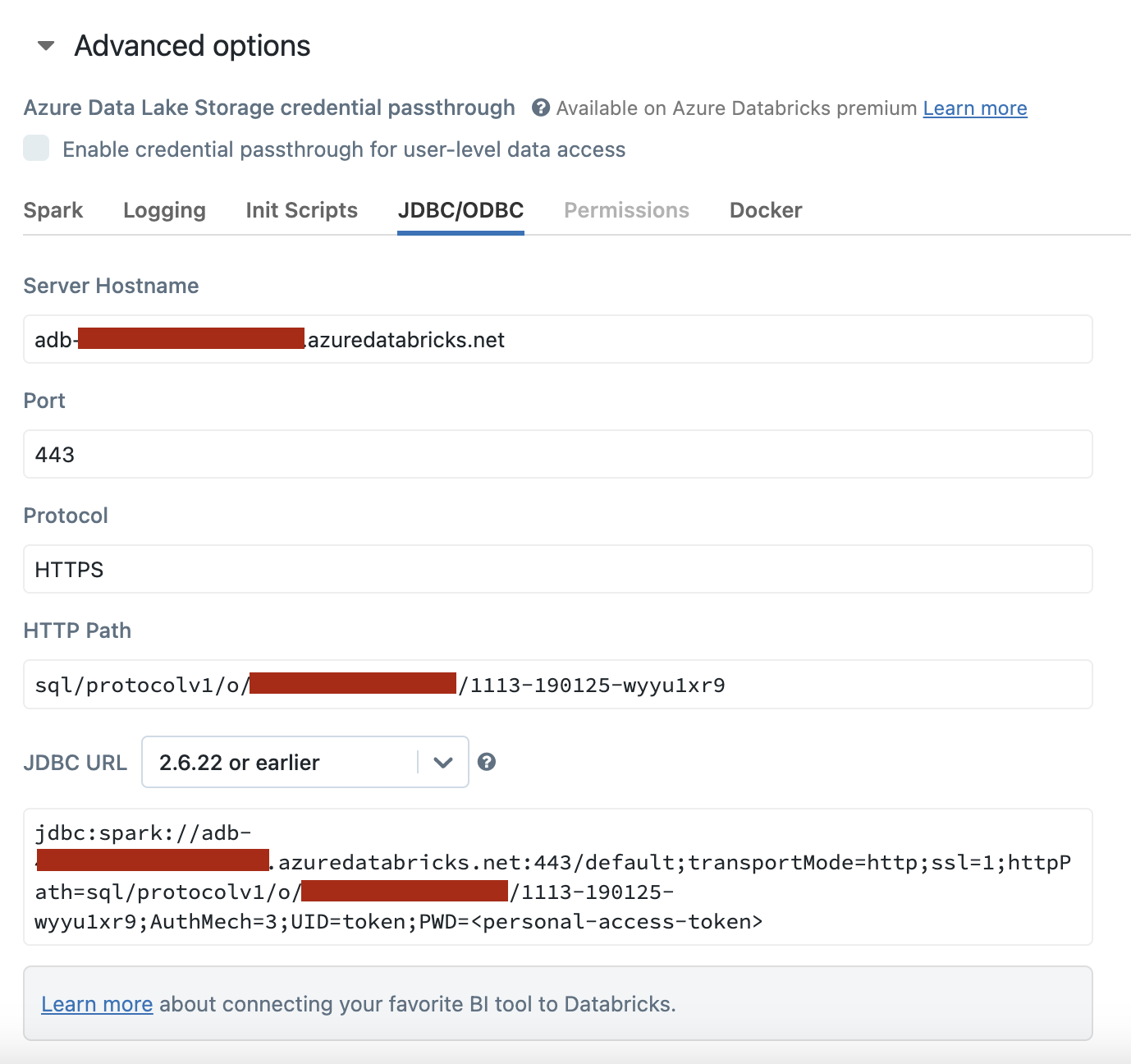
Find your Server Hostname and HTTP Path in your Databricks console by navigating to your cluster, selecting the Configuration tab, and expanding Advanced options.
Was this helpful?