For AI agents: a documentation index is available at /llms.txt. Append .md to any page URL for markdown, or send Accept: text/markdown.
Create a segment
Learn how to create a new segment in the Statsig console for targeting specific user groups
To create a segment:
- Log in to the Statsig console at https://console.statsig.com
- On the left-hand navigation panel, select Segments
- Click the Create button
- Enter a name and description for your segment
- Select the type of segment you want to create: Conditional or ID List, and click Create (Conditional is the default)
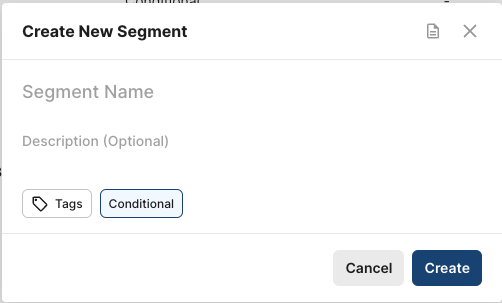
For Conditional Segments, you can Add Rules to complete the segment's definition.
For ID List Segments, you can Add an ID List to complete the segment's definition.
Was this helpful?