For AI agents: a documentation index is available at /llms.txt. Append .md to any page URL for markdown, or send Accept: text/markdown.
Topline Alerts with Logs
Detect infrastructure regressions by evaluating logs in real time
By combining log filters with Topline Alerts, you can detect failures immediately, without writing custom scripts or dashboards.
When to use log-based alerts
- Monitoring success rates: Catch regressions before they impact SLOs.
- Detecting error spikes: Trigger when 5xx or other errors rise above baseline.
- Isolate by segment: Identify failures concentrated in a region, client, or device type
Create a log-based Topline Alert (Statsig Cloud)
This example creates a monitor for the success rate of a GET request.
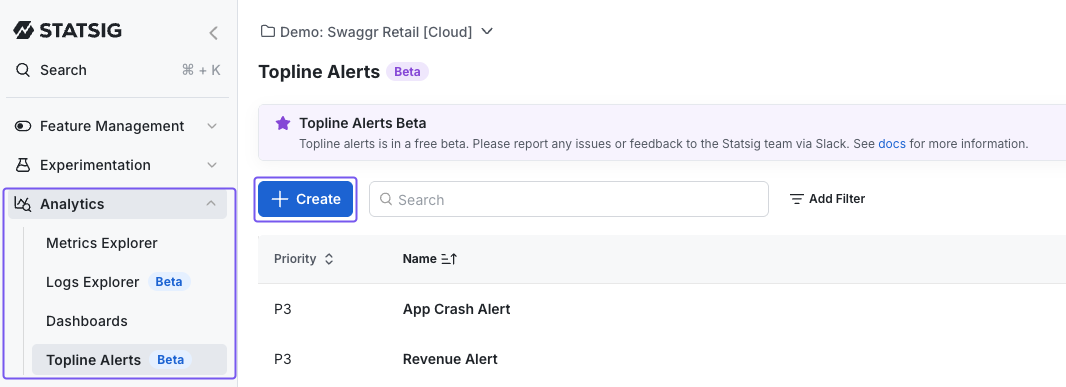
Navigate to Topline Alerts
- Go to Analytics → Topline Alerts in the product menu.
- Click +Create.
- Enter a name for your alert.
Define Alert Criteria
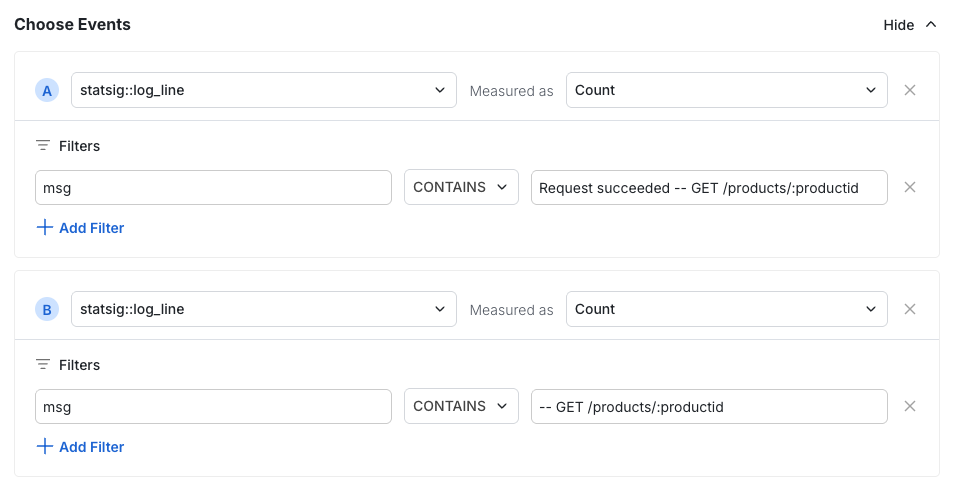
- Select
statsig::log_lineas your event. - Apply filters to define what constitutes success and failure.
If you're unsure which fields to filter on, open the Logs Explorer and inspect the log body.
- Select
Set Up Evaluation Formula
- Define the formula for calculating your success rate.
- (Optional) Add a group-by dimension.

Configure Alert Thresholds
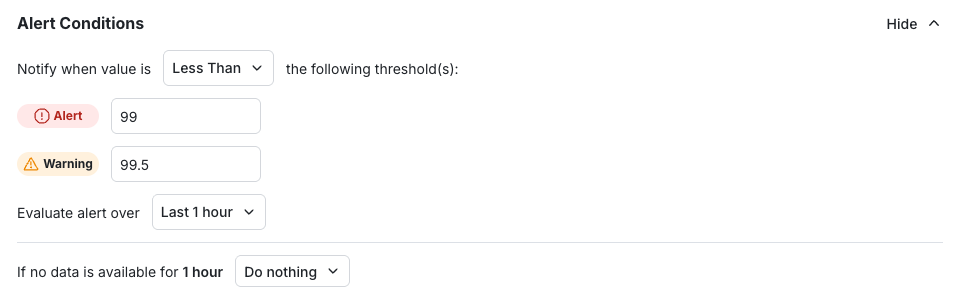
- Set thresholds and the evaluation window.
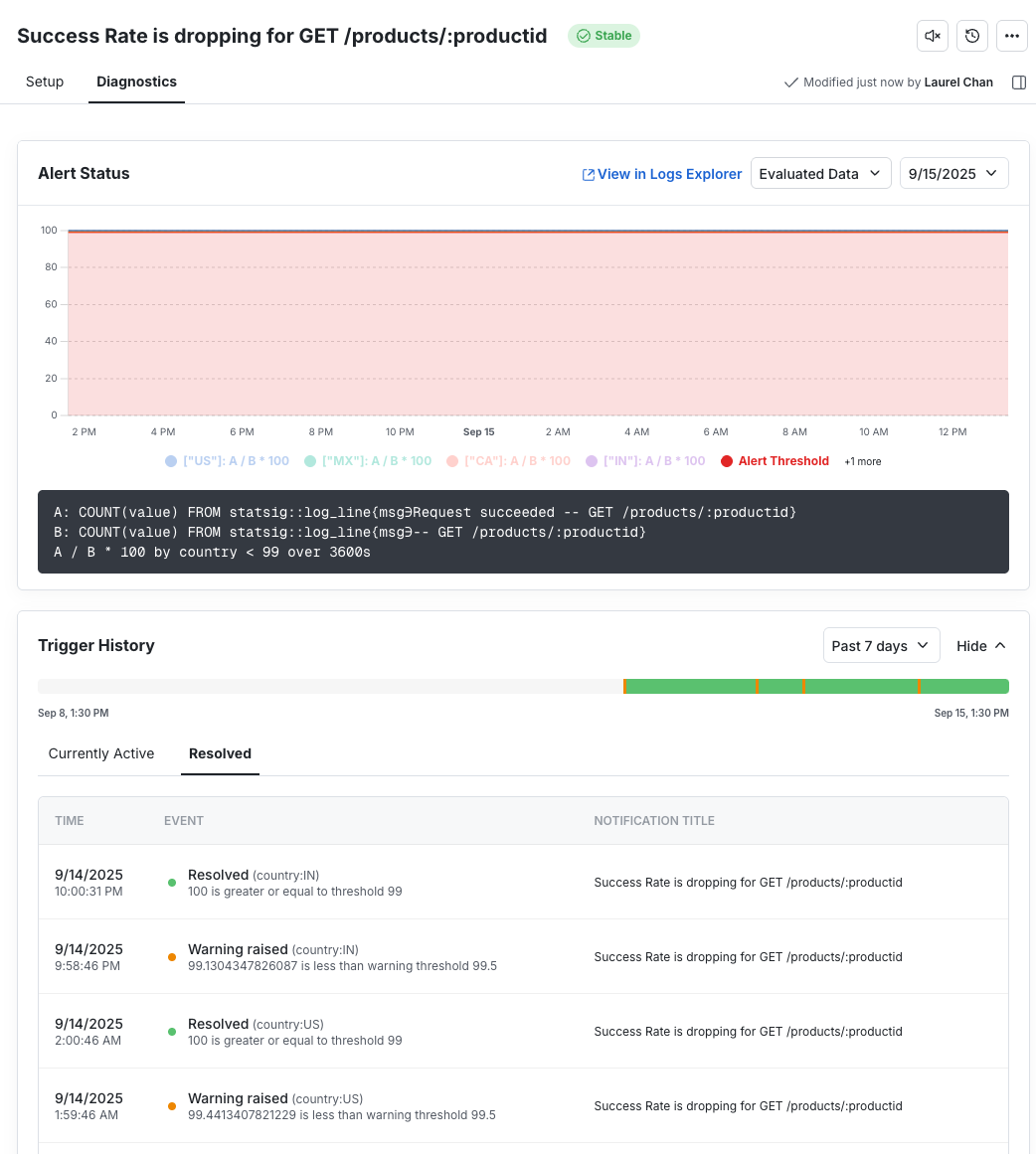
In this example, Statsig triggers a warning when success rate drops below 99.5% and an alert when success rate drops below 99.0%.
Configure Notifications
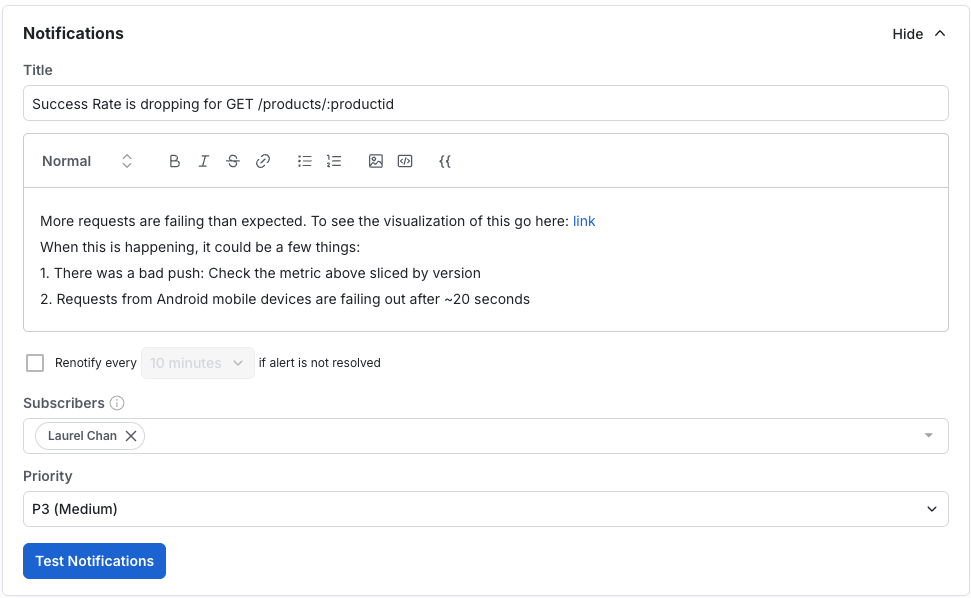
- Add the alert title and description for context.
- Include diagnostic hints (e.g. "Check version X" or "Android requests timing out").
- Add subscribers.
- Set priority.
Save the Alert
- Click Save.
- After you save your alert, visit the Diagnostics tab to view a history of alert triggers.
Best practices
- Set up Slack notifications for team visibility
- Keep formulas simple (ratios & percentages are easiest to scan)
- Add group-by dimensions (like country or app version) to pinpoint where issues occur
- Write clear notification text that explains what the alert means
Was this helpful?