For AI agents: a documentation index is available at /llms.txt. Append .md to any page URL for markdown, or send Accept: text/markdown.
Using a schema
Learn how to use JSON Schema to enforce consistent return values for dynamic config rules
Dynamic configs support schemas using JSON Schema syntax to enforce a common convention between the return values for each rule you set.
Statsig only enforces schemas when editing dynamic configs through the console or API, and doesn't use them at code runtime.
For example, if you have a dynamic config that returns settings for a site banner, you might have a schema of:
{
  "$schema": "https://json-schema.org/draft/2020-12/schema",
  "type": "object",
  "properties": {
    "title": {
      "type": "string",
    },
    "description": {
      "type": "string",
    },
    "cta": {
      "type": "string",
    }
  },
  "required": ["title", "description", "cta"],
}
Now, each of your rules must return an object including title, description, and CTA.
Infer schema from current values
You can also infer schema based on the current values in your targeting rule variations. Inferring schema is useful as a quick starting point for validations or for documenting the expected shape of your config.
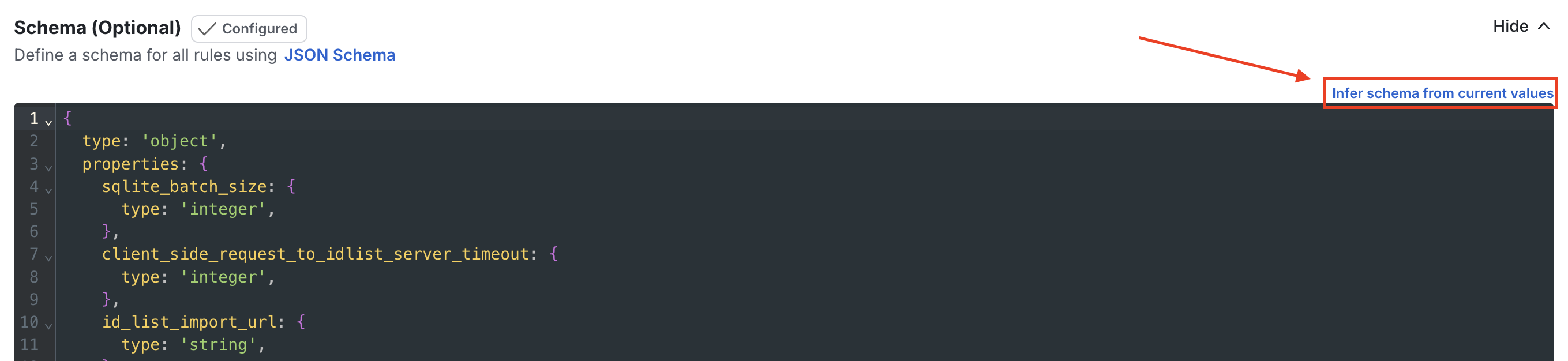
JSON5 output
Statsig emits the inferred schema in JSON5 (a superset of JSON). JSON5 allows unquoted object keys and trailing commas. These features may cause failures in other standard JSON Schema validators and typical unit-test tooling. Statsig accepts JSON5 in the console and API, but convert the output to strict JSON if you need to use it with validators or tests.
Was this helpful?