Conclude Experiment & Defer Decision
Learn how to conclude an experiment while deferring the decision to ship changes.
Conclude Experiment and Defer Decision stops user allocation and data collection on a running experiment and concludes its results without shipping a group. All previously exposed users return to the default experience. Use it when you want to separate running the experiment from making the ship decision, for example to review a fixed set of results with stakeholders before you choose what to ship.
Use Stop Assignments instead when exposed users should keep their variant while analysis continues on the users already exposed.
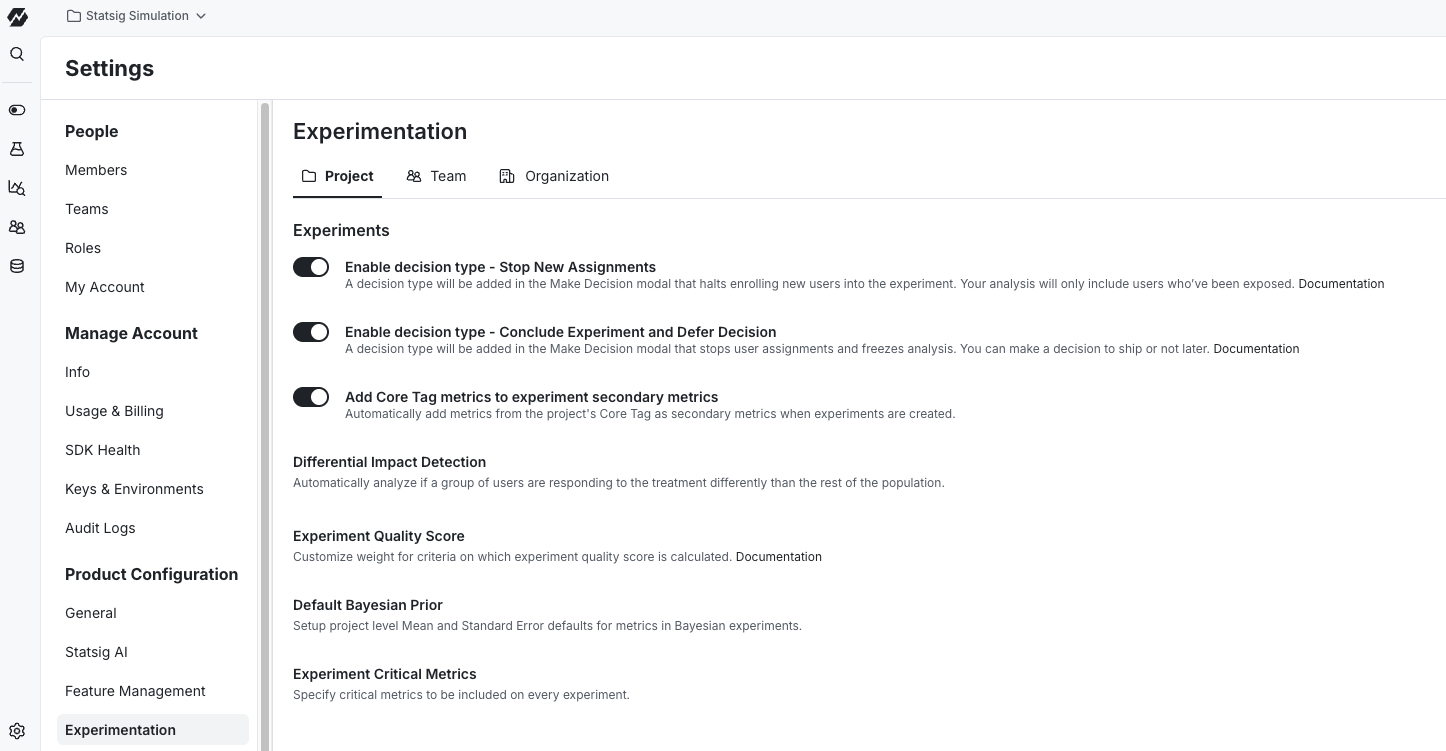
Enable the Conclude Experiment and Defer Decision option
The option appears in the Make Decision dropdown only after you enable it in project settings.
- Go to Settings > Product Configuration > Experimentation.
- On the Project tab, select Enable decision type - Conclude Experiment and Defer Decision.
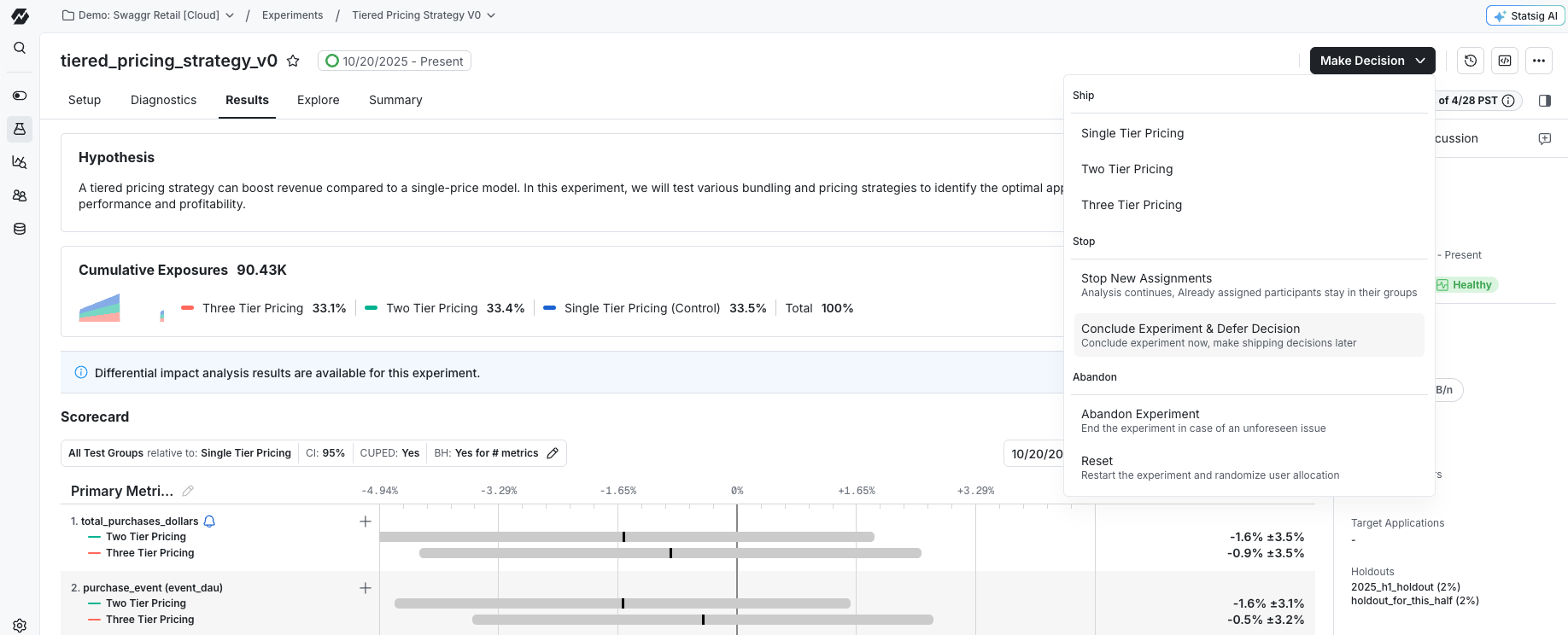
Conclude an experiment
- Open the experiment and select the Make Decision dropdown.
- Under Stop, select Conclude Experiment & Defer Decision.
- Optionally, enter a Reason for Stopping Experiment.
- Select Submit for Review, or Save if your project doesn't require reviews.
Restarting a concluded experiment requires a reset. To run this action at a future date instead of now, schedule the stop.
What happens after you conclude an experiment
- Statsig stops enrolling new users.
- All previously exposed users start receiving the default experience.
- Statsig stops collecting data for the experiment and concludes the results.
- You can still ship the control or a test variant, reset the experiment, or abandon it.
Reloads after you conclude an experiment
Exposure and metric data may change slightly if you trigger another reload after you conclude an experiment. These changes don't mean Statsig is still exposing new users. The timestamp of when you concluded the experiment may differ from when the latest exposure data landed in your warehouse during the previous reload. Because of this difference, additional exposures from that time window may appear in the refreshed data.
Was this helpful?
For AI agents: a documentation index is available at /llms.txt. Append .md to any page URL for markdown, or send Accept: text/markdown.