For AI agents: a documentation index is available at /llms.txt. Append .md to any page URL for markdown, or send Accept: text/markdown.
Statsig MCP with Codex
Learn how to set up the Statsig MCP server using Codex CLI, IDE extension, or Desktop App.
Installation and authentication with OAuth
MCP OAuth only supports Personal Console API Keys. Ensure your Statsig org owner has enabled Personal Console API Keys creation for your role in organization settings.
On Codex, use OAuth and the HTTP transport directly. Codex saves authentication for future sessions.
In Codex Desktop, navigate to Settings > MCP servers and add a new custom server. Select Streamable HTTP and set the URL to https://api.statsig.com/v3/mcp:
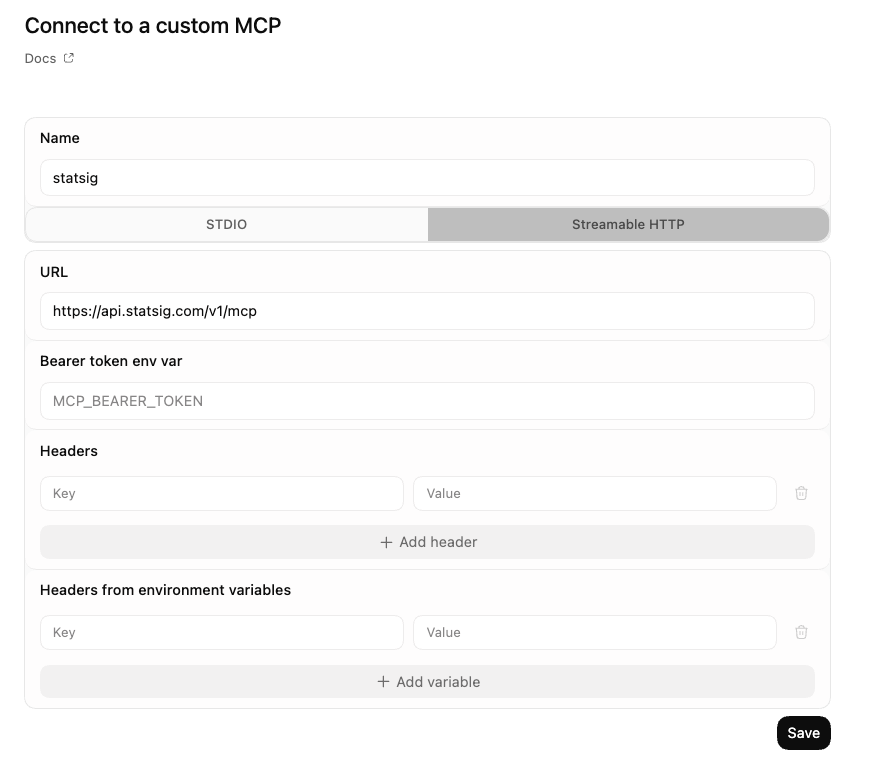
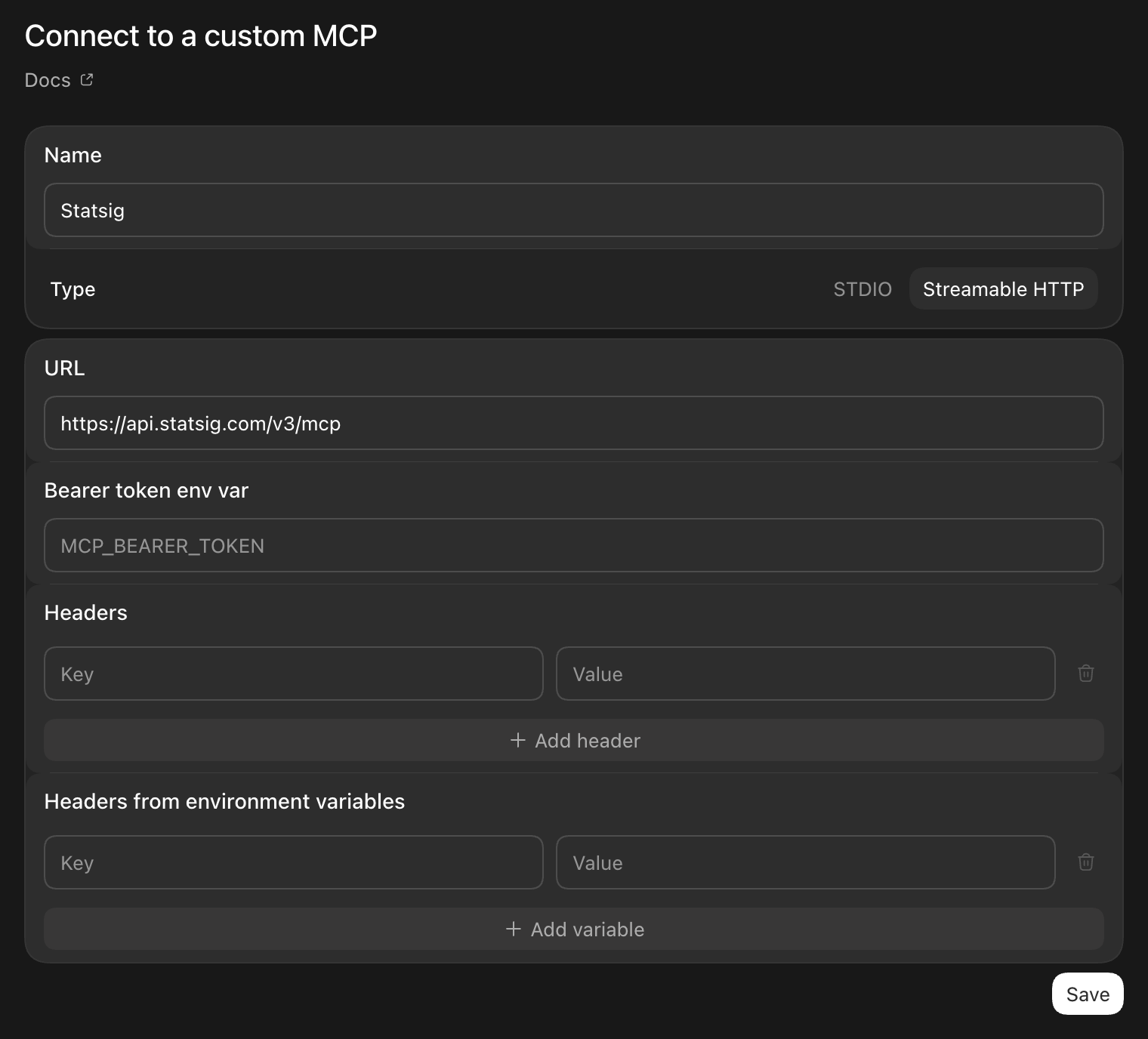
Upon saving, you should see statsig turned on under custom servers.
Using Statsig MCP with Codex
With Statsig MCP configured in any Codex environment, you can:
- Explore Experiments: "List all my active experiments"
- Manage Gates: "What gates are currently stale?"
- Configure Dynamic Configs: "Show me the configuration for the dynamic config 'dynamic-config'"
- Get Insights: "Show me details about the experiment called 'new-checkout-flow'"
Was this helpful?