For AI agents: a documentation index is available at /llms.txt. Append .md to any page URL for markdown, or send Accept: text/markdown.
Github AI Integration
Integrate Statsig with GitHub AI tools to keep feature gates and experiments visible to AI code reviewers and automate flag cleanup PRs.
This feature is in Early Access. During this time, aspects of the functionality may still be developed, and this documentation may not always be up to date. If you have any questions, contact Statsig Support.
How the GitHub AI integration works
This feature might have rough edges. If you have feedback, share it with the Statsig team.
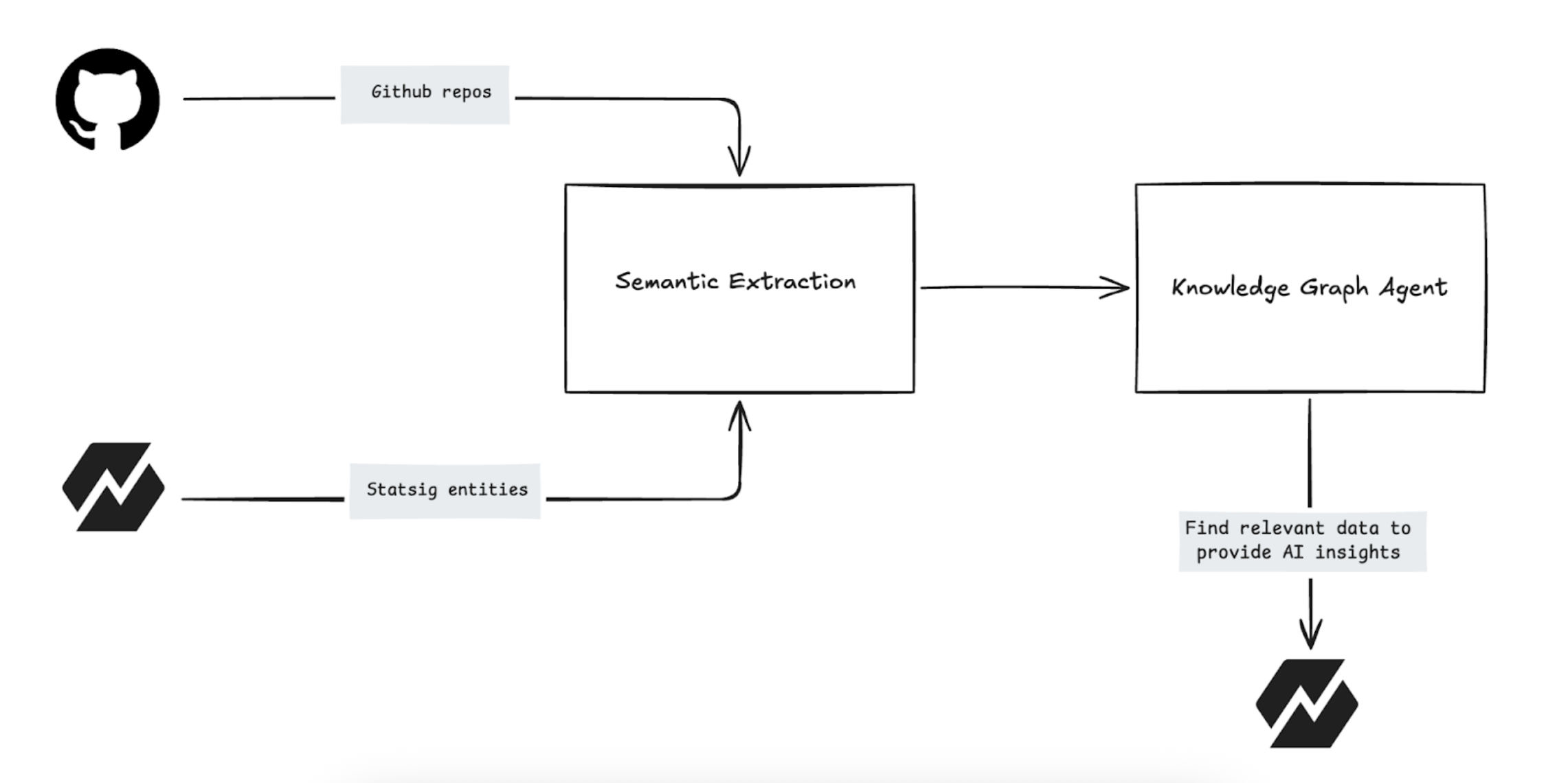
The Statsig GitHub integration links your organization's code repository directly to your Statsig project. Statsig analyzes your codebase and creates a private Knowledge Graph that maps relationships between your codebase and Statsig services such as Feature Gates, Experiments, and Metrics.
This integration connects your software development with measurable business impact, delivering contextual insights within Statsig.
Key features
Integrate your code repository to unlock these capabilities:
- Locate specific lines of code where you implement a Feature Gate or Experiment
- Automatically generate PRs (Pull Requests) to remove stale flags from your code

- Understand the intent behind metrics and experiments based on code implementation
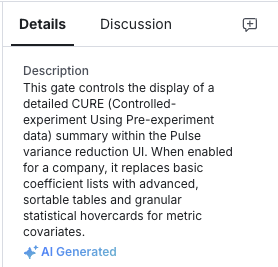
- Write natural language queries to create charts to answer business questions (Coming Soon)
Why connect your codebase
In modern product development, there's often a disconnect between the code you write (hosted on GitHub) and its impact and business outcomes (data in Statsig). The Knowledge Graph bridges this gap by analyzing your connected repositories to provide the context behind every feature.
- Context: The Knowledge Graph knows when you log an event or expose a feature to a user.
- Intent: The Knowledge Graph understands the purpose and meaning of that event and feature.
- Freshness: The Knowledge Graph ensures insights in Statsig reflect the current state of your main branch.
Installation guide
Before you begin, confirm you have Admin permissions in both your Statsig Project and the target GitHub Organization.
Prerequisites
If your organization uses IP restrictions to limit access to your GitHub resources, you must allowlist the IP addresses that Statsig services use to connect to GitHub. Follow the steps in this GitHub doc to allowlist IP addresses for your organization.
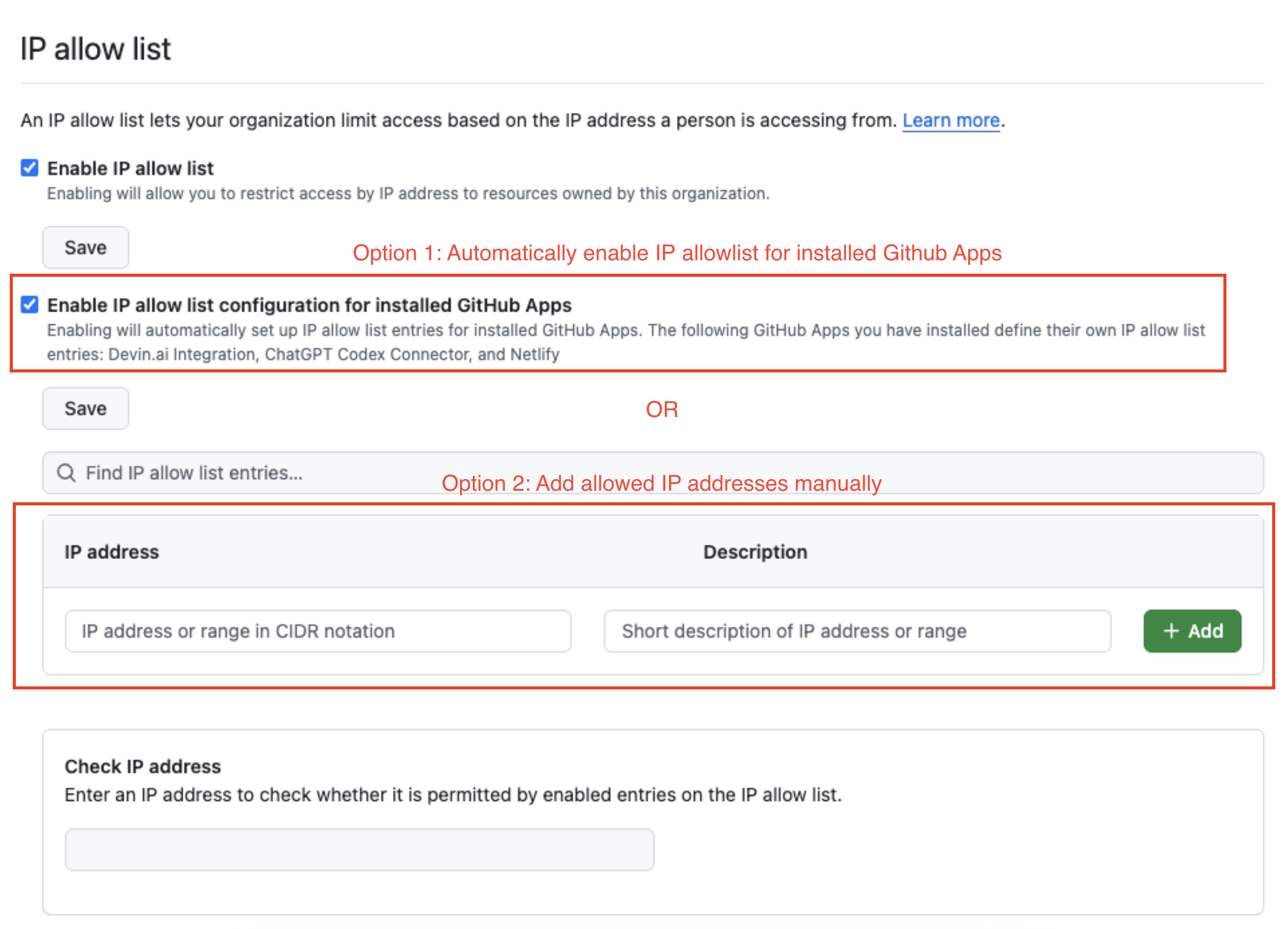
If you choose to manually add IP addresses, go to Statsig IP ranges.
First-time installation
If you're connecting GitHub to Statsig for the first time:
- Navigate to Settings → Integrations in the Statsig console.
- Locate and select the Statsig GitHub App card.
- Select Enable Connection.
- Statsig redirects you to GitHub. Authenticate and select the target Organization and Repositories.
- After authorization, Statsig redirects you back to confirm the connection.
You can install the app on specific repositories or your entire organization. For the best results with Knowledge Graph, select all relevant repositories containing feature code.
Connecting additional projects
GitHub allows you to install a specific GitHub App only once per GitHub Organization. If you have multiple Statsig Projects (for example, "Project 1" and "Project 2") that need access to the same GitHub Org, they share the underlying connection.
To link a new project to an existing GitHub connection:
- Navigate to Settings → Integrations in the Statsig console.
- Locate and select the Statsig GitHub App card. Statsig indicates if an existing connection exists for any other project.
- Select the Statsig Project you want to inherit the connection from.
- Confirm the link.
Migrating from legacy (PAT) integration
If you're using the older Personal Access Token (PAT) integration, upgrade to the GitHub App for improved security and functionality.
- Navigate to Settings → Integrations in the Statsig console.
- Locate and select the Statsig GitHub App card.
- A banner on the GitHub integration card prompts you to upgrade from the PAT-based connection.
- Follow the flow to install the GitHub App on your repositories.
- After you install the app, the system automatically deprecates the old PAT connection.
Statsig GitHub integration FAQs
Does Statsig use my data to train LLM models?
Statsig doesn't use your data to train LLM models, and neither do its sub-processors. Statsig secures your data to your organization and uses it to improve the services it provides to you.Does Statsig store my source code?
Statsig doesn't permanently store your source code. Statsig temporarily processes code to extract metadata and embeddings to create the Knowledge Graph, then discards it when no longer necessary.How long does it take for the code insights to appear in Statsig?
Setting up the integration can take up to a few hours depending on the size of the repository. After the initial setup, Statsig indexes new data every 7 days.What security controls apply?
Go to Statsig security practices for security information. Go to AI governance for AI governance information.
Was this helpful?