Templates
Use Statsig experiment templates to standardize hypothesis, metrics, and review workflows across your experimentation program for higher quality tests.
Templates define a reusable blueprint for gates, dynamic configs, and experiments. A template can enforce a rollout sequence, or give new experimenters a standard set of hypothesis, metric, and review settings to start from. Use a template when you want every new experiment or gate in a project to start from the same configuration. To recommend a ship action from experiment results rather than standardize setup, configure a decision framework on the template instead.
Organization admins can enforce templates at the organization level (through Organization Settings and Role-based Access Controls) or at the team level.
Create a template from project settings
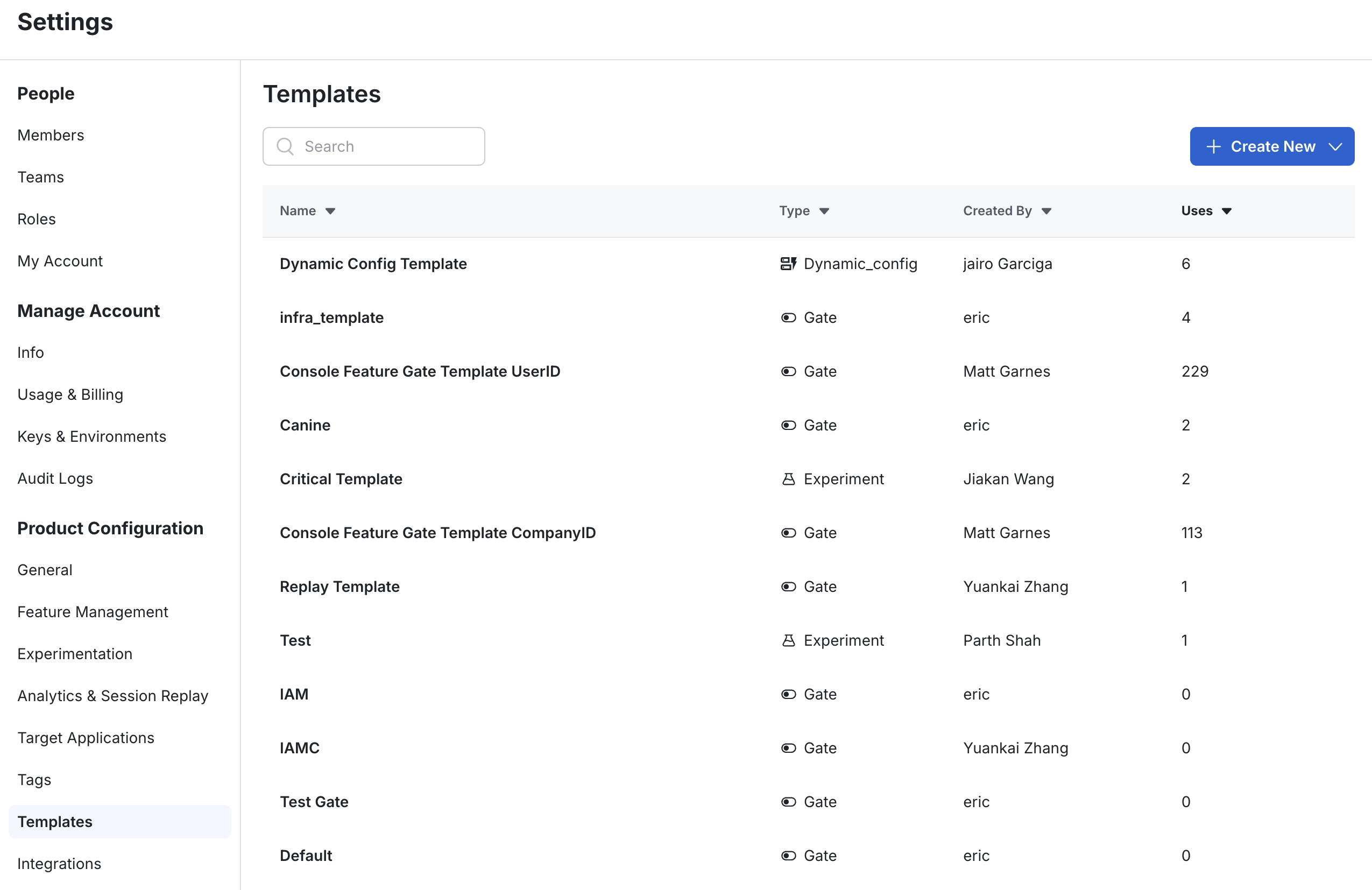
- Go to Settings > Product Configuration > Templates.
- Click +Create New.
- Select whether to create a gate, experiment, or dynamic config template.
Convert an existing config into a template
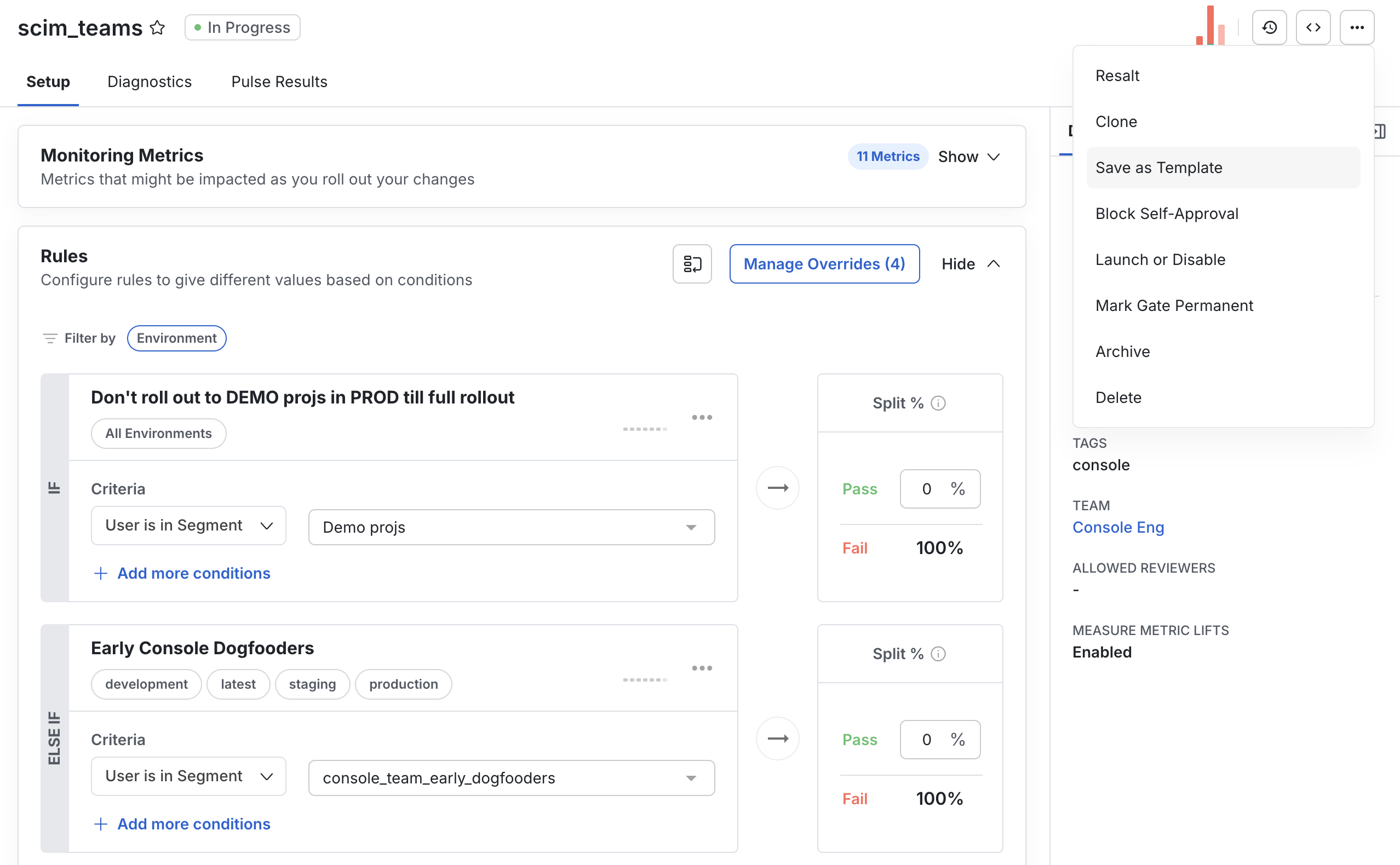
- Open the gate, experiment, or dynamic config you want to turn into a template.
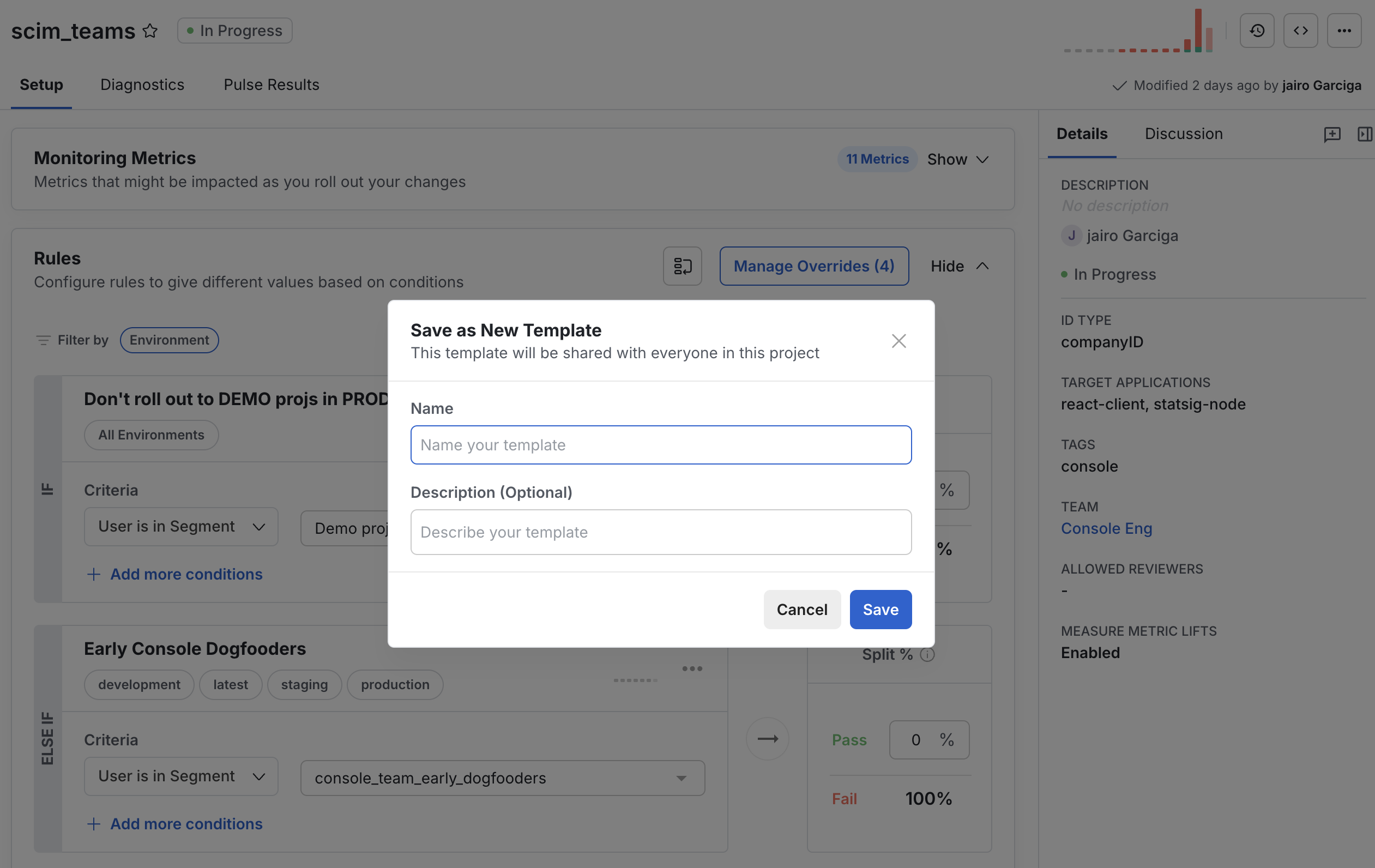
- Click the ... menu and select Save as Template.
- Enter a name and description, then save.
Manage templates
To manage templates, go to Settings > Product Configuration > Templates.
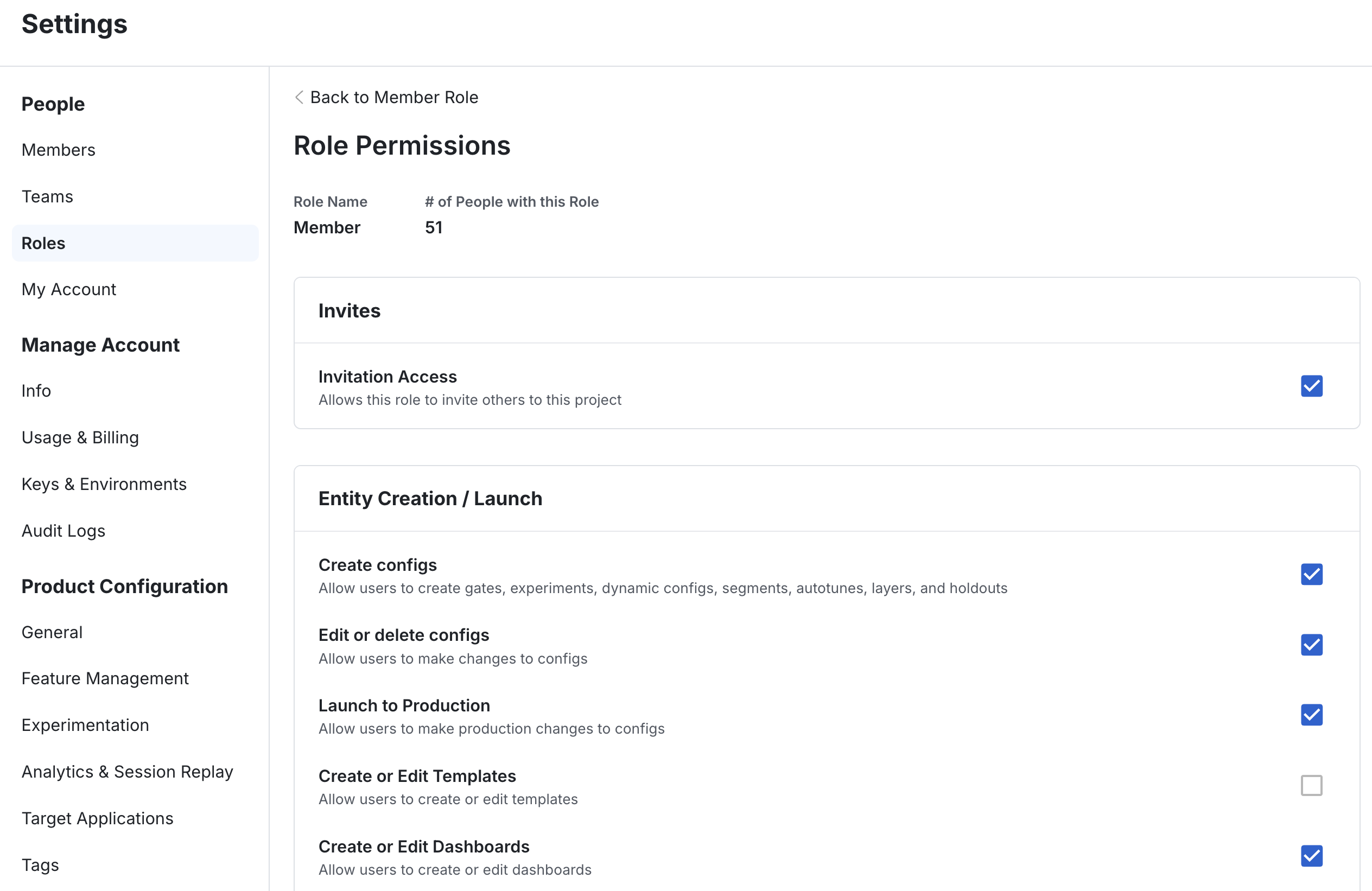
Role-based Access Controls in People > Roles determine who can create or modify templates. By default, org and project admins can modify or delete any template.
Create a config from a template
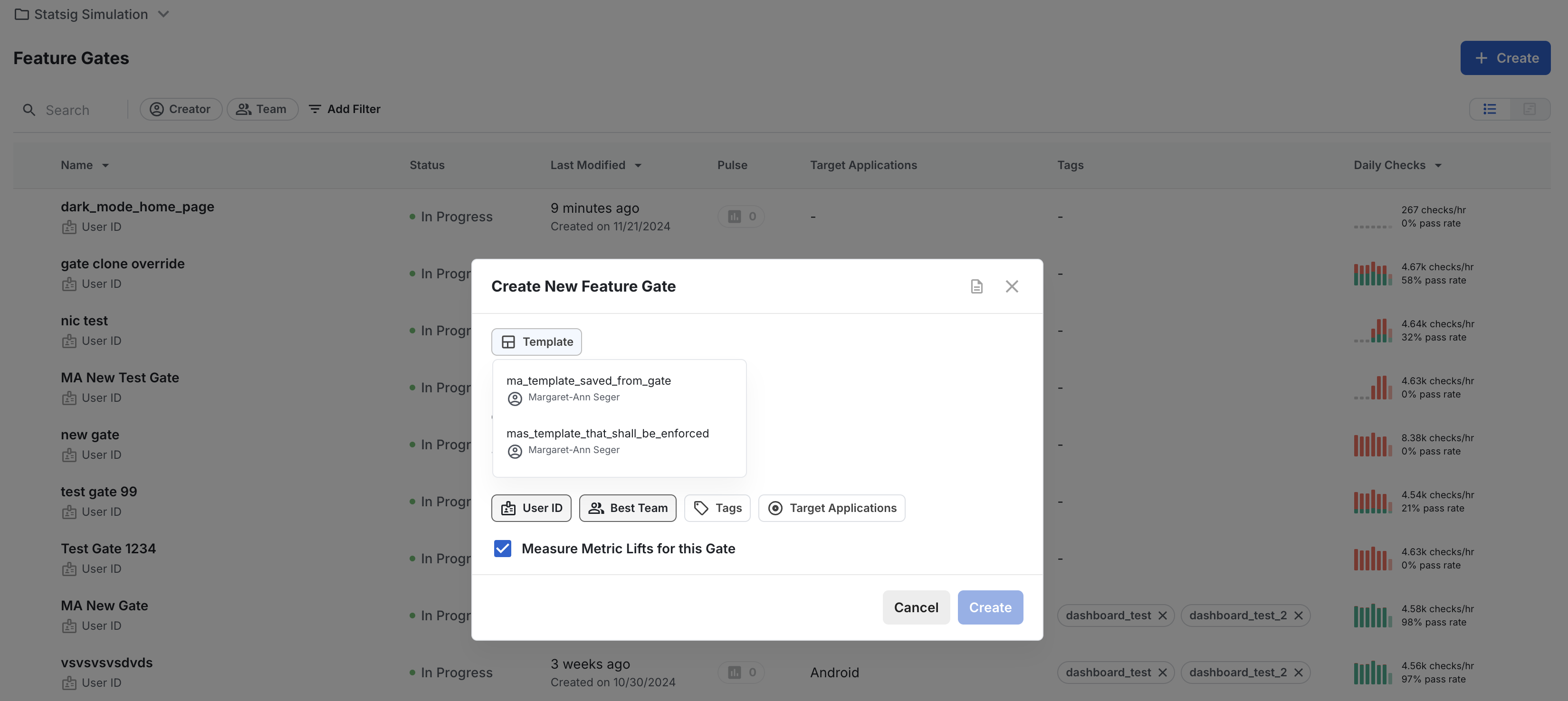
When you create a config, select a template from the template selector. If your organization or team requires templates, you can't proceed until you select an approved template. Team admins configure which templates appear in the drop-down in the team-level template settings.
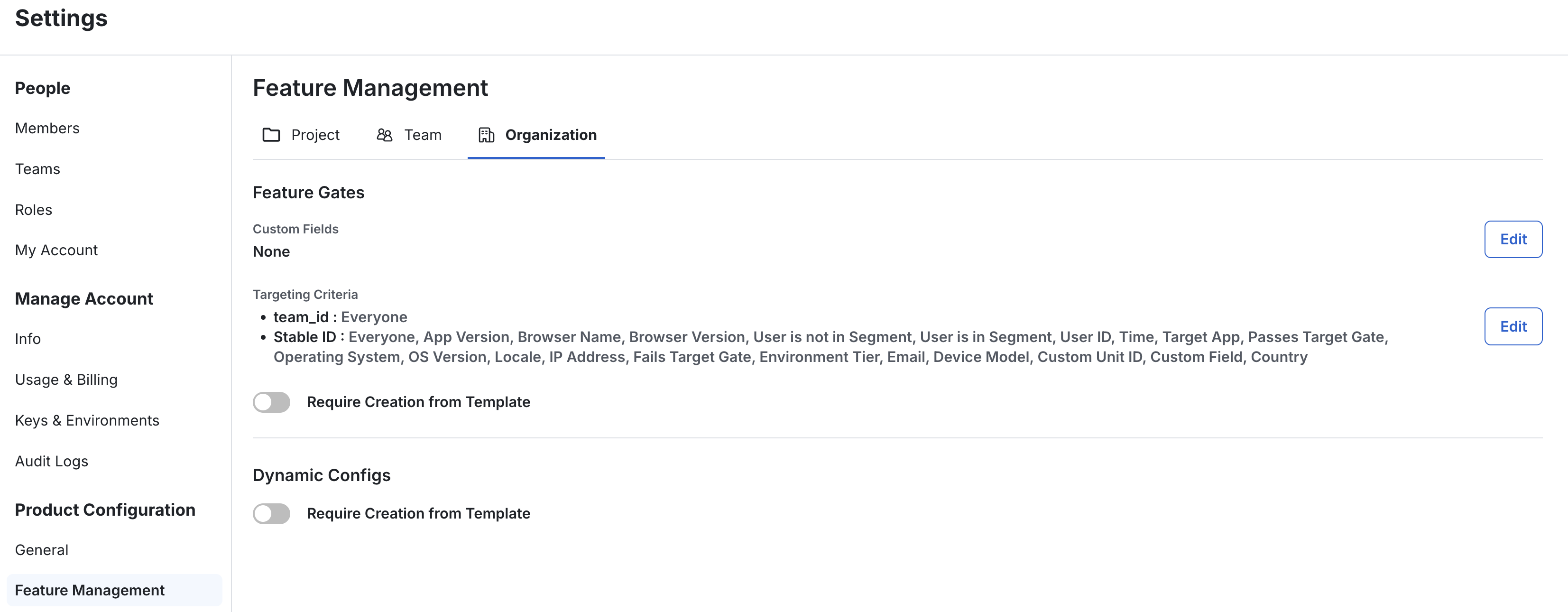
Org-level template settings
In the Experiment and Gate Policies (Settings > Product Configuration > Feature Management for gates, or Settings > Product Configuration > Experimentation for experiments, on the Organization tab), you can require a template for every new gate, dynamic config, or experiment. Only organization admins can configure this setting.
If you turn on this setting, create at least one experiment or gate template for users to choose from. Otherwise, Statsig blocks them from creating new configs.
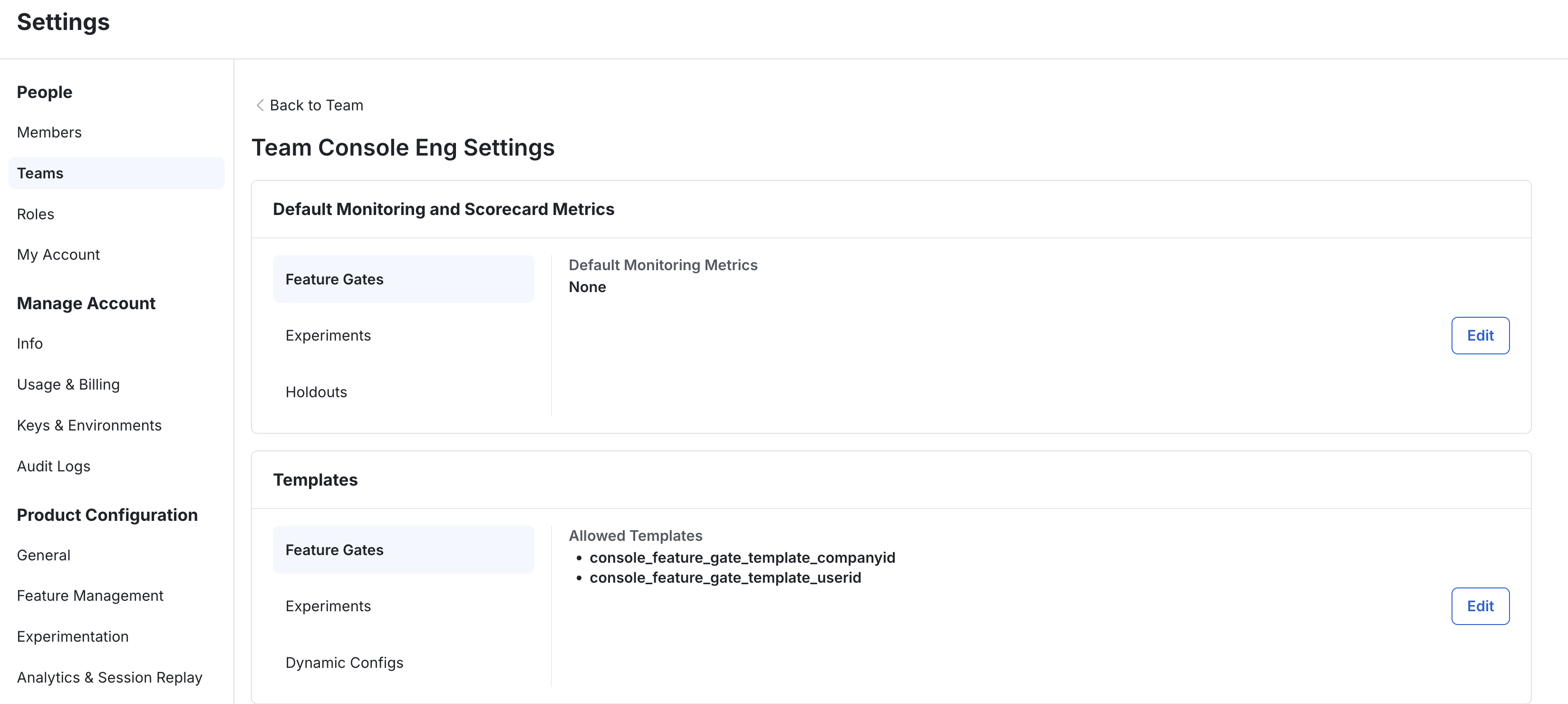
Team-level template settings
At the team level, you can configure which templates members of that team can choose from when they create a config, and whether to require a template.
This setting applies only if your organization doesn't already require templates. An organization-level requirement overrides any team-level configuration.
To configure team-specific templates, go to Settings > People > Teams, choose a team, and open its Settings. Then choose which templates to allow for gates, dynamic configs, and experiments.
Known limitations
- Statsig doesn't support renaming experiment templates. To rename a template, create a new experiment from the template, then create a new template from that experiment with the name you want.
- Statsig doesn't support modifying templates through the Console API.
Was this helpful?
For AI agents: a documentation index is available at /llms.txt. Append .md to any page URL for markdown, or send Accept: text/markdown.