For AI agents: a documentation index is available at /llms.txt. Append .md to any page URL for markdown, or send Accept: text/markdown.
Decision Framework
Use a structured decision framework in Statsig to evaluate experiment results, including success criteria, ship versus iterate logic, and reviewer sign-off.
A decision framework standardizes how teams interpret experiment results and decide which group to ship. After you configure a decision framework on an experiment template, Statsig recommends a ship action for each experiment created from that template, based on how the primary and guardrail metrics move. The decision framework highlights recommended actions but doesn't enforce them. Use a decision framework when you want a consistent ship rule across a team's experiments. To require approval for every experiment change regardless of results, set up reviews instead.
Configure a decision framework
- Open the Templates page (Settings > Templates) and select the experiment template you want.
- Open the Decision Framework tab.
- Select one primary metric and one or more guardrail metrics. Statsig bases its recommendation on how these metrics perform.
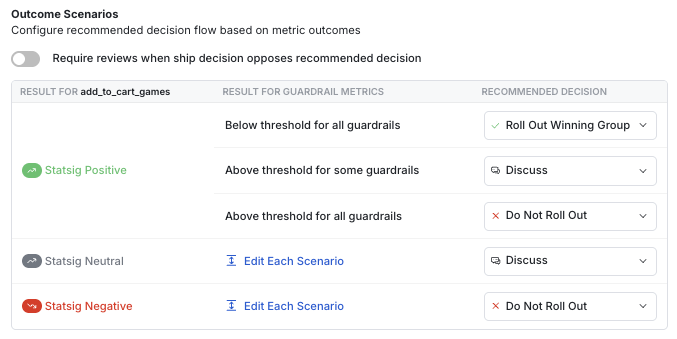
You can configure three types of recommendations:
- Rollout Winning Group: An icon appears next to the winning group in the Make Decision button.
- Discuss: A message appears on the experiment page recommending discussion before making a ship decision.
- Do Not Roll Out: An icon appears next to the control group in the Make Decision button.
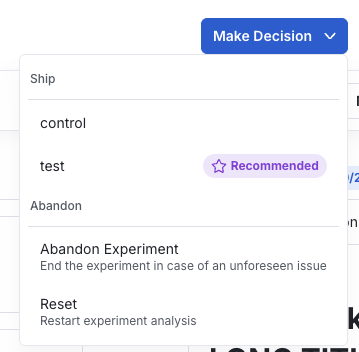
Require reviews when a decision opposes the recommendation
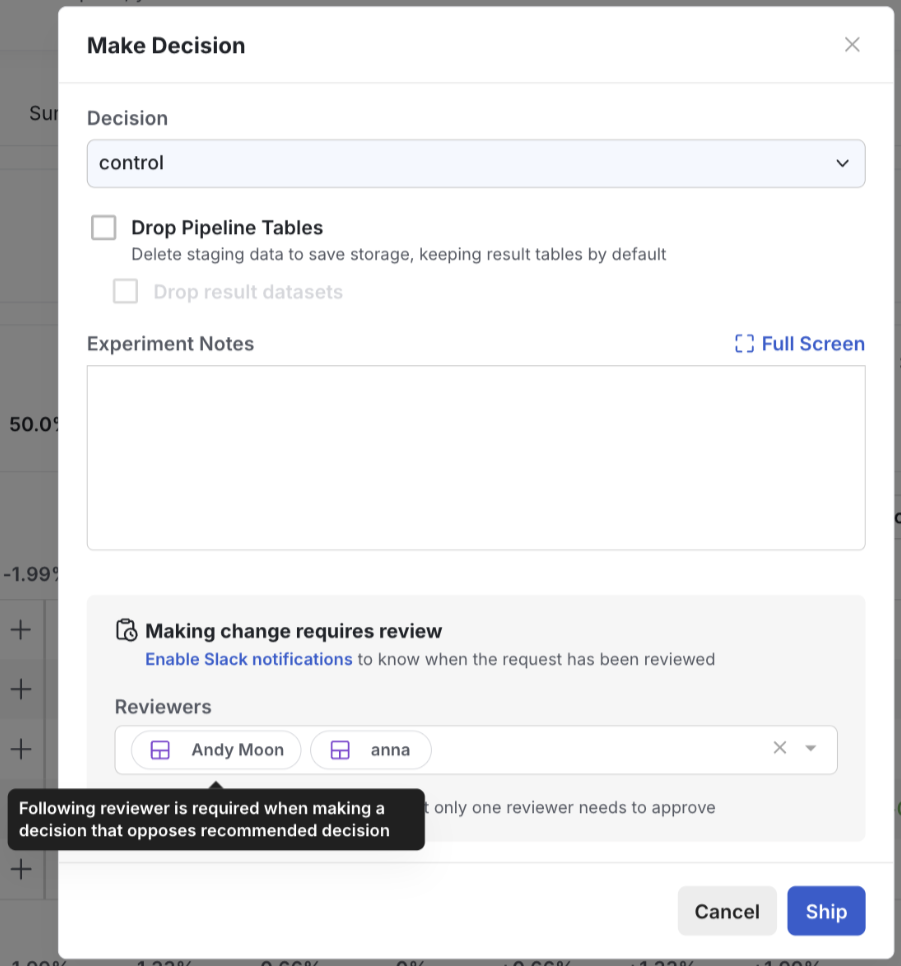
You can require a review when a ship decision doesn't match the decision framework's recommendation. Turn on Require reviews when decision opposes recommended decision and add reviewers in the dialog box.

After setup, Statsig requires a review in the following situations:
- Rollout Winning Group: Shipping a treatment group that isn't recommended.
- Discuss: Shipping any treatment group.
- Do Not Roll Out: No review required.
Was this helpful?