For AI agents: a documentation index is available at /llms.txt. Append .md to any page URL for markdown, or send Accept: text/markdown.
Stratified Sampling
Learn how stratified sampling reduces variance and improves experiment reliability in low volume or high variance scenarios.
Stratified sampling balances the test and control groups on a metric or attribute you choose before the experiment starts. Statsig does this by trying many randomization salts and keeping the one that produces the most balanced split. Use it for low-volume or high-variance populations, such as B2B experiments where a few accounts drive most of a metric; for large consumer populations, a standard random split balances the groups on its own.
What stratified sampling does
Stratified sampling divides the population into homogeneous groups called strata and draws random samples from each stratum. For example, if you have XS and XL customers and randomize them into Control and Test, you want both groups balanced across XS and XL customers. You can also stratify on a metric such as revenue per user.
With large populations, randomization usually produces this balance. In B2B and other low-volume or high-variance scenarios, stratified sampling enforces it. Statsig supports automated and manual stratified sampling. In tests where a small tail of power users drives a large share of a metric, stratified sampling reduces false positive rates and makes results more consistent. In Statsig's simulations, it decreased the variance of reported results by around 50%.
Automated stratified sampling
How Statsig selects a salt
The Statsig SDKs use a salt to randomize experiment subjects into groups; refer to how bucketing works in the Statsig SDKs. When you turn on stratified sampling, Statsig tries a set of candidate salts (100 by default) and evaluates how balanced the resulting groups are, based on either a metric you select or an attribute that describes your experiment subjects. It then saves the best salt. For background, refer to the stratified sampling launch post.
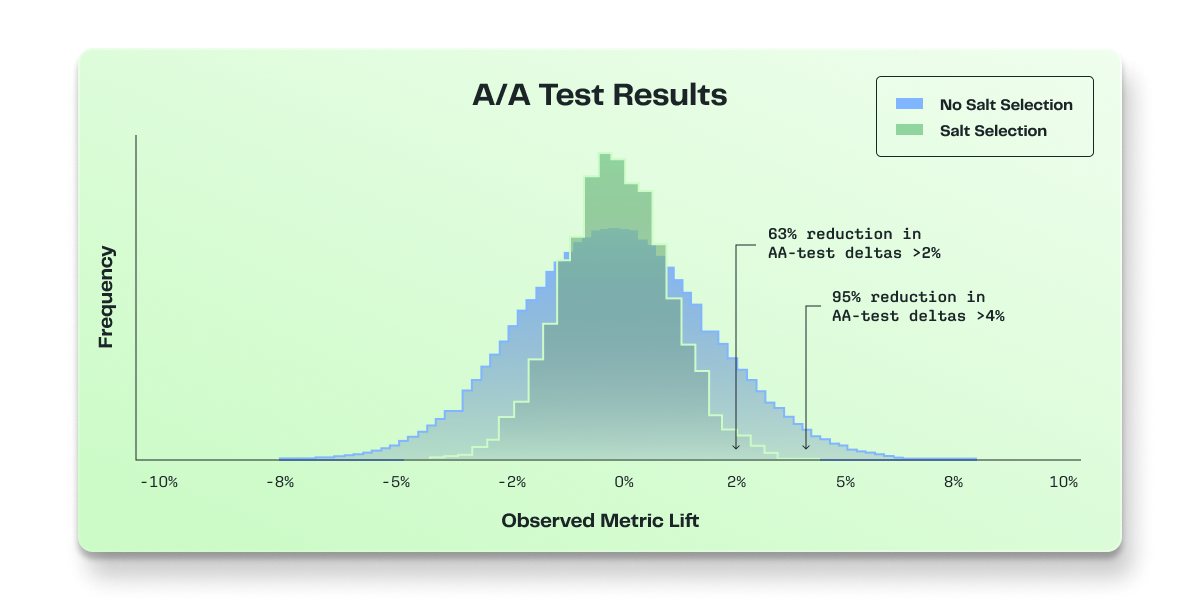
The salt selection space is large enough that stratifying multiple experiments on the same metric doesn't cause overlap between them. In Statsig's simulations, the groups were as independent as expected, consistent with the published literature.
Morgan and Rubin (2012) cover the history, philosophy, and proofs of re-randomization, including how it reduces the randomization variance of the difference in means. The paper notes that standard asymptotic analysis procedures that don't account for re-randomization are statistically conservative. To keep results consistent and comparable across methods, Statsig stays conservative and uses the standard t-test.
Turn on stratified sampling
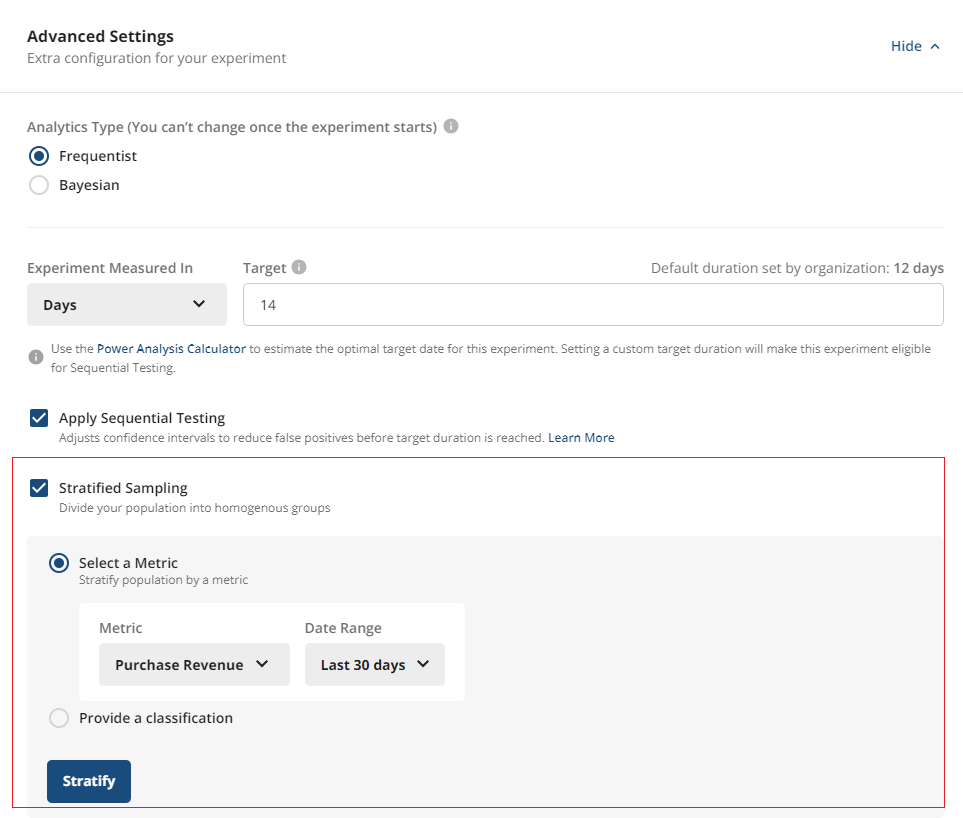
On the experiment setup page, under Advanced Settings, select Stratified Sampling. You can stratify in two ways.
If you choose a metric to stratify on, Statsig uses that metric to balance the groups.
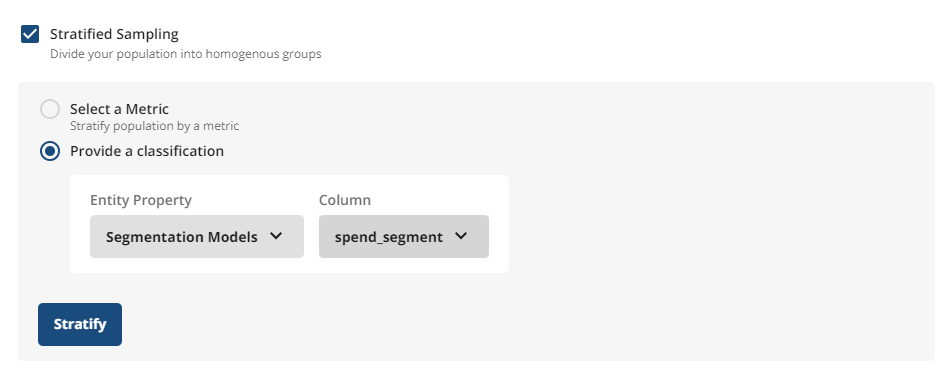
If you instead choose an attribute or classification (for example, S, M, L, XL), Statsig uses that to balance the groups. On Statsig Cloud, you upload a CSV; this option is in Early Access. On Statsig Warehouse Native, you use entity properties.
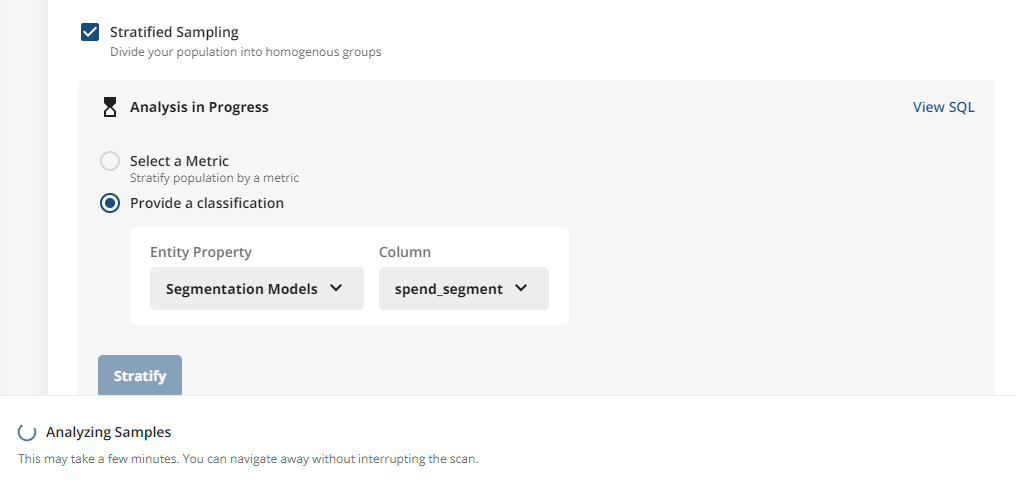
After you select Stratify, Statsig analyzes a set of salts and picks the best one.
Best practices
Population Statsig uses when balancing
When evaluating salts, Statsig computes balance using pre-experiment data for the entire targeted population of the experiment's unit type (for example, all userIDs or all customerIDs) over the selected lookback window. Statsig doesn't filter on exposure because the experiment hasn't started. Every candidate salt is assessed over the same population; only the randomization that the salt induces changes.
New units after stratification
The chosen salt assigns units that weren't in the pre-experiment data deterministically, which is effectively random with respect to the balancing metric. These new units don't influence the salt selection and may cause some drift from the initial balance.
When to use stratified sampling
Stratification adds time and compute cost that scales with the number of units, and it adds steps before the experiment starts. Use it when you expect imbalance from heterogeneous units (for example, whales) or skewed metrics. If you don't expect meaningful imbalance, use a standard random split.
Allocation below 100%
Statsig evaluates all candidate salts assuming full (100%) allocation of the targeted population. If you run the experiment at a lower allocation, random sampling of that subset can reintroduce imbalance; for example, some high-impact units may fall disproportionately into one arm by chance. Prefer 100% allocation for the period you care most about for inference. Use lower allocations briefly for safe rollouts rather than for the full experiment duration.
Stratification duration
Duration depends on the number of units and the metric or source Statsig queries. There is no fixed SLA; larger populations take longer.
Manual assignment for stratified sampling
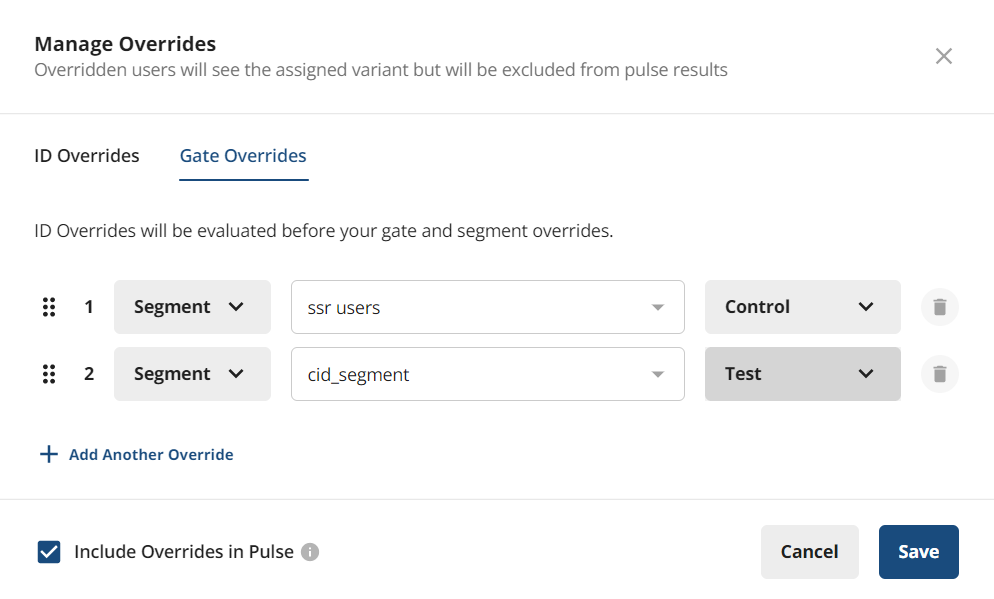
When you set up an experiment, you can configure overrides, for example to force user X or Segment A into Control and user Y or Segment B into Test. Overrides are for testing, so Statsig excludes overridden users from experimental analysis in Pulse results. To use manual assignment for stratified sampling, select the Include Overrides in Pulse checkbox, which includes manually overridden users in each variant in all metric lift analyses. You can assign 100% of experiment participants to variants manually, or assign a subset manually and randomly assign the remainder.
You can add overrides for an ID type that differs from the ID type of the experiment. Those ID evaluations don't resolve to the ID type of the experiment and don't contribute to Pulse results.
When the Statsig SDK handles assignment, it handles randomization. When you control assignment, you're responsible for balancing users across experiment groups.
Was this helpful?