For AI agents: a documentation index is available at /llms.txt. Append .md to any page URL for markdown, or send Accept: text/markdown.
Vercel
Integrate Statsig with Vercel to evaluate feature gates and experiments in edge middleware, server components, and serverless functions on Vercel.
Statsig offers a suite of integration tools for use with Vercel:
- Statsig automatically pushes project changes to Vercel's Edge Config, providing low-latency SDK startup.
- Statsig provides a Vercel helper that handles client initialization and event flushing so you can focus on your business logic.
Configure integration
- Go to the Vercel Marketplace and install the Statsig integration.
- Statsig prompts you to create a new account or link an existing one.
Install the Statsig SDK
bashnpm install @statsig/vercel-edgeImport the Vercel helper
bashimport {handleWithStatsig} from '@statsig/vercel-edgeUse the SDK
Javascriptexport default handleWithStatsig(handler, params)The helper method takes two arguments:
handlerYour Vercel function codeparamsParameter Optional Type Description configKeyNo stringThe Key associated with your Statsig specs in your Edge Config envStatsigKeyNo stringYour Statsig Client API Key statsigOptionsYes StatsigOptionsRefer to StatsigOptions
Best practice: store
configKeyandenvStatsigKeyas environment variables in your Vercel project settings.
Example usage
import { handleWithStatsig } from "@statsig/vercel-edge";

export const config = {runtime: 'edge'};

async function myHandler(request, client){
    const user = { userID: Math.random().toString().substring(2, 5) }; //Generates a random user id
    const passed = client.checkGate('test_vercel_edgeconfig', user);
    client.logEvent('vercel_wrapper', user, passed.toString());
    return new Response(
      JSON.stringify({ passed, user })
    );

export default handleWithStatsig(myHandler,{
    configKey : process.env.EDGE_CONFIG_KEY,
    statsigSdkKey: process.env.STATSIG_KEY
})
The helper automatically:
- Initializes the Statsig Client with config specs from your Edge Config
- Executes your Vercel function code (your business logic and Statsig usage)
- Flushes all events after your handler completes execution
- Cleans up resources
Advanced implementation
To review evaluations, go to the gate you created and check the Diagnostics tab.
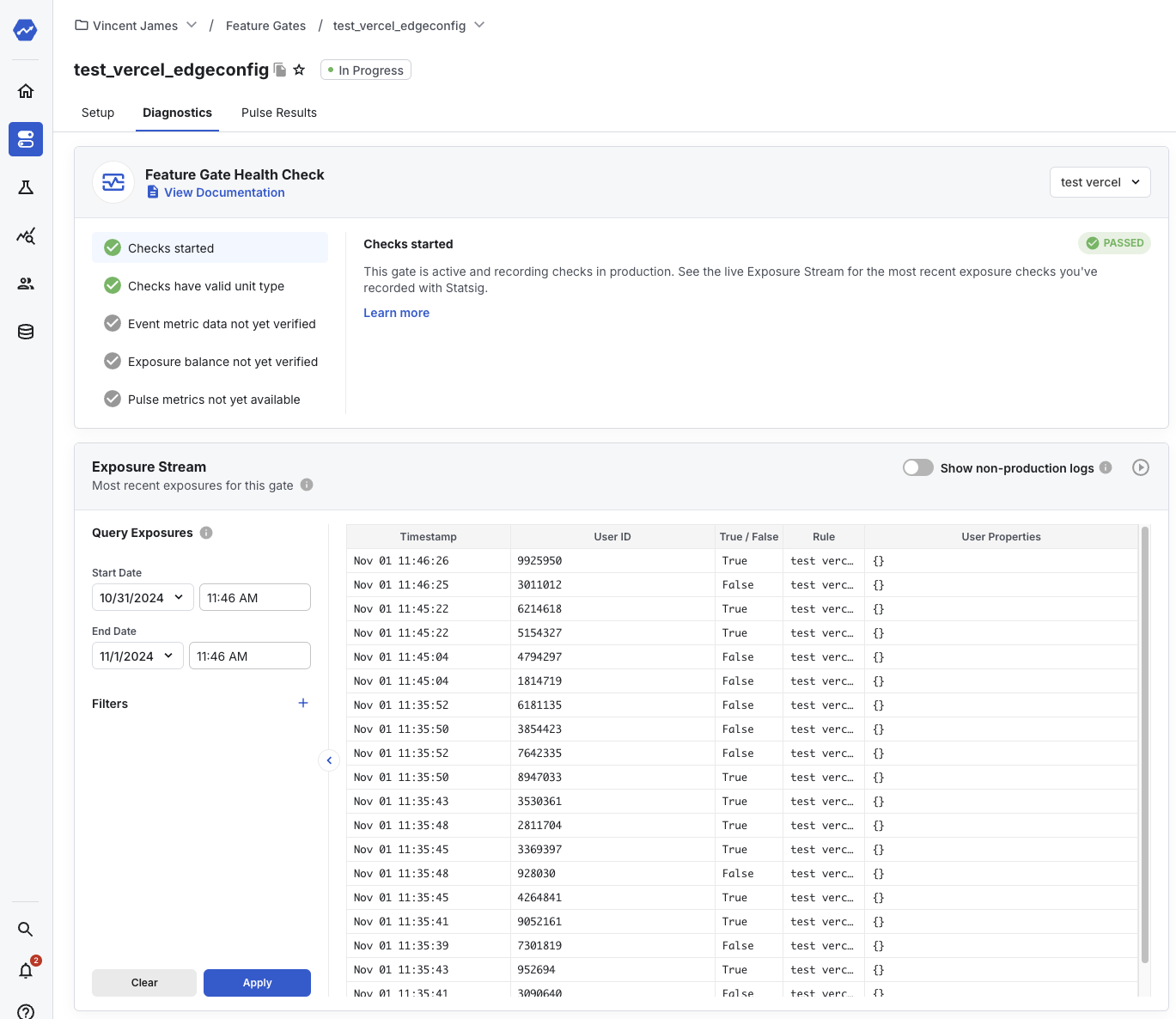
To check the events you logged, in the Statsig Console, go to Data -> Events.

The Vercel Edge Config integration for Statsig is now working.
Using Flags SDK in NextJS
If you use NextJS in your Vercel project, you can use Statsig through Flags SDK and take advantage of built-in precompute patterns for improved performance. Refer to the Statsig Adapter for Flags SDK docs for setup steps. The marketplace app sets all required environment variables for the Flags SDK by default.
Sending logs to Statsig
You can connect your Vercel logs to Statsig with a Log Drain to start exploring them in Logs Explorer.
- From the Vercel dashboard, go to Settings -> Drains and click Add Drain -> Integration.
- Select Statsig, follow the configuration steps provided, and choose a project to connect with the service.
- Navigate to Statsig's Logs Explorer to see your logs flow through.
Was this helpful?