For AI agents: a documentation index is available at /llms.txt. Append .md to any page URL for markdown, or send Accept: text/markdown.
Guide to General CMS Integrations
Integrate Statsig with CMS platforms like Contentful, Webflow, and Framer to run content experiments and personalize pages without redeploying code.
Using Statsig with a CMS
Statsig integrates with your existing CMS so you write the integration code once and then run experiments on any combination of content parameters without shipping more code. You map Statsig Layer parameters to content IDs in your CMS, and each experiment controls which content each group sees. Statsig also offers a no-code option, Sidecar, if you'd rather not write integration code.
Statsig recommends using Layers to wire this up. Read the Layers documentation before continuing.
Layers are a unit of mutual exclusion between experiments in Statsig. Every user participates in only one experiment in a layer at any given time. As such, Statsig recommends you set up a layer for each surface you're experimenting on with the help of your CMS.
The remainder of this guide assumes you're experimenting on a single surface. Repeat these steps for each additional surface, such as a landing page, product page, or blog.
As an example, this guide parameterizes the Statsig landing page to connect to a CMS.
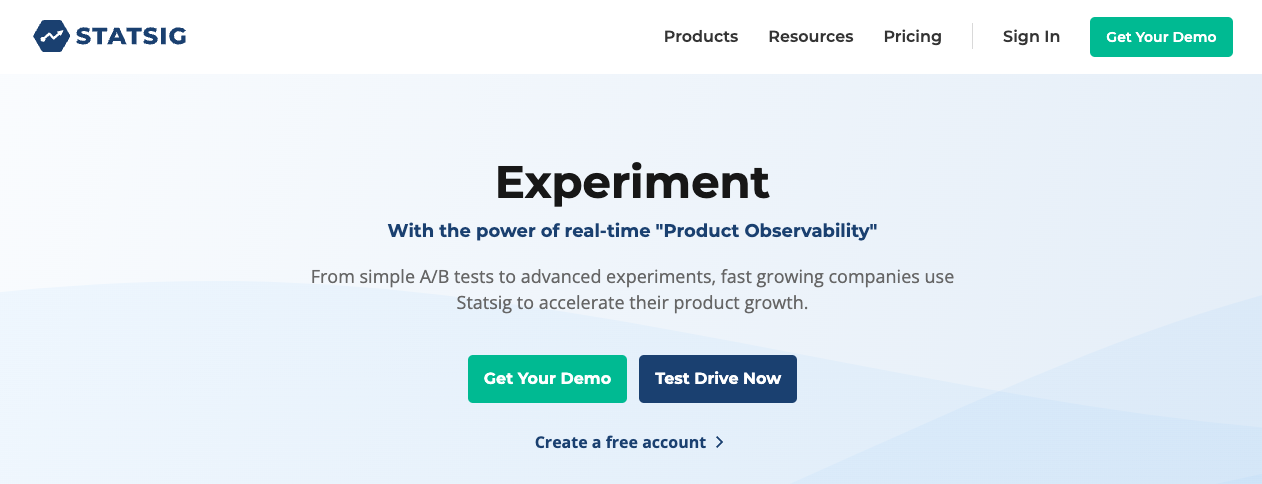
First, create a layer. Navigate to "Experiments" in the left-hand column, and then "Layers" in the title bar:
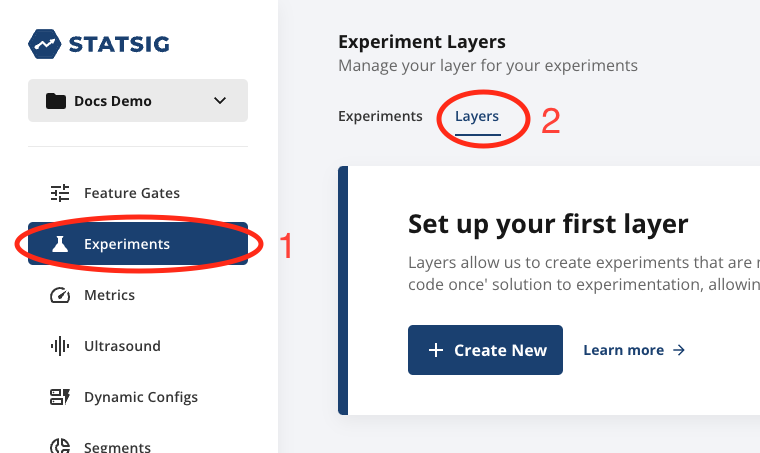
Create a layer for all content or parameters to experiment with on the landing page, named "statsig_landing_page".
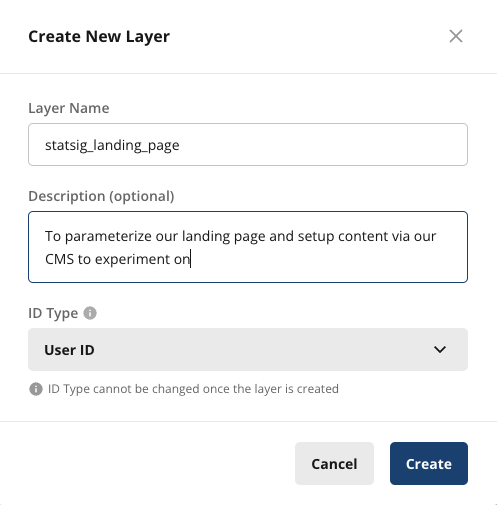
Next, create parameters for the title, subtitle, and primary CTA. Set each parameter's value to the actual ID of the content in the CMS.
It should look like this when you're done:
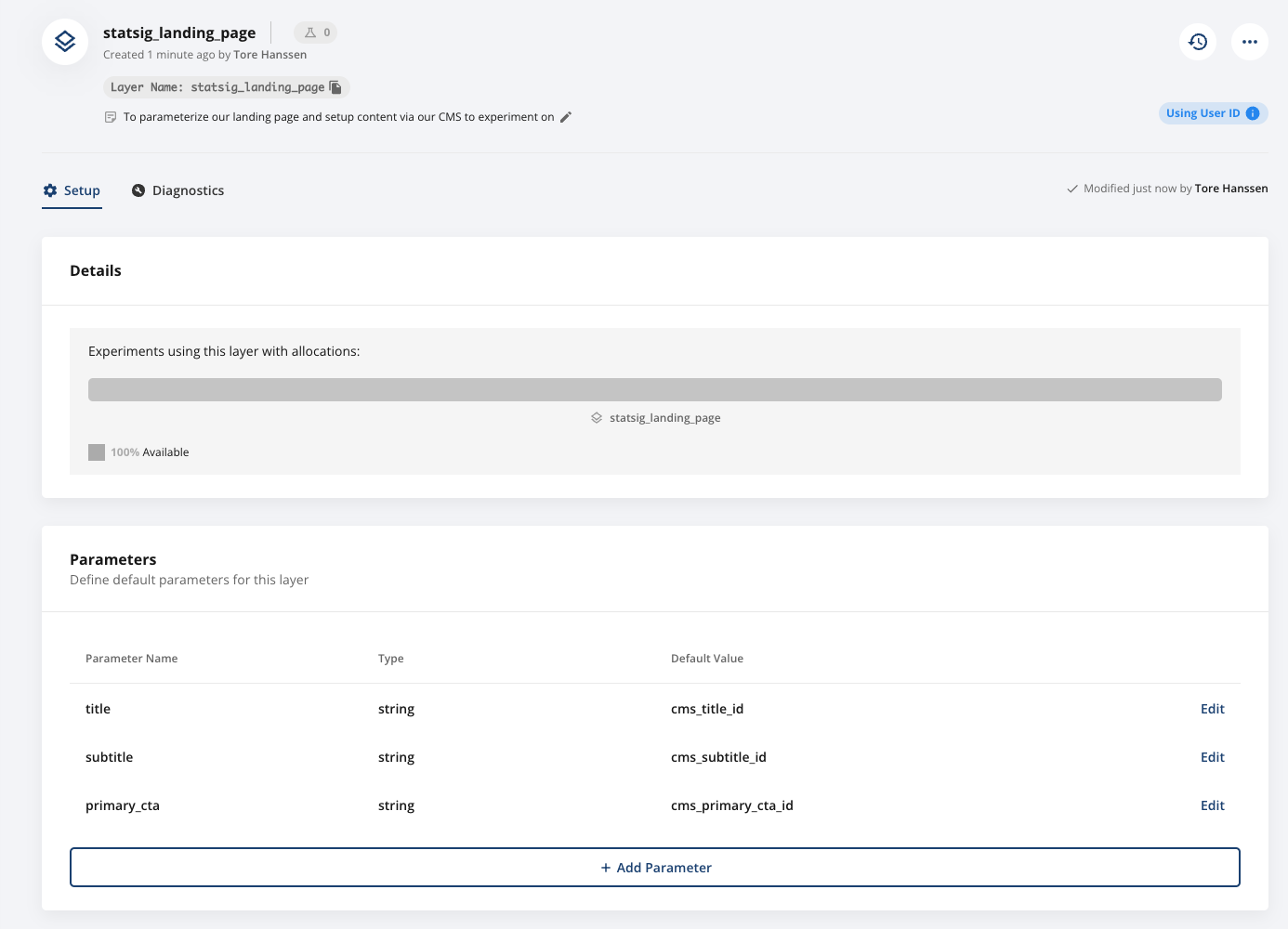
Each layer parameter has a default value. If the user isn't in any experiments in that layer, the parameter returns that default value, which maps to content in the CMS.
In code, your integration looks like this:
const landingPageCmsIds = statsig.getLayer("statsig_landing_page");

const titleID = landingPageCmsIds.get("title", "<default_cms_title_id>"); // note that you have a default value in code as well

// exact library and function call will map to your cms client library
cmsClient.getEntry(titleID);
Repeat this for the subtitle, CTA, and all other parameters on your landing page to make them all dynamic. After you update a CMS ID in Statsig, your code loads the updated content for that section.
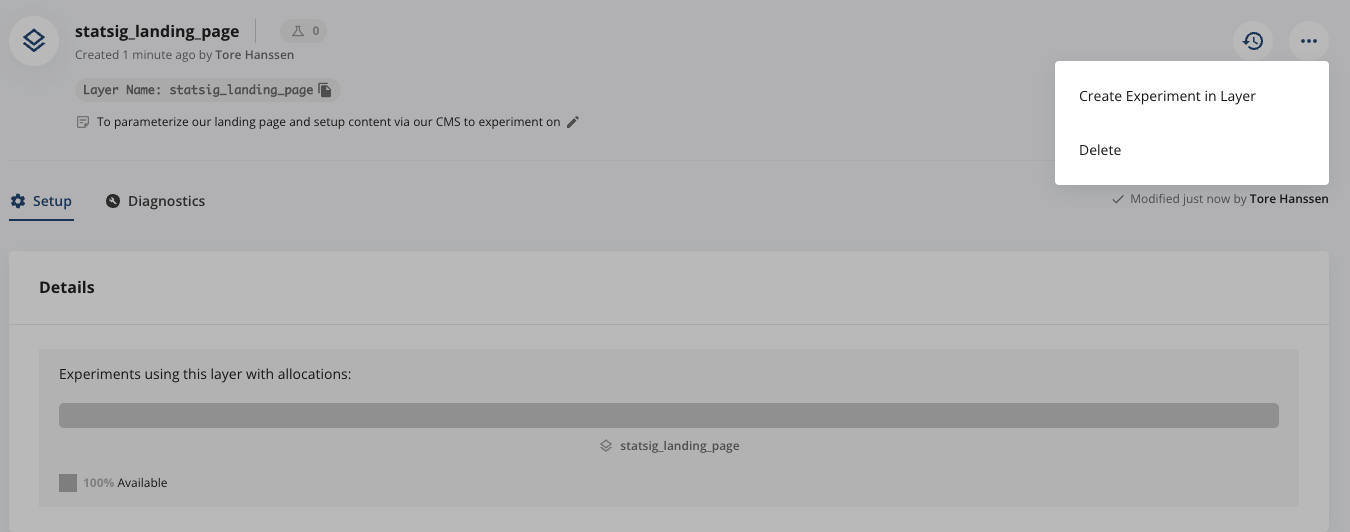
To test a new variant, create new content in your CMS, then return to your layer and select "Create Experiment in Layer":
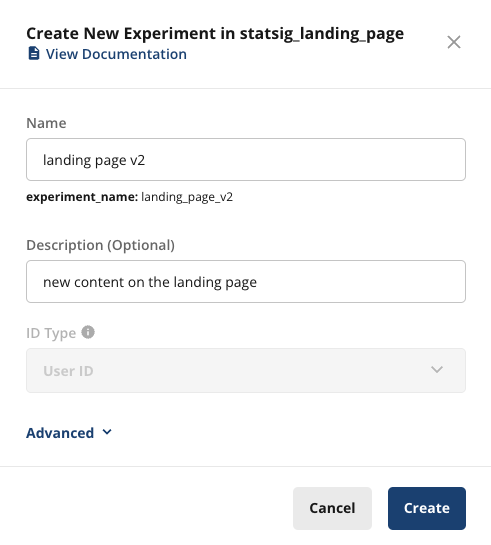
Complete the experiment setup form:
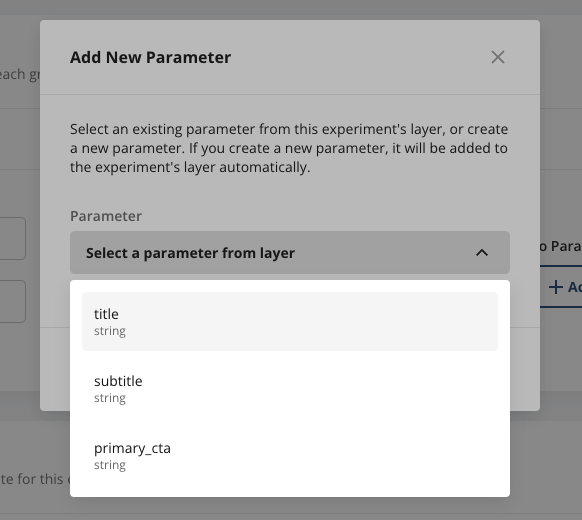
Statsig creates the experiment. Now set up the test and control groups and specify which content each group uses for each parameter. In the Groups and parameters section, select "Add Parameter" and choose one of your existing parameters, such as title:
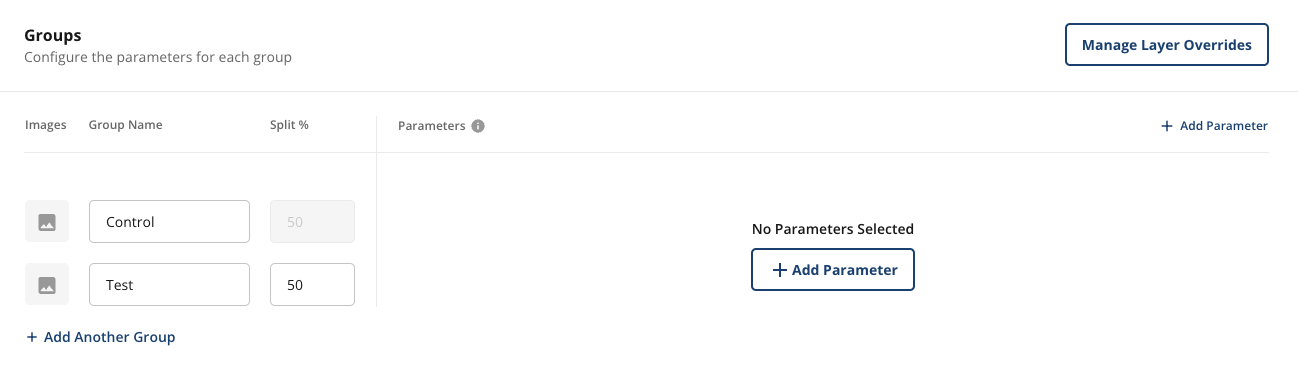
Update the parameter value to the ID of the new title:
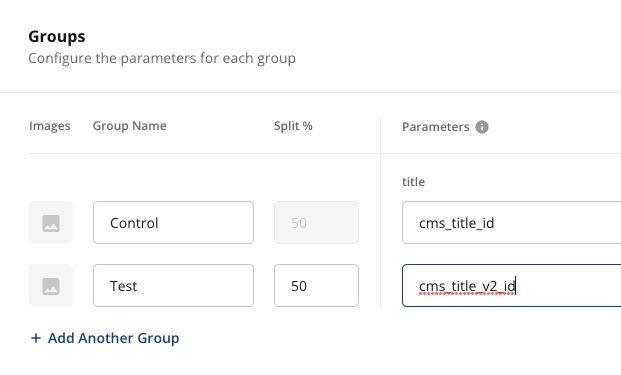
Add more groups or parameters as needed. After you validate the experience in all groups, start your experiment. You don't need to change any code for parameters you already created. Statsig pulls the updated ID and your code loads the updated content automatically.
The experimentation flow is the same as all other Statsig experiments. The parameter value maps to your CMS content.
For more information about setting up and running experiments, go to Experiments.
Was this helpful?