For AI agents: a documentation index is available at /llms.txt. Append .md to any page URL for markdown, or send Accept: text/markdown.
AI Model Client
Use the Statsig Azure OpenAI model client to wrap chat, completion, and embedding calls with automatic logging and experiment-aware routing.
To invoke Azure AI methods, instantiate a Model Client. You have two options.
Option 1: (Recommended) using Statsig Dynamic Config
Using Statsig's Dynamic Config lets you adjust AI invocation parameters and the endpoint without modifying code, giving you maximum flexibility.
In your Statsig console, go to https://console.statsig.com/dynamic_configs and click Create to create a new Dynamic Config.
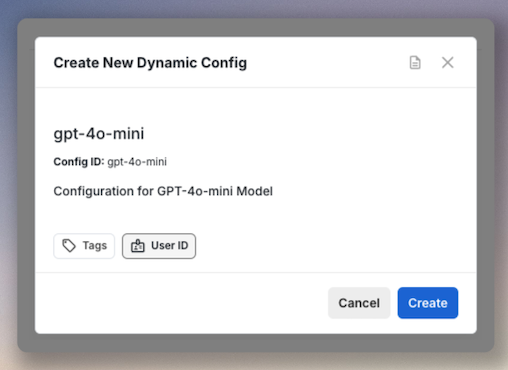
After creation, fill in the properties of this deployment:
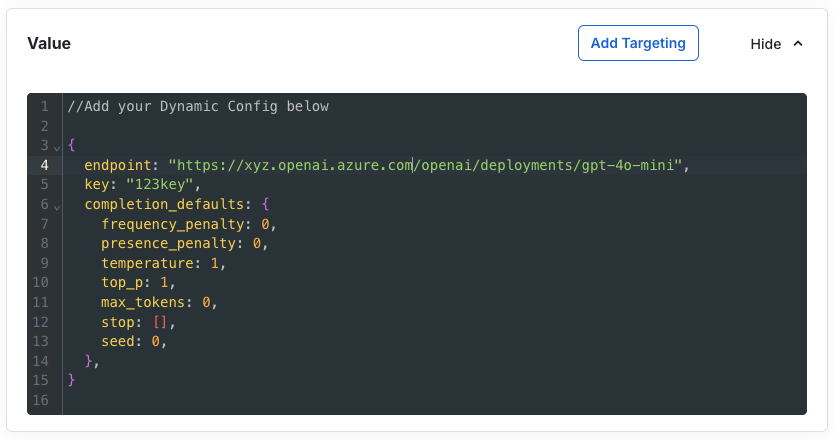
The Dynamic Config JSON looks like this:
{
  endpoint: "https://FILL_IN_YOUR_ENDPOINT",
  key: "FILL_IN_YOUR_KEY",
  completion_defaults: {
    frequency_penalty: 0,
    presence_penalty: 0,
    temperature: 1,
    top_p: 1,
    max_tokens: 0,
    stop: [],
    seed: 0,
  },
}
After saving the Dynamic Config, instantiate your Model Client using the id of that config:
const client = AzureAI.getModelClient("<dynamic_config_id>");
Option 2: Using hard-coded endpoint and key
This option instantiates an AI model client directly. You must embed the endpoint and key in your code or load them using another mechanism, such as an environment variable.
const modelClient = AzureAI.getModelClientFromEndpoint(
    "<DEPLOYMENT_ENDPOINT_URL>",
    "<DEPLOYMENT_KEY>"
);
Was this helpful?