For AI agents: a documentation index is available at /llms.txt. Append .md to any page URL for markdown, or send Accept: text/markdown.
Exporting Pulse Reports
Export Statsig experiment results as CSV, share via link, or pipe to a data warehouse for further analysis in BI tools and notebooks.
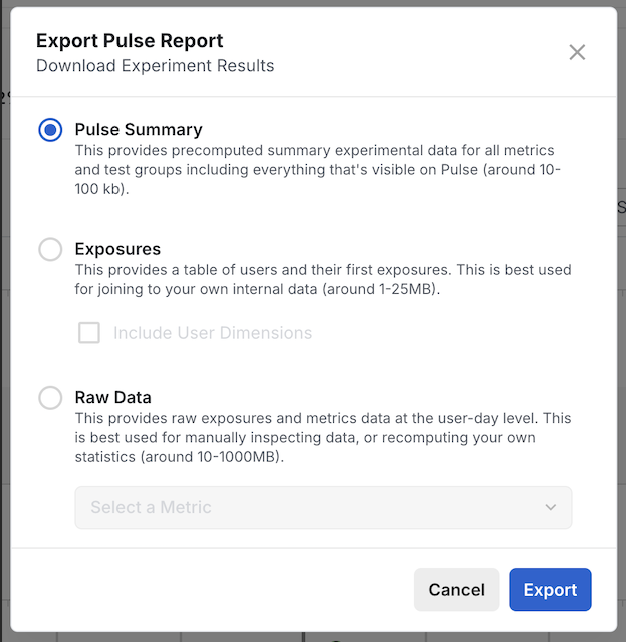
Exporting a Pulse report saves your experiment or feature gate results as a CSV file so you can analyze them outside Statsig. You start the export from the Pulse Results page, and Statsig emails you a download link that you can share or load into BI tools, notebooks, or a data warehouse. Use Export Report for a one-time snapshot in Statsig Cloud. If you use Warehouse Native, Statsig writes results to your warehouse instead; refer to Export Pulse results to your warehouse.
Export a report
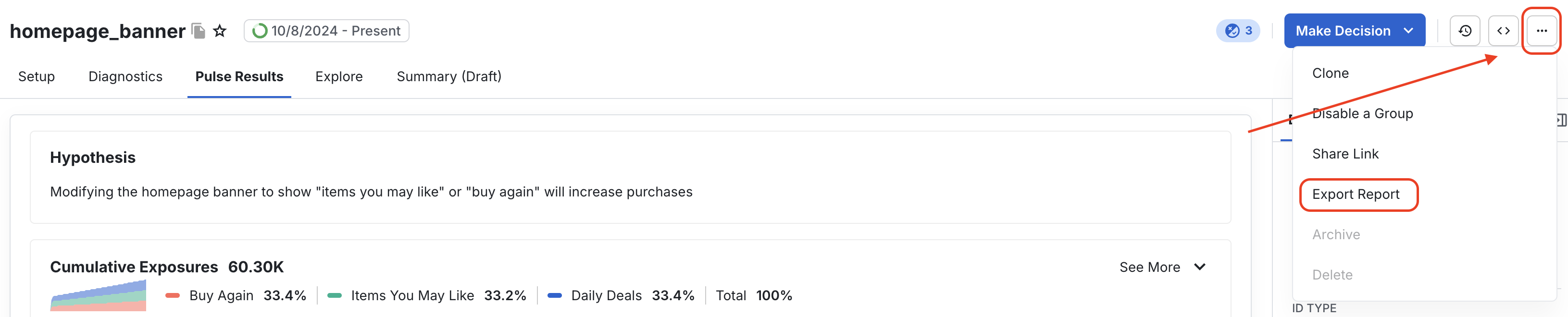
You can export results only after the Pulse Results page shows results. On the Pulse Results page for the feature gate or experiment, select Export Report. The export can take up to 10 minutes. When the report is ready, Statsig sends you a notification and an email, and a link appears under Project Settings > Reports.
Was this helpful?