For AI agents: a documentation index is available at /llms.txt. Append .md to any page URL for markdown, or send Accept: text/markdown.
GitLab Code References
Connect Statsig with GitLab to surface code references for feature gates and dynamic configs, so you can see exactly where each flag is used.
How the GitLab integration works
The Statsig GitLab Integration lets you find Feature Gate and Dynamic Config references within your codebase on the Statsig Console. The integration uses the GitLab API to access only Feature Gate or Dynamic Config references and doesn't store any sensitive information.
Configure GitLab code references
Create a new GitLab access token, either project or personal, with the read_api scope.
Then, log in to the Statsig Console and navigate to the GitLab Code References integration on the Integrations page. Find this in Project Settings > Integrations Tab > GitLab Code References.
The integration provides instructions on how to enable GitLab Code References.
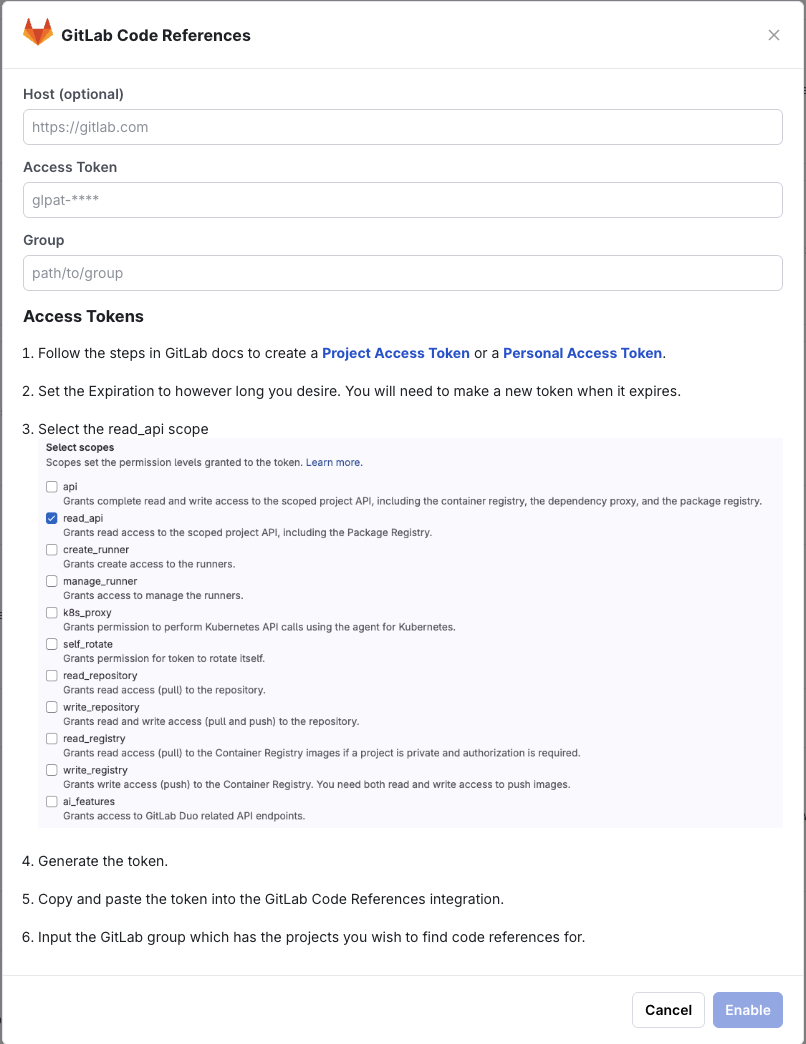
After you enter your token and organization name, Statsig verifies it can access repositories and notifies you of any problems.
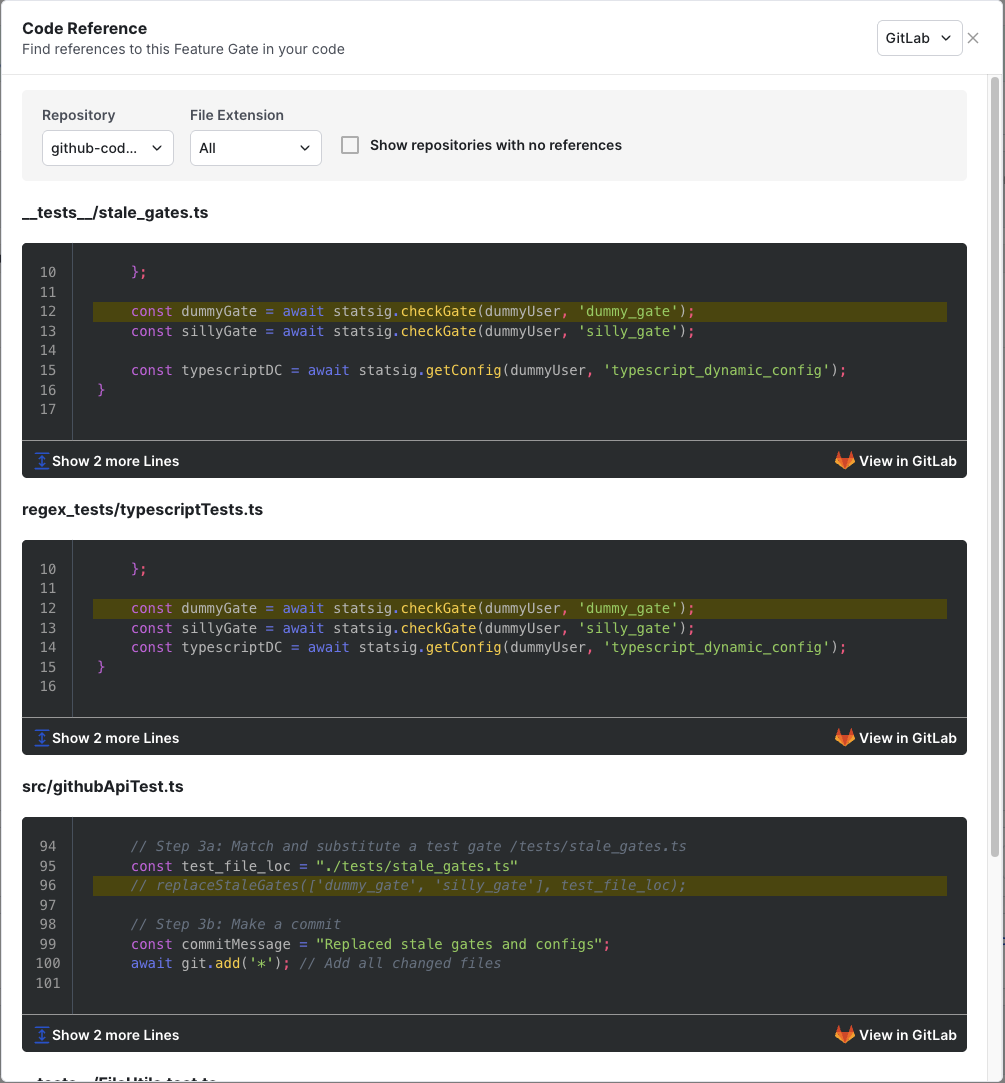
Navigate to the Feature Gates or Dynamic Configs pages on the Statsig Console and select a gate or dynamic config. Under the Diagnostics tab, select the View Code References link to see your code references.

Code References appear based on the feature gate or dynamic config page you're on. You can filter Code References by repository and file extension.
Was this helpful?