For AI agents: a documentation index is available at /llms.txt. Append .md to any page URL for markdown, or send Accept: text/markdown.
Statsig CLI ("Siggy")
Introduction to the Statsig CLI for managing feature gates, experiments, and project configuration from your terminal and CI environments.
How the Statsig CLI works
The Statsig CLI (siggy) manages Feature Gates, Experiments, and Dynamic Configs from the terminal. Create, update, and delete configs through commands, run them in scripts, or integrate Statsig configuration into CI/CD pipelines. Use the Statsig Console for one-off visual changes; use the CLI when you need repeatable, automated configuration management.
Why use the Statsig CLI
Efficiency
The Statsig CLI provides a fast way to interact with Statsig, reducing the need for manual actions through the Console interface. It allows quick execution of tasks with simple commands.
Automation
You can integrate the CLI into CI/CD pipelines to automate the management of Feature Gates and Experiments.
Consistency
The CLI enables scriptable and repeatable actions, which promotes best practices and reduces the risk of human error.
Installation
Prerequisites
- Node.js (version 14 or higher)
- npm (Node Package Manager)
Install and configure
- Install the Statsig CLI using npm:
$ npm install -g @statsig/siggy
- Check install
$ siggy --version
If you get a command not found error, add your node global bin folder to your path.
Run export PATH=$PATH:$(npm get prefix -g)/bin to add the folder.
If that doesn't work, run the CLI by prefixing npx in the command line:
$ npx siggy --version
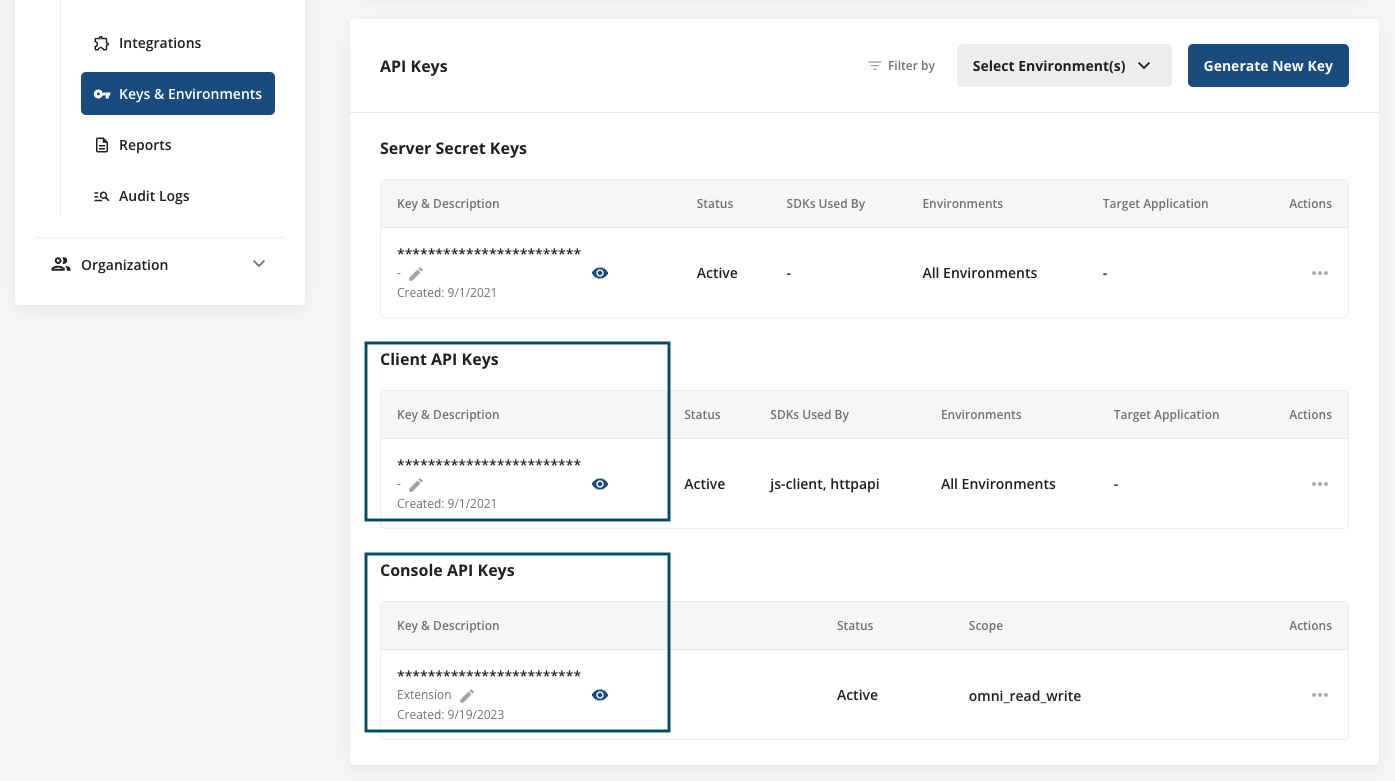
- Configure the API keys by running:
$ siggy config -c <console-api-key>
$ siggy config -k <client-api-key>
Retrieve these keys from your Statsig project. Log in to Statsig Console at https://console.statsig.com and go to the Settings page (https://console.statsig.com/settings). Select the Keys & Environments panel within Project Settings, then copy both the Console API Key and Client API Key, and paste them in the Settings dialog.
Next steps
Was this helpful?