For AI agents: a documentation index is available at /llms.txt. Append .md to any page URL for markdown, or send Accept: text/markdown.
Datadog
Connect Datadog with Statsig to forward Datadog events and metrics to Statsig for experiment analysis and to push Statsig events back into Datadog.
Overview
There are four key use cases for the Datadog integration:
- Config Changes: Streams changes made in Statsig into Datadog, so you can identify which feature you enabled when a CPU spike or other performance degradation occurred (most widely-used integration).
- Event Forwarding: Statsig forwards event-count totals to Datadog for monitoring your Statsig usage volumes.
- Datadog RUM integration: Enriches Datadog RUM data with flag and experiment assignment information, allowing you to correlate product feature changes with their impact on system and performance metrics.
- Datadog triggers: When an alarm fires in Datadog, the trigger stops a Statsig feature gate.
Connecting to Datadog
- To create a Datadog API key, navigate to Organization Settings > API Keys. If you have the permission to create API keys, click New Key.
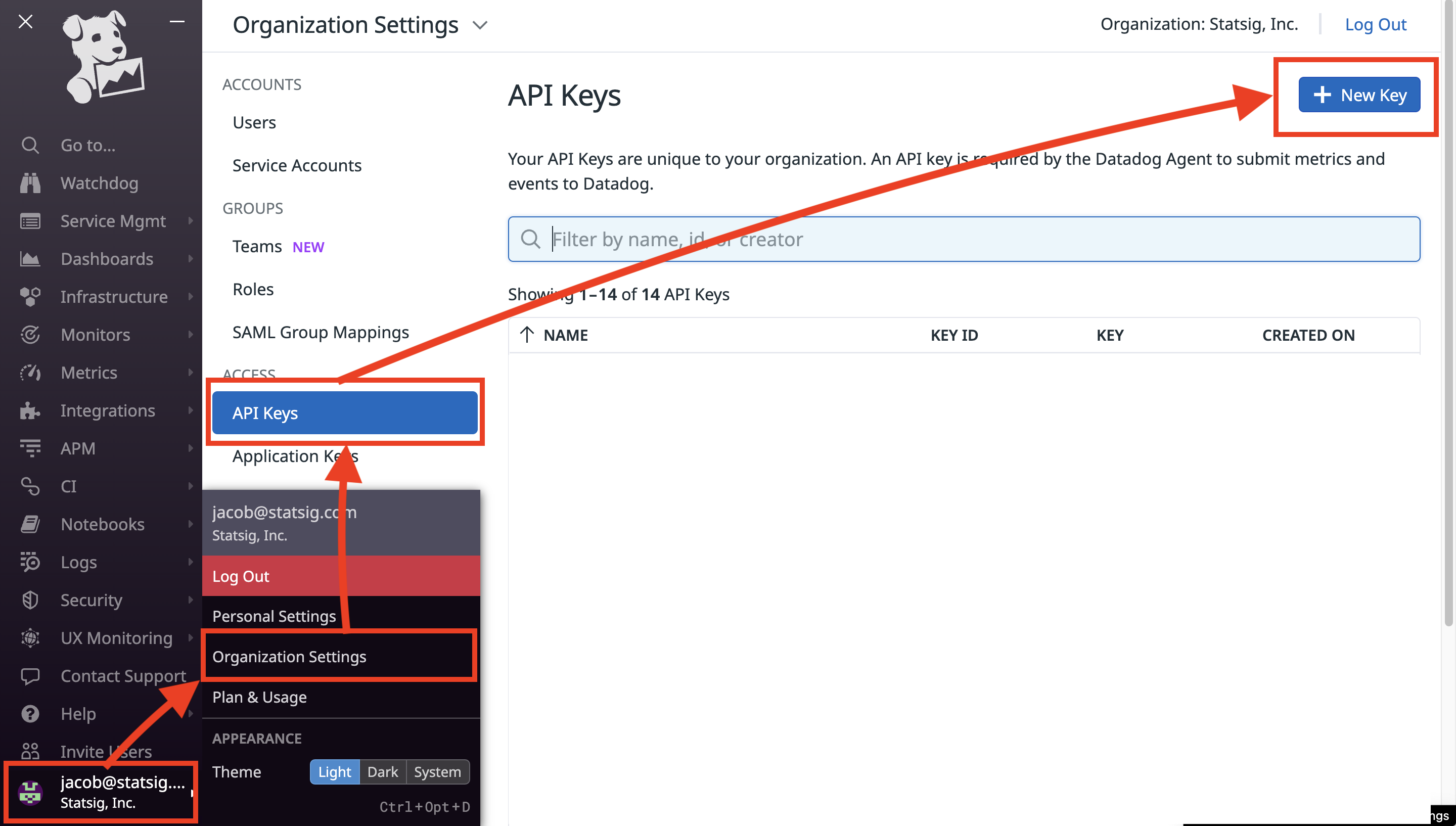
- Paste the API key in the text box at the top of the integration dialog, then select Confirm.
If the above steps are out of date, refer to the Datadog documentation on how to set up API keys.
Config changes
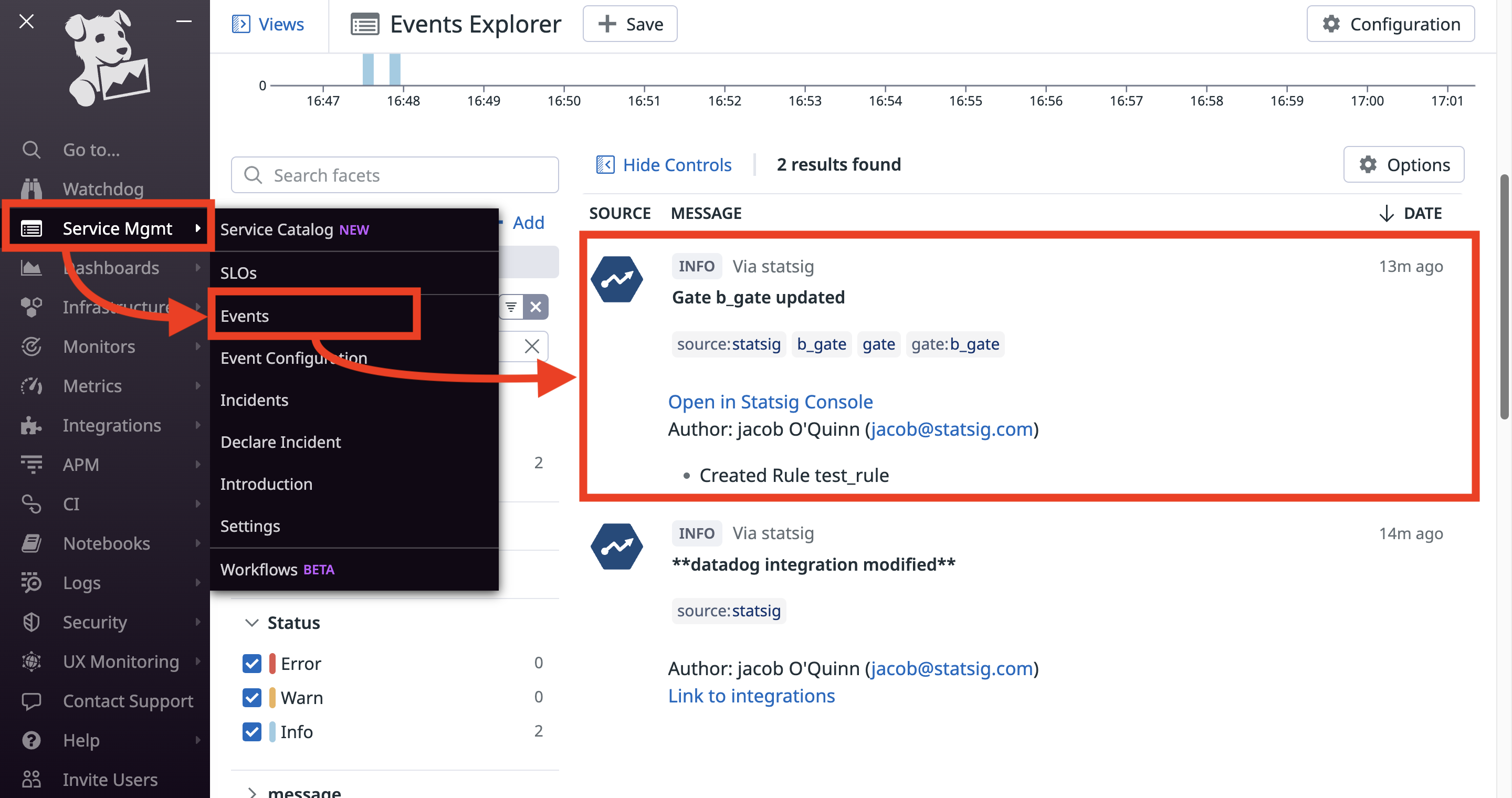
This integration sends Datadog Events of your choice when your project's settings change. For example, Statsig sends an Event when someone edits a Feature Gate.
These events appear in the Datadog Events Explorer.
Event totals forwarding
This integration forwards the count of Statsig SDK Events to Datadog for monitoring your project's Statsig usage. This integration also has the option to forward non-production events to Datadog.
Statsig maps events to Datadog metrics with the listed tags as follows:
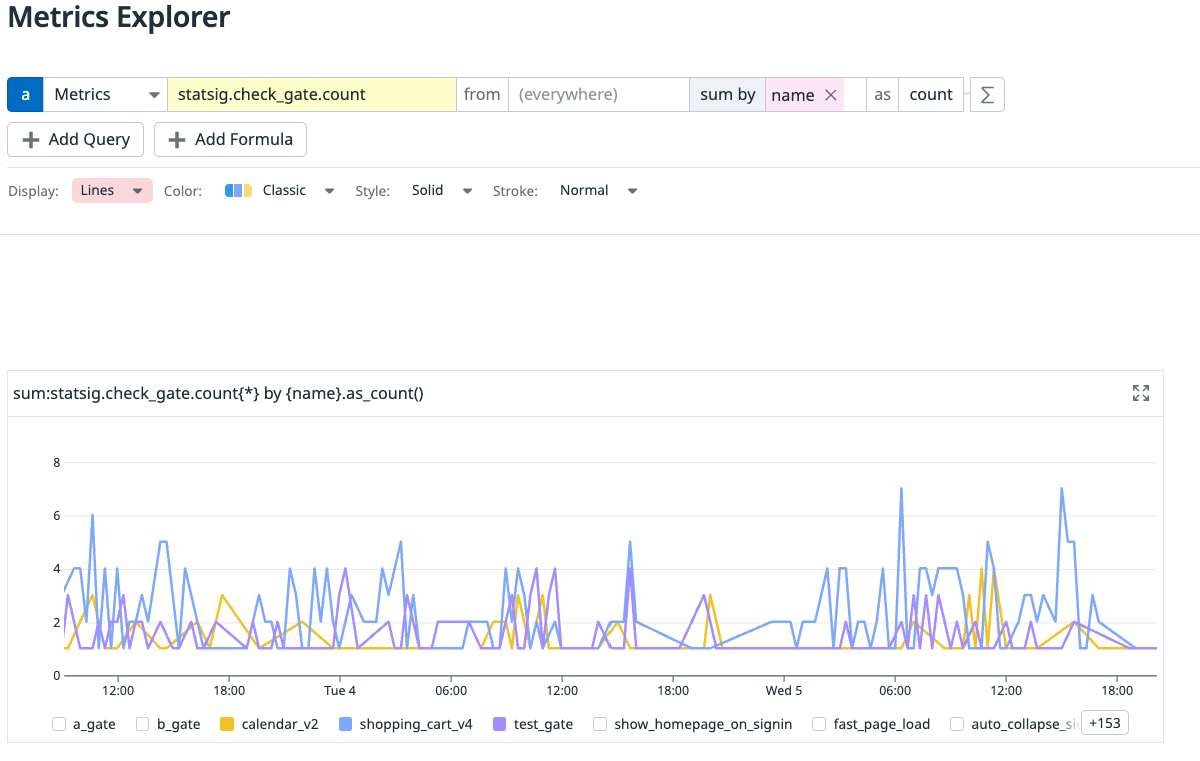
statsig::gate_exposure -> statsig.check_gate.count
- environment
- name
- value
statsig::config_exposure -> statsig.get_config.count
- environment
statsig::experiment_exposure -> statsig.get_experiment.count
- environment
- group
- name
statsig::layer_exposure -> statsig.get_layer.count
- environment
- name
statsig::holdout_exposure -> statsig.get_holdout.count
- environment
- name
- value
Example of check_gate metric
Datadog RUM integration
This integration requires a client-side setup. Go to the Datadog documentation for setup instructions.
Was this helpful?