For AI agents: a documentation index is available at /llms.txt. Append .md to any page URL for markdown, or send Accept: text/markdown.
Statsig Visual Editor (Low-code Experiments)
Learn about Statsig Sidecar, a low-code tool that simplifies A/B testing, enabling marketers to independently execute experiments with ease.
Statsig's Visual Editor, also called Sidecar, is a low-code tool for building and running A/B tests on your website without engineering work. You use a point-and-click interface to change styling, text content, calls to action, and injected scripts. Statsig assigns visitors to variants and measures the results with its stats engine.
How A/B testing works
A/B testing, or split testing, is a fundamental method in digital marketing for validating website changes. It involves comparing two versions of a webpage to see which performs better with a target audience.
Traditionally, implementing A/B tests required substantial technical skills and collaboration between marketers and developers. This requirement led to longer implementation times and reduced agility for marketing teams.
Statsig's visual editor
Statsig's Visual Editor lets marketers run A/B tests with minimal technical dependency. It provides an intuitive, point-and-click interface for setting up and managing A/B tests on your website. You can experiment on styling, text content, calls to action, and injected scripts that change page behavior.
Combined with Statsig's industry-leading stats engine, Sidecar is a useful tool in a marketer's toolkit.
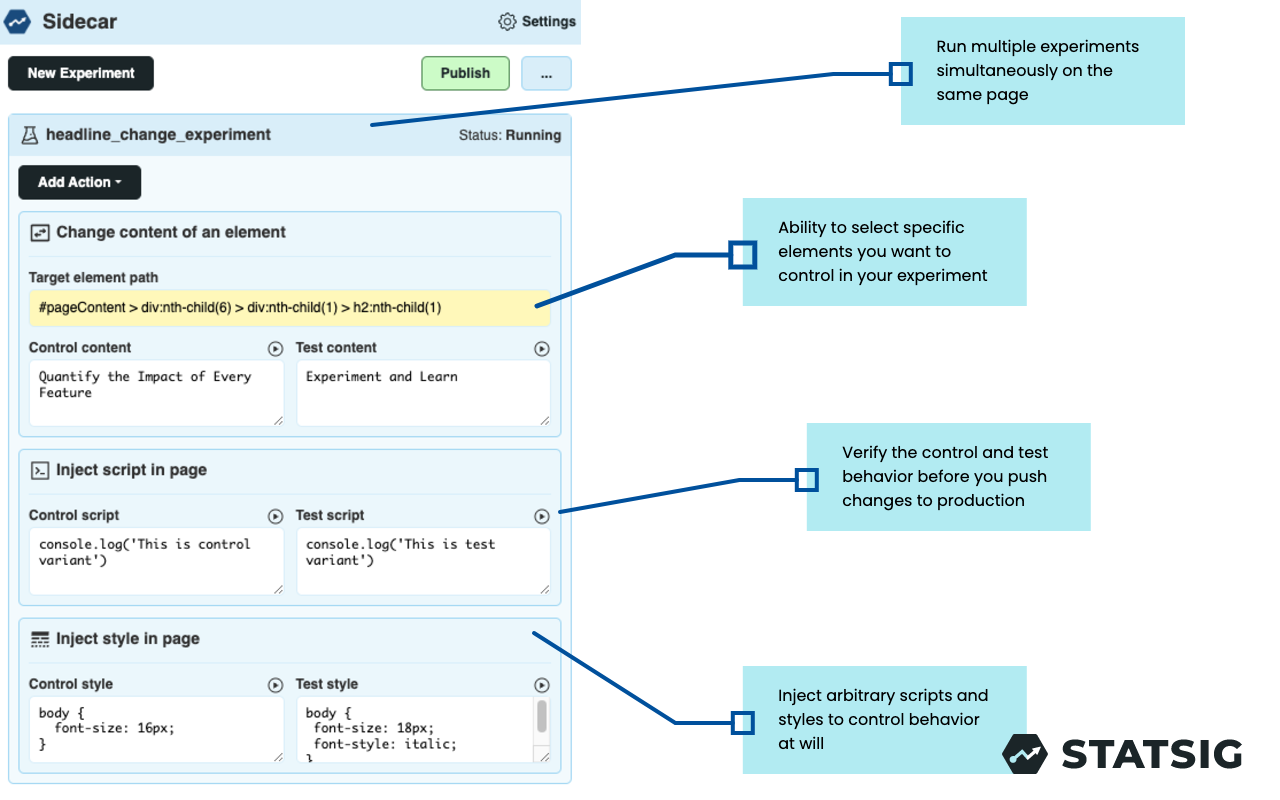
This guide assumes you have an existing Statsig account. Go here to create a new free account if you don't already have one: https://statsig.com/signup
Performance considerations
Sidecar, like any client-side tooling, introduces some degree of page load latency. Test Sidecar and verify that the performance impact falls within your acceptable threshold.
Performance-sensitive customers typically use the JS-SDK for web testing. When using the JS/React SDKs with Client Bootstrapping, the latency is minimal because initialization requires no network requests.
Was this helpful?