Working with Dynamic Config
Learn how to use configuration parameters to control your application behavior in near real-time.
A dynamic config allows you to use configuration parameters to control the behavior of your application in near real-time.
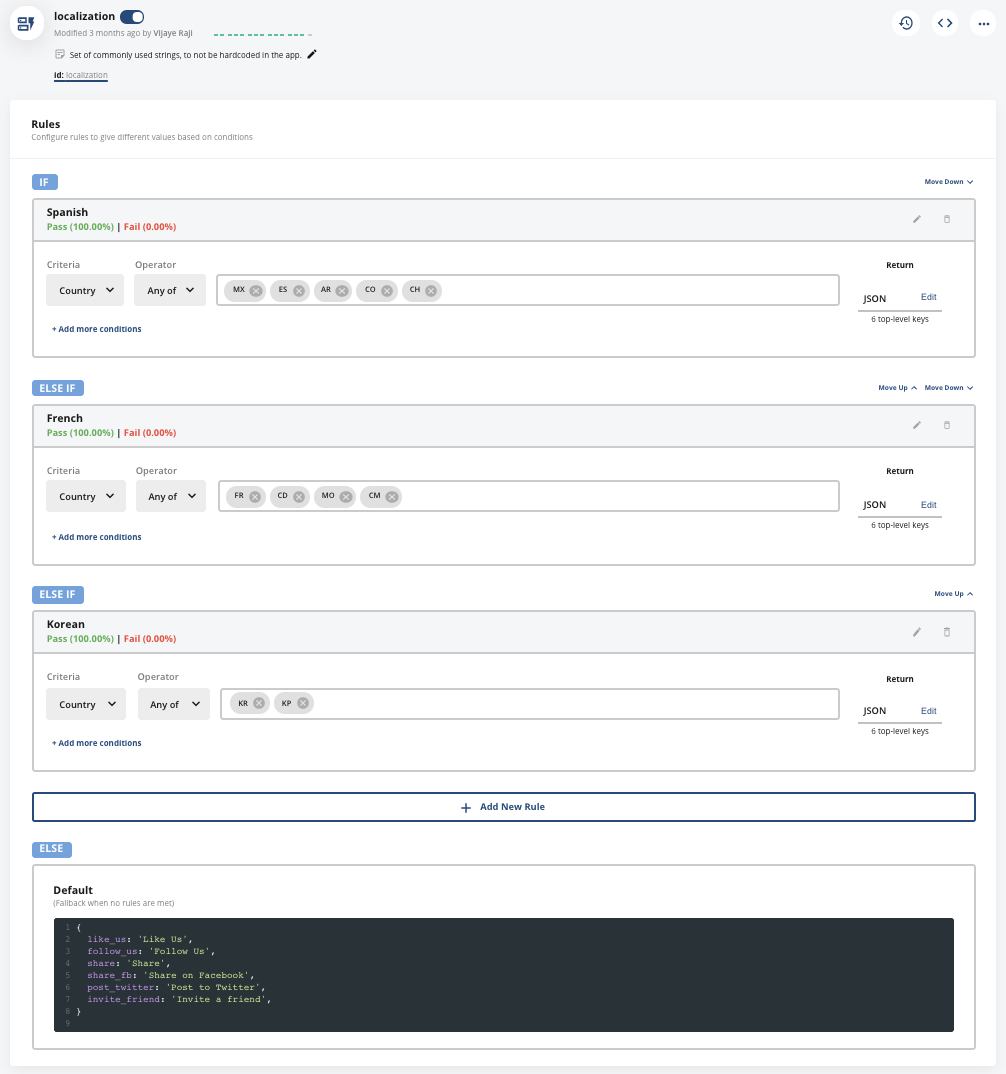
In the example below, the dynamic config called localization retrieves localized strings for users in different countries. Users in Spanish-speaking countries see Spanish strings, while users in French- and Korean-speaking countries see French and Korean strings.
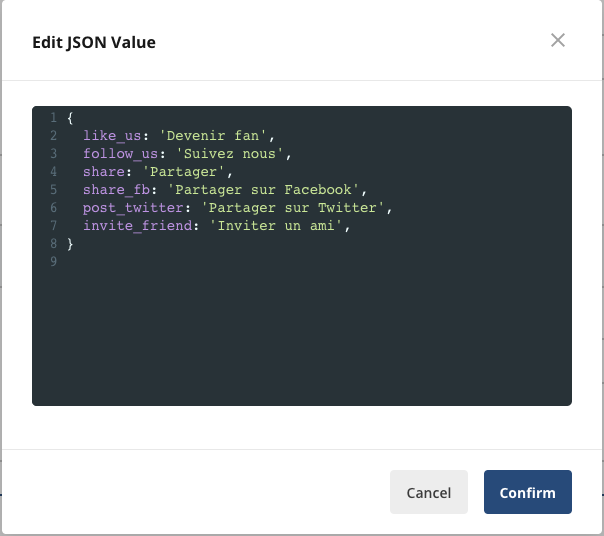
A sample JSON payload for French speakers is shown below.
The following tutorials show you how to perform common tasks with dynamic configs.
Follow a dynamic config
You can follow a dynamic config to receive personal notifications when it changes, the same way you follow feature gates and experiments. When someone updates a config you follow, Statsig notifies you by email, in the console, and in Slack if you've configured personal Slack notifications.To follow a dynamic config:
- Open the config in the Statsig console.
- Select Follow (the star icon next to the config name).
- To stop notifications, select Unfollow.
On the Dynamic Configs list page, use the Following filter to show only configs you follow.
Tutorials
Was this helpful?