SRM Checks
How sample ratio mismatch (SRM) detection works in Statsig Warehouse Native, including the chi- squared test, alert thresholds, and common root causes.
SRM - Sample ratio mismatch
Sample ratio mismatch (SRM) occurs when the observed allocation of unique users between test groups differs from the expected allocation or "split" of the test. For additional background, go to the Statsig blog post on sample ratio mismatch.
SRM is a signal of unknown bias in the test. Because diagnosing the cause of the imbalance isn't always possible, it isn't always easy to determine how much the bias affects results.
SRM checks
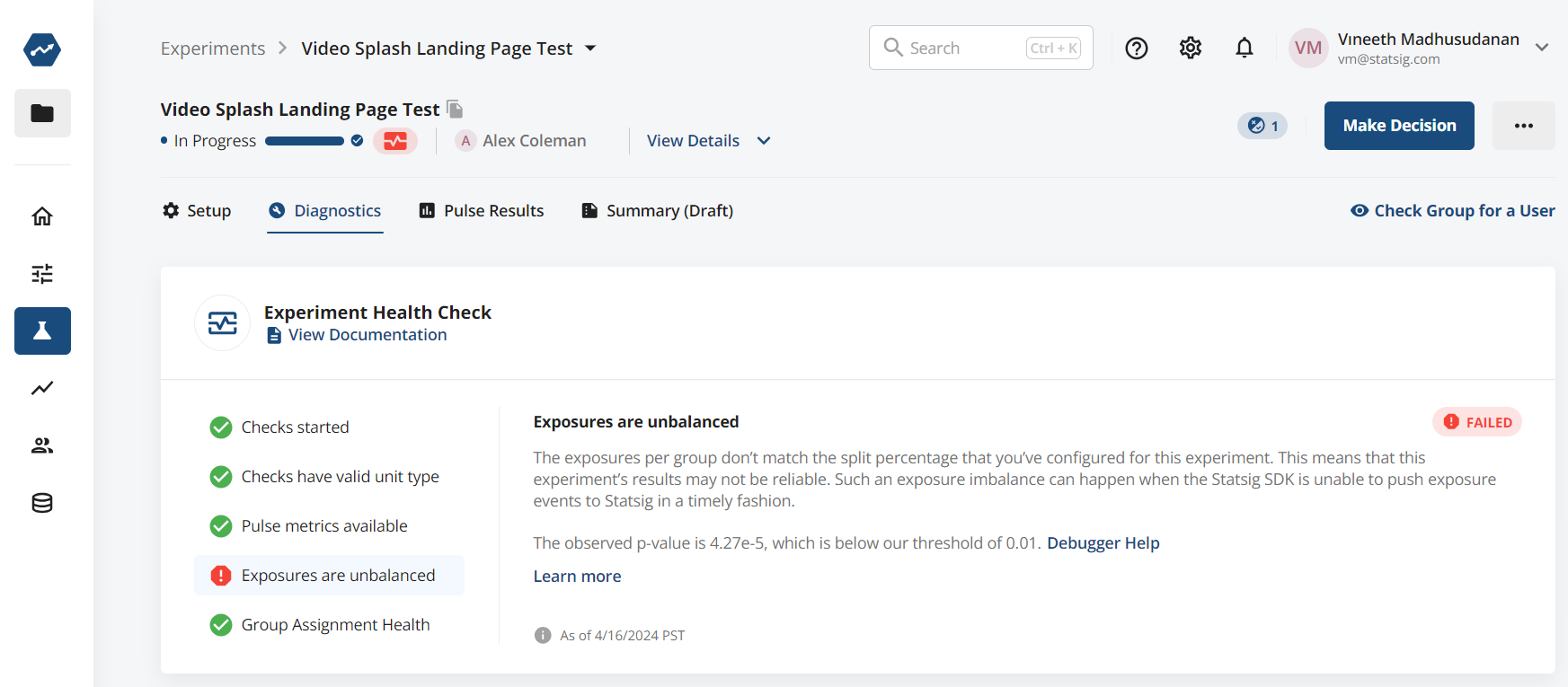
Statsig runs SRM checks on all experiments and feature gates as part of Health Checks (go to Health Checks documentation for details). Statsig uses a Chi-squared test to determine whether the user split between groups indicates a sample ratio mismatch.
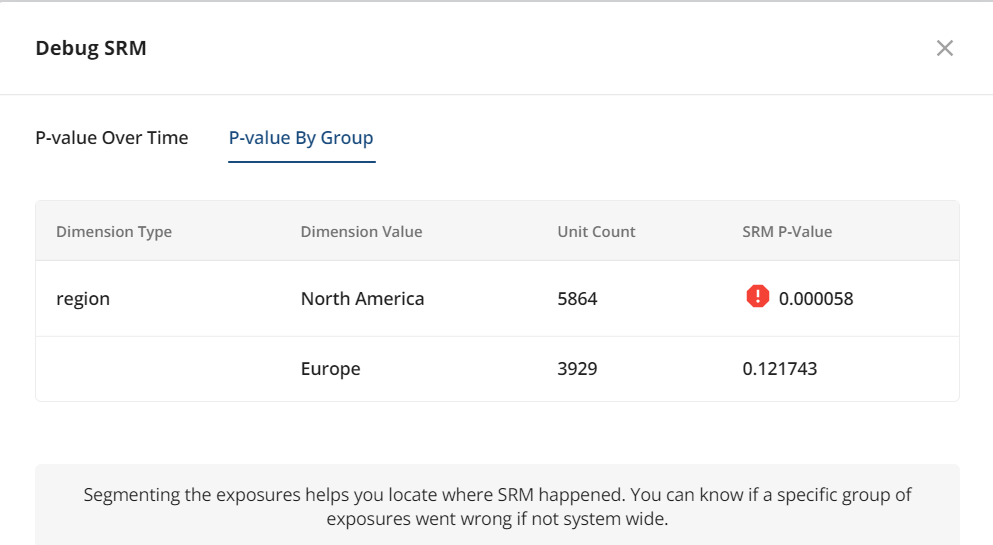
Statsig automatically analyzes data by common dimensions logged by the Statsig SDK to identify potential drivers of SRM. These dimensions include sdk_type, sdk_version, reason, is_bot, browser_name, browser_version, os, os_version, and region.
Was this helpful?