For AI agents: a documentation index is available at /llms.txt. Append .md to any page URL for markdown, or send Accept: text/markdown.
Export Pulse Results
Export Statsig Warehouse Native experiment results as CSV, share via link, or pipe to BI tools and notebooks for additional downstream analysis.
How to export Pulse data in Statsig Cloud
Warehouse Native users: You're viewing the Cloud docs for this page. Metrics and experiments behave differently in Warehouse Native. Read How to Access Pulse Data in Warehouse Native.
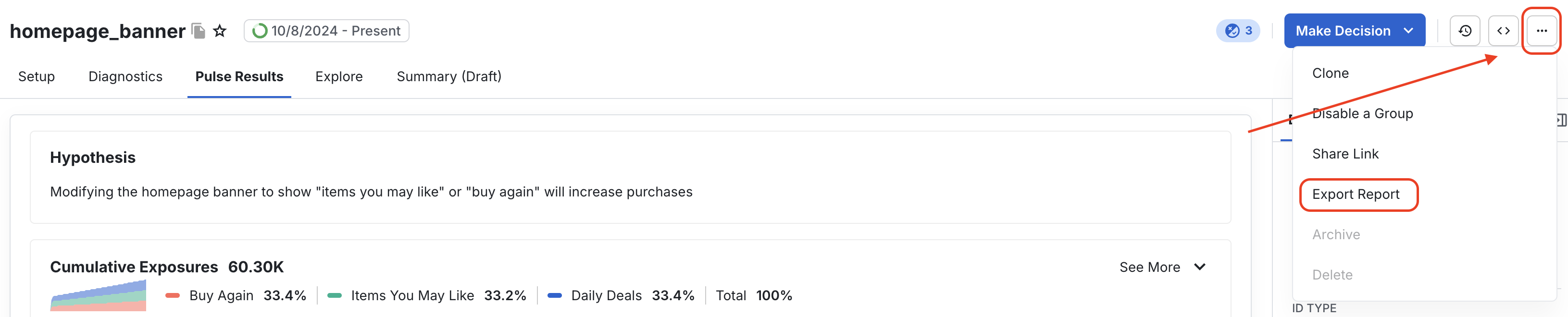
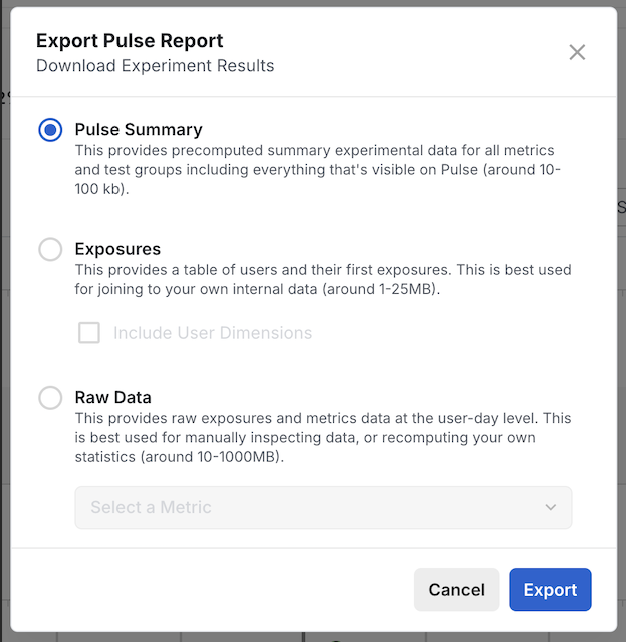
You can export your Pulse Results for Feature Gates and Experiments. Go to the relevant "Pulse Results" page and select "Export Report". Exporting results can take up to 10 minutes. Statsig sends a notification and email when the report is ready, and a link appears under Project Settings > Reports. You can only export results when your Pulse screen has results.
Was this helpful?